1. పరిచయం
Thank you for choosing the ZEALOT B21 Wireless Bluetooth Over-Ear Headphones. These headphones are designed to provide a high-quality audio experience with convenient wireless connectivity and intuitive touch controls. This manual will guide you through the setup, operation, and maintenance of your new headphones.
ప్యాకేజీ విషయాలు
- ZEALOT B21 Wireless Bluetooth Over-Ear Headphones
- USB ఛార్జింగ్ కేబుల్
- 3.5mm ఆడియో కేబుల్
- వినియోగదారు మాన్యువల్

Image 1.1: Contents of the ZEALOT B21 headphone package, showing the headphones, charging cable, audio cable, and user manual.
2. సెటప్
2.1 హెడ్ఫోన్లను ఛార్జ్ చేయడం
Before first use, fully charge the headphones. Connect the supplied USB charging cable to the charging port on the headphones and the other end to a USB power source (e.g., computer USB port, USB wall adapter). The LED indicator will show charging status and turn off or change color when fully charged. A full charge provides approximately 12 hours of music playback or 300 hours of standby time.
2.2 పవర్ చేయడం ఆన్/ఆఫ్
- పవర్ ఆన్ చేయడానికి: LED సూచిక వెలిగే వరకు పవర్ బటన్ను నొక్కి పట్టుకోండి.
- పవర్ ఆఫ్ చేయడానికి: LED సూచిక ఆఫ్ అయ్యే వరకు పవర్ బటన్ను నొక్కి పట్టుకోండి.
2.3 బ్లూటూత్ జత చేయడం
మీ హెడ్ఫోన్లను బ్లూటూత్-ప్రారంభించబడిన పరికరానికి కనెక్ట్ చేయడానికి:
- హెడ్ఫోన్లు పవర్ ఆఫ్లో ఉన్నాయని నిర్ధారించుకోండి.
- LED సూచిక నీలం మరియు ఎరుపు రంగుల్లో ప్రత్యామ్నాయంగా మెరిసే వరకు పవర్ బటన్ను దాదాపు 5-7 సెకన్ల పాటు నొక్కి పట్టుకోండి, ఇది జత చేసే మోడ్ను సూచిస్తుంది.
- మీ పరికరంలో (స్మార్ట్ఫోన్, టాబ్లెట్, కంప్యూటర్), బ్లూటూత్ను ప్రారంభించి, అందుబాటులో ఉన్న పరికరాల కోసం శోధించండి.
- Select "ZEALOT B21" from the list of found devices.
- Once paired, the LED indicator on the headphones will flash blue slowly, and you will hear an audible confirmation.
పరికరం యొక్క బ్లూటూత్ యాక్టివ్గా ఉండి, పరిధిలో ఉంటే, హెడ్ఫోన్లు పవర్ ఆన్ చేసినప్పుడు చివరిగా జత చేసిన పరికరానికి స్వయంచాలకంగా తిరిగి కనెక్ట్ అవ్వడానికి ప్రయత్నిస్తాయి.

Image 2.1: The ZEALOT B21 headphones, illustrating their over-ear design and touch control area on the ear cup.
3. ఆపరేటింగ్ సూచనలు
3.1 టచ్ కంట్రోల్ ప్యానెల్
The ZEALOT B21 headphones feature an integrated touch control panel on the right ear cup for easy management of music and calls.
- ప్లే/పాజ్: Tap the center of the touch panel once.
- ధ్వని పెంచు: Slide your finger upwards on the touch panel.
- వాల్యూమ్ డౌన్: Slide your finger downwards on the touch panel.
- తదుపరి ట్రాక్: Slide your finger forward (towards the front of the ear cup) on the touch panel.
- మునుపటి ట్రాక్: Slide your finger backward (towards the rear of the ear cup) on the touch panel.
- Voice Dial (when standby): టచ్ ప్యానెల్ మధ్యలో నొక్కి పట్టుకోండి.

Image 3.1: Visual guide to the touch control gestures for managing music playback and volume on the headphones.
3.2 కాల్ విధులు
The built-in HD microphone allows for hands-free calling.
- సమాధానం/ముగింపు కాల్: Tap the center of the touch panel once.
- కాల్ని తిరస్కరించండి: Press and hold the center of the touch panel for 2 seconds.
3.3 AUX Line-in Mode
You can use the headphones as a wired headset even when the battery is depleted or with non-Bluetooth devices. Connect one end of the supplied 3.5mm audio cable to the AUX port on the headphones and the other end to your audio source's 3.5mm jack. In AUX mode, the microphone functionality is not available.

Image 3.2: The ZEALOT B21 headphones, highlighting their capability for continuous music playback, including via AUX cable.
4. సౌకర్యం మరియు డిజైన్
The ZEALOT B21 headphones are designed for extended listening comfort.
- Ergonomic Ear Cups: The closed circumaural ear cups are made with breathable protein leather and memory foam padding, providing comfort and effective noise isolation.
- సర్దుబాటు చేయగల హెడ్బ్యాండ్: The solid steel headband is adjustable to ensure a secure and comfortable fit for various head sizes, enhancing durability.

చిత్రం 4.1: వివరణాత్మక view of the soft, ergonomic ear cup designed for comfort and sound isolation.
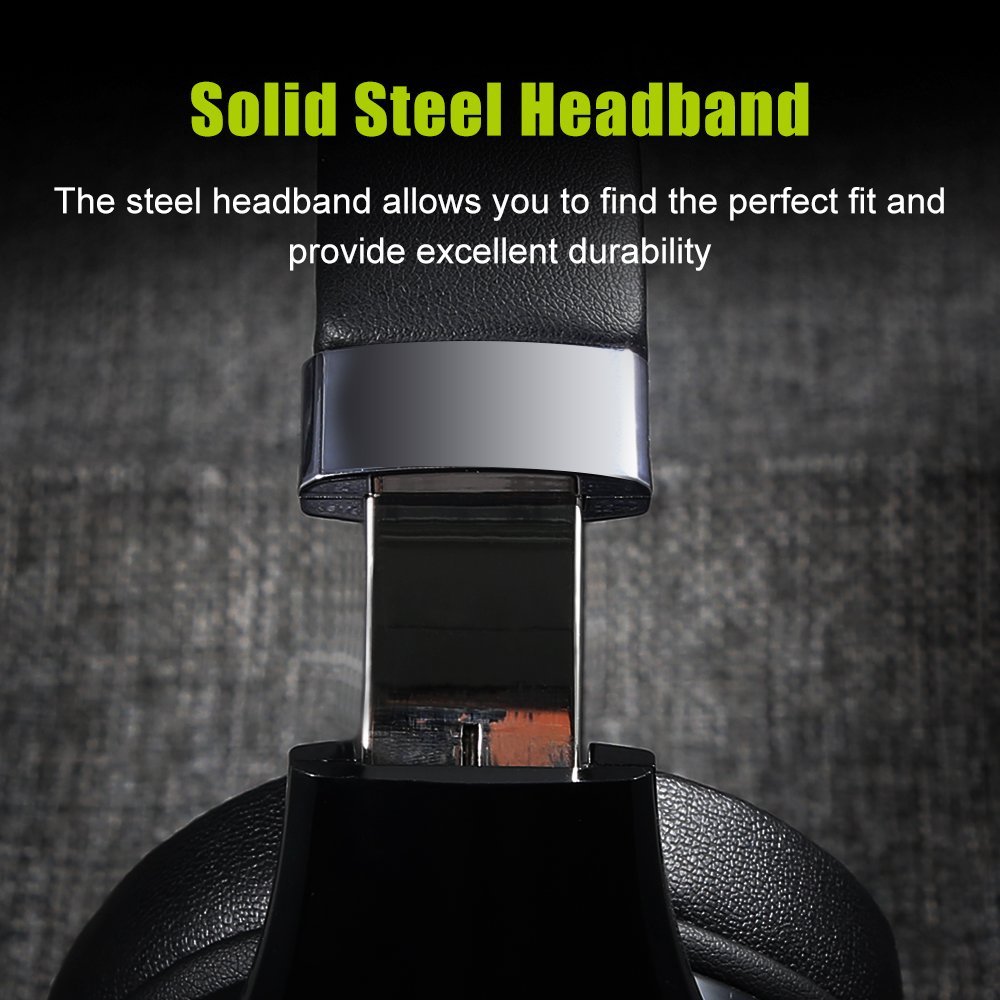
Image 4.2: A close-up of the durable, adjustable steel headband component.
5. నిర్వహణ
5.1 శుభ్రపరచడం
మీ హెడ్ఫోన్ల స్థితిని నిర్వహించడానికి:
- ఉపరితలాలను మృదువైన, పొడి వస్త్రంతో తుడవండి.
- రాపిడి క్లీనర్లు, ఆల్కహాల్ లేదా రసాయన ద్రావకాలను ఉపయోగించవద్దు.
- ఏదైనా రంధ్రాలలోకి తేమ రాకుండా చూసుకోండి.
5.2 నిల్వ
When not in use, store the headphones in a cool, dry place, away from direct sunlight and extreme temperatures. Using the provided storage bag can help protect them from dust and scratches.
6. ట్రబుల్షూటింగ్
If you encounter issues with your ZEALOT B21 headphones, refer to the following solutions:
| సమస్య | సాధ్యమైన పరిష్కారం |
|---|---|
| హెడ్ఫోన్లు పవర్ ఆన్ చేయవు. | హెడ్ఫోన్లు పూర్తిగా ఛార్జ్ అయ్యాయని నిర్ధారించుకోండి. పవర్ సోర్స్కి కనెక్ట్ చేసి, మళ్లీ ప్రయత్నించండి. |
| బ్లూటూత్ ద్వారా జత చేయడం సాధ్యం కాదు. | Ensure headphones are in pairing mode (flashing blue/red). Turn off and on your device's Bluetooth. Move headphones closer to the device. Clear previous Bluetooth connections on your device. |
| శబ్దం లేదు లేదా తక్కువ వాల్యూమ్ ఉంది. | Check volume levels on both headphones and the connected device. Ensure headphones are properly paired. If using AUX cable, ensure it is fully inserted. |
| తక్కువ ధ్వని నాణ్యత. | Move closer to the connected device to reduce interference. Ensure there are no obstacles between the headphones and the device. Try a different audio source. |
| టచ్ కంట్రోల్లు స్పందించడం లేదు. | Ensure your fingers are clean and dry. Power off and restart the headphones. |
7. స్పెసిఫికేషన్లు
| ఫీచర్ | వివరాలు |
|---|---|
| మోడల్ పేరు | B21 |
| కనెక్టివిటీ టెక్నాలజీ | వైర్లెస్ (బ్లూటూత్) |
| వైర్లెస్ కమ్యూనికేషన్ టెక్నాలజీ | Bluetooth 4.0 (CSR8635 chipset) |
| ఆపరేటింగ్ దూరం | 10 మీటర్ వరకు |
| హెడ్ఫోన్స్ జాక్ | 3.5 mm Jack (for AUX mode) |
| ఫ్రీక్వెన్సీ రెస్పాన్స్ | 20 హెర్ట్జ్ - 20000 హెర్ట్జ్ |
| ఇంపెడెన్స్ | 32 ఓం |
| మైక్రోఫోన్ ఫార్మాట్ | Built-In (HD microphone with CVC6.0 Noise Cancelling) |
| నియంత్రణ రకం | టచ్ కంట్రోల్, వాల్యూమ్ కంట్రోల్ |
| బ్యాటరీ | 500mAh పాలిమర్ లిథియం బ్యాటరీ |
| స్టాండ్బై సమయం | 300 గంటల వరకు |
| సంగీతం ప్లేబ్యాక్ సమయం | 12 గంటల వరకు |
| మెటీరియల్ | Faux Leather (earmuffs) |
| వస్తువు బరువు | 771 గ్రా (1.7 పౌండ్లు) |
| ఉత్పత్తి కొలతలు | 21.34 x 18.03 x 10.67 సెం.మీ |
| అనుకూల ప్లాట్ఫారమ్లు | ల్యాప్టాప్, పిసి, స్మార్ట్ఫోన్, టాబ్లెట్ |
8. వారంటీ మరియు మద్దతు
For warranty information and technical support, please refer to the warranty card included in your product packaging or visit the official ZEALOT webసైట్. ఏవైనా వారంటీ క్లెయిమ్లకు కొనుగోలు రుజువుగా మీ కొనుగోలు రసీదును ఉంచండి.


