1. పరిచయం
ధన్యవాదాలు, ధన్యవాదాలు.asing the Carson RedSight Pro Red LED Flashlight, Model SL-33. This compact and versatile flashlight is designed for situations where preserving night vision is crucial. Its red LED illumination is ideal for astronomy, photographic darkrooms, theater use, and other low-light environments. The glow-in-the-dark grip and integrated carabiner enhance its utility and portability.
2. భద్రతా సమాచారం
- ఎల్ఈడీ లైట్లోకి నేరుగా చూడవద్దు.
- పిల్లలకు దూరంగా ఉంచండి.
- పాత మరియు కొత్త బ్యాటరీలు లేదా వివిధ రకాల బ్యాటరీలను కలపవద్దు.
- స్థానిక నిబంధనల ప్రకారం బ్యాటరీలను పారవేయండి.
- ఫ్లాష్లైట్ను విపరీతమైన ఉష్ణోగ్రతలు లేదా తేమకు బహిర్గతం చేయకుండా ఉండండి.
3. ప్యాకేజీ విషయాలు
Your Carson RedSight Pro package should contain:
- 1x Carson RedSight Pro Red LED Flashlight (Model SL-33)
- 1x Integrated Carabiner
గమనిక: 3x AAA batteries are required and are not included with this product.
4 భాగాల రేఖాచిత్రం
Familiarize yourself with the components of your RedSight Pro flashlight:
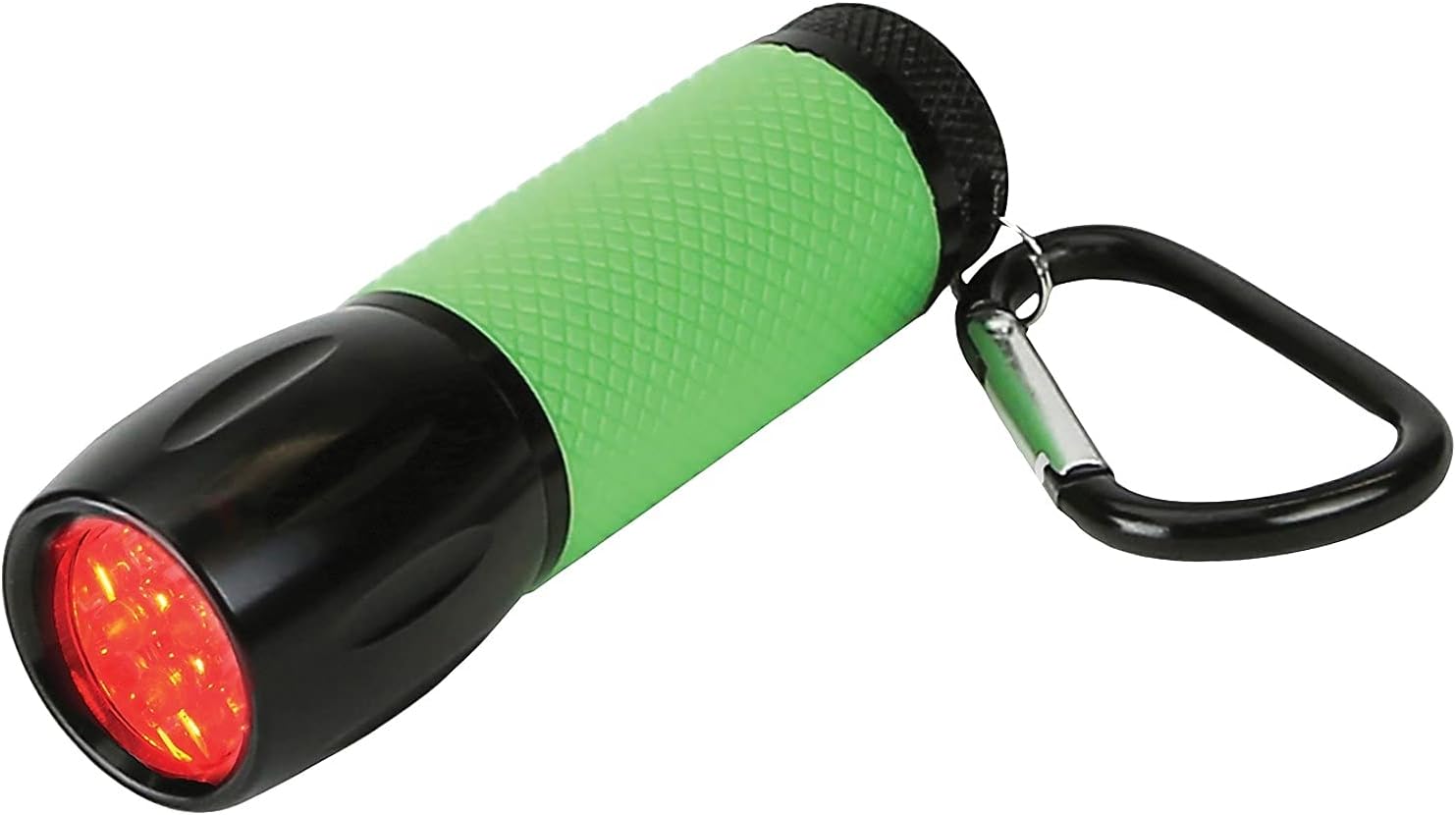
మూర్తి 1: ముందు view of the RedSight Pro flashlight, highlighting the red LED array and the textured green rubber grip.

చిత్రం 2: పై నుండి క్రిందికి view of the flashlight, illustrating the green power button at the rear and the attached carabiner for portability.
- Red LED Array: Provides red light illumination.
- Glow-in-the-Dark Rubber Grip: Textured green grip for secure handling and easy location in darkness.
- పవర్ బటన్: Located at the rear, controls power and brightness settings.
- కారాబైనర్: Attached to the rear for convenient clipping to bags or belts.
- బ్యాటరీ కంపార్ట్మెంట్: Located under the power button, accessed by unscrewing the rear cap.
5. సెటప్
5.1 బ్యాటరీ ఇన్స్టాలేషన్
The RedSight Pro requires 3x AAA batteries (not included).
- Unscrew the rear cap of the flashlight by turning it counter-clockwise.
- Insert three (3) AAA batteries into the battery compartment, ensuring the correct polarity (+/-) as indicated inside the compartment.
- Screw the rear cap back on clockwise until it is securely tightened. Do not overtighten.
6. ఆపరేటింగ్ సూచనలు
6.1 Power On/Off and Brightness Settings
The RedSight Pro features two brightness settings.

Figure 3: The RedSight Pro flashlight in use, demonstrating the red light output.
- To turn on (High Brightness): Press the green power button located at the rear of the flashlight once.
- To switch to Low Brightness: While the flashlight is on, press the power button again.
- ఆఫ్ చేయడానికి: Press the power button a third time.
6.2 Using the Carabiner
The integrated carabiner allows for convenient attachment and transport.
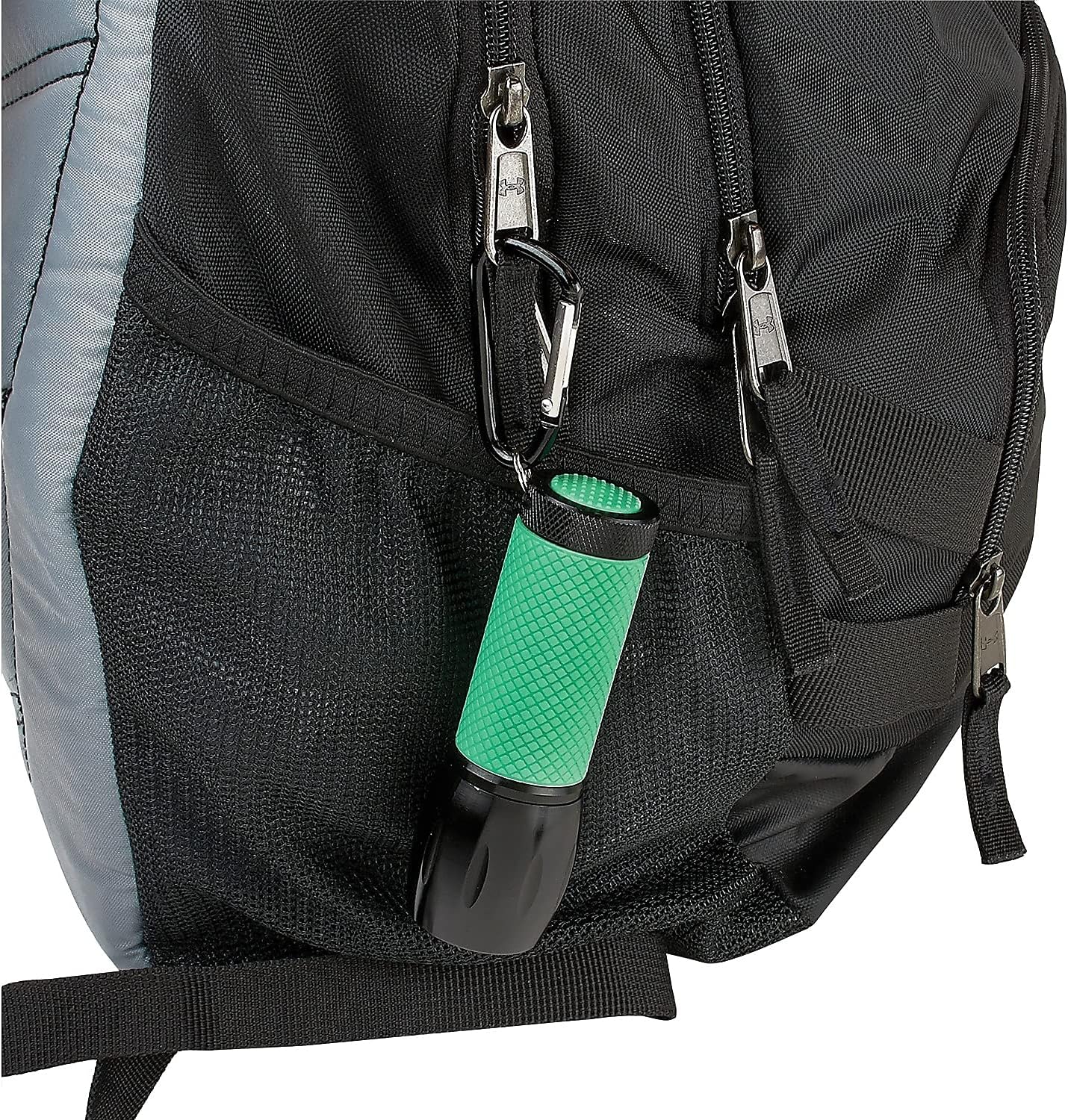
Figure 4: The RedSight Pro flashlight attached to a backpack, showcasing the utility of the carabiner.
- Open the carabiner gate by pressing the spring-loaded mechanism.
- Attach the flashlight to a belt loop, backpack strap, or other suitable anchor point.
- Ensure the gate closes securely to prevent accidental detachment.
6.3 గ్లో-ఇన్-ది-డార్క్ ఫీచర్
The green rubber grip of the RedSight Pro is designed to glow in the dark, making it easy to locate in low-light conditions.
- For optimal glow, expose the flashlight's grip to a light source (natural or artificial) for a few minutes before entering a dark environment.
- The glow intensity and duration will vary based on exposure time and ambient darkness.
7. నిర్వహణ
7.1 శుభ్రపరచడం
- Wipe the flashlight with a soft, dry cloth.
- Do not use abrasive cleaners or solvents, as these may damage the finish or rubber grip.
7.2 బ్యాటరీ భర్తీ
Replace batteries when the light output diminishes or the flashlight fails to turn on. Refer to Section 5.1 for battery installation instructions.
7.3 నిల్వ
- If storing the flashlight for an extended period (more than 30 days), remove the batteries to prevent leakage and potential damage.
- ప్రత్యక్ష సూర్యకాంతి నుండి దూరంగా చల్లని, పొడి ప్రదేశంలో నిల్వ చేయండి.
8. ట్రబుల్షూటింగ్
| సమస్య | సాధ్యమైన కారణం | పరిష్కారం |
|---|---|---|
| ఫ్లాష్లైట్ ఆన్ అవ్వడం లేదు. | డెడ్ లేదా తప్పుగా ఇన్స్టాల్ చేయబడిన బ్యాటరీలు. | బ్యాటరీ ధ్రువణతను తనిఖీ చేయండి. కొత్త AAA బ్యాటరీలతో భర్తీ చేయండి. |
| కాంతి మసకగా ఉంది. | తక్కువ బ్యాటరీ శక్తి. | తాజా AAA బ్యాటరీలతో భర్తీ చేయండి. |
| Grip does not glow in the dark. | తగినంత కాంతి బహిర్గతం లేదు. | Expose the grip to a bright light source for several minutes. |
9. స్పెసిఫికేషన్లు
- మోడల్: SL-33
- కాంతి మూలం: 9 ఎరుపు LED లు
- ప్రకాశం సెట్టింగ్లు: 2
- శక్తి మూలం: 3x AAA బ్యాటరీలు (చేర్చబడలేదు)
- కొలతలు (L x W x H): సుమారు 3.75 in x 1 in x 1 in (9.53 cm x 2.54 cm x 2.54 cm)
- బరువు: సుమారు 2.4 oz (68.04 గ్రా)
- మెటీరియల్: Rubber (grip), Metal/Plastic housing
- ప్రత్యేక లక్షణాలు: Glow-in-the-dark rubber grip, Integrated carabiner
10. వారంటీ మరియు మద్దతు
For warranty information, technical support, or further inquiries, please visit the official Carson website or contact their customer service department. Details are typically available on the manufacturer's packaging or webసైట్.
Webసైట్: www.carson.com


