1. పరిచయం
Thank you for choosing the JHS 8,000 BTU Small Portable Air Conditioner. This 3-in-1 unit provides cooling, fan, and dehumidification functions, designed to keep your space comfortable. This manual provides essential information for the safe and efficient operation, installation, and maintenance of your new portable air conditioner. Please read it thoroughly before use and retain it for future reference.
2. ముఖ్యమైన భద్రతా సమాచారం
మీ ఎయిర్ కండీషనర్ను ఉపయోగిస్తున్నప్పుడు అగ్ని ప్రమాదం, విద్యుత్ షాక్ లేదా గాయం ప్రమాదాన్ని తగ్గించడానికి, ఈ ప్రాథమిక జాగ్రత్తలను అనుసరించండి:
- ఉపకరణాన్ని ఉపయోగించే ముందు అన్ని సూచనలను చదవండి.
- విద్యుత్ సరఫరా యూనిట్లోని రేటింగ్ లేబుల్తో సరిపోలుతుందని నిర్ధారించుకోండి.
- ఎల్లప్పుడూ యూనిట్ను గ్రౌండెడ్ 3-ప్రాంగ్ అవుట్లెట్లోకి ప్లగ్ చేయండి. గ్రౌండింగ్ ప్రాంగ్ను తీసివేయవద్దు.
- దెబ్బతిన్న త్రాడు లేదా ప్లగ్తో యూనిట్ను ఆపరేట్ చేయవద్దు.
- If the unit has not been stored and transported in an UPRIGHT position, wait at least 24 hours before operating it.
- Do not block air vents or exhaust openings.
- ఉష్ణ వనరులు మరియు ప్రత్యక్ష సూర్యకాంతి నుండి యూనిట్ను దూరంగా ఉంచండి.
- శుభ్రపరిచే లేదా సర్వీసింగ్ చేసే ముందు యూనిట్ను అన్ప్లగ్ చేయండి.
- ఈ ఉపకరణం వారి భద్రతకు బాధ్యత వహించే వ్యక్తి ద్వారా ఉపకరణాన్ని ఉపయోగించడం గురించి పర్యవేక్షణ లేదా సూచనలను అందిస్తే తప్ప, శారీరక, ఇంద్రియ లేదా మానసిక సామర్థ్యాలు తగ్గిన వ్యక్తులు (పిల్లలతో సహా) లేదా అనుభవం మరియు జ్ఞానం లేకపోవడం కోసం ఉద్దేశించబడలేదు.
3. ప్యాకేజీ విషయాలు
క్రింద జాబితా చేయబడిన అన్ని వస్తువులు మీ ప్యాకేజీలో చేర్చబడ్డాయని ధృవీకరించండి:
- JHS Portable Air Conditioner Unit
- Remote Control (batteries AAA R03 1.5V*2 not included)
- విండో కిట్
- ఎగ్జాస్ట్ గొట్టం
- డ్రైనేజ్ కిట్
- వినియోగదారు మాన్యువల్
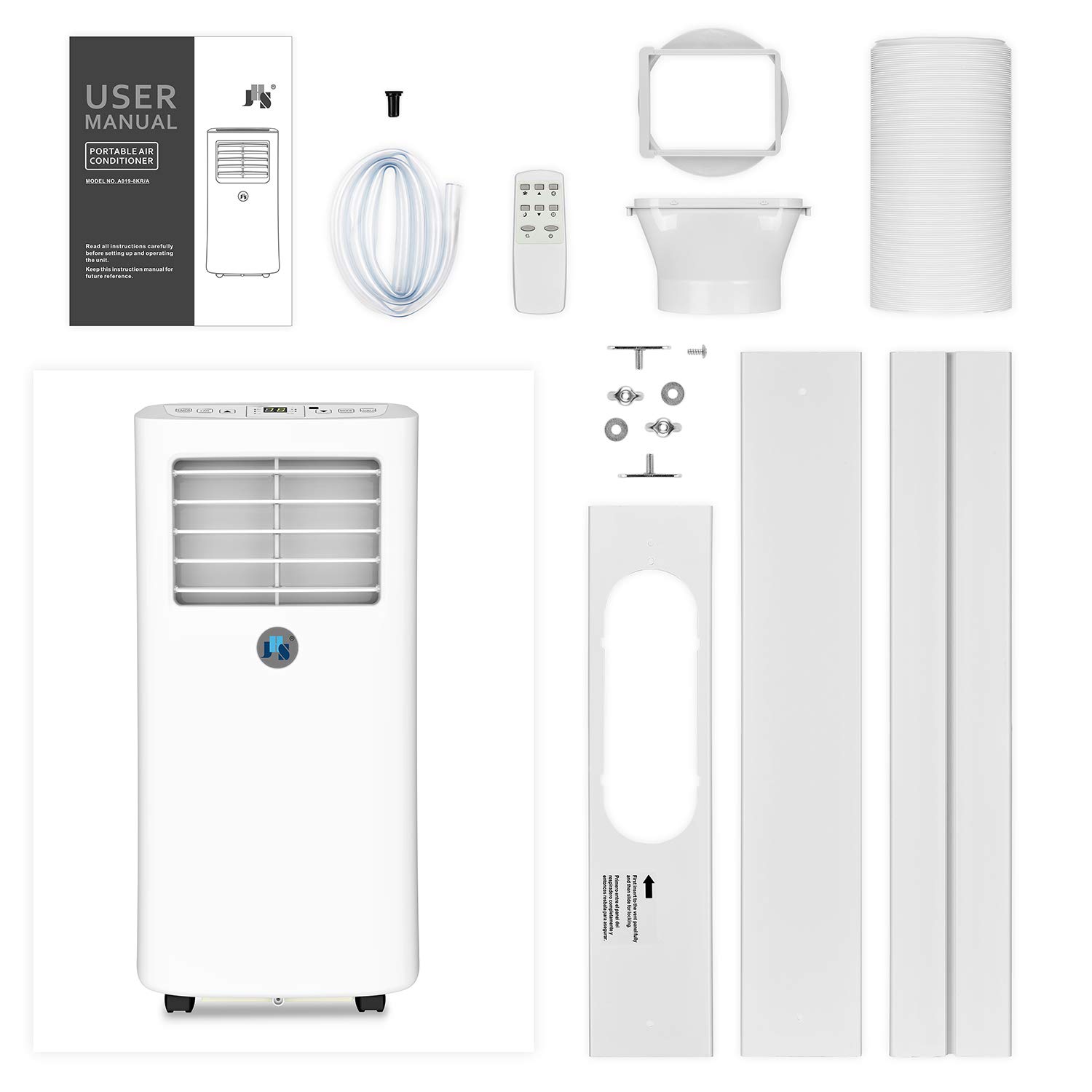
Figure 3.1: Contents of the JHS Portable Air Conditioner package, including the main unit, remote, window kit, exhaust hose, and drainage kit.
4. ఉత్పత్తి ముగిసిందిview
Familiarize yourself with the main components and controls of your portable air conditioner.

మూర్తి 4.1: ముందు view of the JHS Portable Air Conditioner.
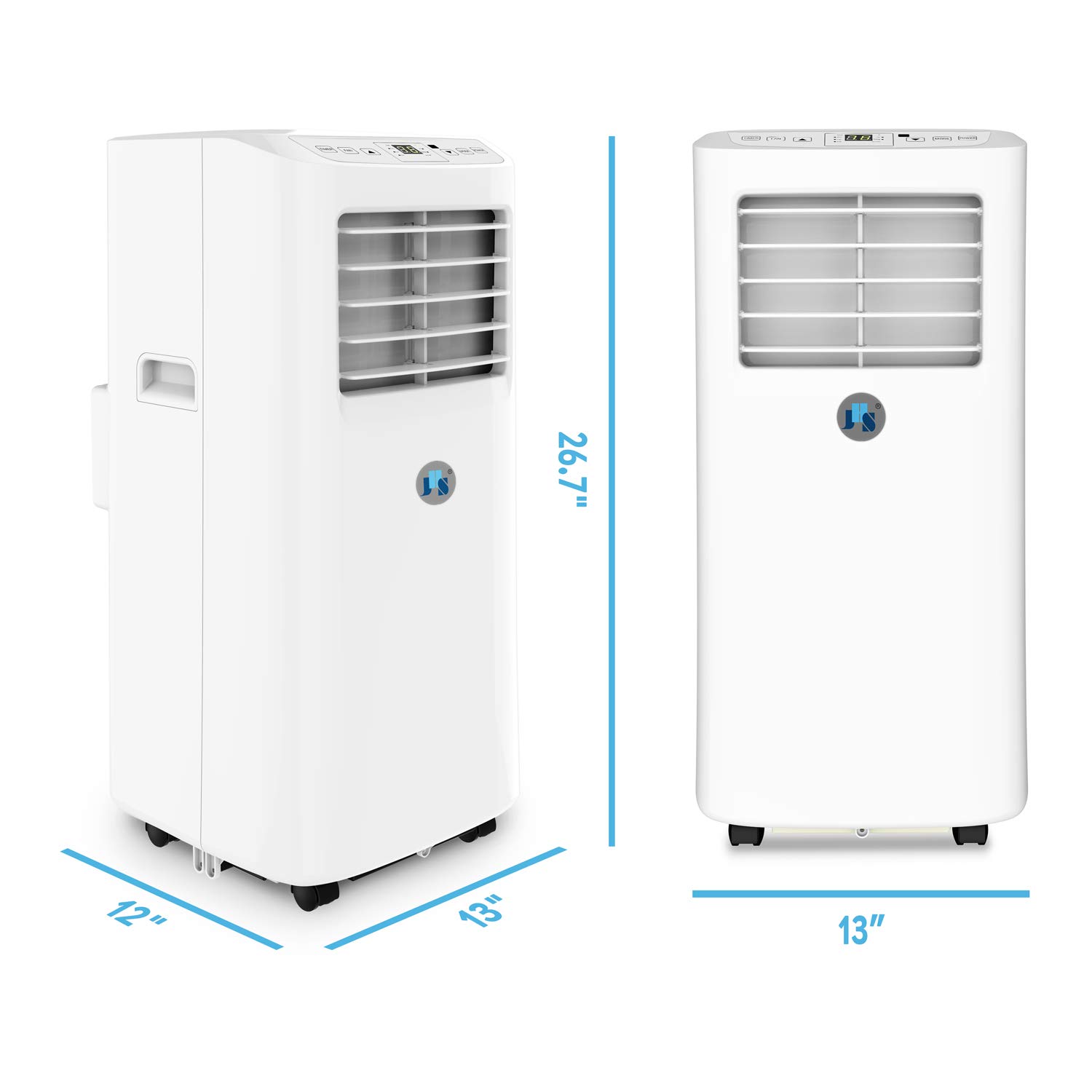
Figure 4.2: Dimensions of the JHS Portable Air Conditioner.
Control Panel and Digital LED Display
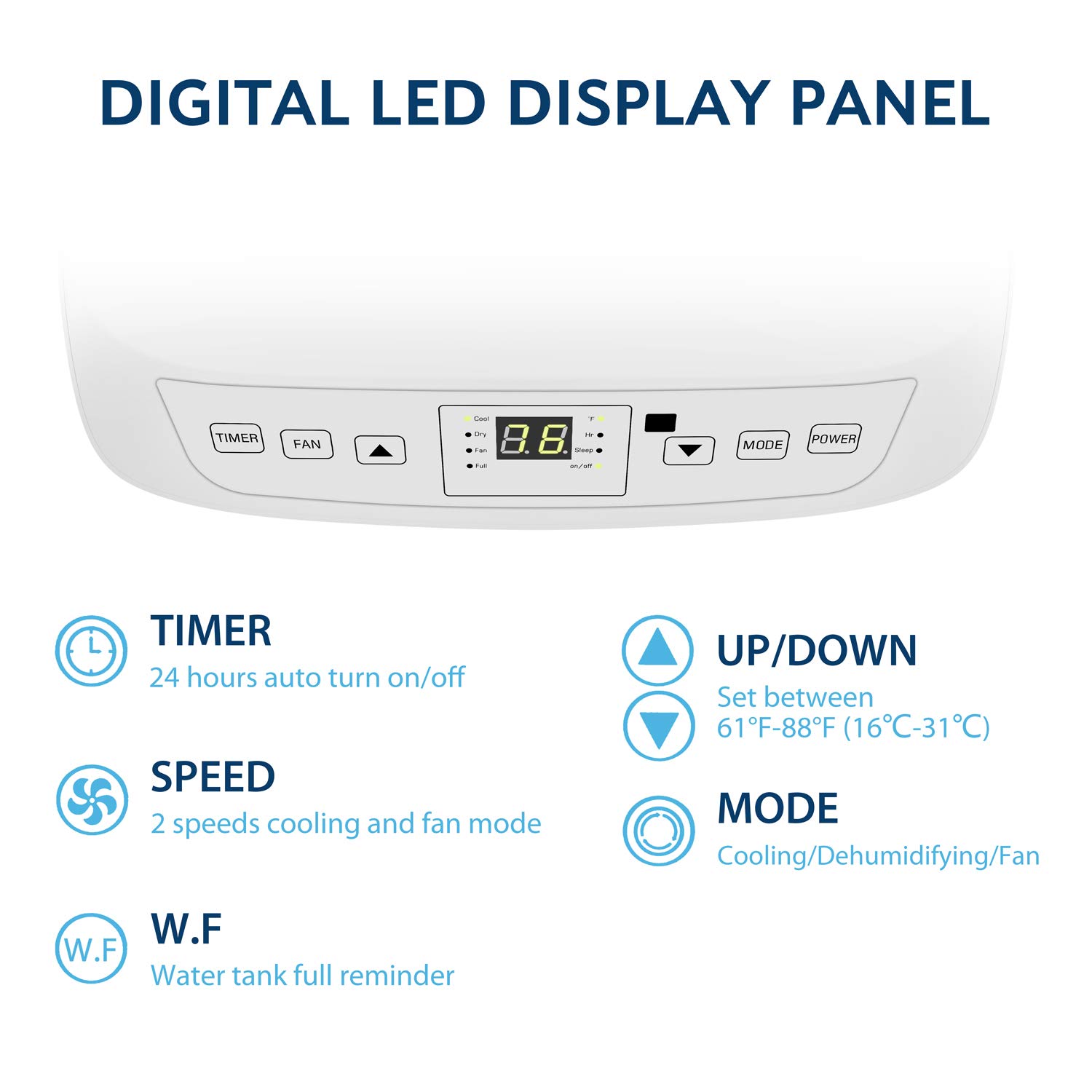
Figure 4.3: Digital LED Display Panel with control buttons.
- టైమర్: 24-hour auto turn on/off programmable timer.
- అభిమాని: Adjusts fan speed (2 speeds available).
- పైకి/క్రిందికి బాణాలు: Set temperature between 61°F ~ 88°F (16℃~31℃).
- DIRECTIONS: Selects operating mode (Cooling, Dehumidifying, Fan).
- శక్తి: యూనిట్ని ఆన్ లేదా ఆఫ్ చేస్తుంది.
- సూచిక లైట్లు: Cool, Dry, Fan, Full (water tank full reminder), Hr (timer active), Sleep (sleep mode active), On/Off.
5. సెటప్ మరియు ఇన్స్టాలేషన్
The JHS Portable Air Conditioner is designed for easy setup. Follow these steps for proper installation:
- యూనిట్ స్థానం: Place the unit on a flat, stable surface. Ensure there is at least 20 inches of space around the unit for proper airflow. The unit is equipped with 4 stainless spindle casters for easy mobility.

Figure 5.1: Stainless Spindle Casters for Easy Mobility.
- Install the Exhaust Hose:
- Screw the exhaust hose onto the exhaust hose adapter.
- ఎగ్జాస్ట్ గొట్టం యొక్క మరొక చివరను యూనిట్ వెనుక భాగంలో ఉన్న ఎగ్జాస్ట్ అవుట్లెట్కు కనెక్ట్ చేయండి.
- విండో కిట్ను ఇన్స్టాల్ చేయండి:
- Adjust the window kit to fit your window opening. The extendable window kit can adjust from 9 to 57 inches.
- విండో కిట్ను స్థానంలో భద్రపరచండి.
- Attach the exhaust hose adapter with the hose to the opening in the window kit. Ensure a tight seal to prevent hot air from re-entering the room.
- పవర్ కనెక్షన్: Plug the power cord into a standard 115V/60Hz electrical outlet. The power cord is 60 inches long.
6. ఆపరేటింగ్ సూచనలు
Your JHS Portable Air Conditioner offers three main functions: Cooling, Fan, and Dehumidifier.
ఆన్/ఆఫ్ చేయడం
- నొక్కండి శక్తి యూనిట్ను ఆన్ లేదా ఆఫ్ చేయడానికి కంట్రోల్ ప్యానెల్ లేదా రిమోట్ కంట్రోల్లోని బటన్.
మోడ్ను ఎంచుకోవడం
- నొక్కండి మోడ్ అందుబాటులో ఉన్న మోడ్ల ద్వారా సైకిల్ చేయడానికి పదే పదే బటన్ను నొక్కండి:
- కూల్ మోడ్: For cooling the room. The display will show the set temperature.
- డ్రై మోడ్ (డీహ్యూమిడిఫైయర్): For removing moisture from the air. The unit will operate in low fan speed. Dehumidifying capacity is 31.7 pints/day.
- అభిమాని మోడ్: For air circulation without cooling. The display will show "FA" or "F1/F2" depending on fan speed.
Adjusting Temperature (Cool Mode Only)
- In Cool Mode, use the UP or డౌన్ arrow buttons to set your desired temperature. The temperature range is 61°F ~ 88°F (16℃~31℃).
Adjusting Fan Speed (Cool and Fan Modes)
- నొక్కండి అభిమాని button to select between 2 fan speeds (Low, High).
టైమర్ ఫంక్షన్
- నొక్కండి టైమర్ button to set a 24-hour programmable timer for automatic turn on/off. Use the UP/DOWN arrows to adjust the desired time.
స్లీప్ మోడ్
- Activate Sleep Mode for quieter operation and gradual temperature adjustment during sleep. Refer to the full user manual for detailed instructions on activating and using Sleep Mode.
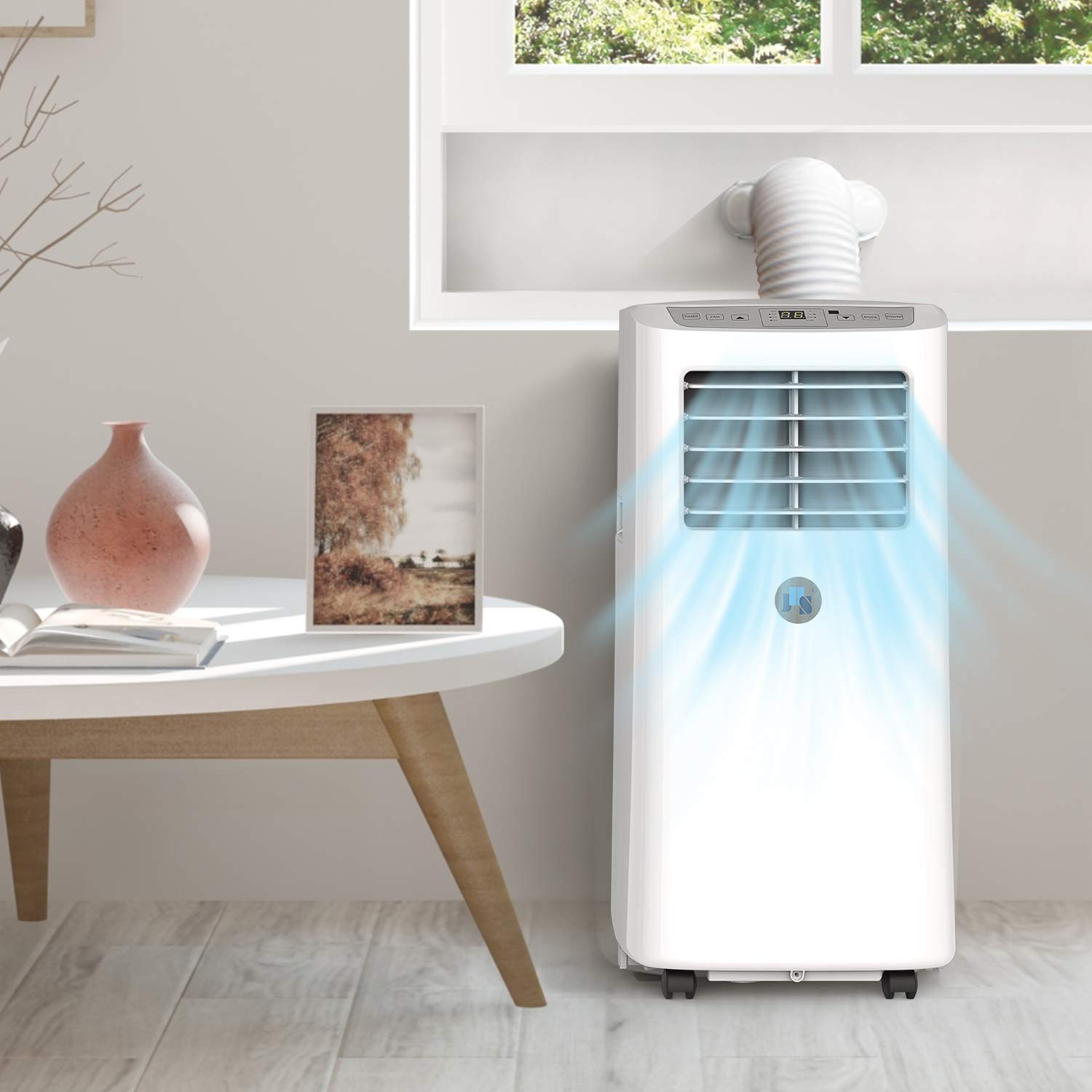
Figure 6.1: JHS Portable Air Conditioner in operation, demonstrating airflow.
7. నిర్వహణ
క్రమం తప్పకుండా నిర్వహణ మీ యూనిట్ యొక్క ఉత్తమ పనితీరును మరియు దీర్ఘాయువును నిర్ధారిస్తుంది.
ఫిల్టర్ క్లీనింగ్
- The unit features a 3-in-1 filter that effectively filters large dust and bacteria.
- Clean the air filter every two weeks or more frequently if the unit is used in a dusty environment.
- To clean, remove the filter from the back of the unit. Wash it with warm, soapy water, rinse thoroughly, and allow it to air dry completely before reinserting.
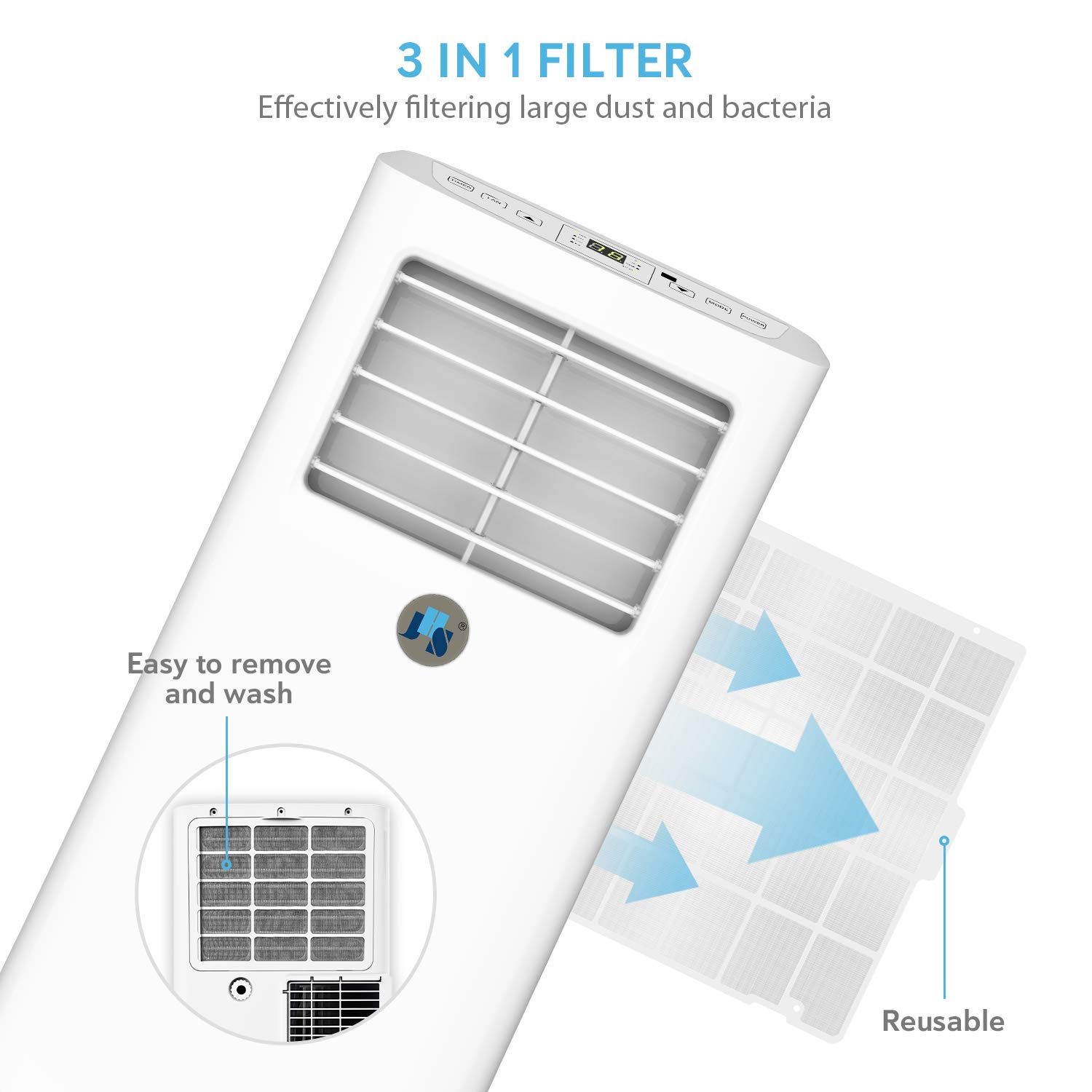
Figure 7.1: Filter removal and cleaning process.
డ్రైనేజీ
- The unit features auto-evaporation drainage. However, in high humidity conditions, manual drainage may be required.
- When the "Full" indicator light illuminates, the water tank is full and needs to be drained.
- Connect the drainage kit hose to the drainage outlet and place the other end into a suitable container or floor drain.
నిల్వ
- దీర్ఘకాలిక నిల్వకు ముందు, యూనిట్ నుండి నీటిని పూర్తిగా తీసివేయండి.
- ఎయిర్ ఫిల్టర్ శుభ్రం చేసి, యూనిట్ పొడిగా ఉందని నిర్ధారించుకోండి.
- చల్లని, పొడి ప్రదేశంలో యూనిట్ను నిటారుగా ఉంచండి.
8. ట్రబుల్షూటింగ్
కస్టమర్ సపోర్ట్ను సంప్రదించే ముందు, ఈ సాధారణ ట్రబుల్షూటింగ్ దశలను ప్రయత్నించండి:
| సమస్య | సాధ్యమైన కారణం | పరిష్కారం |
|---|---|---|
| యూనిట్ ఆన్ చేయబడలేదు. | కరెంటు లేదు, సర్క్యూట్ బ్రేకర్ ట్రిప్ అయింది, వాటర్ ట్యాంక్ నిండింది. | Check power cord, reset breaker, drain water tank. |
| యూనిట్ సమర్థవంతంగా చల్లబడటం లేదు. | మురికి ఎయిర్ ఫిల్టర్, మూసుకుపోయిన ఎయిర్ ఇన్టేక్/ఎగ్జాస్ట్, గది పరిమాణం చాలా పెద్దది, తలుపులు/కిటికీలు తెరిచి ఉన్నాయి. | Clean filter, clear obstructions, ensure room is sealed, consider unit capacity for room size. |
| యూనిట్ నుంచి నీరు కారుతోంది. | Drainage hose not properly connected, unit not level, water tank full. | Ensure hose is secure, place unit on level surface, drain water tank. |
| యూనిట్ ధ్వనించే ఉంది. | యూనిట్ సమతల ఉపరితలంపై లేదు, అంతర్గత భాగాలు కంపిస్తున్నాయి. | Ensure unit is on a flat, stable surface. Some operational noise is normal. |
9. స్పెసిఫికేషన్లు
| ఫీచర్ | స్పెసిఫికేషన్ |
|---|---|
| శీతలీకరణ సామర్థ్యం | 8,000 BTU |
| అంచనా వేసిన శీతలీకరణ ప్రాంతం | 200 చ.అ.ల వరకు |
| విద్యుత్ సరఫరా | 115V/60Hz |
| గరిష్ట విద్యుత్ వినియోగం | 920W/8.0A |
| శీతలకరణి | CFC free green R-410A |
| Digital Thermostat Control Range | 61°F ~ 88°F (16℃~31℃) |
| టైమర్ | 24-hour ON/OFF programmable |
| డీహ్యూమిడిఫైయింగ్ కెపాసిటీ | 31.7 పింట్లు/రోజు |
| డ్రైనేజీ | ఆటో-బాష్పీభవనం లేదా మాన్యువల్ |
| Air Flow (at high speed) | 185CFM |
| ఎయిర్ లౌవర్స్ | Manual 2-way directional |
| శబ్ద స్థాయి | ≤54dBA |
| డిస్ప్లే ప్యానెల్ | LCD |
| Unit Dimensions (D×W×H) | 13×12×26.7 అంగుళాలు. |
| Extendable Exhaust Hose Diameter | 5.9 in. |
| Extendable Exhaust Hose Max Length | 59 in. |
| Extendable Window Kit Range | 9-57 అంగుళాలు. |
| పవర్ కార్డ్ పొడవు | 60 in. |
| యూనిట్ బరువు | 44 పౌండ్లు |
| ధృవపత్రాలు | UL certified (Electronic plug), RoHS compliant (Component), CSA certified (Machine) |
10. వారంటీ మరియు మద్దతు
Your JHS Portable Air Conditioner comes with a 1-సంవత్సరం పరిమిత వారంటీ.
For warranty claims, technical assistance, or any questions regarding your product, please contact JHS Customer Support. Refer to the contact information provided with your purchase or visit the official JHS webవివరాల కోసం సైట్.
మీరు అదనపు మద్దతు వనరులు మరియు తరచుగా అడిగే ప్రశ్నలను కూడా ఇక్కడ కనుగొనవచ్చు JHS Store on Amazon.


