1. పరిచయం
Thank you for choosing the SBS Bluetooth Earphone with Retractable Clip and Cable. This device is designed for convenience and high-quality audio, featuring a practical retractable cable, multipoint technology for connecting two devices simultaneously, and a long-lasting battery. This manual provides detailed instructions to help you get the most out of your earphone.

Image 1.1: SBS Bluetooth Earphone, showcasing its compact design and integrated earbud.
2. ప్యాకేజీ విషయాలు
దయచేసి ఈ క్రింది అంశాల కోసం పెట్టెను ఎంచుకోండి:
- 1 x SBS Bluetooth Earphone (Model: TEROLLCLIPBTK)
- 1 x మైక్రో USB ఛార్జింగ్ కేబుల్
- 1 x యూజర్ మాన్యువల్ (ఈ పత్రం)
3. ఉత్పత్తి ముగిసిందిview
Familiarize yourself with the components and controls of your SBS Bluetooth Earphone.

Image 3.1: Labeled diagram of the earphone's controls and ports.
- వాల్యూమ్ అప్/డౌన్ (+/-): Adjusts audio volume.
- మల్టీఫంక్షన్ బటన్: Controls power, pairing, call management, and music playback.
- రివైండ్ బటన్: Retracts the earphone cable.
- మైక్రోఫోన్: For voice communication during calls.
- టైప్-సి ఛార్జింగ్ పోర్ట్: For charging the device.

Image 3.2: The retractable cable feature, highlighting its convenience.
The earphone features a convenient clip on the back, allowing it to be securely attached to clothing or bags.
4. సెటప్
4.1. ఇయర్ఫోన్ను ఛార్జ్ చేయడం
Before first use, fully charge the earphone. Connect the supplied charging cable (listed as Micro USB in package contents) to the టైప్-సి ఛార్జింగ్ పోర్ట్ (5) on the earphone and the other end to a USB power source (e.g., computer USB port, USB wall adapter). The LED indicator will show charging status (refer to LED indicator section for details). A full charge provides up to 7 hours of talk time and 270 hours of standby time.
4.2. బ్లూటూత్ పరికరంతో జత చేయడం
- ఇయర్ఫోన్ ఆఫ్ చేయబడిందని నిర్ధారించుకోండి.
- నొక్కండి మరియు పట్టుకోండి మల్టీఫంక్షన్ బటన్ (2) until the LED indicator flashes blue and red alternately, indicating pairing mode.
- On your smartphone or Bluetooth-enabled device, enable Bluetooth and search for new devices.
- Select "TEROLLCLIPBTK" (or similar name) from the list of available devices.
- Once connected, the LED indicator will flash blue slowly, and you may hear a confirmation tone.
5. ఆపరేటింగ్ సూచనలు
5.1. పవర్ ఆన్/ఆఫ్
- పవర్ ఆన్: నొక్కి పట్టుకోండి మల్టీఫంక్షన్ బటన్ (2) for approximately 3 seconds until the LED flashes blue.
- పవర్ ఆఫ్: నొక్కి పట్టుకోండి మల్టీఫంక్షన్ బటన్ (2) for approximately 3 seconds until the LED flashes red and then turns off.
5.2. కాల్ నిర్వహణ
- కాల్కి సమాధానం ఇవ్వండి: నొక్కండి మల్టీఫంక్షన్ బటన్ (2) ఒకసారి.
- కాల్ ముగించు: నొక్కండి మల్టీఫంక్షన్ బటన్ (2) once during a call.
- కాల్ని తిరస్కరించండి: నొక్కి పట్టుకోండి మల్టీఫంక్షన్ బటన్ (2) 2 సెకన్లు.
- చివరి నంబర్ని మళ్లీ డయల్ చేయండి: Double-press the మల్టీఫంక్షన్ బటన్ (2)
5.3. మ్యూజిక్ ప్లేబ్యాక్
- ప్లే/పాజ్ చేయండి: నొక్కండి మల్టీఫంక్షన్ బటన్ (2) ఒకసారి.
- వాల్యూమ్ అప్: నొక్కండి వాల్యూమ్ అప్ (+) బటన్ (1)
- వాల్యూమ్ డౌన్: నొక్కండి వాల్యూమ్ డౌన్ (-) బటన్ (1)
5.4. Retractable Cable Operation
To extend the earphone cable, gently pull the earbud until the cable reaches the desired length. To retract the cable, press the రివైండ్ బటన్ (3). The cable will automatically retract into the unit.
5.5. మల్టీపాయింట్ కనెక్షన్
The earphone supports multipoint technology, allowing it to be connected to two Bluetooth devices simultaneously (e.g., two smartphones). This enables you to manage calls from either device without needing to disconnect and reconnect repeatedly.
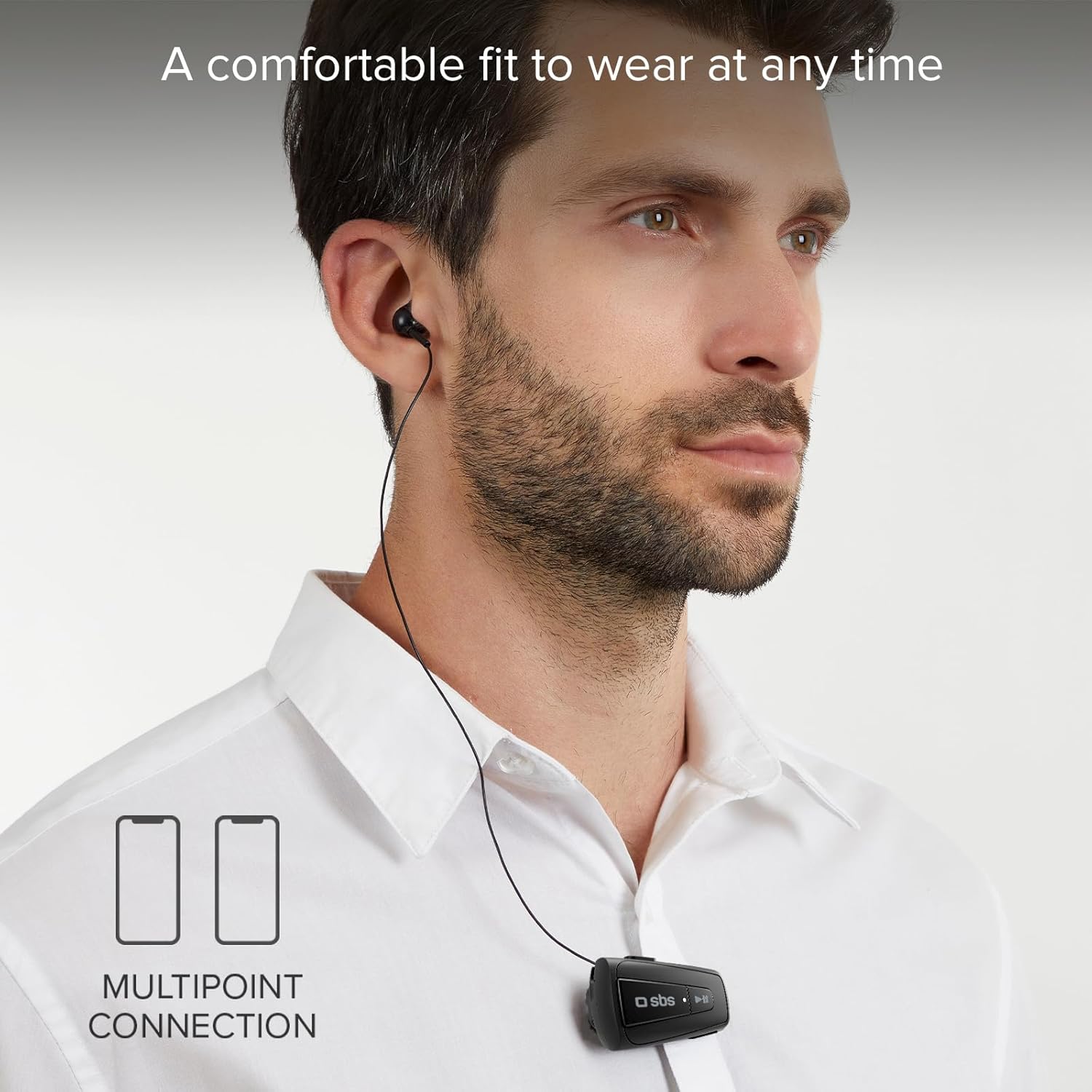
Image 5.1: Illustrating the multipoint connection feature, allowing two devices to be connected simultaneously.
To use multipoint:
- Pair the earphone with the first device as described in Section 4.2.
- Once connected, disable Bluetooth on the first device.
- Put the earphone back into pairing mode (Section 4.2) and pair it with the second device.
- After the second device is connected, re-enable Bluetooth on the first device. The earphone should automatically connect to both devices.
6. నిర్వహణ
- Clean the earphone with a soft, dry cloth. Do not use abrasive cleaners or solvents.
- Avoid exposing the earphone to extreme temperatures, humidity, or direct sunlight.
- Do not immerse the earphone in water or any other liquids.
- Store the earphone in a cool, dry place when not in use.
- Do not attempt to disassemble or repair the earphone yourself, as this will void the warranty.
7. ట్రబుల్షూటింగ్
| సమస్య | సాధ్యమైన కారణం | పరిష్కారం |
|---|---|---|
| Earphone does not power on. | తక్కువ బ్యాటరీ. | ఇయర్ఫోన్ను పూర్తిగా ఛార్జ్ చేయండి. |
| పరికరంతో జత చేయడం సాధ్యం కాదు. | Earphone not in pairing mode; Bluetooth disabled on device; device too far. | Ensure earphone is in pairing mode (flashing red/blue). Enable Bluetooth on your device. Move device closer to earphone (within 10 meters). |
| ధ్వని లేదు లేదా ఆడియో నాణ్యత సరిగా లేదు. | Volume too low; earphone not connected; interference. | Increase volume on earphone and device. Reconnect Bluetooth. Move away from other wireless devices. |
| Retractable cable not working smoothly. | Cable tangled or obstructed. | Gently pull the cable out completely and then press the rewind button. Ensure no obstructions. |
8. స్పెసిఫికేషన్లు
| ఫీచర్ | వివరాలు |
|---|---|
| మోడల్ పేరు | TEROLLCLIPBTK |
| బ్రాండ్ | SBS |
| కనెక్టివిటీ టెక్నాలజీ | బ్లూటూత్ |
| వైర్లెస్ కమ్యూనికేషన్ టెక్నాలజీ | బ్లూటూత్ |
| చెవి ప్లేస్మెంట్ | చెవిలో |
| ఫారమ్ ఫ్యాక్టర్ | Auricolare (Earphone) |
| హెడ్ఫోన్ జాక్ | USB (ఛార్జింగ్ కోసం) |
| బ్యాటరీలు | 1 లిథియం పాలిమర్ బ్యాటరీ (చేర్చబడింది) |
| ఉత్పత్తి కొలతలు | 15 x 5 x 20 సెం.మీ; 100 గ్రా |
| టాక్ టైమ్ | 7 గంటల వరకు |
| స్టాండ్బై సమయం | 270 గంటల వరకు |
| కనెక్షన్ పరిధి | 10 మీటర్ వరకు |
9. వారంటీ మరియు మద్దతు
For warranty information and technical support, please refer to the warranty card included with your product or visit the official SBS webసైట్. ఏవైనా వారంటీ క్లెయిమ్ల కోసం మీ కొనుగోలు రుజువును ఉంచుకోండి.
For further assistance, you may contact SBS customer service through their official channels.


