1. ఉత్పత్తి ముగిసిందిview
The AcuRite Access device connects your compatible AcuRite sensors and weather stations to the My AcuRite online platform. This system allows you to monitor your indoor and outdoor environments remotely using a smartphone, tablet, or desktop browser. The My AcuRite platform provides an easy-to-read dashboard for viewing trends and current conditions such as temperature, humidity, wind, lightning, UV, and water leak detection.
ముఖ్య కార్యాచరణలు ఉన్నాయి:
- Remote monitoring of environmental conditions from anywhere.
- Creation of custom alerts for significant changes in conditions.
- Compatibility with Amazon Alexa and Google Assistant for voice commands.
- Ability to connect up to seven compatible AcuRite devices.
- Data backup during power outages and internal memory for logging readings.
- Option to share weather data with Weather Underground.

2. సెటప్ గైడ్
Follow these steps to set up your AcuRite Access device:
- కంటెంట్లను అన్ప్యాక్ చేయండి: Verify that all components are present: AcuRite Access unit, power adapter, Ethernet cable, and Quick Start Guide.
- పవర్ కనెక్ట్ చేయండి: Plug the power adapter into the AcuRite Access unit and then into a standard electrical outlet.
- నెట్వర్క్కు కనెక్ట్ చేయండి: Connect one end of the Ethernet cable to the AcuRite Access unit and the other end to an available LAN port on your internet router.
- బ్యాకప్ బ్యాటరీలను ఇన్స్టాల్ చేయండి (ఐచ్ఛికం కానీ సిఫార్సు చేయబడింది): అధికారం కోసం outage protection, install 3 AA alkaline batteries (not included) into the battery compartment. This allows the unit to continue logging data for up to 12 hours during a power interruption.
- Download My AcuRite App: Download the free My AcuRite app from your device's app store or visit www.acurite.com/myacurite to create an account and register your device.
- Register Device: Follow the in-app instructions to register your AcuRite Access device and connect your compatible AcuRite sensors.
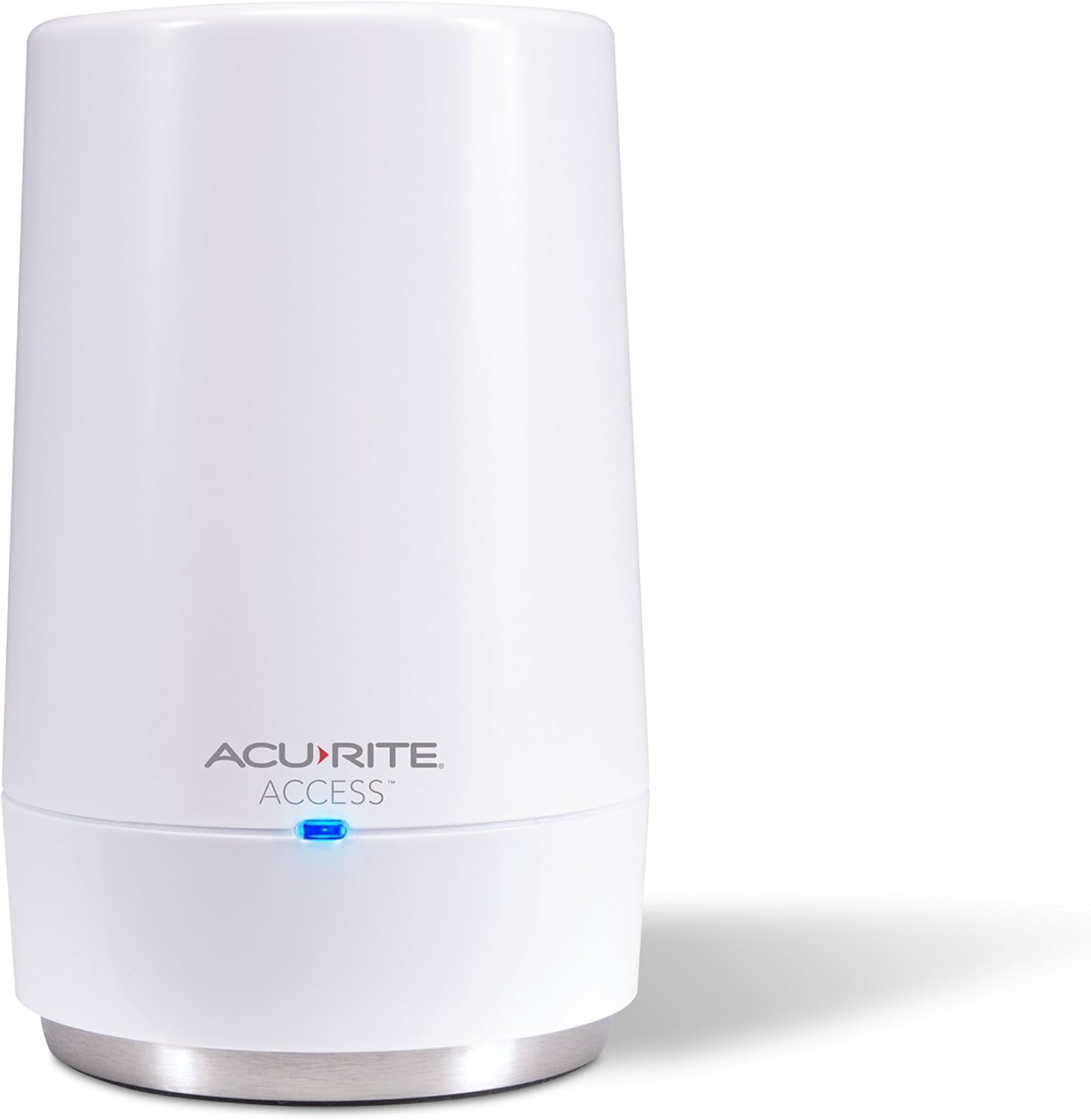
3. ఆపరేటింగ్ సూచనలు
Once set up, the AcuRite Access device continuously collects data from your connected sensors and uploads it to the My AcuRite cloud platform. You can interact with this data and manage your system through the My AcuRite app or web ఇంటర్ఫేస్.
3.1. My AcuRite Dashboard
The My AcuRite dashboard provides a comprehensive view of your environmental data. You can access it via:
- Smartphone/Tablet App: iOS మరియు Android పరికరాల కోసం అందుబాటులో ఉంది.
- Web బ్రౌజర్: వద్ద మీ ఖాతాకు లాగిన్ అవ్వండి www.acurite.com/myacurite.
The dashboard displays real-time readings, historical data, and trends for all connected sensors. You can customize the view to prioritize the information most relevant to you.

3.2. Custom Alerts
Set up personalized alerts to receive notifications on your smartphone or email when specific conditions are met. This feature helps you stay informed about critical changes, such as:
- Temperature exceeding or falling below a set threshold.
- High humidity levels indicating potential mold risk.
- Water leak detection from compatible sensors.
- High wind speeds or significant rainfall.
3.3. Weather Underground Integration
With a compatible outdoor AcuRite device, you can share your local weather data with the Weather Underground online community. This provides rapid-fire updates and allows you to compare your local conditions with nearby stations.
3.4. వాయిస్ అసిస్టెంట్ అనుకూలత
The AcuRite Access is compatible with Amazon Alexa and Google Assistant. You can ask your voice assistant for current environmental conditions by linking your My AcuRite account.

3.5. ఉత్పత్తి వీడియో
Watch this video for a visual guide on the AcuRite Access and its functionalities:
4. నిర్వహణ
To ensure optimal performance and longevity of your AcuRite Access device, consider the following maintenance guidelines:
- శుభ్రపరచడం: Gently wipe the device with a soft, damp గుడ్డ. రాపిడి క్లీనర్లు లేదా ద్రావణాలను ఉపయోగించడం మానుకోండి.
- బ్యాటరీ భర్తీ: If using backup batteries, replace them annually or when the My AcuRite app indicates low battery status. Use high-quality alkaline batteries.
- ఫర్మ్వేర్ నవీకరణలు: Ensure your device's firmware is up-to-date. The My AcuRite app will typically notify you of available updates.
- పర్యావరణ పరిస్థితులు: Place the device in a location with stable temperature and humidity, away from direct sunlight, extreme heat, or moisture.
5. ట్రబుల్షూటింగ్
If you encounter issues with your AcuRite Access device, refer to the following common troubleshooting steps:
- No Data on My AcuRite:
- Verify the AcuRite Access unit is powered on and the blue LED indicator light is active.
- Ensure the Ethernet cable is securely connected to both the Access unit and your internet router.
- మీ ఇంటర్నెట్ కనెక్షన్ని తనిఖీ చేయండి.
- Confirm that your compatible AcuRite sensors are properly installed and transmitting data.
- అడపాదడపా కనెక్టివిటీ:
- Relocate the AcuRite Access unit closer to your internet router if possible.
- Ensure there are no significant obstructions (thick walls, large metal objects) between the Access unit and your sensors.
- Restart your internet router and the AcuRite Access unit.
- హెచ్చరికలు అందలేదు:
- Check your My AcuRite app notification settings and your phone's system notification settings.
- Verify that the alert conditions are correctly configured in the My AcuRite app.
- పవర్ ఓtage Data Loss:
- Ensure backup batteries are installed and are fresh. The device can log up to 12 hours of data during an outage if batteries are present.
- Once power is restored, the logged data will be uploaded to My AcuRite.
For further assistance, visit the AcuRite support website or consult the full product manual.
6. స్పెసిఫికేషన్లు
| ఫీచర్ | వివరాలు |
|---|---|
| బ్రాండ్ | అకురైట్ |
| మోడల్ సంఖ్య | 09155M |
| కనెక్టివిటీ టెక్నాలజీ | ఈథర్నెట్ |
| శక్తి మూలం | Battery Powered (for backup), AC Adapter |
| ప్రత్యేక ఫీచర్ | Customizable Alerts, Remote Monitoring |
| ఉత్పత్తి కొలతలు | 2.5"డి x 2.7"వా x 4.5"హ |
| వస్తువు బరువు | 4.8 ఔన్సులు |
| చేర్చబడిన భాగాలు | Access unit, power adapter, Ethernet cable, quick start guide |
| సెన్సార్ టెక్నాలజీ | Ultrasonic, Thermistor, Capacitive (Note: Refers to compatible sensors, not the Access unit itself) |
| ప్రదర్శన రకం | No display (relies on My AcuRite app/web) |
| UPC | 072397091558 |
7. మద్దతు & వారంటీ
For technical support, frequently asked questions, and warranty information, please visit the official AcuRite webసైట్:
Please have your model number (09155M) available when contacting support.


