పరిచయం
ధన్యవాదాలు, ధన్యవాదాలు.asing the Homtime Alarm Clock Radio. This device combines a digital alarm clock, wireless Bluetooth speaker, FM radio, and dual USB charging station, designed to enhance your bedroom or office environment. Please read this manual carefully before use to ensure proper operation and to fully utilize all features.
ముఖ్యమైన భద్రతా సమాచారం
- అగ్ని లేదా విద్యుత్ షాక్ను నివారించడానికి యూనిట్ను వర్షం లేదా తేమకు గురిచేయవద్దు.
- Do not expose the unit to direct sunlight, heat sources, or excessive dust.
- సరైన వెంటిలేషన్ ఉండేలా చూసుకోండి మరియు ఎలాంటి వెంటిలేషన్ ఓపెనింగ్లను నిరోధించవద్దు.
- యూనిట్తో సరఫరా చేయబడిన పవర్ అడాప్టర్ను మాత్రమే ఉపయోగించండి.
- యూనిట్ను విడదీయడానికి లేదా సవరించడానికి ప్రయత్నించవద్దు. అన్ని సర్వీసింగ్లను అర్హత కలిగిన సిబ్బందికి సూచించండి.
- బలమైన అయస్కాంత క్షేత్రాల నుండి యూనిట్ను దూరంగా ఉంచండి.
- Dispose of batteries properly, following local regulations.
ప్యాకేజీ విషయాలు
దయచేసి ఈ క్రింది అంశాల కోసం ప్యాకేజీని తనిఖీ చేయండి:
- Homtime Alarm Clock Radio Unit
- పవర్ అడాప్టర్
- వినియోగదారు మాన్యువల్ (ఈ పత్రం)
ఉత్పత్తి ముగిసిందిview
Familiarize yourself with the various parts and controls of your Homtime Alarm Clock Radio.

మూర్తి 1: ముందు view of the Homtime Alarm Clock Radio, showing the digital display, dual USB charging ports, and top control panel with phone stand.

మూర్తి 2: Various perspectives of the alarm clock radio, highlighting the top control panel, front display, side speaker grilles, and bottom battery compartment.
నియంత్రణ ప్యానెల్ లేఅవుట్
- డిస్ప్లే స్క్రీన్: Shows time, alarm status, FM frequency, and Bluetooth indicator.
- SNOOZE / DIMMER Button: Activates snooze during alarm, adjusts display brightness.
- వాల్యూమ్ అప్ / డౌన్ బటన్లు: ఆడియో వాల్యూమ్ను సర్దుబాటు చేస్తుంది.
- బ్లూటూత్ బటన్: బ్లూటూత్ జత చేసే మోడ్ను ప్రారంభిస్తుంది.
- FM రేడియో బటన్: Toggles FM radio mode.
- Alarm Set Button: అలారం సెట్టింగ్ మోడ్లోకి ప్రవేశిస్తుంది.
- సమయ సెట్ బటన్: సమయ సెట్టింగ్ మోడ్లోకి ప్రవేశిస్తుంది.
- డ్యూయల్ USB ఛార్జింగ్ పోర్ట్లు: బాహ్య పరికరాలను ఛార్జ్ చేయడానికి.
- ఫోన్ స్టాండ్: Integrated slot for holding a smartphone.
- AUX-in Port (Rear): For connecting external audio devices via cable.
- FM Antenna (Rear): FM రిసెప్షన్ కోసం విస్తరించదగిన యాంటెన్నా.
సెటప్
1. పవర్ కనెక్షన్
- Connect the provided power adapter to the DC 5V input port on the back of the unit.
- పవర్ అడాప్టర్ను ప్రామాణిక గోడ అవుట్లెట్లోకి ప్లగ్ చేయండి. డిస్ప్లే వెలుగుతుంది.
2. బ్యాటరీ బ్యాకప్ (ఐచ్ఛికం)
The unit supports 3 AAA batteries (not included) for time and alarm settings backup during power outages. This feature does not power the display or audio functions.
- యూనిట్ దిగువన బ్యాటరీ కంపార్ట్మెంట్ను గుర్తించండి.
- కంపార్ట్మెంట్ కవర్ తెరవండి.
- Insert 3 AAA batteries, observing the correct polarity (+/-) as indicated inside the compartment.
- బ్యాటరీ కంపార్ట్మెంట్ కవర్ను సురక్షితంగా మూసివేయండి.
ఆపరేటింగ్ సూచనలు
సమయాన్ని సెట్ చేస్తోంది
- నొక్కండి మరియు పట్టుకోండి సమయం సెట్ గంట అంకెలు ఫ్లాష్ అవ్వడం ప్రారంభించే వరకు బటన్.
- ఉపయోగించండి వాల్యూమ్ అప్/డౌన్ గంటను సర్దుబాటు చేయడానికి బటన్లు.
- నొక్కండి సమయం సెట్ button again to move to the minute digits.
- ఉపయోగించండి వాల్యూమ్ అప్/డౌన్ నిమిషాలను సర్దుబాటు చేయడానికి బటన్లు.
- నొక్కండి సమయం సెట్ సమయ సెట్టింగ్ మోడ్ను నిర్ధారించడానికి మరియు నిష్క్రమించడానికి మరోసారి బటన్ను నొక్కండి.
అలారం సెట్ చేస్తోంది
- నొక్కండి మరియు పట్టుకోండి అలారం సెట్ అలారం గంట అంకెలు ఫ్లాష్ అవ్వడం ప్రారంభించే వరకు బటన్.
- ఉపయోగించండి వాల్యూమ్ అప్/డౌన్ అలారం గంటను సర్దుబాటు చేయడానికి బటన్లు.
- నొక్కండి అలారం సెట్ button again to move to the alarm minute digits.
- ఉపయోగించండి వాల్యూమ్ అప్/డౌన్ అలారం నిమిషాలను సర్దుబాటు చేయడానికి బటన్లు.
- నొక్కండి అలారం సెట్ అలారం మూలాన్ని (బజర్ లేదా FM రేడియో) ఎంచుకోవడానికి మళ్ళీ బటన్ నొక్కండి. వాల్యూమ్ అప్/డౌన్ ఎంచుకోవడానికి.
- నొక్కండి అలారం సెట్ button one more time to confirm and exit alarm setting mode. The alarm icon will appear on the display.
గమనిక: The alarm volume starts low and gradually increases to gently wake you up.
స్నూజ్ ఫంక్షన్
అలారం మోగినప్పుడు, పెద్ద బటన్ను నొక్కండి స్నూజ్ / డిమ్మర్ button on the top of the unit to temporarily silence the alarm. The alarm will sound again after a few minutes.
డిమ్మర్ ప్రదర్శించు
నొక్కండి స్నూజ్ / డిమ్మర్ button (when the alarm is not sounding) to cycle through different brightness levels for the display, including an option to turn it off completely.
FM రేడియో ఆపరేషన్

మూర్తి 3: The alarm clock radio actively receiving FM radio signals, indicated by graphic waves.
- Extend the FM antenna located at the back of the unit for optimal reception.
- నొక్కండి FM రేడియో button to enter FM radio mode. The current frequency will be displayed.
- నొక్కండి మరియు పట్టుకోండి FM రేడియో button to auto-scan and save available stations.
- ఉపయోగించండి వాల్యూమ్ అప్/డౌన్ buttons to adjust the radio volume.
- To manually tune, briefly press the వాల్యూమ్ అప్/డౌన్ బటన్లు.
- To exit FM radio mode, press the FM రేడియో మళ్ళీ బటన్.
మ్యూజిక్ టైమర్కి నిద్రించండి
While in FM radio mode, you can set a sleep timer (15-60 minutes) to automatically turn off the radio after a set duration. Consult the full manual for specific button presses for this feature.
బ్లూటూత్ పెయిరింగ్

మూర్తి 4: The alarm clock radio wirelessly connected to a smartphone via Bluetooth, ready for audio streaming.
- నొక్కండి బ్లూటూత్ button on the top panel. The Bluetooth indicator on the display will flash, indicating pairing mode.
- మీ బ్లూటూత్-ఎనేబుల్డ్ పరికరంలో (ఉదా. స్మార్ట్ఫోన్, టాబ్లెట్), బ్లూటూత్ను ఎనేబుల్ చేసి, అందుబాటులో ఉన్న పరికరాల కోసం శోధించండి.
- Select "Homtime" (or similar name) from the list of devices.
- Once connected, the Bluetooth indicator on the clock's display will stop flashing and remain solid. You can now stream audio from your device to the alarm clock radio.
USB ఛార్జింగ్

మూర్తి 5: A smartphone connected to one of the two front USB ports on the alarm clock radio, illustrating the charging capability.
The unit features dual USB charging ports (1 x 2.1A, 1 x 1.0A) on the front for convenient charging of your mobile devices.
- Connect your device's USB charging cable to one of the USB ports on the front of the alarm clock radio.
- Connect the other end of the cable to your smartphone, tablet, or other USB-powered device.
- పరికరం స్వయంచాలకంగా ఛార్జ్ అవ్వడం ప్రారంభమవుతుంది.
గమనిక: Built-in surge protection helps prevent overcharging and overheating.
ఫోన్ స్టాండ్ని ఉపయోగించడం
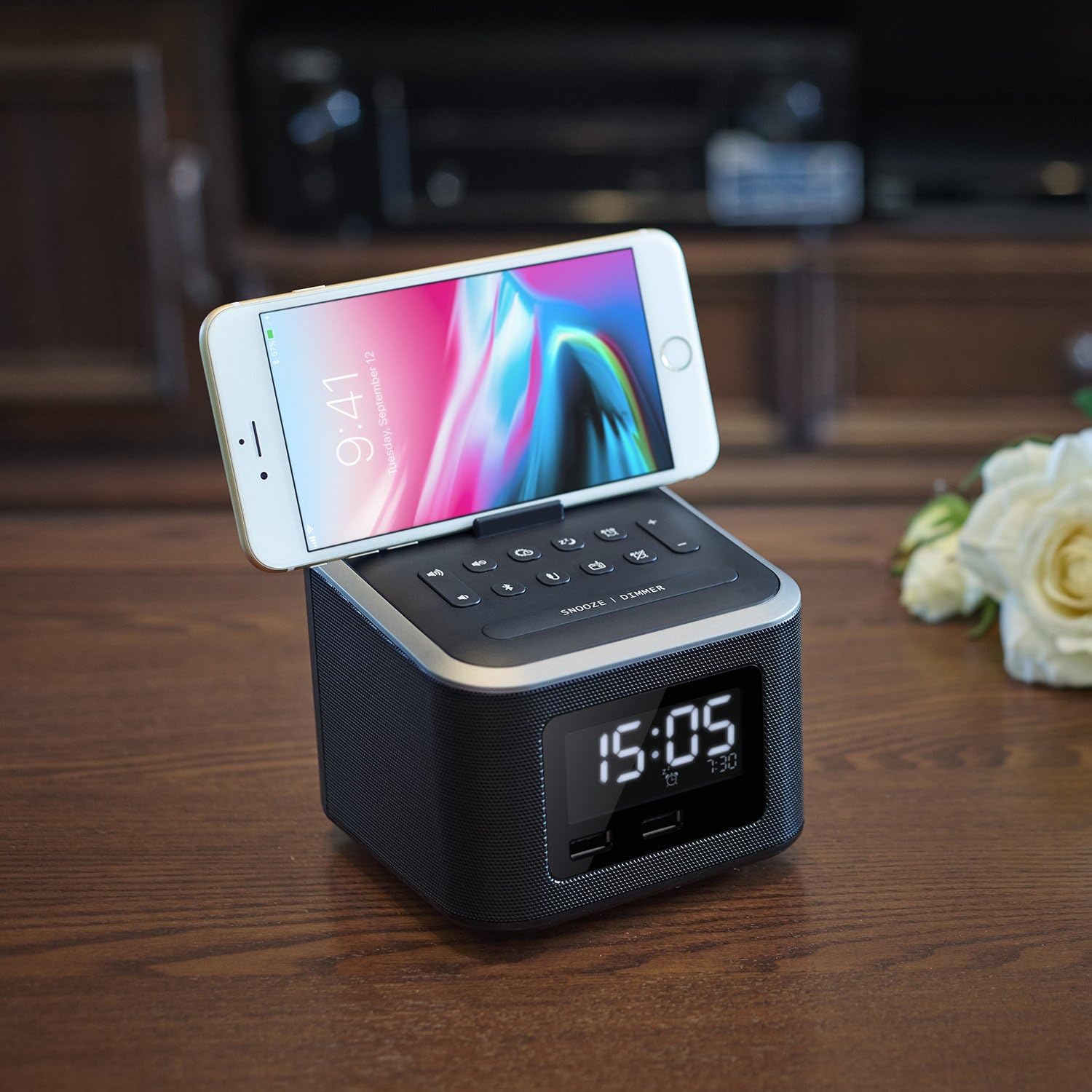
మూర్తి 6: A smartphone securely resting in the dedicated stand on the top surface of the alarm clock radio, ideal for hands-free viewing.
The integrated phone stand on the top of the unit allows you to conveniently dock your smartphone while charging or watching videos.
ఆక్స్-ఇన్ కనెక్షన్
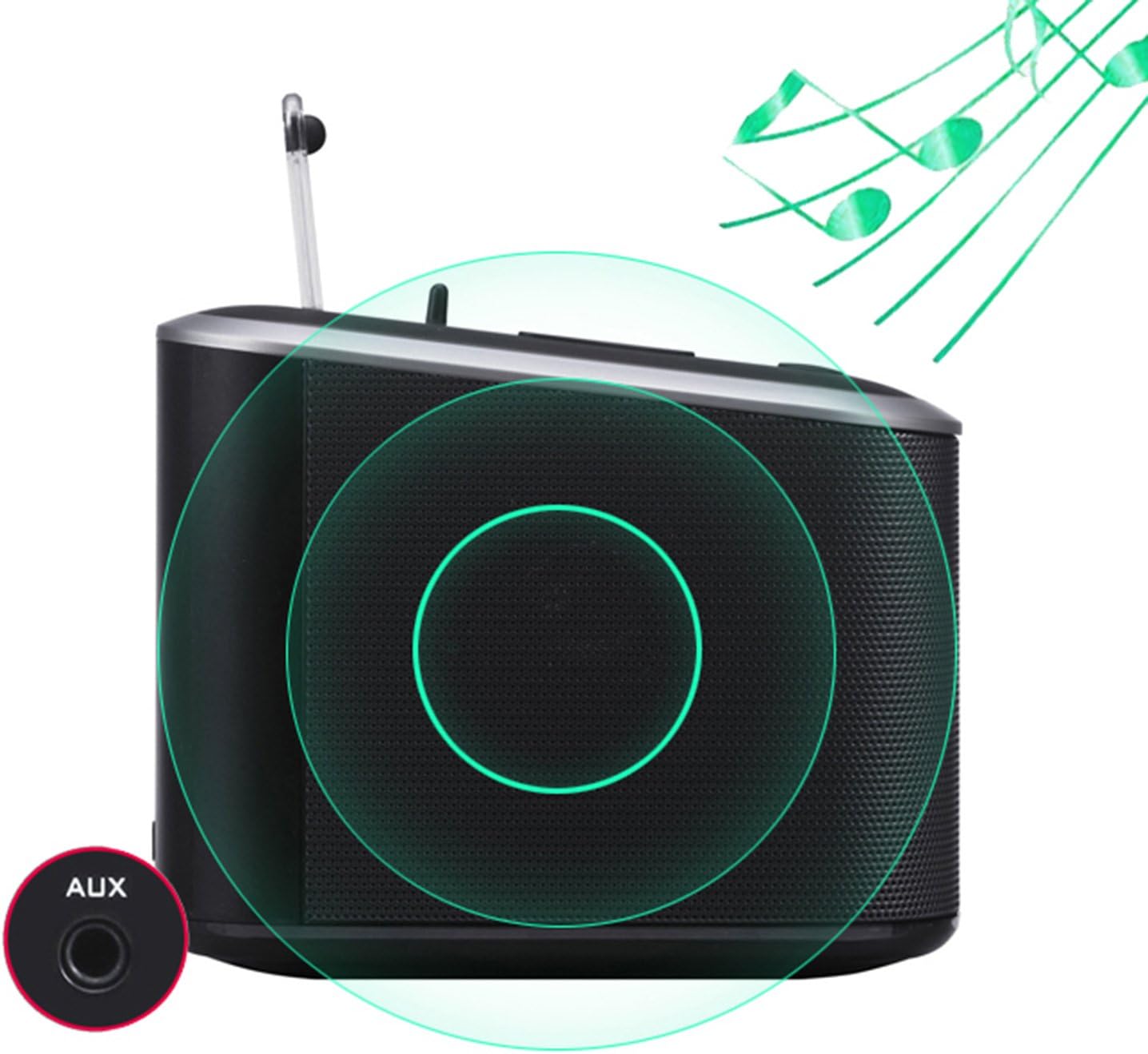
మూర్తి 7: వెనుక view of the alarm clock radio, specifically highlighting the AUX-in port for connecting external audio devices with a 3.5mm cable.
Connect any audio device with a 3.5mm audio output (e.g., MP3 player, older smartphone) to the AUX-in port on the back of the unit using a 3.5mm audio cable (not included).
- Connect one end of a 3.5mm audio cable to the AUX-in port on the back of the alarm clock radio.
- Connect the other end of the cable to the headphone jack or audio output of your external device.
- The unit will automatically switch to AUX-in mode, or you may need to select it using the mode button (if applicable, otherwise Bluetooth/FM will be off).
- మీ కనెక్ట్ చేయబడిన పరికరం నుండి ప్లేబ్యాక్ మరియు వాల్యూమ్ను నియంత్రించండి.
నిర్వహణ
- శుభ్రపరచడం: మెత్తటి, పొడి గుడ్డతో యూనిట్ను తుడవండి. రాపిడి క్లీనర్లు లేదా ద్రావకాలను ఉపయోగించవద్దు.
- నిల్వ: If storing for an extended period, disconnect from power and remove backup batteries. Store in a cool, dry place.
- యాంటెన్నా సంరక్షణ: Handle the FM antenna gently to avoid damage.
ట్రబుల్షూటింగ్
| సమస్య | సాధ్యమైన కారణం / పరిష్కారం |
|---|---|
| పవర్ లేదు / డిస్ప్లే ఆఫ్ |
|
| స్పీకర్ల నుండి శబ్దం లేదు |
|
| బ్లూటూత్ జత చేయడం విఫలమైంది |
|
| USB ఛార్జింగ్ పనిచేయడం లేదు |
|
| అలారం వినిపించదు |
|
స్పెసిఫికేషన్లు
| ఫీచర్ | వివరాలు |
|---|---|
| బ్రాండ్ | హోమ్టైమ్ |
| మోడల్ సంఖ్య | 4336301751 |
| రంగు | నలుపు |
| ప్రదర్శన రకం | Digital (LCD Panel) |
| శక్తి మూలం | Corded Electric, Battery Powered (Backup) |
| బ్యాటరీ రకం (బ్యాకప్) | 3 AAA బ్యాటరీలు (చేర్చబడలేదు) |
| USB ఛార్జింగ్ పోర్ట్లు | 2 (1 x 2.1A, 1 x 1.0A total 3.1A) |
| స్పీకర్ అవుట్పుట్ | 6W (Dual high-performance drivers) |
| కనెక్టివిటీ | Bluetooth, FM Radio, AUX-in |
| మెటీరియల్ | ప్లాస్టిక్ (యాక్రిలోనిట్రైల్ బ్యూటాడిన్ స్టైరీన్) |
| ఉత్పత్తి కొలతలు | 4.7 x 4.7 x 5.2 అంగుళాలు |
| వస్తువు బరువు | 1.06 పౌండ్లు |
వారంటీ మరియు మద్దతు
Homtime products are designed and manufactured to the highest quality standards. For information regarding warranty coverage, technical support, or service inquiries, please refer to the contact information provided with your purchase or visit the official Homtime webసైట్.
దయచేసి వారంటీ ప్రయోజనాల కోసం మీ కొనుగోలు రుజువును ఉంచుకోండి.


