1. పరిచయం
This manual provides essential instructions for the setup, operation, and maintenance of your Korg PA700 61-Key Arranger Keyboard bundle. This bundle includes the Korg PA700 keyboard, an adjustable X-style keyboard bench, and an adjustable double X keyboard stand. Please read this manual thoroughly before using the product to ensure proper and safe operation.
The Korg PA700 features KORG’s advanced EDS-X (Enhanced Definition Synthesis-eXpanded) sound engine, offering over 1,700 ready-to-play sounds. It includes a capacitive TouchView display for intuitive control and 2x25 Watt amplifiers driving two loudspeakers in a bass-reflex enclosure for a rich sound experience. The instrument also provides 148 studio-quality effect types for sound customization.
2. ప్యాకేజీ విషయాలు
క్రింద జాబితా చేయబడిన అన్ని అంశాలు మీ ప్యాకేజీలో ఉన్నాయని నిర్ధారించుకోండి:
- Korg PA700 61-Key Arranger Keyboard
- Adjustable X Style Keyboard Bench
- Adjustable Double X Keyboard Stand
- పవర్ కేబుల్
- మ్యూజిక్ రెస్ట్
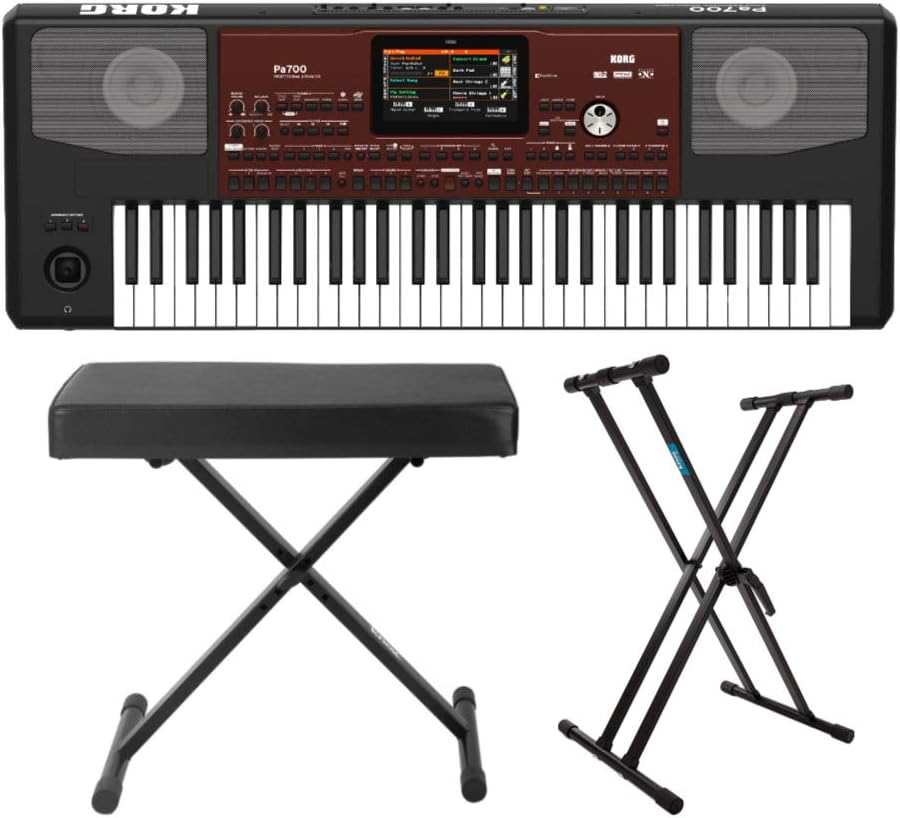
చిత్రం 2.1: పైగాview of the Korg PA700 Arranger Keyboard, adjustable bench, and double X stand included in the bundle.
3. సెటప్ సూచనలు
3.1 కీబోర్డ్ స్టాండ్ను అసెంబుల్ చేయడం
- Unfold the adjustable double X keyboard stand.
- Adjust the height to your preferred playing position using the locking mechanism. Ensure the stand is stable before placing the keyboard.

Figure 3.1: The adjustable double X keyboard stand, ready for assembly and height adjustment.
3.2 Assembling the Keyboard Bench
- Unfold the adjustable X-style keyboard bench.
- Ensure all legs are securely locked into place for stability.

Figure 3.2: The adjustable X-style keyboard bench in its unfolded, ready-to-use state.
3.3 Connecting the Korg PA700 Keyboard
- Place the Korg PA700 keyboard securely on the assembled stand.
- Insert the power cable into the AC IN port on the rear panel of the keyboard.
- Connect the other end of the power cable to a suitable power outlet.
- If using external audio equipment, connect audio cables to the appropriate output jacks (e.g., L/MONO, R) on the rear panel.
- For headphones, connect to the headphone jack on the front left side of the keyboard.

Figure 3.3: The rear panel of the Korg PA700, showing various input and output ports including AC IN, audio outputs, and USB connections.
4. ఆపరేటింగ్ సూచనలు
4.1 పవర్ చేయడం ఆన్/ఆఫ్
- To power on, press the POWER button located on the left side of the keyboard.
- To power off, press and hold the POWER button until the unit shuts down.
4.2 Navigating the TouchView ప్రదర్శించు
The Korg PA700 features a capacitive TouchView display. Interact with the display by touching icons and menus directly with your finger. The redesigned graphical interface is designed for ease of use and readability.

మూర్తి 4.1: టాప్ view of the Korg PA700, highlighting the central TouchView display and surrounding control panel.
4.3 Sound Selection and Customization
The PA700 includes over 1,700 ready-to-play sounds, powered by the EDS-X sound engine. These include a wide range of instruments from classic keyboards to orchestral sounds. Use the TouchView display to browse and select sounds.
4.4 Using Studio-Quality Effects
The keyboard offers 148 effect types. For accompaniment tracks, two insert effects and two master effects can be applied. For real-time keyboard tracks, one insert effect and two master effects are available. Access and adjust these effects through the TouchView display's effect section.
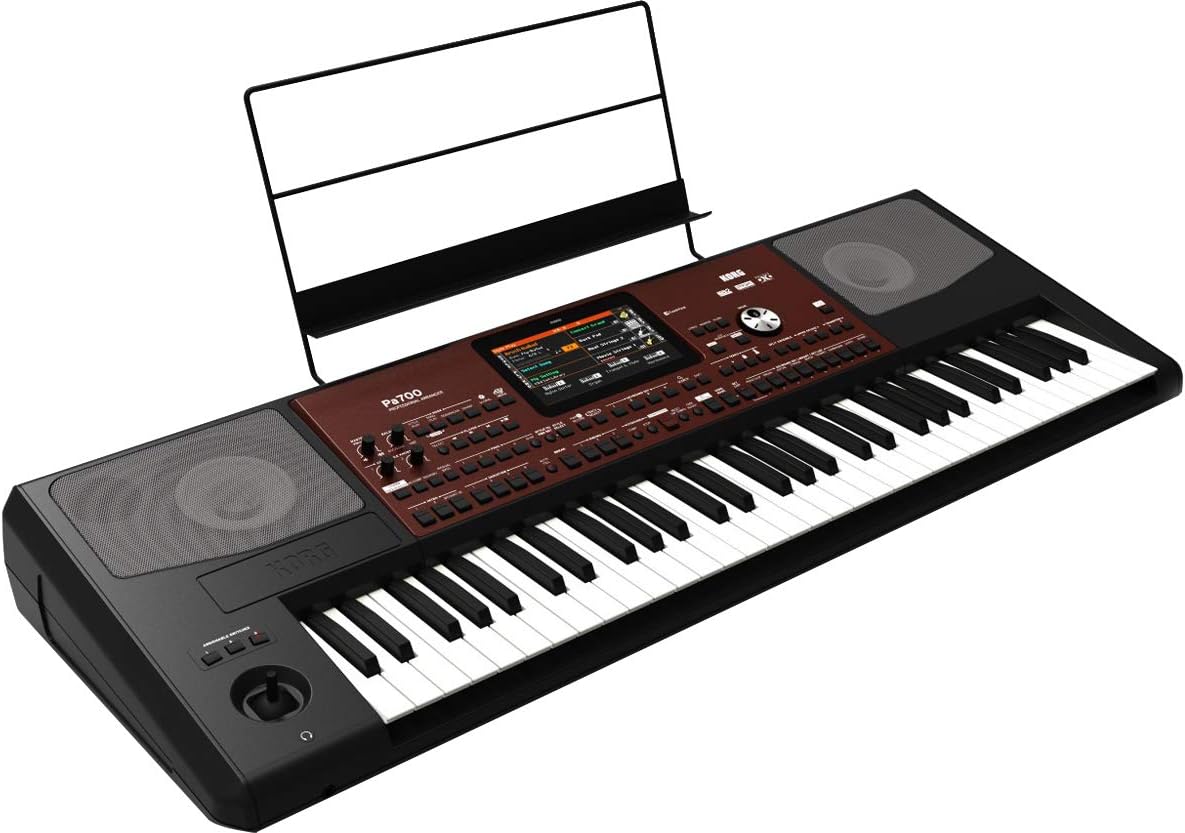
చిత్రం 4.2: కోణీయ view of the Korg PA700, showing the keyboard, control panel, and an installed music rest.
5. నిర్వహణ
5.1 శుభ్రపరచడం
- Use a soft, dry cloth to clean the surface of the keyboard, stand, and bench.
- మొండి ధూళికి, కొద్దిగా dampగుడ్డను నీరు మరియు తేలికపాటి, రాపిడి లేని క్లీనర్తో తుడిచి, వెంటనే ఆరబెట్టండి.
- Avoid using abrasive cleaners, solvents, or waxes, as these can damage the finish.
5.2 నిల్వ
- కీబోర్డ్ను ప్రత్యక్ష సూర్యకాంతి మరియు తీవ్రమైన ఉష్ణోగ్రతలకు దూరంగా చల్లని, పొడి ప్రదేశంలో నిల్వ చేయండి.
- If storing for extended periods, cover the keyboard to protect it from dust.
6. ట్రబుల్షూటింగ్
6.1 శక్తి లేదు
- Ensure the power cable is securely connected to both the keyboard and a working power outlet.
- మరొక పరికరాన్ని ప్లగ్ చేయడం ద్వారా పవర్ అవుట్లెట్ పనిచేస్తుందో లేదో తనిఖీ చేయండి.
6.2 ధ్వని లేదు
- Verify that the master volume knob is turned up.
- If using headphones, ensure they are properly plugged in and test with another audio source.
- బాహ్య స్పీకర్లను ఉపయోగిస్తుంటే, వాటి పవర్ మరియు కనెక్షన్లను తనిఖీ చేయండి.
6.3 Display Not Responding
- Try restarting the keyboard by powering it off and on again.
- Ensure your fingers are clean and dry when interacting with the TouchView ప్రదర్శన.
7. స్పెసిఫికేషన్లు
| ఫీచర్ | స్పెసిఫికేషన్ |
|---|---|
| మోడల్ పేరు | PA700 |
| బ్రాండ్ | KORG |
| కీల సంఖ్య | 61 |
| వాయిద్యం రకం | Electronic Keyboard (Arranger) |
| సౌండ్ ఇంజిన్ | EDS-X (Enhanced Definition Synthesis-eXpanded) |
| ధ్వనులు | Over 1,700 ready-to-play sounds |
| ప్రభావాలు | 148 types (2 Insert/2 Master for accompaniment, 1 Insert/2 Master for real-time) |
| Ampజీవితకారులు | 2 x 25 వాట్ |
| వక్తలు | 2 loudspeakers in bass-reflex enclosure |
| ప్రదర్శించు | కెపాసిటివ్ టచ్View ప్రదర్శన |
| కనెక్టివిటీ టెక్నాలజీ | Auxiliary, 3.5mm Jack (Headphone) |
| శక్తి మూలం | కార్డెడ్ ఎలక్ట్రిక్ |
| వస్తువు బరువు | 30.8 pounds (Keyboard only) |
| ఉత్పత్తి కొలతలు | 9.1 x 9.1 x 9.1 inches (Packaging/Shipping dimensions, actual keyboard dimensions may vary) |
| రంగు | Black, Wine Red |
| UPC | 657379010538 |
8. వారంటీ మరియు మద్దతు
వారంటీ సమాచారం మరియు సాంకేతిక మద్దతు కోసం, దయచేసి అధికారిక కోర్గ్ని చూడండి. website or contact Korg customer service directly. Specific warranty terms may vary by region and retailer.
You can find more information and support resources by visiting the official KORG store online: KORG Official Store.


