1. పరిచయం మరియు ఓవర్view
The Roccat Horde AIMO RGB Gaming Keyboard is designed for optimal gaming performance and user customization. It features a precision key layout, quick-fire macro keys, a configurable tuning wheel, and advanced AIMO intelligent lighting. This manual provides essential information for setting up, operating, maintaining, and troubleshooting your keyboard.
ముఖ్య లక్షణాలు:
- ప్రెసిషన్ కీ లేఅవుట్: Finger-cap design for enhanced key distinction and dirt resistance.
- AIMO లైటింగ్ సిస్టమ్: Intelligent lighting that synchronizes across multiple compatible devices.
- RGB లైటింగ్: Configurable, multi-zone, multi-color illumination.
- Membrane Keys: Engineered for a precise actuation point.
- Configurable Tuning Wheel & Buttons: On-the-fly control for multimedia, lighting, and more.
- Quick-Fire Macros: తక్కువ-ప్రోfile macro keys designed to prevent accidental activation.
- Enhanced Anti-Ghosting: Ensures every key press is registered accurately.
- వేరు చేయగలిగిన పామ్ రెస్ట్: Ergonomic design for increased comfort during extended gaming sessions.
- Roccat Swarm: Comprehensive driver and software system for customization.
2. సెటప్
2.1 కీబోర్డ్ను కనెక్ట్ చేయడం
Connect the keyboard to your computer using the integrated USB 2.0 cable. Ensure the USB connector is fully inserted into an available USB port on your PC.
2.2 Software Installation (Roccat Swarm)
For full functionality and customization, install the Roccat Swarm software. An internet connection is required for driver installation and software updates.
- Visit the official Roccat website to download the latest version of the Roccat Swarm software.
- ఇన్స్టాలర్ను అమలు చేయండి మరియు స్క్రీన్పై సూచనలను అనుసరించండి.
- ప్రాంప్ట్ చేయబడితే మీ కంప్యూటర్ని పునఃప్రారంభించండి.
సిస్టమ్ అవసరాలు: The keyboard is compatible with Windows 8 and Windows 10 operating systems.
2.3 Attaching the Palm Rest
The detachable palm rest provides ergonomic support. Align the palm rest with the bottom edge of the keyboard and gently push until it clicks into place. To remove, pull the palm rest away from the keyboard.
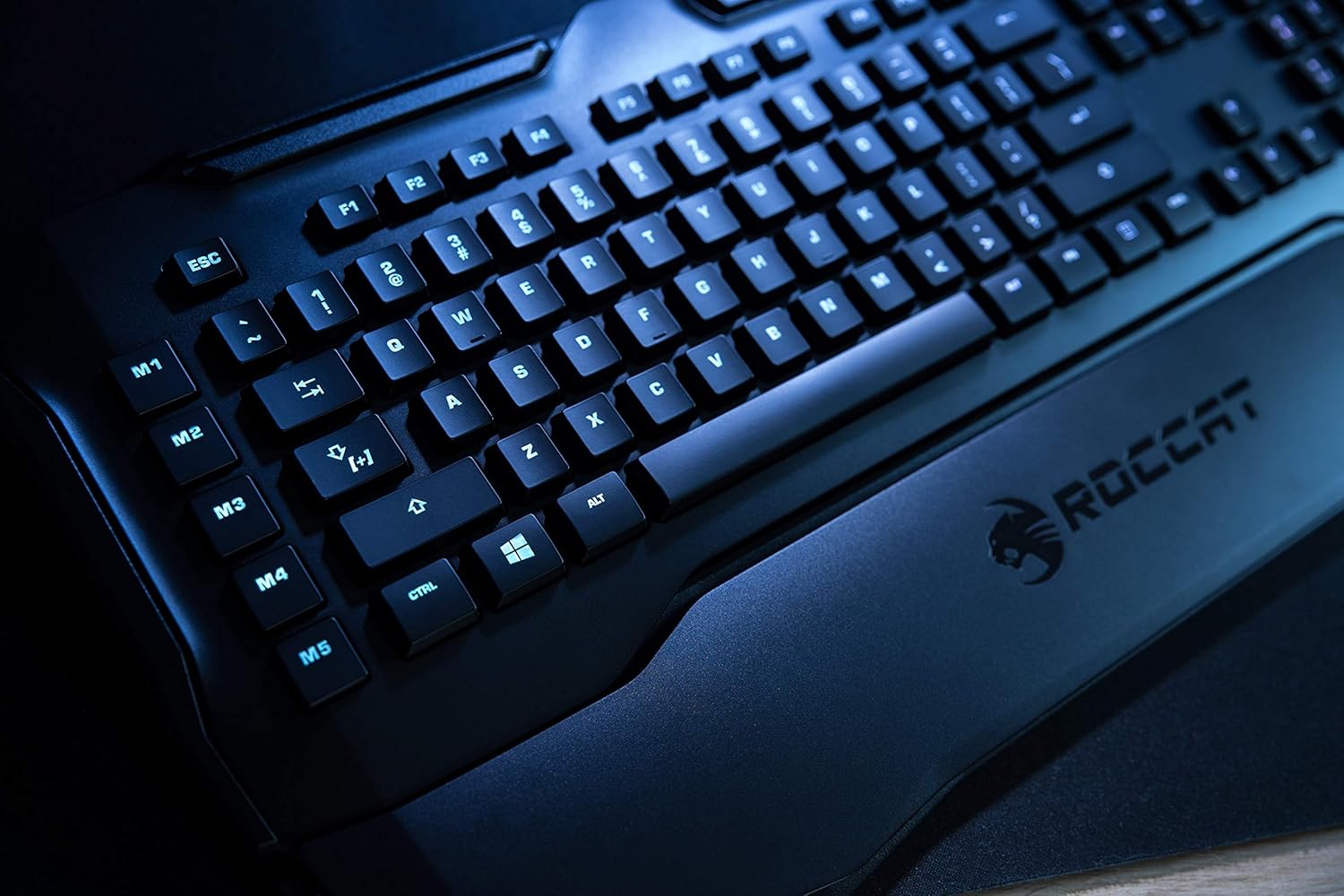
Figure 1: Roccat Horde AIMO keyboard with detachable palm rest.
3. కీబోర్డ్ను ఆపరేట్ చేయడం
3.1 AIMO and RGB Lighting
The AIMO intelligent lighting system provides dynamic, multi-zone RGB illumination. You can customize lighting effects, colors, and synchronization with other AIMO-compatible devices through the Roccat Swarm software.

Figure 2: Roccat Horde AIMO keyboard showcasing RGB లైటింగ్.
3.2 Configurable Tuning Wheel and Buttons
The tuning wheel and dedicated buttons located on the top right of the keyboard allow for quick adjustments without interrupting your workflow or game. These can be configured via Roccat Swarm to control multimedia playback, adjust lighting brightness, switch profileలు మరియు మరిన్ని.

Figure 3: Detail of the tuning wheel and numpad.
3.3 Quick-Fire Macro Keys (M1-M5)
The five dedicated macro keys (M1-M5) on the left side of the keyboard can be programmed for complex commands or frequently used actions. Their low-profile design helps prevent accidental presses during intense gaming. Use the Roccat Swarm software to assign macros.

Figure 4: Macro keys M1-M5 and WASD section.
3.4 దయ్యాల నిరోధకం
The enhanced anti-ghosting feature ensures that all simultaneous key presses are registered accurately, which is crucial for fast-paced gaming scenarios.
4. నిర్వహణ
4.1 కీబోర్డ్ను శుభ్రపరచడం
మీ కీబోర్డ్ పనితీరు మరియు రూపాన్ని నిర్వహించడానికి:
- శుభ్రం చేయడానికి ముందు మీ కంప్యూటర్ నుండి కీబోర్డ్ను డిస్కనెక్ట్ చేయండి.
- మృదువైన, కొద్దిగా d ఉపయోగించండిamp cloth to wipe down the surface of the keyboard and keys.
- కఠినమైన రసాయనాలు, రాపిడి క్లీనర్లు లేదా అధిక తేమను ఉపయోగించడం మానుకోండి.
- కీల మధ్య దుమ్ము మరియు శిధిలాల కోసం, సంపీడన గాలిని ఉపయోగించండి.
4.2 Palm Rest Care
The detachable palm rest can be cleaned with a damp cloth. Ensure it is completely dry before reattaching it to the keyboard.
5. ట్రబుల్షూటింగ్
If you encounter issues with your Roccat Horde AIMO keyboard, please refer to the following common solutions:
- కీబోర్డ్ స్పందించడం లేదు:
- USB కేబుల్ కీబోర్డ్ మరియు కంప్యూటర్ రెండింటికీ సురక్షితంగా కనెక్ట్ చేయబడిందని నిర్ధారించుకోండి.
- కీబోర్డ్ను వేరే USB పోర్ట్కు కనెక్ట్ చేయడానికి ప్రయత్నించండి.
- మీ కంప్యూటర్ని పునఃప్రారంభించండి.
- లైటింగ్ సమస్యలు:
- Verify that the Roccat Swarm software is installed and up to date.
- Check lighting settings within the Roccat Swarm software.
- RGB నియంత్రణకు అంతరాయం కలిగించే విరుద్ధమైన సాఫ్ట్వేర్ ఏదీ అమలు కావడం లేదని నిర్ధారించుకోండి.
- Macros Not Working:
- Open Roccat Swarm and confirm that your macros are correctly assigned and saved to the active profile.
- Ensure the software is running in the background.
- కీబోర్డ్ను గుర్తించని సాఫ్ట్వేర్:
- Reinstall the Roccat Swarm software.
- మీ ఆపరేటింగ్ సిస్టమ్ను తాజా వెర్షన్కి అప్డేట్ చేయండి.
For further assistance, please visit the official Roccat support webసైట్.
6. స్పెసిఫికేషన్లు
| బ్రాండ్ | Roccat |
| మోడల్ పేరు | Horde AIMO |
| Model Number Item | ROC-12-350-BK పరిచయం |
| ఉత్పత్తి కొలతలు | 5.5 x 47 x 20 సెం.మీ; 1.1 కిలోలు |
| రంగు | నలుపు |
| కనెక్టివిటీ టెక్నాలజీ | USB |
| USB 2.0 పోర్ట్ల సంఖ్య | 1 |
| వాల్యూమ్tage | 5 వోల్ట్ |
| శక్తి మూలం | USB |
| ఆపరేటింగ్ సిస్టమ్ | Windows 10 |
| మద్దతు ఉన్న సాఫ్ట్వేర్ | Windows 8 |
| కీబోర్డ్ వివరణ | ఎర్గోనామిక్ |
| సిఫార్సు చేసిన ఉపయోగాలు | Gaming, PC / Server |
| ప్రత్యేక లక్షణాలు | మణికట్టు విశ్రాంతి |
| మొదట అందుబాటులో ఉన్న తేదీ | జనవరి 15, 2020 |
7. వారంటీ మరియు మద్దతు
7.1 ఉత్పత్తి వారంటీ
Your Roccat Horde AIMO RGB Gaming Keyboard is covered by a manufacturer's warranty. Please refer to the warranty card included with your product or visit the official Roccat webమీ ప్రాంతానికి సంబంధించిన వివరణాత్మక వారంటీ నిబంధనలు మరియు షరతుల కోసం సైట్ను చూడండి.
7.2 సాంకేతిక మద్దతు
For technical assistance, software updates, and frequently asked questions, please visit the Roccat support page on their official website. The Roccat Swarm software also provides access to support resources and ensures your device firmware is up to date.
Roccat Official Webసైట్: www.roccat.com


