1. పరిచయం
Thank you for choosing the Streetz HL-421 Adjustable Foldable Over-Ear Headphones. This manual provides detailed instructions for setting up, operating, and maintaining your headphones to ensure optimal performance and longevity. Please read this manual thoroughly before using the product.
2. ఉత్పత్తి ముగిసిందిview
Familiarize yourself with the components of your Streetz HL-421 headphones.

మూర్తి 2.1: ముందు view of the Streetz HL-421 headphones, showcasing the adjustable headband and over-ear cups.

మూర్తి 2.2: Close-up of the right earcup, showing the control buttons for power, volume, and track navigation.
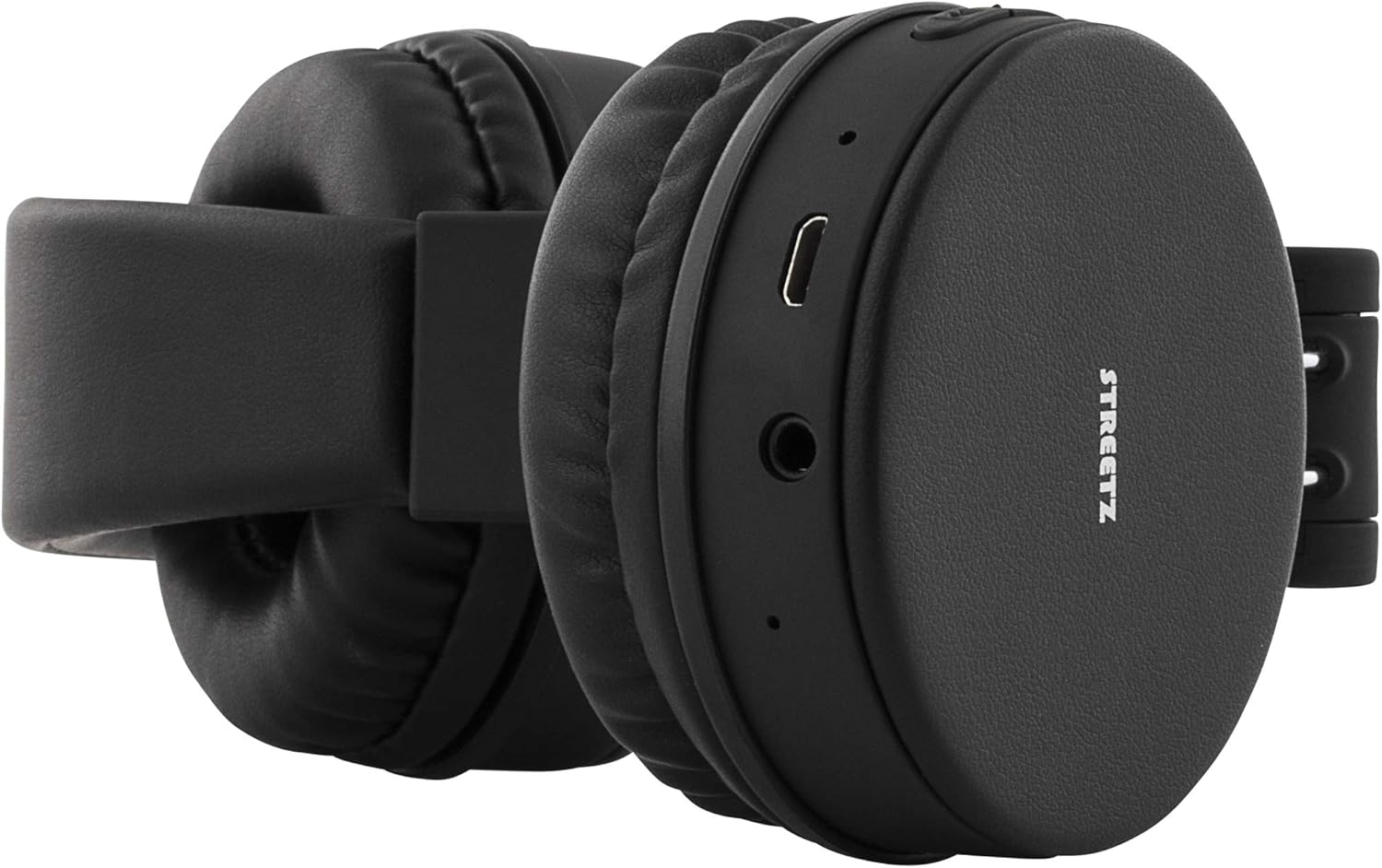
మూర్తి 2.3: View of the left earcup, highlighting the micro-USB charging port and the 3.5mm audio jack.
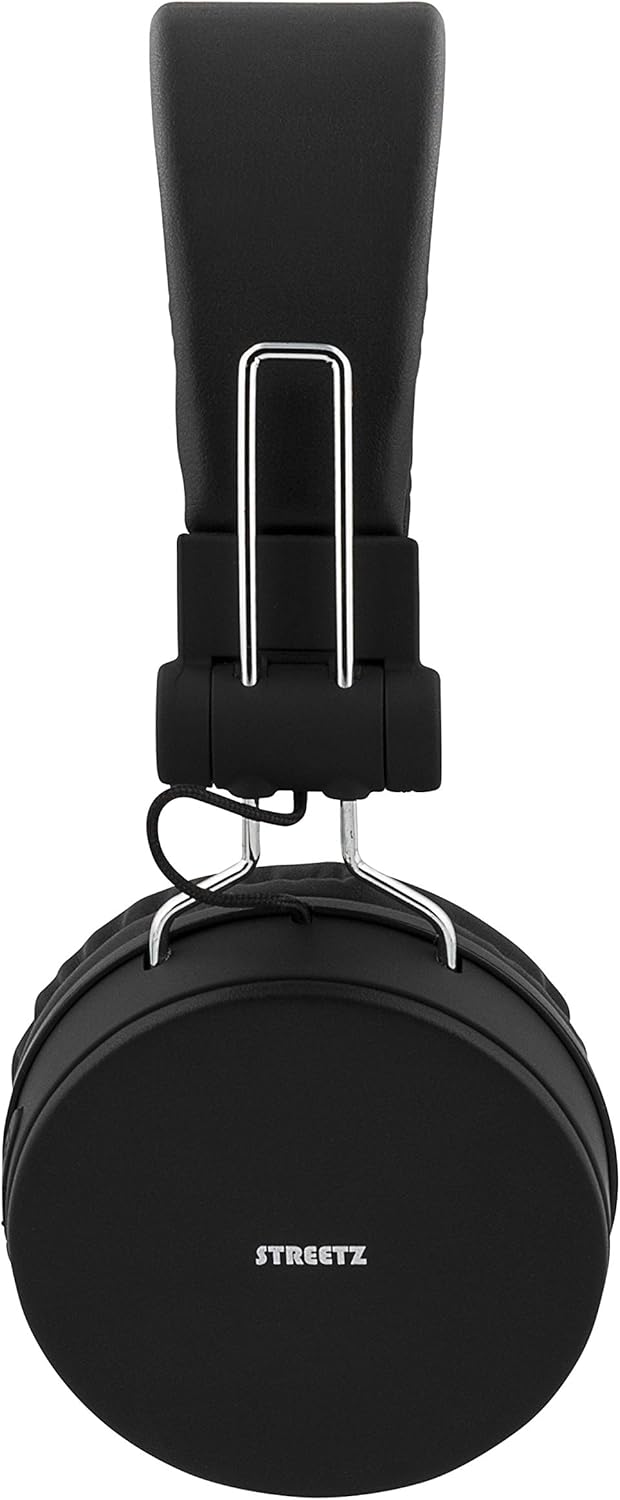
మూర్తి 2.4: The headphones in their folded configuration, demonstrating their portability.

మూర్తి 2.5: The included micro-USB charging cable and 3.5mm audio cable, alongside the product manual.
3. సెటప్
3.1 హెడ్ఫోన్లను ఛార్జ్ చేయడం
Before first use, fully charge your headphones. A full charge provides up to 22 hours of playtime.
- Locate the micro-USB charging port on the left earcup (refer to Figure 2.3).
- Connect the included micro-USB cable to the charging port.
- USB కేబుల్ యొక్క మరొక చివరను USB పవర్ సోర్స్కి కనెక్ట్ చేయండి (ఉదా. కంప్యూటర్ USB పోర్ట్, USB వాల్ అడాప్టర్).
- ఛార్జింగ్ సమయంలో LED సూచిక వెలుగుతుంది మరియు పూర్తిగా ఛార్జ్ అయినప్పుడు రంగు మారుతుంది లేదా ఆపివేయబడుతుంది.
3.2 బ్లూటూత్ జత చేయడం
వైర్లెస్ ఆడియో కోసం మీ హెడ్ఫోన్లను బ్లూటూత్-ఎనేబుల్డ్ పరికరంతో జత చేయండి.
- హెడ్ఫోన్లు ఛార్జ్ చేయబడి, పవర్ ఆఫ్ చేయబడి ఉన్నాయని నిర్ధారించుకోండి.
- Press and hold the Power button (usually the multi-function button) on the right earcup until the LED indicator flashes blue and red, indicating pairing mode.
- మీ పరికరంలో (స్మార్ట్ఫోన్, టాబ్లెట్, కంప్యూటర్), బ్లూటూత్ను ప్రారంభించి, అందుబాటులో ఉన్న పరికరాల కోసం శోధించండి.
- Select "Streetz HL-421" or a similar name from the list of found devices.
- Once paired, the LED indicator will typically flash blue slowly or turn solid blue.
Note: The headphones support Bluetooth 4.1 + EDR with a range of up to 10 meters.
3.3 వైర్డు కనెక్షన్
వైర్డు కనెక్షన్ కోసం చేర్చబడిన 3.5mm ఆడియో కేబుల్ని ఉపయోగించండి, దీనికి బ్యాటరీ పవర్ అవసరం లేదు.
- Connect one end of the 3.5mm audio cable to the audio jack on the left earcup (refer to Figure 2.3).
- Connect the other end of the cable to the 3.5mm audio output of your device.
- హెడ్ఫోన్లు స్వయంచాలకంగా వైర్డు మోడ్కి మారుతాయి.
4. ఆపరేటింగ్ సూచనలు
4.1 నియంత్రణలు
The control buttons are located on the right earcup (refer to Figure 2.2).
- పవర్ ఆన్/ఆఫ్: మల్టీ-ఫంక్షన్ బటన్ను నొక్కి పట్టుకోండి.
- ప్లే/పాజ్: మల్టీ-ఫంక్షన్ బటన్ను షార్ట్ ప్రెస్ చేయండి.
- ధ్వని పెంచు: '+' బటన్ను షార్ట్ ప్రెస్ చేయండి.
- వాల్యూమ్ డౌన్: '-' బటన్ను షార్ట్ ప్రెస్ చేయండి.
- తదుపరి ట్రాక్: '+' బటన్ను ఎక్కువసేపు నొక్కండి.
- మునుపటి ట్రాక్: '-' బటన్ను ఎక్కువసేపు నొక్కండి.
4.2 కాల్స్ చేయడం మరియు స్వీకరించడం
The built-in microphone allows for hands-free calling when connected via Bluetooth.
- సమాధానం కాల్: Short press the multi-function button when a call comes in.
- కాల్ ముగించు: Short press the multi-function button during a call.
- కాల్ని తిరస్కరించండి: Long press the multi-function button when a call comes in.
- చివరి నంబర్ని మళ్లీ డయల్ చేయండి: మల్టీ-ఫంక్షన్ బటన్ను రెండుసార్లు నొక్కండి.
5. నిర్వహణ
- శుభ్రపరచడం: హెడ్ఫోన్లను శుభ్రం చేయడానికి మృదువైన, పొడి వస్త్రాన్ని ఉపయోగించండి. రాపిడి క్లీనర్లు లేదా ద్రావకాలను ఉపయోగించవద్దు.
- నిల్వ: When not in use, store the headphones in a cool, dry place. The foldable design allows for compact storage (refer to Figure 2.4).
- బ్యాటరీ సంరక్షణ: బ్యాటరీ జీవితకాలాన్ని కాపాడుకోవడానికి, తరచుగా ఉపయోగించకపోయినా, హెడ్ఫోన్లను క్రమం తప్పకుండా ఛార్జ్ చేయండి. తీవ్రమైన ఉష్ణోగ్రతలను నివారించండి.
6. ట్రబుల్షూటింగ్
| సమస్య | సాధ్యమైన కారణం | పరిష్కారం |
|---|---|---|
| హెడ్ఫోన్లు పవర్ ఆన్ చేయవు. | తక్కువ బ్యాటరీ. | హెడ్ఫోన్లను పూర్తిగా ఛార్జ్ చేయండి. |
| బ్లూటూత్ ద్వారా జత చేయడం సాధ్యం కాదు. | హెడ్ఫోన్లు జత చేసే మోడ్లో లేవు; పరికరం బ్లూటూత్ ఆఫ్లో ఉంది; పరికరం నుండి చాలా దూరంలో ఉంది. | Ensure headphones are in pairing mode (flashing blue/red). Turn on device Bluetooth. Move headphones closer to device (within 10m). |
| శబ్దం లేదు. | Volume too low; incorrect audio source; wired cable not fully inserted. | Increase headphone and device volume. Check device audio output settings. Ensure 3.5mm cable is securely connected. |
| తక్కువ ధ్వని నాణ్యత. | బలహీనమైన బ్లూటూత్ సిగ్నల్; అంతరాయం. | Move closer to the paired device. Avoid obstacles between headphones and device. |
7. స్పెసిఫికేషన్లు
- మోడల్: HL-421
- కనెక్టివిటీ: Bluetooth 4.1 + EDR, 3.5mm Audio Jack
- బ్లూటూత్ చిప్సెట్: CSR8635
- వైర్లెస్ పరిధి: 10 మీటర్ వరకు
- ఫ్రీక్వెన్సీ పరిధి: 20 హెర్ట్జ్ - 20 కిలోహెర్ట్జ్
- ఇంపెడెన్స్: 32 ఓం
- ఆట సమయం: 22 గంటల వరకు (100% వాల్యూమ్ వద్ద)
- స్టాండ్బై సమయం: 120 గంటల వరకు
- బ్యాటరీ రకం: లిథియం అయాన్ (1 చేర్చబడింది)
- మైక్రోఫోన్: అవును
- సర్దుబాటు చేయగల హెడ్బ్యాండ్: అవును
- ఫోల్డబుల్ డిజైన్: అవును
- ఉత్పత్తి కొలతలు: 17.2 x 6.8 x 18.5 సెం.మీ
- వస్తువు బరువు: 156 గ్రాములు
- తయారీదారు: Deltaco
8. భద్రతా సమాచారం
- హెడ్ఫోన్లను తీవ్రమైన ఉష్ణోగ్రతలు, తేమ లేదా ద్రవాలకు బహిర్గతం చేయవద్దు.
- హెడ్ఫోన్లను బలమైన ప్రభావాలకు గురిచేయడం లేదా పడవేయడం మానుకోండి.
- హెడ్ఫోన్లను విడదీయడానికి లేదా సవరించడానికి ప్రయత్నించవద్దు. ఇది వారంటీని రద్దు చేస్తుంది.
- ఎక్కువసేపు ఎక్కువసేపు ఎక్కువసేపు వినడం వల్ల వినికిడి దెబ్బతింటుంది. వాల్యూమ్ను సురక్షితమైన స్థాయికి సర్దుబాటు చేయండి.
- పిల్లలకు దూరంగా ఉంచండి.
9. వారంటీ మరియు మద్దతు
The Streetz HL-421 headphones come with a standard manufacturer's warranty. For specific warranty terms and conditions, please refer to the documentation provided at the time of purchase or contact your retailer. For technical support or further assistance, please contact the manufacturer, STREETZ, or your local distributor.


