పరిచయం
This manual provides instructions for the setup, operation, and maintenance of your HUION Inspiroy H950P Drawing Tablet. Please read this manual thoroughly before use to ensure proper functionality and to maximize your creative experience.
పెట్టెలో ఏముంది
ప్యాకేజీలో అన్ని అంశాలు ఉన్నాయని నిర్ధారించుకోండి:
- Digital Pen PW100
- USB కేబుల్
- Pen Holder with 8 Replacement Nibs
- క్లీనింగ్ క్లాత్
- త్వరిత ప్రారంభ గైడ్

Image: The HUION Inspiroy H950P drawing tablet, PW100 battery-free pen, USB cable, pen holder with replacement nibs, and a quick start guide.
సెటప్
1. టాబ్లెట్ను కనెక్ట్ చేయడం
Connect the HUION Inspiroy H950P tablet to your computer using the provided USB cable. Ensure the connection is secure.

Image: The HUION Inspiroy H950P drawing tablet connected to a laptop via USB cable.
2 డ్రైవర్ ఇన్స్టాలేషన్
For optimal performance, install the latest drivers from the official HUION webసైట్.
- సందర్శించండి www.huion.com/download.
- Select your product model (H950P) and operating system (Windows, macOS, Linux, Android).
- Download and run the installer. Follow the on-screen instructions.
- ప్రాంప్ట్ చేయబడితే ఇన్స్టాలేషన్ తర్వాత మీ కంప్యూటర్ను రీస్టార్ట్ చేయండి.
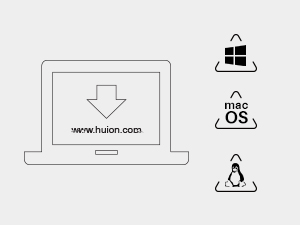
Image: A laptop screen displaying the Huion website for driver downloads, with icons for Windows, macOS, and Linux operating systems.
3. Mobile Device Connection (Android)
The H950P supports Android devices (OS version 6.0 or later). Use an OTG adapter (not included) to connect the tablet to your Android phone or tablet.

Image: A person using the HUION Inspiroy H950P tablet connected to an Android smartphone, demonstrating mobile compatibility.
ఆపరేటింగ్ సూచనలు
1. Using the PW100 Battery-Free Stylus
The PW100 stylus offers 8192 levels of pressure sensitivity and supports ±60° tilt recognition for a natural drawing experience.
- The pen features two customizable side buttons. By default, these buttons can switch between pen and eraser functions.
- Store the pen in the provided pen holder when not in use. The pen holder also contains replacement nibs.

చిత్రం: వివరణాత్మక view of the HUION PW100 battery-free pen, highlighting its 8192 pressure levels, 5080 LPI pen resolution, 266 PPS report rate, and ±60° tilt range.
2. Customizing Express Keys
The H950P features 8 programmable press keys on the tablet. These keys can be customized through the HUION driver software to assign shortcuts for various applications.
- మీ కంప్యూటర్లో HUION డ్రైవర్ సాఫ్ట్వేర్ను తెరవండి.
- Navigate to the "Press Key" or "Express Key" settings.
- Assign desired functions or shortcuts to each key.
- Settings can be configured for specific applications.

Image: A close-up of the HUION Inspiroy H950P tablet showing the 8 customizable press keys and a press-key lock switch.
3. Adjusting the Working Area
The active drawing area of the tablet is approximately 8.7 x 5.4 inches. You can adjust the mapping of this area to your screen(s) via the HUION driver software.

Image: A diagram illustrating the working area of the HUION Inspiroy H950P tablet, measuring 8.7 x 5.4 inches (221 x 137 mm).
4. Left-Handed Mode
The tablet supports left-handed users. This setting can be configured within the HUION driver software.
నిర్వహణ
1. Cleaning the Tablet and Pen
Use a soft, dry cloth to gently wipe the surface of the tablet and pen. Avoid using harsh chemicals or abrasive materials.
2. పెన్ నిబ్స్ను మార్చడం
When the pen nib wears down, replace it with one of the 8 spare nibs located inside the pen holder.
- Use the nib clip (often integrated into the pen holder) to carefully pull out the old nib.
- Insert a new nib firmly into the pen.
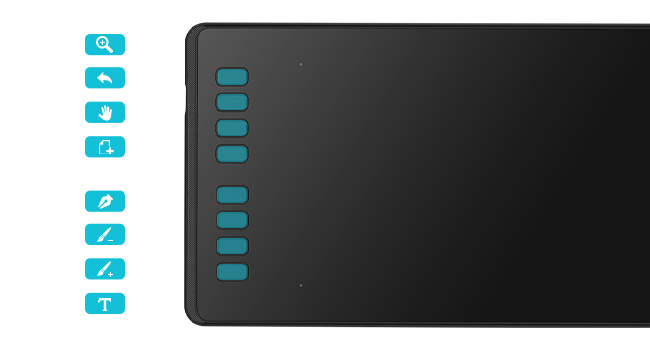
Image: A diagram showing how to replace the pen nib, with a pen holder containing spare nibs.
ట్రబుల్షూటింగ్
సాధారణ సమస్యలు మరియు పరిష్కారాలు
- No Pen Pressure: Ensure the latest driver is installed correctly. Reinstall the driver if necessary. Check your drawing software settings for pen pressure options.
- Pen Not Responding: Verify the USB cable connection. Try a different USB port. Ensure the tablet is recognized by your computer.
- Inaccurate Cursor Movement: Calibrate the working area in the HUION driver settings.
- macOS Compatibility Issues: Some macOS versions may require specific security permissions for external USB devices. Refer to HUION's official support or contact customer service for assistance with connection problems on macOS.
మరింత సహాయం కోసం, దయచేసి అధికారిక HUION మద్దతును సందర్శించండి. website or consult the FAQ section on their product page.
స్పెసిఫికేషన్లు
| ఫీచర్ | స్పెసిఫికేషన్ |
|---|---|
| మోడల్ | H950P |
| ఉత్పత్తి కొలతలు | 12.5 x 7.3 x 0.1 అంగుళాలు |
| వస్తువు బరువు | 1.76 పౌండ్లు |
| కనెక్టివిటీ టెక్నాలజీ | USB |
| ఒత్తిడి సున్నితత్వం | 8192 స్థాయిలు |
| టిల్ట్ మద్దతు | 60° |
| ఆపరేటింగ్ సిస్టమ్ అనుకూలత | Android 6.0+, Linux (Ubuntu), Mac OS 10.12+, Windows 7+ |
| ప్రోగ్రామబుల్ కీలు | 8 |
వారంటీ మరియు మద్దతు
For warranty information and technical support, please visit the official HUION webసైట్ లేదా వారి కస్టమర్ సేవను సంప్రదించండి.
Official HUION Store: అమెజాన్లో HUION స్టోర్


