1. పరిచయం
This manual provides essential information for the safe and efficient operation of your Fenton FT215LED Portable Speaker. Please read these instructions thoroughly before using the device and retain them for future reference. The FT215LED is a versatile portable sound system featuring Bluetooth connectivity, USB/SD playback, AUX input, two wireless microphones, and integrated LED lighting, designed for various audio applications.
2. భద్రతా సమాచారం
To prevent electric shock, fire, or injury, always observe the following safety precautions:
- వర్షం లేదా తేమకు యూనిట్ను బహిర్గతం చేయవద్దు.
- సి ని తెరవవద్దుasing. లోపల వినియోగదారు-సేవ చేయగల భాగాలు లేవు. అన్ని సర్వీసింగ్లను అర్హత కలిగిన సిబ్బందికి సూచించండి.
- విద్యుత్ సరఫరా వాల్యూమ్ నిర్ధారించుకోండిtage యూనిట్లో పేర్కొన్న అవసరాలకు సరిపోలుతుంది.
- Keep the unit away from heat sources, direct sunlight, and excessive dust.
- యూనిట్పై భారీ వస్తువులను ఉంచవద్దు.
- తయారీదారు పేర్కొన్న ఉపకరణాలను మాత్రమే ఉపయోగించండి.
- మెరుపు తుఫానుల సమయంలో లేదా ఎక్కువసేపు ఉపయోగించనప్పుడు విద్యుత్ తీగను డిస్కనెక్ట్ చేయండి.
3. సెటప్
3.1 అన్ప్యాకింగ్
Carefully remove the speaker and all accessories from the packaging. Verify that all components are present:
- Fenton FT215LED Portable Speaker
- వైర్లెస్ మైక్రోఫోన్లు (x2)
- రిమోట్ కంట్రోల్
- పవర్ కేబుల్
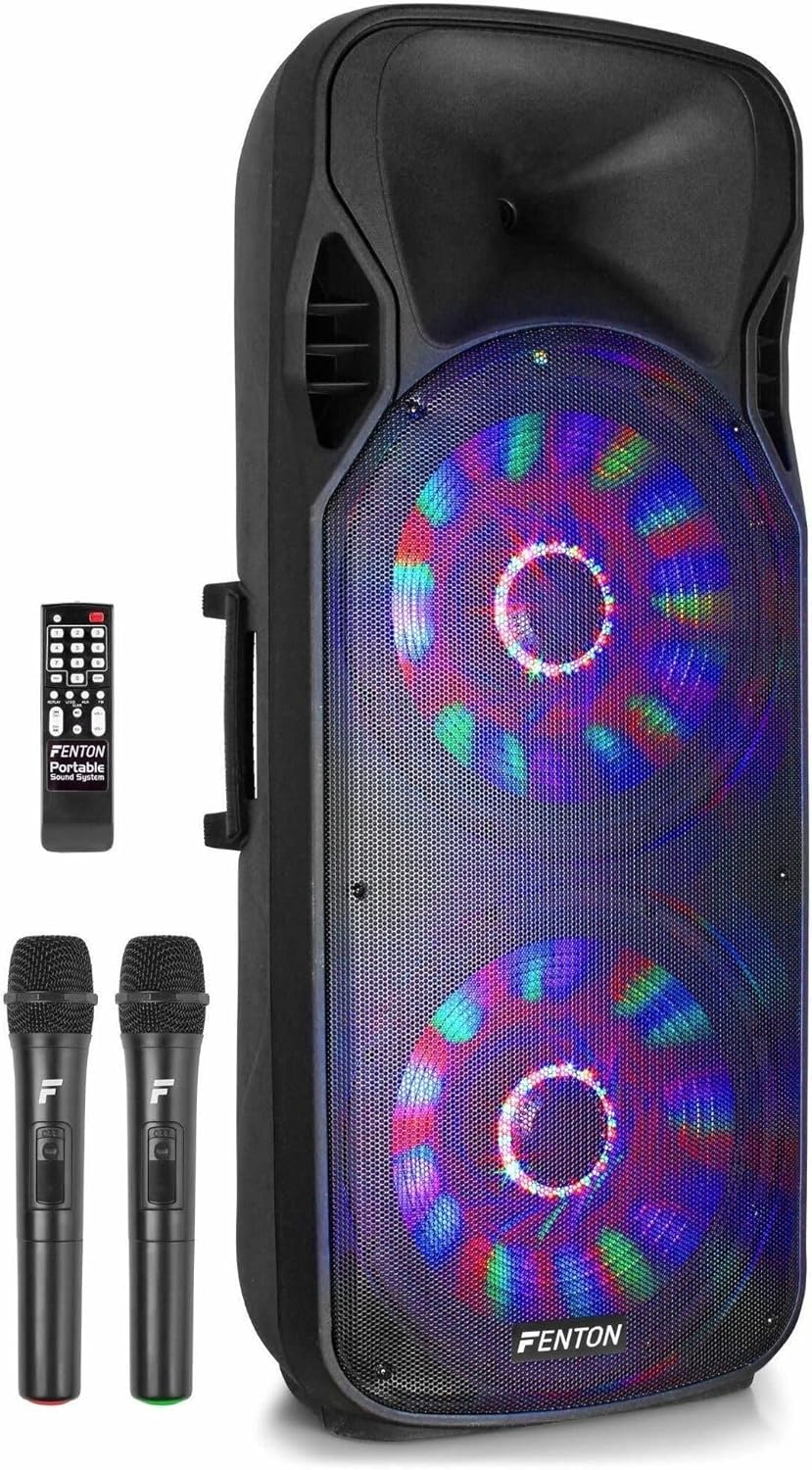
Figure 1: Fenton FT215LED Portable Speaker with included accessories.
3.2 యూనిట్కు శక్తినివ్వడం
The FT215LED speaker features an integrated battery for portable use. Before first use, ensure the battery is fully charged. Connect the provided power cable to the speaker's power input and then to a suitable wall outlet. The charging indicator will illuminate. Once fully charged, the indicator may change color or turn off, depending on the model.
3.3 ప్రారంభ కనెక్షన్లు
Locate the control panel on the rear of the speaker. This panel provides various input options.

Figure 2: Rear control panel of the FT215LED speaker.
- మైక్రోఫోన్లు: The speaker comes with two wireless microphones. Ensure batteries are inserted correctly into the microphones. Turn on the microphones using their respective power switches.
- AUX ఇన్పుట్: For connecting external audio devices (e.g., CD player, laptop) via a 3.5mm or RCA cable.
- USB/SD కార్డ్: Insert a USB drive or SD card into the designated slots for media playback.
4. ఆపరేటింగ్ సూచనలు
4.1 పవర్ ఆన్/ఆఫ్
Press the main power switch on the control panel to turn the speaker on or off.
4.2 బ్లూటూత్ జత చేయడం
- Ensure the speaker is powered on and in Bluetooth mode. The display will indicate 'BT' or a similar Bluetooth icon.
- Activate Bluetooth on your mobile device (smartphone, tablet, computer).
- కోసం వెతకండి available devices and select 'Fenton FT215LED' from the list.
- Once paired, the speaker will emit a confirmation sound, and you can stream audio wirelessly.

Figure 3: Connecting a smartphone via Bluetooth for audio streaming.
4.3 USB/SD ప్లేబ్యాక్
Insert a USB drive or SD card containing MP3 files into the corresponding slot. The speaker will automatically switch to USB/SD mode and begin playback. Use the control panel or remote control to navigate tracks, adjust volume, and pause/play.
4.4 AUX ఇన్పుట్
Connect your external audio device to the AUX input using an appropriate cable. Select AUX mode on the speaker's control panel or remote. Audio from your external device will now play through the speaker.
4.5 మైక్రోఫోన్ వాడకం
Turn on the wireless microphones. Adjust the microphone volume and echo effect using the dedicated knobs on the speaker's control panel. Ensure the microphones are within range for optimal performance.

Figure 4: The two wireless microphones included with the FT215LED speaker.
4.6 LED లైటింగ్
The speaker features integrated LED lighting. Use the dedicated button on the control panel or remote control to activate or deactivate the LED effects.
4.7 రిమోట్ కంట్రోల్
The included remote control provides convenient access to various functions, including power, mode selection, volume, track navigation, and LED control.

Figure 5: The remote control for the Fenton FT215LED speaker.
5. నిర్వహణ
5.1 శుభ్రపరచడం
Wipe the speaker's exterior with a soft, dry cloth. Do not use abrasive cleaners, waxes, or solvents. Ensure no liquids enter the unit.
5.2 నిల్వ
When not in use for extended periods, store the speaker in a cool, dry place, away from direct sunlight and extreme temperatures. If the unit has an integrated rechargeable battery, charge it periodically (e.g., every 3 months) to maintain battery health.
6. ట్రబుల్షూటింగ్
If you encounter issues with your Fenton FT215LED speaker, refer to the following common problems and solutions:
| సమస్య | సాధ్యమైన కారణం | పరిష్కారం |
|---|---|---|
| శక్తి లేదు | Power cable not connected; Battery depleted; Power switch off | Check power cable connection; Charge the battery; Ensure power switch is ON |
| శబ్దం లేదు | వాల్యూమ్ చాలా తక్కువగా ఉంది; తప్పు ఇన్పుట్ మోడ్; పరికరం సరిగ్గా కనెక్ట్ కాలేదు. | Increase volume; Select correct input mode (BT, USB, SD, AUX); Reconnect device |
| బ్లూటూత్ కనెక్ట్ కావడం లేదు | Speaker not in pairing mode; Device too far; Incorrect device selected | Ensure speaker is in BT mode; Move device closer; Select 'Fenton FT215LED' |
| మైక్రోఫోన్ పని చేయడం లేదు | Microphone off; Batteries depleted; Volume too low | Turn on microphone; Replace batteries; Increase microphone volume |
7. స్పెసిఫికేషన్లు
The following are the technical specifications for the Fenton FT215LED Portable Speaker:
- మోడల్ సంఖ్య: 170.094
- బ్రాండ్: ఫెంటన్
- పవర్ అవుట్పుట్: 1600W (పీక్)
- కనెక్టివిటీ: Bluetooth, USB, SD, AUX (3.5mm, RCA)
- ఆడియో ఇన్పుట్: మైక్రోఫోన్, గిటార్
- ఫ్రీక్వెన్సీ రెస్పాన్స్: 19000 Hz వరకు
- ప్రత్యేక లక్షణాలు: USB Port, Portable design, Remote Control, LED Lighting
- కొలతలు (L x W x H): 36 x 47 x 111 సెం.మీ
- బరువు: 19.2 కిలోలు
- మెటీరియల్: చెక్క
- శక్తి మూలం: బ్యాటరీ ఆధారితమైనది
- రంగు: నలుపు

Figure 6: The FT215LED speaker delivers a powerful 1600W sound experience.
8. వారంటీ మరియు మద్దతు
Specific warranty details are not provided within the product information. For warranty claims or detailed support, please contact the retailer or the manufacturer, Fenton, directly. Information regarding spare parts availability and software updates is not available in the provided product data.


