BYTECH వైర్లెస్ ఆప్టికల్ మౌస్ యూజర్ మాన్యువల్
Model: BYTECH Wireless Optical Mouse
పరిచయం
This manual provides detailed instructions for the setup, operation, maintenance, and troubleshooting of your BYTECH Wireless Optical Mouse. Please read this manual thoroughly before using the device to ensure optimal performance and longevity.
ఉత్పత్తి ముగిసిందిview
The BYTECH Wireless Optical Mouse is designed for comfortable and efficient navigation. It features a precise optical sensor, a scroll wheel, and a DPI adjustment button for customizable sensitivity. Its ergonomic design and wireless connectivity provide a clutter-free workspace.

చిత్రం 1: పై నుండి క్రిందికి view of the BYTECH Wireless Optical Mouse. The mouse is black with a silver stripe along its sides. A scroll wheel and a DPI button are visible on the top surface.
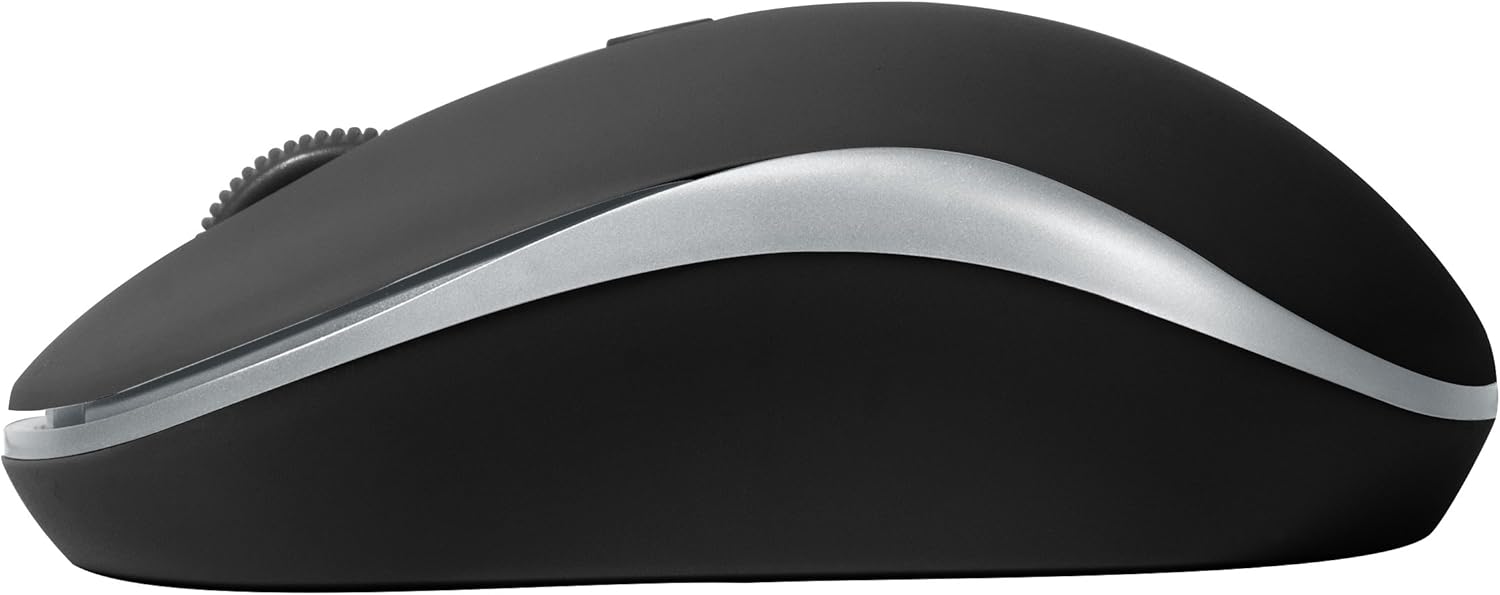
మూర్తి 2: వైపు view of the BYTECH Wireless Optical Mouse. This angle highlights the ergonomic curve and the silver accent line that runs along the side of the mouse.
సెటప్
1. బ్యాటరీ ఇన్స్టాలేషన్
- మౌస్ దిగువ భాగంలో బ్యాటరీ కంపార్ట్మెంట్ను గుర్తించండి.
- బ్యాటరీ కంపార్ట్మెంట్ కవర్ తెరవండి.
- Insert one AA battery (not included) into the compartment, ensuring the correct polarity (+/-) as indicated inside.
- బ్యాటరీ కంపార్ట్మెంట్ కవర్ను సురక్షితంగా మూసివేయండి.
2. USB రిసీవర్ కనెక్షన్
- Remove the USB receiver from its storage slot, usually located inside the battery compartment or near it.
- మీ కంప్యూటర్ లేదా ల్యాప్టాప్లో అందుబాటులో ఉన్న USB పోర్ట్లో USB రిసీవర్ని ప్లగ్ చేయండి.
- మీ ఆపరేటింగ్ సిస్టమ్ అవసరమైన డ్రైవర్లను స్వయంచాలకంగా గుర్తించి ఇన్స్టాల్ చేయాలి. దీనికి కొన్ని క్షణాలు పట్టవచ్చు.
3. పవర్ చేయడం
- Locate the On/Off switch on the underside of the mouse.
- Slide the switch to the "On" position. The mouse should now be ready for use.
ఆపరేటింగ్ సూచనలు
ప్రాథమిక విధులు
- ఎడమ క్లిక్ చేయండి: అంశాలను ఎంచుకోవడానికి, లింక్లను తెరవడానికి లేదా ఫంక్షన్లను సక్రియం చేయడానికి ఎడమ బటన్ను నొక్కండి.
- కుడి క్లిక్ చేయండి: సందర్భ మెనులను తెరవడానికి లేదా అదనపు ఎంపికలను యాక్సెస్ చేయడానికి కుడి బటన్ను నొక్కండి.
- స్క్రోల్ వీల్: పత్రాల ద్వారా స్క్రోల్ చేయడానికి చక్రాన్ని పైకి లేదా క్రిందికి తిప్పండి లేదా web పేజీలు. మిడిల్-క్లిక్ కార్యాచరణ కోసం స్క్రోల్ వీల్ను నొక్కండి (ఉదా., కొత్త ట్యాబ్లలో లింక్లను తెరవడం).
DPI సర్దుబాటు
The mouse features a DPI (Dots Per Inch) button, typically located behind the scroll wheel. Press this button to cycle through different sensitivity settings. Each press will change the cursor speed, allowing you to find the optimal setting for your task.
- నొక్కండి DPI బటన్ once to switch to the next sensitivity level.
- Repeat until you find your preferred cursor speed.
పవర్ సేవింగ్ మోడ్
To conserve battery life, the BYTECH Wireless Optical Mouse is designed to automatically enter a sleep mode after a period of inactivity. To wake the mouse, simply move it or click any button.
నిర్వహణ
క్లీనింగ్
- శుభ్రం చేసే ముందు మౌస్ ఆఫ్ చేయబడిందని నిర్ధారించుకోండి.
- కొద్దిగా మెత్తని, మెత్తని బట్టను ఉపయోగించండి dampనీరు లేదా తేలికపాటి శుభ్రపరిచే ద్రావణంతో కలుపుతారు.
- Wipe the surface of the mouse gently. Avoid excessive moisture.
- ఆప్టికల్ సెన్సార్ కోసం, ఏదైనా దుమ్ము లేదా చెత్తను జాగ్రత్తగా తొలగించడానికి పొడి కాటన్ శుభ్రముపరచును ఉపయోగించండి.
- రాపిడి క్లీనర్లు, ఆల్కహాల్ లేదా ద్రావకాలను ఉపయోగించవద్దు, ఎందుకంటే ఇవి ఉపరితలాన్ని దెబ్బతీస్తాయి.
బ్యాటరీ భర్తీ
When the mouse performance degrades or the cursor becomes erratic, it may be time to replace the battery. Follow the battery installation steps outlined in the "Setup" section.
నిల్వ
When not in use for an extended period, it is recommended to turn off the mouse to conserve battery life. The USB receiver can be stored in its dedicated slot on the mouse's underside to prevent loss.
ట్రబుల్షూటింగ్
- మౌస్ స్పందించడం లేదు:
- మౌస్ ఆన్ చేయబడిందని నిర్ధారించుకోండి.
- బ్యాటరీ స్థాయిని తనిఖీ చేయండి మరియు అవసరమైతే భర్తీ చేయండి.
- USB రిసీవర్ పనిచేసే USB పోర్ట్కి సురక్షితంగా ప్లగిన్ చేయబడిందని ధృవీకరించండి. వేరే USB పోర్ట్ని ప్రయత్నించండి.
- మీ కంప్యూటర్ని పునఃప్రారంభించండి.
- Cursor erratic or jumping:
- మౌస్ కింద ఉన్న ఆప్టికల్ సెన్సార్ను శుభ్రం చేయండి.
- మీరు మౌస్ను తగిన ఉపరితలంపై (ప్రతిబింబించని, పారదర్శకంగా లేని) ఉపయోగిస్తున్నారని నిర్ధారించుకోండి. మౌస్ ప్యాడ్ సిఫార్సు చేయబడింది.
- Check for strong electromagnetic interference from other devices.
- కనెక్టివిటీ సమస్యలు:
- మౌస్ మరియు USB రిసీవర్ మధ్య దూరాన్ని తగ్గించండి.
- Remove any large metal objects or electronic devices that might be obstructing the wireless signal.
- If using a USB hub, try connecting the receiver directly to the computer.
స్పెసిఫికేషన్లు
| ఫీచర్ | వివరాలు |
|---|---|
| బ్రాండ్ | బైటెక్ |
| మోడల్ | BYTECH Wireless Optical Mouse |
| కనెక్టివిటీ టెక్నాలజీ | వైర్లెస్ (USB రిసీవర్) |
| మూవ్మెంట్ డిటెక్షన్ టెక్నాలజీ | ఆప్టికల్ |
| రంగు | నలుపు |
| శక్తి మూలం | Battery Powered (1x AA, not included) |
| ఆపరేటింగ్ సిస్టమ్ అనుకూలత | macOS, Android (and generally Windows) |
| వస్తువు బరువు | 3.56 ఔన్సులు |
| ఉత్పత్తి కొలతలు (LxWxH) | 1 x 1 x 1 అంగుళాలు (సుమారుగా) |
గమనిక: నోటీసు లేకుండా లక్షణాలు మారతాయి.
వారంటీ మరియు మద్దతు
Bytech products are manufactured to the highest quality standards. For information regarding warranty coverage, technical support, or service, please refer to the warranty card included with your product or visit the official Bytech webవారంటీ క్లెయిమ్ల కోసం కొనుగోలు రుజువుగా మీ కొనుగోలు రసీదును ఉంచండి.
For further assistance, please contact Bytech customer support through their official channels.


