1. ముఖ్యమైన భద్రతా సమాచారం
Please read all instructions carefully before using the Royal 1830MX Cross-Cut Paper Shredder. Retain this manual for future reference.
- Keep hands, hair, and loose clothing away from the shredder's paper entry slot.
- పిల్లలు మరియు పెంపుడు జంతువులను ష్రెడర్ నుండి దూరంగా ఉంచండి.
- ఉపయోగంలో లేనప్పుడు లేదా శుభ్రపరిచే ముందు ష్రెడర్ను అన్ప్లగ్ చేయండి.
- Do not shred metal objects, large paper clips, or continuous forms.
- Do not spray any flammable products onto the shredder or use near flammable liquids.
- పవర్ కార్డ్ దెబ్బతిన్నట్లయితే ష్రెడర్ను ఆపరేట్ చేయవద్దు.
- Empty the waste basket regularly to prevent jams and ensure proper operation.
2. ఉత్పత్తి ముగిసిందిview
The Royal 1830MX is a cross-cut paper shredder designed for home or office use. It features a robust motor capable of shredding up to 18 sheets of paper in a single pass, as well as credit cards, CDs, and DVDs. The shredder produces small cross-cut particles for enhanced security.
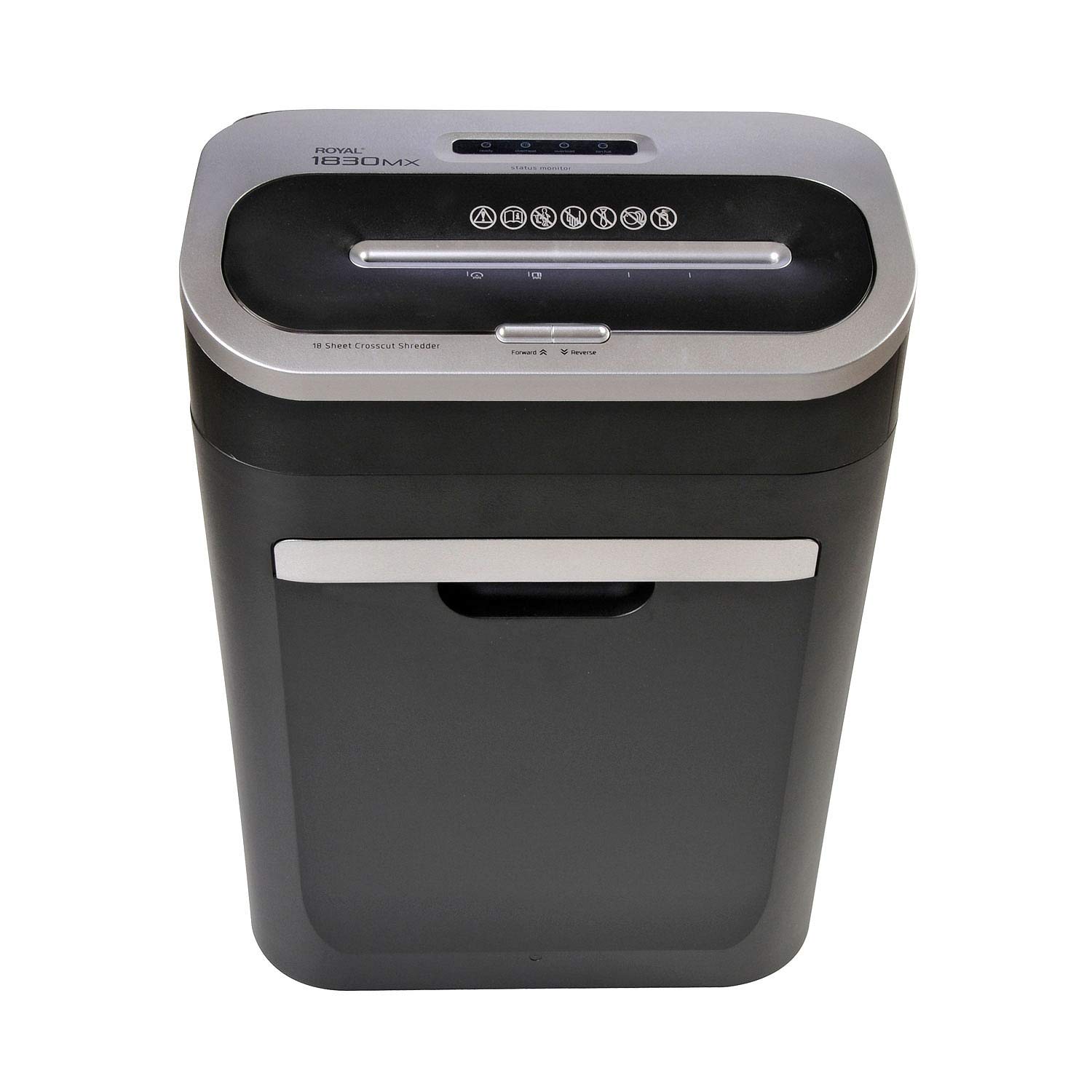
మూర్తి 2.1: ముందు view of the Royal 1830MX Cross-Cut Paper Shredder, showing the paper entry slot and control panel.

చిత్రం 2.2: కోణీయ view of the Royal 1830MX shredder, highlighting its compact design and pull-out waste basket.
ముఖ్య లక్షణాలు:
- ముక్కలు రకం: Cross-cut (5/32" x 1 5/8" particles)
- షీట్ సామర్థ్యం: 18 షీట్ల వరకు (20 పౌండ్లు బాండ్ పేపర్)
- ముక్కలు: Paper, credit cards, CDs, DVDs, staples
- వ్యర్థ బుట్ట సామర్థ్యం: 7.5 gallons, pull-out design with viewing విండో
- విధులు: Auto start/stop, reverse
- చలనశీలత: Casters for easy movement
3. సెటప్
- అన్ప్యాక్: Carefully remove the shredder from its packaging. Ensure all packing materials are removed from the shredder head and waste basket.
- స్థానం: Place the shredder on a flat, stable surface. Ensure there is adequate space around the unit for ventilation and access to the waste basket.
- పవర్ కనెక్ట్ చేయండి: పవర్ కార్డ్ను ప్రామాణిక 120 వి ఎసి అవుట్లెట్లోకి ప్లగ్ చేయండి.
- చెత్త బుట్ట: Ensure the 7.5-gallon pull-out waste basket is correctly inserted and fully closed. The shredder will not operate if the basket is not properly seated.
4. ఆపరేటింగ్ సూచనలు
4.1 నియంత్రణ ప్యానెల్
The control panel is located on top of the shredder head. It includes buttons for Forward, Reverse, and indicators for power and status.

Figure 4.1: Close-up of the Royal 1830MX control panel, showing the power, forward, and reverse buttons, along with status indicators.
4.2 Shredding Paper
- Ensure the shredder is plugged in and the waste basket is correctly inserted.
- The shredder is in "Auto" mode by default when powered on.
- Insert up to 18 sheets of paper (20 lb bond) straight into the paper entry slot. The shredder will automatically start and stop once the paper has passed through.
- సరైన పనితీరు కోసం మరియు జామ్లను నివారించడానికి, గరిష్ట షీట్ సామర్థ్యాన్ని మించకుండా ఉండండి.

Figure 4.2: The Royal 1830MX actively shredding paper, demonstrating the paper entry slot in use.
4.3 Shredding Credit Cards, CDs, and DVDs
- Locate the dedicated slot for credit cards and optical media (CDs/DVDs) on the shredder head.
- Insert one credit card or optical disc at a time into the designated slot. The shredder will automatically engage and shred the item.
- The shredded particles for these items will fall into the main waste basket.
4.4 రివర్స్ ఫంక్షన్
In case of a paper jam, press the "Reverse" button on the control panel. This will reverse the shredder blades, helping to clear the jam. If the jam persists, unplug the shredder and carefully remove the paper manually.
5. నిర్వహణ
5.1 Emptying the Waste Basket
The Royal 1830MX features a 7.5-gallon pull-out waste basket. When the basket is full, the shredder's "Bin Full" indicator light may illuminate, and the shredder will cease operation. To empty:
- పవర్ అవుట్లెట్ నుండి ష్రెడర్ను అన్ప్లగ్ చేయండి.
- Pull out the waste basket from the front of the unit.
- తురిమిన పదార్థాన్ని పారవేయండి.
- Slide the waste basket back into the unit until it clicks securely into place.
- ష్రెడర్ని తిరిగి ప్లగ్ చేయండి.
5.2 Oiling the Shredder Blades
Regular oiling of the shredder blades is recommended to maintain optimal performance and extend the life of your shredder. Oil the blades after every 30 minutes of continuous shredding or at least twice a month with shredder oil (not included).
- పేపర్ ఎంట్రీ స్లాట్ అంతటా ష్రెడర్ ఆయిల్ యొక్క పలుచని గీతను వర్తించండి.
- Run a few sheets of paper through the shredder to distribute the oil evenly.
- Alternatively, you can oil a sheet of paper and shred it.
6. ట్రబుల్షూటింగ్
| సమస్య | సాధ్యమైన కారణం | పరిష్కారం |
|---|---|---|
| ష్రెడర్ ఆన్ అవ్వదు. |
|
|
| పేపర్ జామ్. |
|
|
| "Bin Full" indicator lights up, but bin is not full. |
|
|
| Shredder is noisy or slow. |
|
|
7. స్పెసిఫికేషన్లు
- మోడల్: 1830 ఎంఎక్స్
- ముక్కలు రకం: క్రాస్ కట్
- ముక్కలు పరిమాణం: 5/32" x 1 5/8"
- షీట్ సామర్థ్యం: 18 షీట్లు (20 పౌండ్లు బాండ్ పేపర్)
- వ్యర్థ బుట్ట సామర్థ్యం: 7.5 గ్యాలన్లు
- ముక్కలు: Paper, Credit Cards, CDs, DVDs, Staples
- విధులు: Auto Start/Stop, Reverse
- వస్తువు బరువు: సుమారు 34 పౌండ్లు
- శక్తి: 120V AC
- రంగు: నలుపు లేదా వెండి
- మొదటి తేదీ అందుబాటులో ఉంది: మార్చి 25, 2018
8. వారంటీ మరియు మద్దతు
For warranty information or technical support, please refer to the warranty card included with your product or contact Royal customer service. Keep your purchase receipt as proof of purchase.
Note: Specific warranty terms and contact details may vary. Please consult the official Royal website or your product documentation for the most current information.