1. పరిచయం
1.1 ఉత్పత్తి ముగిసిందిview
The Lindy USB 2.0 CAT5/6 Extender is designed to extend the distance between a USB peripheral device and a host computer by up to 50 meters. This system consists of two units: a local (transmitter) unit that connects to the computer and a remote (receiver) unit that connects to the USB peripheral. A standard, low-cost CAT5/5e/6 network cable (not included) is used to bridge the connection between these two units.
A key feature of this extender is Power over CAT5/6 (PoC), which means only the transmitter/local unit requires a power supply. This allows the receiver/remote unit and connected devices to be positioned more freely without needing a separate power outlet. Both the transmitter and receiver units include integrated mounting brackets for easier installation.
Note: For high-bandwidth bus-powered devices like webcams, especially HD webcams, the 100m 4 Port USB 2.0 CAT5 Extender Pro is recommended. The stated extension lengths are achievable with a direct connection using good quality CAT6 UUTP Solid Core cable. Using different cable types, wall plates, couplers, or patch panels may reduce the maximum achievable distance.
1.2 ముఖ్య లక్షణాలు
- Extends a USB 2.0 port up to 50m using low-cost CAT5/5e/6 network cable (not included).
- Features Power over CAT5/6, requiring only a single power supply connected to the Transmitter unit.
- Supports USB 2.0 High Speed (480Mbps) and USB 1.1 Full Speed/Low Speed.
- Plug and Play installation, compatible with all operating systems that support USB.
- Durable metal housing with integrated mounting brackets.
2. ప్యాకేజీ విషయాలు
Please verify that all items listed below are present and in good condition:
- Lindy USB 2.0 CAT.5/6 Extender (Transmitter and Receiver Units)
- Multi-Country Power Supply - 24V 0.25A with 3.5/1.35mm Outer/Inner DC Jack
- USB 2.0 Type A/B Cable

Image: The Lindy USB 2.0 Cat.5 Extender includes both the transmitter and receiver units.
3. సెటప్
Follow these steps to set up your Lindy USB 2.0 Cat.5 Extender:
- Connect the Transmitter Unit: Connect the USB Type B port of the transmitter unit to a USB Type A port on your host computer using the provided USB 2.0 Type A/B cable.
- విద్యుత్ సరఫరాను కనెక్ట్ చేయండి: Plug the multi-country power supply into the power input jack on the transmitter unit. Connect the power supply to a suitable electrical outlet.
- Connect the Receiver Unit: Connect your USB peripheral device (e.g., printer, webcam, keyboard, mouse) to the USB Type A port on the receiver unit.
- Connect the CAT Cable: Connect a standard CAT5e or CAT6 network cable (not included) between the RJ45 ports of the transmitter and receiver units. Ensure the cable is securely seated in both ports.
The system is plug-and-play, so no drivers are typically required. Once connected, the units should establish a link, and your USB peripheral should be recognized by the host computer.
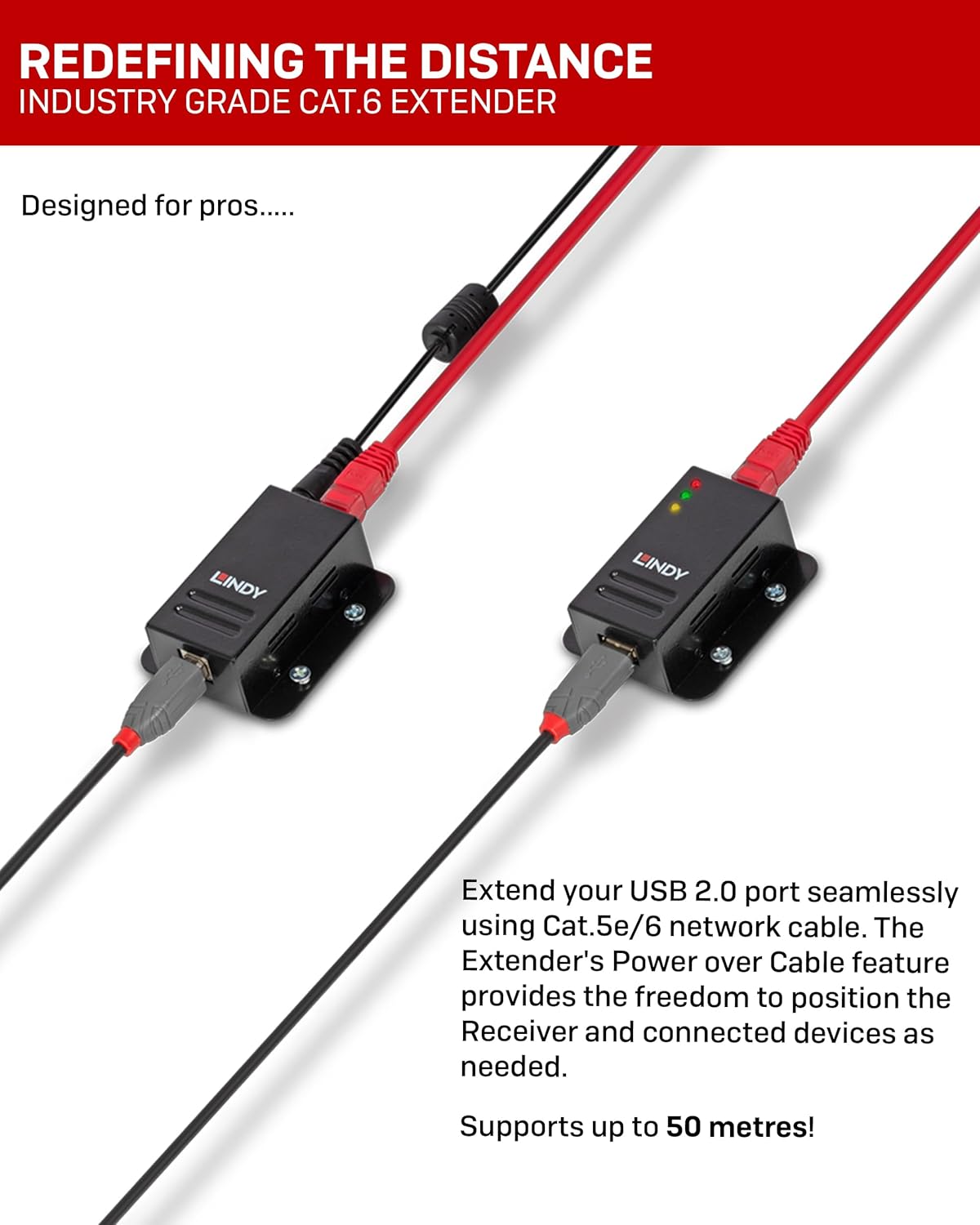
Image: Diagram illustrating the connection of the Lindy USB Extender units with a CAT cable.

చిత్రం: వైపు view of the Lindy USB Extender units, showing the USB and RJ45 ports.
4. ఆపరేషన్
Once the setup is complete, the Lindy USB 2.0 Cat.5 Extender operates transparently. The connected USB peripheral will function as if it were directly connected to the host computer.
4.1 LED సూచికలు
Both the transmitter and receiver units feature LED indicators to provide status feedback:
- పవర్ LED: యూనిట్ శక్తిని పొందుతుందని సూచిస్తుంది.
- లింక్ LED: Illuminates when a stable connection is established between the transmitter and receiver units via the CAT cable.
- కార్యాచరణ LED: Flashes to indicate data transfer activity between the host computer and the USB peripheral.

చిత్రం: ముందు భాగం view of the Lindy USB Extender units, highlighting the LED indicators.
5. నిర్వహణ
The Lindy USB 2.0 Cat.5 Extender is designed for reliable operation and requires minimal maintenance.
- శుభ్రపరచడం: Use a soft, dry cloth to clean the exterior of the units. Do not use liquid or aerosol cleaners.
- పర్యావరణం: Ensure the units are operated within their specified temperature and humidity ranges. Avoid exposing them to excessive dust, moisture, or direct sunlight.
- కేబుల్ నిర్వహణ: Ensure that all cables are routed neatly and are not under excessive strain or bent sharply, which could damage them.
6. ట్రబుల్షూటింగ్
If you encounter issues with your Lindy USB 2.0 Cat.5 Extender, please refer to the following troubleshooting steps:
| సమస్య | సాధ్యమైన కారణం | పరిష్కారం |
|---|---|---|
| No power to units / Power LED off | Power supply not connected or faulty; power outlet issue. | Ensure power supply is securely connected to the transmitter unit and a working power outlet. Test the outlet with another device. |
| No link / Link LED off | CAT cable not connected, faulty cable, or incorrect cable type. | Verify the CAT5e/6 cable is securely connected to both units. Test with a different, known-good CAT5e/6 cable. Ensure it's a direct connection, not through patch panels or wall plates if experiencing issues at maximum distance. |
| USB device not recognized or unstable | Faulty USB cable; incompatible USB device; excessive cable length; power delivery issue to device. | Try a different USB cable for the peripheral. Ensure the peripheral is USB 2.0 compatible. If the device is bus-powered and high-bandwidth (e.g., HD webcam), consider a powered USB hub at the receiver end or a different extender model designed for higher power/bandwidth. Reduce CAT cable length if possible. |
| నెమ్మదిగా డేటా బదిలీ | Poor quality CAT cable; excessive cable length; interference. | Use high-quality CAT6 UUTP Solid Core cable. Ensure the cable length does not exceed 50m. Avoid routing the cable near sources of strong electromagnetic interference. |
7. స్పెసిఫికేషన్లు
| ఫీచర్ | వివరాలు |
|---|---|
| బ్రాండ్ | లిండీ |
| మోడల్ సంఖ్య | 42680 |
| USB ప్రమాణం | USB 2.0 (High Speed, Full Speed, Low Speed) |
| గరిష్ట పొడిగింపు దూరం | 50 మీటర్లు (164 అడుగులు) |
| Required Cable Type | CAT5e or CAT6 UTP/STP (not included) |
| విద్యుత్ సరఫరా | 24V 0.25A (included, connects to Transmitter) |
| వస్తువు బరువు | 14.1 ఔన్సులు (సుమారు 0.4 కిలోలు) |
| ఉత్పత్తి కొలతలు (LxWxH) | 2.64 x 2.36 x 0.91 inches (per unit, approx.) |
| రంగు | నలుపు |
| తయారీదారు | LINDY ఎలక్ట్రానిక్స్ లిమిటెడ్ |
8. వారంటీ మరియు మద్దతు
8.1 ఉత్పత్తి వారంటీ
This Lindy USB 2.0 Cat.5 Extender comes with a 2 సంవత్సరాల వారంటీ కొనుగోలు చేసిన తేదీ నుండి. ఈ వారంటీ సాధారణ ఉపయోగంలో మెటీరియల్స్ మరియు పనితనంలో లోపాలను కవర్ చేస్తుంది. దుర్వినియోగం, ప్రమాదం, మార్పులు లేదా అనధికార మరమ్మతుల వల్ల కలిగే నష్టాన్ని ఇది కవర్ చేయదు.
8.2 సాంకేతిక మద్దతు
For technical assistance or warranty claims, please contact Lindy customer support. You can find contact information on the official Lindy website or through your point of purchase. Please have your product model number (42680) and proof of purchase ready when contacting support.
For more information, visit the official Lindy webసైట్: www.lindy.com


