1. పరిచయం
This manual provides essential information for the safe and efficient operation of your Pyle 40 Inch LED TV with Built-in CD/DVD Player, Model PTVDLED40.5. Please read this manual thoroughly before using the product and retain it for future reference.

చిత్రం: ముందు భాగం view of the Pyle 40 Inch LED TV, showing the screen displaying a landscape, a remote control, and a hand inserting a disc into the side-loading DVD player.
2. భద్రతా సమాచారం
హెచ్చరిక: ఎలెక్ట్రిక్ షాక్ ప్రమాదాన్ని తగ్గించడానికి, కవర్ను తొలగించవద్దు (లేదా తిరిగి). లోపల వినియోగదారు-సేవ పార్ట్లు లేవు. క్వాలిఫైడ్ సర్వీస్ పర్సనల్కు సేవలను సూచించండి.
- ఈ సూచనలను చదవండి.
- ఈ సూచనలను ఉంచండి.
- అన్ని హెచ్చరికలను గమనించండి.
- అన్ని సూచనలను అనుసరించండి.
- నీటి దగ్గర ఈ ఉపకరణాన్ని ఉపయోగించవద్దు.
- పొడి గుడ్డతో మాత్రమే శుభ్రం చేయండి.
- వెంటిలేషన్ ఓపెనింగ్లను బ్లాక్ చేయవద్దు. తయారీదారు సూచనలకు అనుగుణంగా ఇన్స్టాల్ చేయండి.
- రేడియేటర్లు, హీట్ రిజిస్టర్లు, స్టవ్లు లేదా ఇతర ఉపకరణాలు (సహా ampలిఫైయర్లు) వేడిని ఉత్పత్తి చేస్తాయి.
- ధ్రువణ లేదా గ్రౌండింగ్-రకం ప్లగ్ యొక్క భద్రతా ప్రయోజనాన్ని ఓడించవద్దు. పోలరైజ్డ్ ప్లగ్ రెండు బ్లేడ్లను కలిగి ఉంటుంది, ఒకటి మరొకదాని కంటే వెడల్పుగా ఉంటుంది. గ్రౌండింగ్-రకం ప్లగ్లో రెండు బ్లేడ్లు మరియు మూడవ గ్రౌండింగ్ ప్రాంగ్ ఉన్నాయి. మీ భద్రత కోసం విస్తృత బ్లేడ్ లేదా మూడవ ప్రాంగ్ అందించబడ్డాయి. అందించిన ప్లగ్ మీ అవుట్లెట్కి సరిపోకపోతే, వాడుకలో లేని అవుట్లెట్ను భర్తీ చేయడానికి ఎలక్ట్రీషియన్ను సంప్రదించండి.
- ప్రత్యేకించి ప్లగ్లు, కన్వీనియన్స్ రెసెప్టాకిల్స్ మరియు అవి ఉపకరణం నుండి నిష్క్రమించే ప్రదేశంలో నడవడం లేదా పించ్ చేయడం నుండి పవర్ కార్డ్ను రక్షించండి.
- తయారీదారు పేర్కొన్న జోడింపులు/యాక్సెసరీలను మాత్రమే ఉపయోగించండి.
- తయారీదారు పేర్కొన్న కార్ట్, స్టాండ్, త్రిపాద, బ్రాకెట్ లేదా టేబుల్తో మాత్రమే ఉపయోగించండి లేదా ఉపకరణంతో విక్రయించబడుతుంది. కార్ట్ను ఉపయోగించినప్పుడు, టిప్-ఓవర్ నుండి గాయం కాకుండా ఉండటానికి కార్ట్/ఉపకరణ కలయికను తరలించేటప్పుడు జాగ్రత్త వహించండి.
- మెరుపు తుఫానుల సమయంలో లేదా ఎక్కువ కాలం ఉపయోగించనప్పుడు ఈ ఉపకరణాన్ని అన్ప్లగ్ చేయండి.
- అన్ని సేవలను అర్హత కలిగిన సేవా సిబ్బందికి సూచించండి. విద్యుత్ సరఫరా త్రాడు లేదా ప్లగ్ పాడైపోయినప్పుడు, ద్రవం చిందినప్పుడు లేదా ఉపకరణంలో వస్తువులు పడిపోయినప్పుడు, ఉపకరణం వర్షం లేదా తేమకు గురైనప్పుడు, సాధారణంగా పని చేయనప్పుడు, ఉపకరణం ఏదైనా విధంగా దెబ్బతిన్నప్పుడు సర్వీసింగ్ అవసరం. , లేదా తొలగించబడింది.
3. ప్యాకేజీ విషయాలు
క్రింద జాబితా చేయబడిన అన్ని వస్తువులు మీ ప్యాకేజీలో చేర్చబడ్డాయని ధృవీకరించండి:
- Pyle 40 Inch HD LED TV (Model PTVDLED40.5)
- పూర్తి ఫంక్షన్ రిమోట్ కంట్రోల్
- (2) రిమోట్ కంట్రోల్ కోసం AAA బ్యాటరీలు
- (2) Base Stands
- Mounting Screws for Base Stands
- పవర్ కార్డ్

Image: Included accessories for the Pyle 40 Inch LED TV, showing the remote control, power cord, two base stands, and screws.
4. ఉత్పత్తి ముగిసిందిview
4.1 ఫ్రంట్ View
చిత్రం: ముందు భాగం view of the Pyle 40 Inch LED TV, showcasing the screen and the Pyle logo.
- స్క్రీన్ డిస్ప్లే: 40-inch D-LED Backlight display.
- Pyle Logo: Indicates brand.
- IR సెన్సార్: రిమోట్ కంట్రోల్ సిగ్నల్స్ కోసం.
- శక్తి సూచిక: విద్యుత్ స్థితిని సూచించే LED లైట్.
4.2 సైడ్ ప్యానెల్ నియంత్రణలు

Image: Close-up of the side panel controls on the Pyle 40 Inch LED TV, showing buttons for volume, channel, menu, input, and power.
- VOL +/-: వాల్యూమ్ స్థాయిని సర్దుబాటు చేస్తుంది.
- CH +/-: ఛానెల్లను మారుస్తుంది.
- మెను: Accesses the on-screen menu.
- ఇన్పుట్: ఇన్పుట్ సోర్స్ను (HDMI, AV, మొదలైనవి) ఎంచుకుంటుంది.
- శక్తి: టీవీని ఆన్ లేదా ఆఫ్ చేస్తుంది.
4.3 వెనుక ప్యానెల్ కనెక్షన్లు

చిత్రం: వెనుక view of the Pyle 40 Inch LED TV, highlighting the various input and output ports.

Image: Detailed close-up of the input/output ports on the Pyle 40 Inch LED TV, including HDMI, VGA, PC Audio, RF, Earphone, USB, Coaxial, Audio Out, Mini YPbPr, and Video/Audio In (RCA).
- HDMI (x3): High-Definition Multimedia Interface inputs for digital audio/video.
- YPbPr (కాంపోనెంట్ వీడియో): Analog video input (green, blue, red) for high-quality analog video.
- RCA (L/R Audio, Video): Analog audio (white, red) and composite video (yellow) inputs.
- VGA/PC: Video Graphics Array input for connecting a computer.
- PC ఆడియో: VGA కనెక్షన్ కోసం ఆడియో ఇన్పుట్.
- RF (యాంటెన్నా): Input for connecting an antenna or cable TV.
- Optical (Digital) Audio Out: Digital audio output for connecting to a soundbar or receiver.
- హెడ్ఫోన్లు: 3.5mm audio output for headphones.
- USB: For service or media playback (check manual for specific functionality).
- ఏకాక్షక: డిజిటల్ ఆడియో అవుట్పుట్.
4.4 Built-in CD/DVD Player
The TV features a side-loading CD/DVD player. Insert discs gently into the slot located on the side of the television.
చిత్రం: వైపు view of the Pyle 40 Inch LED TV, clearly showing the slot for the built-in CD/DVD player.
5. సెటప్
5.1 Attaching the Base Stands
- గీతలు పడకుండా ఉండటానికి టీవీ స్క్రీన్-డౌన్ను మృదువైన, శుభ్రమైన ఉపరితలంపై జాగ్రత్తగా ఉంచండి.
- ప్రతి బేస్ స్టాండ్ను టీవీ దిగువన ఉన్న సంబంధిత స్లాట్లతో సమలేఖనం చేయండి.
- అందించిన స్క్రూలను ఉపయోగించి ప్రతి స్టాండ్ను భద్రపరచండి. అవి గట్టిగా బిగించబడ్డాయని నిర్ధారించుకోండి.

Image: The Pyle 40 Inch LED TV shown with its two base stands securely attached, ready for placement on a flat surface.
5.2 వాల్ మౌంటింగ్ (ఐచ్ఛికం)
The TV is VESA mounting compatible (200mm x 200mm). Remove the base stands if you intend to wall mount the television. Use a VESA-compatible wall mount kit (sold separately) and follow the instructions provided with the wall mount.
WARNING: Wall mounting should be performed by qualified personnel to prevent injury or damage.
5.3 కనెక్ట్ పవర్
- Connect the power cord to the AC input on the back of the TV.
- Plug the other end of the power cord into a standard electrical outlet (100-240V, 50/60Hz).
5.4 బాహ్య పరికరాలను కనెక్ట్ చేయడం
Refer to the "Rear Panel Connections" section for port locations.
- HDMI పరికరాలు: మీ పరికరాల నుండి (ఉదా. బ్లూ-రే ప్లేయర్, గేమ్ కన్సోల్) HDMI కేబుల్లను టీవీలోని HDMI పోర్ట్లకు కనెక్ట్ చేయండి.
- Component Video (YPbPr) Devices: Connect component video cables (green, blue, red) and RCA audio cables (white, red) from your device to the corresponding inputs.
- Composite Video (RCA) Devices: Connect composite video cable (yellow) and RCA audio cables (white, red) from your device to the corresponding inputs.
- యాంటెన్నా/కేబుల్: Connect an RF coaxial cable from your antenna or cable wall outlet to the RF input.
- PC కనెక్షన్: Connect a VGA cable from your computer to the VGA port and an audio cable from your computer's audio output to the PC Audio input.
6. ఆపరేషన్
6.1 పవర్ ఆన్/ఆఫ్
నొక్కండి శక్తి button on the remote control or the side panel to turn the TV on or off.
6.2 రిమోట్ కంట్రోల్
Insert two 'AAA' batteries into the remote control, observing polarity. Point the remote control towards the TV's IR sensor.
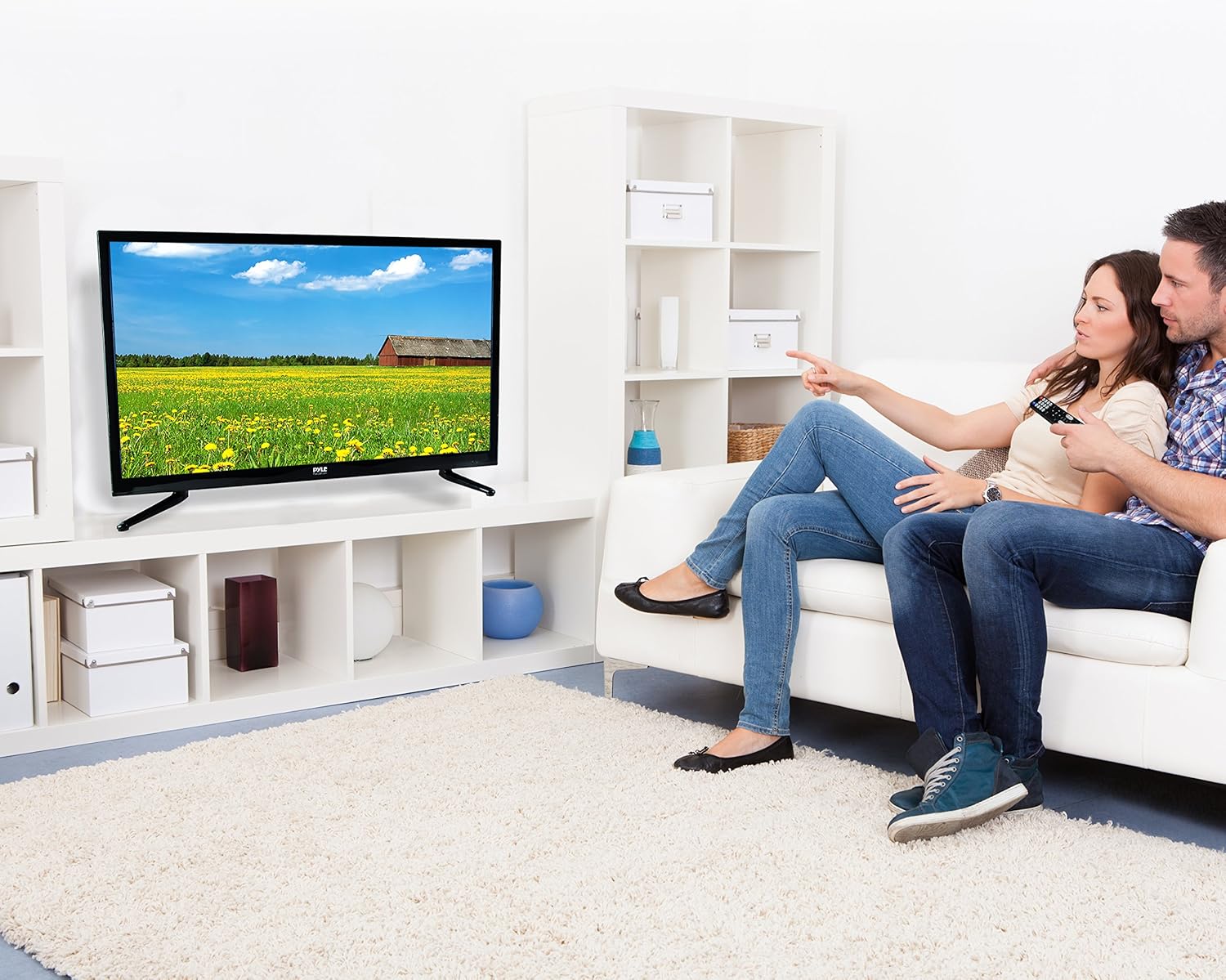
Image: The full-function remote control for the Pyle 40 Inch LED TV, showing various buttons for power, input, volume, channel, menu, and media playback.
- శక్తి: టీవీని ఆన్/ఆఫ్ చేస్తుంది.
- ఇన్పుట్: ఇన్పుట్ మూలాన్ని ఎంచుకుంటుంది.
- VOL +/-: వాల్యూమ్ సర్దుబాటు చేస్తుంది.
- CH +/-: ఛానెల్లను మారుస్తుంది.
- మెను: ప్రధాన మెనుని తెరుస్తుంది.
- నావిగేషన్ బటన్లు (పైకి/క్రిందికి/ఎడమ/కుడి/సరే): మెను ఎంపికలను నావిగేట్ చేయండి.
- నిష్క్రమణ/వెనుకకు: Exits current menu or goes back.
- మ్యూట్: మ్యూట్/అన్మ్యూట్ శబ్దం.
- DVD నియంత్రణలు: Play, Pause, Stop, Fast Forward, Rewind, Next/Previous Track.
- V-CHIP: Accesses V-Chip settings for parental control.
- CC (Closed Caption): Toggles closed captions on/off.
- నిద్ర: స్లీప్ టైమర్ను సెట్ చేస్తుంది.
6.3 ఇన్పుట్ మూలాన్ని ఎంచుకోవడం
నొక్కండి ఇన్పుట్ button on the remote control to cycle through available input sources (TV, HDMI1, HDMI2, HDMI3, YPbPr, AV, VGA, DVD).
6.4 Using the Built-in CD/DVD Player
- టీవీ పవర్ ఆన్ చేయబడిందని నిర్ధారించుకోండి.
- Gently insert a compatible disc (DVD, DVD+/-R, DVD+/-RW, CD, CD-R, CD-RW, JPEG) into the side-loading slot with the label facing up.
- The TV should automatically switch to DVD mode. If not, press the ఇన్పుట్ button and select "DVD".
- Use the DVD control buttons on the remote control (Play, Pause, Stop, etc.) to manage playback.
6.5 మెనూ విధులు
నొక్కండి మెనూ button to access the on-screen display (OSD) menu. Use the navigation buttons to select and adjust settings.
- చిత్ర సెట్టింగ్లు: Adjust brightness, contrast, color, sharpness, and picture modes (Standard, Dynamic, Movie, User).
- సౌండ్ సెట్టింగ్లు: Adjust bass, treble, balance, and sound modes (Standard, Music, Movie, User).
- ఛానెల్ సెట్టింగ్లు: Auto scan for channels, manual tuning, channel list.
- సమయ సెట్టింగ్లు: Set current time, sleep timer, auto power off.
- ఎంపిక సెట్టింగ్లు: Language, V-Chip (parental control), Closed Caption, display modes (16:9, 4:3, Zoom, Cinema).
7. నిర్వహణ
- స్క్రీన్ క్లీనింగ్: మెత్తటి, మెత్తటి బట్టతో స్క్రీన్ను సున్నితంగా తుడవండి. మొండి మరకల కోసం, dampఎలక్ట్రానిక్స్ కోసం ప్రత్యేకంగా రూపొందించిన స్క్రీన్ క్లీనర్ను కొద్ది మొత్తంలో ఉన్న వస్త్రంతో శుభ్రం చేయండి. క్లీనర్ను నేరుగా స్క్రీన్పై పిచికారీ చేయవద్దు.
- క్యాబినెట్ శుభ్రపరచడం: టీవీ క్యాబినెట్ను మృదువైన, పొడి గుడ్డతో తుడవండి. రాపిడి క్లీనర్లు లేదా ద్రావకాలను ఉపయోగించవద్దు.
- వెంటిలేషన్: టీవీ వెనుక భాగంలో వెంటిలేషన్ ఓపెనింగ్లు మూసుకుపోకుండా చూసుకోండి, తద్వారా అవి వేడెక్కకుండా ఉంటాయి.
- పవర్ కార్డ్: Regularly check the power cord for any damage. If damaged, discontinue use and contact qualified service personnel.
8. ట్రబుల్షూటింగ్
| సమస్య | సాధ్యమైన కారణం | పరిష్కారం |
|---|---|---|
| శక్తి లేదు | Power cord not connected; no power from outlet. | Ensure power cord is securely plugged in. Check if the outlet is working by plugging in another device. |
| చిత్రం లేదు, కానీ ధ్వని ఉంది | తప్పు ఇన్పుట్ సోర్స్ ఎంచుకోబడింది; వీడియో కేబుల్ వదులుగా ఉంది. | నొక్కండి ఇన్పుట్ button to select the correct source. Check video cable connections. |
| శబ్దం లేదు, కానీ చిత్రం ఉంది | Volume is muted or too low; incorrect audio cable connection. | నొక్కండి మ్యూట్ button or increase volume. Check audio cable connections. |
| రిమోట్ కంట్రోల్ పనిచేయడం లేదు | బ్యాటరీలు డెడ్ అయ్యాయి లేదా తప్పుగా చొప్పించబడ్డాయి; రిమోట్ మరియు టీవీ మధ్య అడ్డంకి. | Replace batteries. Ensure correct polarity. Remove any obstructions. Point remote directly at the TV's IR sensor. |
| DVD player not reading disc | డిస్క్ మురికిగా, గీతలుగా లేదా అననుకూల ఆకృతిలో ఉంది; డిస్క్ తప్పుగా చొప్పించబడింది. | Clean the disc. Try a different, known-good disc. Ensure disc is inserted with the label facing up. |
| Poor picture quality from antenna | Weak signal; antenna not positioned correctly. | Adjust antenna position. Perform an auto channel scan. Consider a stronger antenna or signal ampజీవితకాలం. |
9. స్పెసిఫికేషన్లు
| ఫీచర్ | వివరాలు |
|---|---|
| మోడల్ సంఖ్య | PTVDLED40.5 |
| స్క్రీన్ పరిమాణం | 40.0 అంగుళాలు (వికర్ణం) |
| ప్రదర్శన రకం | D-LED Backlight |
| డిస్ప్లే రిజల్యూషన్ | 1920 x 1080 (పూర్తి HD 1080p) |
| సిగ్నల్ మద్దతు | 1080p, 1080i, 720p, 480p, 480i |
| ప్రదర్శన మోడ్లు | 16:9, 4:3, జూమ్, సినిమా |
| Viewing యాంగిల్ | 178° నిలువు, 178° అడ్డం |
| స్పీకర్ పవర్ | (2) x 8 Watt, 8Ω |
| రిఫ్రెష్ రేట్ | 60Hz |
| టీవీ ట్యూనర్ | ATSC/NTSC |
| ప్రతిస్పందన సమయం | 6మి.లు |
| గరిష్టంగా రంగు | 16.7M |
| కాంట్రాస్ట్ | 5000:1 (50,000:1 డైనమిక్) |
| ప్రకాశం | 250 cd/m2 |
| CD/DVD Disc Support | DVD, DVD+/-R, DVD+/-RW, CD, CD-R, CD-RW, JPEG |
| వెసా మౌంటు | 200 మిమీ x 200 మిమీ |
| శక్తి | 100-240V, 50/60Hz |
| కొలతలు (L x W x H) | 36.5'' x 3.5'' x 21.9'' (Panel Only) |
| వస్తువు బరువు | 16.32 పౌండ్లు |
| చేర్చబడిన భాగాలు | 40'' HD LED TV, Full Function Remote Control |
| కనెక్టివిటీ టెక్నాలజీ | HDMI |
| శక్తి సామర్థ్యం | అంచనా వేసిన వార్షిక శక్తి ఖర్చు: $11.52 |
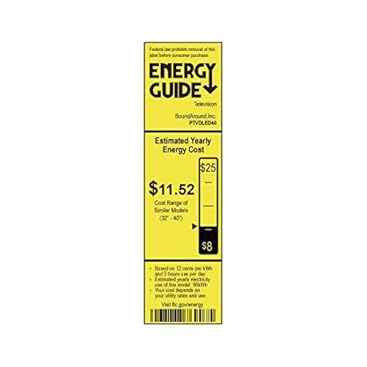
Image: Energy Guide label for the Pyle PTVDLED40 TV, showing an estimated yearly energy cost of $11.52.
10. వారంటీ & సపోర్ట్
For warranty information and technical support, please refer to the warranty card included with your product or visit the official Pyle webసైట్. ఏవైనా వారంటీ క్లెయిమ్లకు కొనుగోలు రుజువుగా మీ కొనుగోలు రసీదును ఉంచండి.
For customer support inquiries, you may also refer to the Amazon Customer Support page.


