పరిచయం
This manual provides instructions for the installation, setup, operation, and maintenance of your Feit Electric OM60/SW/HK A19 Smart LED Light Bulb. This smart bulb is designed to work with Apple HomeKit and Siri Voice Control, offering convenient lighting management without requiring a separate smart home hub for direct control. For remote access and advanced automations, an Apple Home Hub (Apple TV, iPad, or HomePod) is required.
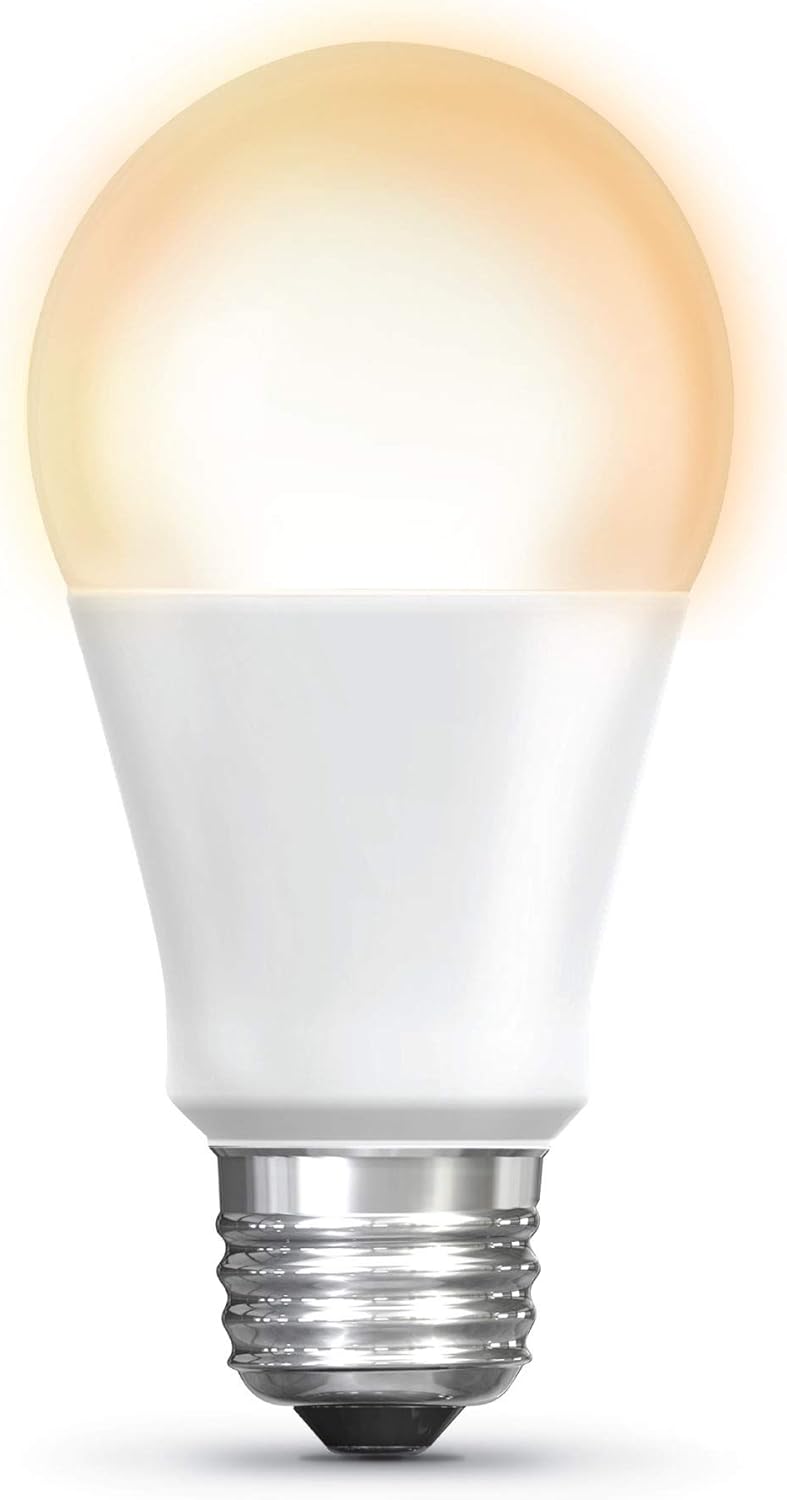
Image: The Feit Electric A19 Smart LED Light Bulb illuminated, showcasing its soft white light output.
భద్రతా సమాచారం
- విద్యుత్ షాక్ ప్రమాదం: బల్బును ఇన్స్టాల్ చేసే ముందు లేదా తీసే ముందు ఎల్లప్పుడూ ఫిక్చర్కు పవర్ను ఆపివేయండి.
- ఇండోర్/అవుట్డోర్ ఉపయోగం: This bulb is rated for outdoor use. Ensure the fixture is suitable for the environment.
- డిమ్మర్ అనుకూలత: This smart bulb is dimmable via the Apple Home app or Siri. Do not use with standard incandescent dimmer switches, as this may damage the bulb.
- ఆపరేటింగ్ ఉష్ణోగ్రత: Do not install in enclosed fixtures that restrict airflow, as this can shorten bulb life.
- పారవేయడం: Dispose of LED bulbs according to local regulations. Do not dispose of with general household waste.
ప్యాకేజీ విషయాలు
మీ ప్యాకేజీలో ఈ క్రింది అంశాలు ఉండాలి:
- 1 x Feit Electric OM60/SW/HK A19 Smart LED Light Bulb
సెటప్ సూచనలు
1. భౌతిక సంస్థాపన
- Ensure the power to the light fixture is turned off at the switch before installation.
- Carefully screw the Feit Electric Smart LED Light Bulb into a standard E26 medium base socket.
- లైట్ ఫిక్చర్కు పవర్ ఆన్ చేయండి. బల్బ్ వెలుగుతూ ఉండాలి.
2. Apple HomeKit Pairing
The bulb connects directly to your Apple device via Bluetooth. No separate hub is required for basic control.
- తెరవండి Apple Home యాప్ on your iPhone, iPad, or iPod touch (iOS 10.0.1 or later required).
- నొక్కండి "+" icon in the upper right corner and select "Add Accessory".
- స్కాన్ చేయండి హోమ్కిట్ సెటప్ కోడ్ located on the bulb or its packaging. Follow the on-screen prompts to add the bulb to your Home app and assign it to a room.

Image: A smartphone screen showing the Apple Home app interface, used to control smart lighting in a living room setting.
3. ఫర్మ్వేర్ అప్డేట్ (ముఖ్యమైనది)
To ensure optimal performance and compatibility with the latest iOS versions, it is recommended to update the bulb's firmware using the Feit OTA app.
- డౌన్లోడ్ చేయండి "Feit OTA" app from the Apple App Store.
- Ensure the smart bulb is powered on.
- Open the Feit OTA app. Grant Bluetooth access permissions if prompted.
- నావిగేట్ చేయండి "More" (bottom right corner) and select "EQUIPMENT UPGRADE GATT".
- Select the desired light bulb from the list.
- If a firmware update is available, select "UPDATE RIGHT NOW". Keep your phone screen active and do not leave the app during the update process to prevent interruption.
- After the update is complete, you may need to repeat steps 3-6 if multiple updates are required. The app will indicate when no further updates are needed.
- Once updated, return to the Apple Home app to confirm functionality. If issues persist, try resetting the bulb to factory settings (see Troubleshooting) and re-pairing.
4. Home Hub Setup for Remote Access
For control of your smart bulb when away from home, or for advanced automations and scheduling, an Apple Home Hub is required.
- Set up an Apple TV (4th generation or later), HomePod, or an iPad (running iOS 10 or later) as your Home Hub.
- Ensure your Home Hub device is connected to your home Wi-Fi network and signed in with the same Apple ID as your other HomeKit devices.
- Keep the Home Hub device powered on and connected to power to maintain remote access.
ఆపరేటింగ్ సూచనలు
1. Control with Apple Home App
Once paired, you can control your smart bulb directly from the Apple Home app:
- ఆన్/ఆఫ్ చేయండి: Tap the bulb icon in the Home app.
- అస్పష్టత: Press and hold the bulb icon to access controls for brightness adjustment.
- షెడ్యూల్లు & ఆటోమేషన్లు: Use the Home app to create custom schedules for turning lights on/off or to set up automations based on time, location, or other HomeKit accessories.
- గ్రూపింగ్: ఒకేసారి నియంత్రించడానికి బహుళ బల్బులను సమూహపరచండి.
2. సిరి వాయిస్ కంట్రోల్
Use Siri on your iPhone, iPad, HomePod, or Apple Watch to control your smart bulb with voice commands:
- "Hey Siri, turn on the [Room Name] light."
- "Hey Siri, dim the [Light Name] to 50%."
- "Hey Siri, turn off all the lights."
గమనిక: Direct control via Bluetooth has a limited range (approximately 75 feet) and may experience slight delays compared to Wi-Fi based smart devices. For consistent remote control and faster response times, ensure a Home Hub is properly configured.
నిర్వహణ
- శుభ్రపరచడం: Ensure the bulb is cool and the power is off before cleaning. Wipe with a soft, dry cloth. Do not use liquid or abrasive cleaners.
- నిల్వ: బల్బును నిల్వ చేస్తుంటే, దానిని దాని అసలు ప్యాకేజింగ్లో చల్లని, పొడి ప్రదేశంలో ఉంచండి.
- No user-serviceable parts are inside. Do not attempt to disassemble the bulb.
ట్రబుల్షూటింగ్
Bulb Not Responding or Connecting
- శక్తిని తనిఖీ చేయండి: Ensure the light fixture switch is on and the bulb is receiving power.
- బ్లూటూత్ పరిధి: If controlling directly, ensure your Apple device is within Bluetooth range of the bulb.
- పవర్ సైకిల్: Turn the light switch off for 10 seconds, then turn it back on. This can often resolve minor connectivity issues.
- ఫర్మ్వేర్ నవీకరణ: Verify that the bulb's firmware is up to date using the Feit OTA app (refer to Setup Instructions). Outdated firmware can cause connectivity problems.
- బల్బ్ రీసెట్ చేయండి: To factory reset the bulb, turn it off for 1 second, then on for 1 second, repeating this cycle 5 times. The bulb will flash to indicate a successful reset. Then, attempt to re-pair with the Apple Home app.
- Home Hub Check: If using remote access, ensure your Apple Home Hub (Apple TV, iPad, or HomePod) is online, powered, and connected to the same network.
Delay in Response
- This bulb uses Bluetooth for direct control, which can sometimes introduce a slight delay compared to Wi-Fi devices. Ensure your controlling device is close to the bulb.
- A properly configured Apple Home Hub can improve response times, especially for automations and remote control.
Bulb Turns Soft White After Power Outage
- The bulb is designed to return to a default soft white state after a power interruption. This behavior cannot be changed.
స్పెసిఫికేషన్లు
| ఫీచర్ | వివరాలు |
|---|---|
| మోడల్ సంఖ్య | OM60/SW/HK |
| కాంతి రకం | LED |
| బల్బ్ ఆకార పరిమాణం | A19 |
| బల్బ్ బేస్ | E26 మీడియం |
| వాట్tage | 10 వాట్స్ |
| ప్రకాశించే సమానం | 60 వాట్స్ |
| ప్రకాశం | 800 ల్యూమెన్స్ |
| లేత రంగు | 2700K సాఫ్ట్ వైట్ |
| కలర్ రెండరింగ్ ఇండెక్స్ (CRI) | 90 |
| వాల్యూమ్tage | 120 వోల్ట్లు |
| సగటు జీవితం | 15,000 గంటలు |
| నియంత్రణ పద్ధతి | App (Apple Home), Voice (Siri) |
| కనెక్టివిటీ | Bluetooth (for direct control) |
| ఉత్పత్తి కొలతలు | 2.4" వెడల్పు x 4.4" ఎత్తు |
| మెటీరియల్ | Glass, Metal, Plastic, Powdered Metal Steel, Rubber |
| ఇండోర్/అవుట్డోర్ వినియోగం | అవుట్డోర్ |

Image: Dimensional drawing of the A19 light bulb, indicating a height of 4.4 inches and a diameter of 2.4 inches.
వారంటీ మరియు మద్దతు
వారంటీ సమాచారం
This Feit Electric smart LED light bulb comes with a ఒక సంవత్సరం వారంటీ కొనుగోలు చేసిన తేదీ నుండి. ఈ వారంటీ సాధారణ ఉపయోగంలో మెటీరియల్స్ మరియు పనితనంలో లోపాలను కవర్ చేస్తుంది.
For warranty claims or further assistance, please contact Feit Electric customer service.
కస్టమర్ మద్దతు
If you encounter any issues or have questions regarding your Feit Electric Smart LED Light Bulb, please contact:
- ఇమెయిల్: info@feit.com
- టోల్-ఫ్రీ ఫోన్: 1-866-326-BULB (1-866-326-2852)
Please have your model number (OM60/SW/HK) and proof of purchase ready when contacting support.


