1. పరిచయం మరియు ఓవర్view
This manual provides instructions for the safe and effective use of your AGFA Photo Realishot DC5200 Compact Camera. The DC5200 is designed for capturing high-resolution 21-megapixel photos and 720p HD videos. It features an 8x digital zoom, a 2.4-inch TFT LCD screen for easy viewing, and various smart features like face detection and digital image stabilization.

చిత్రం 1.1: ముందు view of the AGFA Photo Realishot DC5200 camera, showcasing the lens, flash, and branding.

Image 1.2: The Realishot DC5200 camera highlighting its 21-megapixel photo capability and HD video recording.
2. భద్రతా సమాచారం
- బ్యాటరీ భద్రత: Use only the specified lithium battery. Do not expose to extreme temperatures, disassemble, or short-circuit. Dispose of batteries properly.
- నీటి నిరోధకత: ఈ కెమెరా కాదు water-resistant. Avoid exposure to water or high humidity.
- శుభ్రపరచడం: శుభ్రం చేయడానికి మృదువైన, పొడి వస్త్రాన్ని ఉపయోగించండి. ద్రవ క్లీనర్లు లేదా ద్రావకాలను ఉపయోగించవద్దు.
- ఆపరేటింగ్ ఉష్ణోగ్రత: Operate the camera within recommended temperature ranges to prevent damage.
- పిల్లలు: Keep the camera and its accessories out of reach of small children.
3. ప్యాకేజీ విషయాలు
ప్యాకేజీలో అన్ని అంశాలు ఉన్నాయని నిర్ధారించుకోండి:
- AGFA Photo Realishot DC5200 Camera
- USB కేబుల్
- వినియోగదారు మాన్యువల్ (ఈ పత్రం)
- లిథియం బ్యాటరీ
Note: An SD card is not included and must be purchased separately. The camera supports SD cards up to 32 GB.
4. కెమెరా భాగాలు
4.1 ఫ్రంట్ View
Image 4.1: Front of the camera, showing the lens, flash, and AF assist lamp.
- లెన్స్: చిత్రాలు మరియు వీడియోలను క్యాప్చర్ చేస్తుంది.
- ఫ్లాష్: తక్కువ కాంతి పరిస్థితుల్లో కూడా వెలుగును అందిస్తుంది.
- AF సహాయకుడు ఎల్amp: Helps the camera focus in dark environments.
- మైక్రోఫోన్: వీడియో క్యాప్చర్ సమయంలో ఆడియోను రికార్డ్ చేస్తుంది.
4.2 వెనుక View

Image 4.2: Rear of the camera, featuring the 2.4-inch LCD screen and control buttons.
- 2.4-అంగుళాల TFT LCD స్క్రీన్: ప్రత్యక్ష ప్రసారం view, menus, and playback.
- జూమ్ బటన్లు (W/T): Controls digital zoom (Wide/Telephoto).
- మోడ్ బటన్: ఫోటో, వీడియో మరియు ప్లేబ్యాక్ మోడ్ల మధ్య మారుతుంది.
- SET/OK Button: మెనూలలో ఎంపికలను నిర్ధారిస్తుంది.
- నావిగేషన్ బటన్లు (పైకి/క్రిందికి/ఎడమ/కుడి): Navigates menus and controls certain functions (e.g., flash, self-timer).
4.3 పైభాగం మరియు వైపు Views

చిత్రం 4.3: పైభాగం view of the camera, showing the power button and USB port.
- షట్టర్ బటన్: Press to capture a photo or start/stop video recording.
- పవర్ బటన్: కెమెరాను ఆన్ లేదా ఆఫ్ చేస్తుంది.
- USB పోర్ట్: Connects the camera to a computer for data transfer or charging.
- SD కార్డ్ స్లాట్: Insert your SD memory card here.
- బ్యాటరీ కంపార్ట్మెంట్: Houses the rechargeable lithium battery.
- ట్రైపాడ్ మౌంట్: For attaching the camera to a tripod.
5. సెటప్
5.1 బ్యాటరీని చొప్పించడం
- కెమెరా దిగువన ఉన్న బ్యాటరీ కంపార్ట్మెంట్ కవర్ను తెరవండి.
- Insert the lithium battery, ensuring the correct orientation as indicated inside the compartment.
- బ్యాటరీ కంపార్ట్మెంట్ కవర్ను సురక్షితంగా మూసివేయండి.
Image 5.1: The camera with an illustration of the lithium battery, indicating its power source.
5.2 SD కార్డ్ని చొప్పించడం
- Locate the SD card slot, usually on the side or bottom of the camera.
- Insert the SD card with the metal contacts facing the correct direction (refer to the diagram near the slot). Push until it clicks into place.
- To remove, gently push the card in again until it springs out.
Note: The camera supports SD cards up to 32 GB. Ensure the card is formatted in the camera before first use (see "Menu Settings").
5.3 బ్యాటరీని ఛార్జ్ చేయడం
- Connect the camera to a computer or a USB wall adapter using the provided USB cable.
- ఛార్జింగ్ ఇండికేటర్ లైట్ వెలుగుతుంది. ఛార్జింగ్ పూర్తయినప్పుడు అది ఆపివేయబడుతుంది లేదా రంగు మారుతుంది.
5.4 ప్రారంభ పవర్ ఆన్ మరియు తేదీ/సమయం సెట్టింగ్
- కెమెరాను ఆన్ చేయడానికి పవర్ బటన్ను నొక్కి పట్టుకోండి.
- If prompted, set the date and time using the navigation buttons and confirm with the SET/OK button. This ensures correct timestampమీ ఫోటోలు మరియు వీడియోలపై లు.
6. కెమెరాను ఆపరేట్ చేయడం
6.1 ప్రాథమిక ఫోటోగ్రఫీ
- ఆన్ చేస్తోంది: Press the Power button. The camera will start in photo mode by default.
- ఫోటో తీయడం: Frame your shot using the LCD screen. Press the Shutter button halfway to focus, then press fully to capture the image.
- డిజిటల్ జూమ్ ఉపయోగించడం: Use the 'T' button to zoom in and the 'W' button to zoom out. The camera features 8x digital zoom.
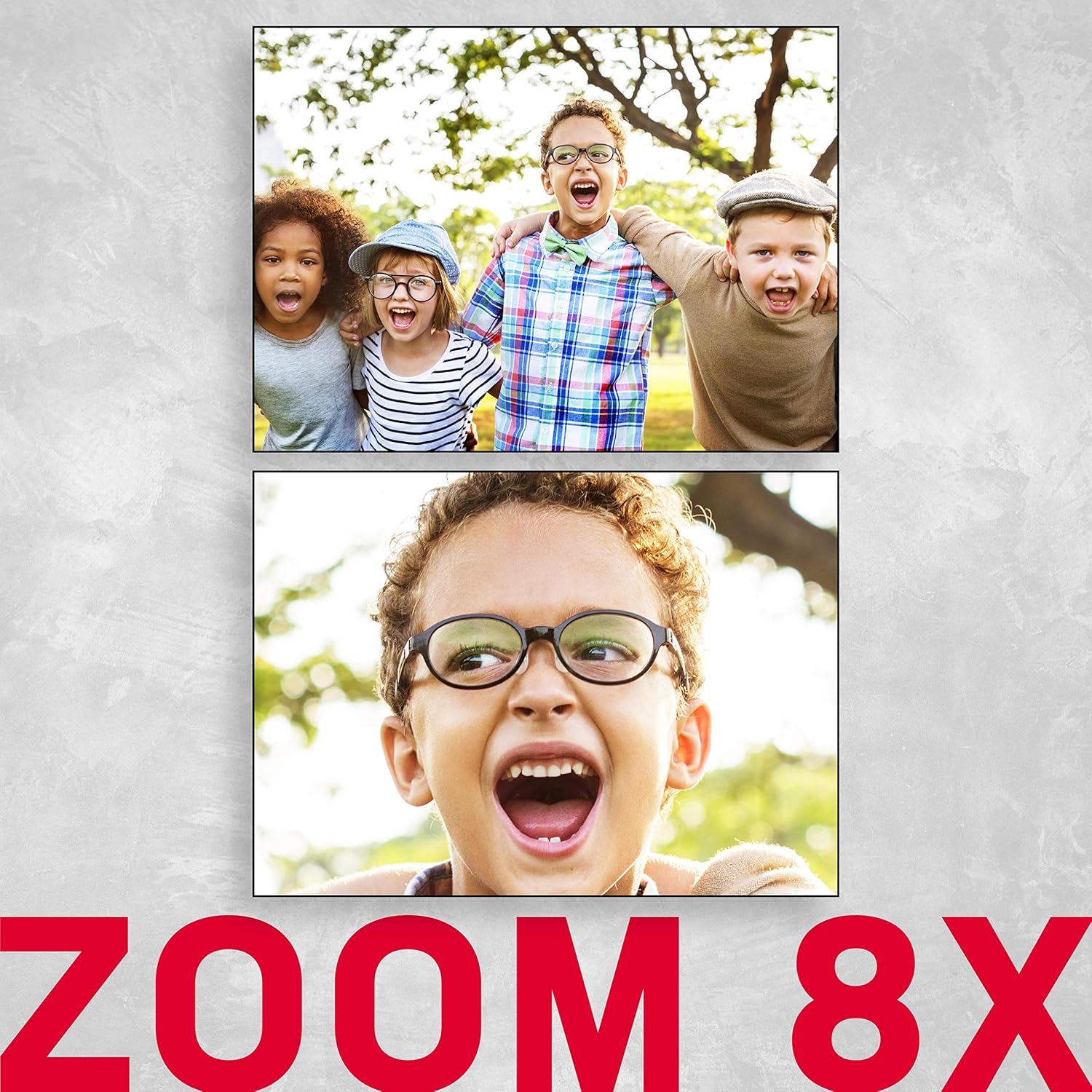
Image 6.1: An illustration demonstrating the 8x digital zoom capability of the camera, showing a zoomed-in image.
6.2 ఫ్లాష్ మోడ్లు
In photo mode, press the 'Right' navigation button to cycle through flash modes:
- ఆటో ఫ్లాష్: ఫ్లాష్ అవసరమా కాదా అని కెమెరా స్వయంచాలకంగా నిర్ణయిస్తుంది.
- Force Flash: ప్రతి షాట్కు ఫ్లాష్ ఫైర్లు.
- ఫ్లాష్ ఆఫ్: ఫ్లాష్ నిలిపివేయబడింది.
- రెడ్-ఐ తగ్గింపు: రెడ్-ఐ ప్రభావాన్ని తగ్గించడానికి ప్రీ-ఫ్లాష్ను ప్రేరేపిస్తుంది.
6.3 సెల్ఫ్-టైమర్
Press the 'Down' navigation button to select self-timer options:
- ఆఫ్
- 2-సెకన్ల ఆలస్యం
- 5-సెకన్ల ఆలస్యం
- 10-సెకన్ల ఆలస్యం
6.4 దృశ్య రీతులు
The camera offers various scene modes to optimize settings for different shooting conditions. Access these through the menu. Available modes include:
- కారు
- ప్రకృతి దృశ్యం
- చిత్తరువు
- రాత్రి
- నైట్ పోర్ట్రెయిట్
- High Light Sensitivity
- బీచ్
6.5 వీడియో రికార్డింగ్
- Press the Mode button to switch to video recording mode.
- Press the Shutter button to start recording. A red indicator will typically appear on the screen.
- రికార్డింగ్ ఆపడానికి షట్టర్ బటన్ను మళ్లీ నొక్కండి.
6.6 ప్లేబ్యాక్ మోడ్
- Press the Mode button to switch to playback mode.
- Use the Left/Right navigation buttons to browse through your photos and videos.
- తొలగించడానికి a file, select it and press the SET/OK button, then choose the delete option from the menu.
6.7 మెనూ సెట్టింగ్లు
Press the SET/OK button (or a dedicated Menu button if available) to access the camera's settings menu. Use the navigation buttons to scroll and the SET/OK button to confirm selections. Key settings include:
- రిజల్యూషన్: Adjust photo and video resolution.
- బహిరంగపరచడం: Compensate for bright or dark scenes.
- వైట్ బ్యాలెన్స్: Adjust color temperature (Auto, Daylight, Cloudy, Fluorescent, Tungsten).
- చిత్ర స్థిరీకరణ: Digital image stabilization helps reduce blur from camera shake.
- ముఖ గుర్తింపు: Automatically detects and focuses on faces.
- SD కార్డ్ను ఫార్మాట్ చేయండి: Erases all data on the SD card.

Image 6.2: An illustration of the camera's face detection feature, highlighting detected faces in a scene.

Image 6.3: The camera with an anti-shake icon, indicating its digital image stabilization feature.
7. నిర్వహణ
- కెమెరా బాడీని శుభ్రపరచడం: కెమెరా బాడీని తుడవడానికి మృదువైన, మెత్తటి బట్టను ఉపయోగించండి. మొండి ధూళి కోసం, కొద్దిగా dampen నీటితో గుడ్డ.
- లెన్స్ శుభ్రపరచడం: Use a lens brush or a specialized lens cleaning cloth. Avoid touching the lens with your fingers.
- బ్యాటరీ సంరక్షణ: Store the battery in a cool, dry place when not in use. If storing for extended periods, charge it periodically to maintain battery health.
- నిల్వ: Store the camera in a dry, dust-free environment, away from direct sunlight and extreme temperatures.
8. ట్రబుల్షూటింగ్
| సమస్య | సాధ్యమైన కారణం | పరిష్కారం |
|---|---|---|
| కెమెరా ఆన్ అవ్వదు. | బ్యాటరీ ఖాళీగా ఉంది లేదా తప్పుగా చొప్పించబడింది. | బ్యాటరీని ఛార్జ్ చేయండి. బ్యాటరీ సరైన ధ్రువణతతో చొప్పించబడిందని నిర్ధారించుకోండి. |
| ఫోటోలు/వీడియోలు తీయలేరు. | SD card is full, locked, or not inserted. | Insert an SD card. Check if the SD card is locked (slide switch on card). Delete unnecessary files or replace the card. |
| చిత్రాలు అస్పష్టంగా ఉన్నాయి. | Camera shake, subject too close, or incorrect focus. | Hold the camera steady. Ensure adequate lighting. Use digital image stabilization. Maintain proper distance from subject. |
| ఫ్లాష్ వెలగదు. | Flash mode is set to "Off" or battery is low. | Change flash mode to "Auto" or "Force Flash". Charge the battery. |
| కెమెరా స్తంభించిపోయింది. | తాత్కాలిక సాఫ్ట్వేర్ లోపం. | కెమెరాను రీసెట్ చేయడానికి బ్యాటరీని తీసివేసి తిరిగి చొప్పించండి. |
9. స్పెసిఫికేషన్లు
| ఫీచర్ | వివరాలు |
|---|---|
| మోడల్ పేరు | DC5200 |
| ఫోటో సెన్సార్ రిజల్యూషన్ | 21 ఎంపీ |
| వీడియో రిజల్యూషన్ | 1280x720 HD |
| డిజిటల్ జూమ్ | 8x |
| స్క్రీన్ పరిమాణం | 2.4 Inches (TFT LCD) |
| చిత్రం స్థిరీకరణ | డిజిటల్ |
| మద్దతు ఇచ్చారు File ఫార్మాట్ | JPEG (photos), AVI (videos) |
| ఫ్లాష్ మెమరీ రకం | SD కార్డ్ (32 GB వరకు) |
| బ్యాటరీ రకం | లిథియం బ్యాటరీ (పునర్వినియోగపరచదగినది) |
| కనెక్టివిటీ | USB |
| ప్రత్యేక లక్షణాలు | Face Detection, Self-Timer (2s/5s/10s), Red-eye Reduction, Scene Modes |
| వస్తువు బరువు | 94 గ్రాములు |
| కొలతలు (సుమారుగా) | Item Height: 6.1 centimeters |
10. వారంటీ మరియు మద్దతు
For warranty information and technical support, please refer to the official AgfaPhoto webమీ సైట్లో లేదా మీ రిటైలర్ను సంప్రదించండి. వారంటీ క్లెయిమ్ల కోసం మీ కొనుగోలు రుజువును ఉంచండి.
తయారీదారు: AGFA


