1. ఉత్పత్తి ముగిసిందిview
The Midland T71VP3 X-TALKER Two-Way Radio provides reliable point-to-point communication. This license-free FRS/GMRS radio features 36 channels, 121 privacy codes, and a communication range of up to 38 miles in optimal conditions. It includes NOAA Weather Scan and Alert for severe weather updates and eVOX hands-free operation for convenience.
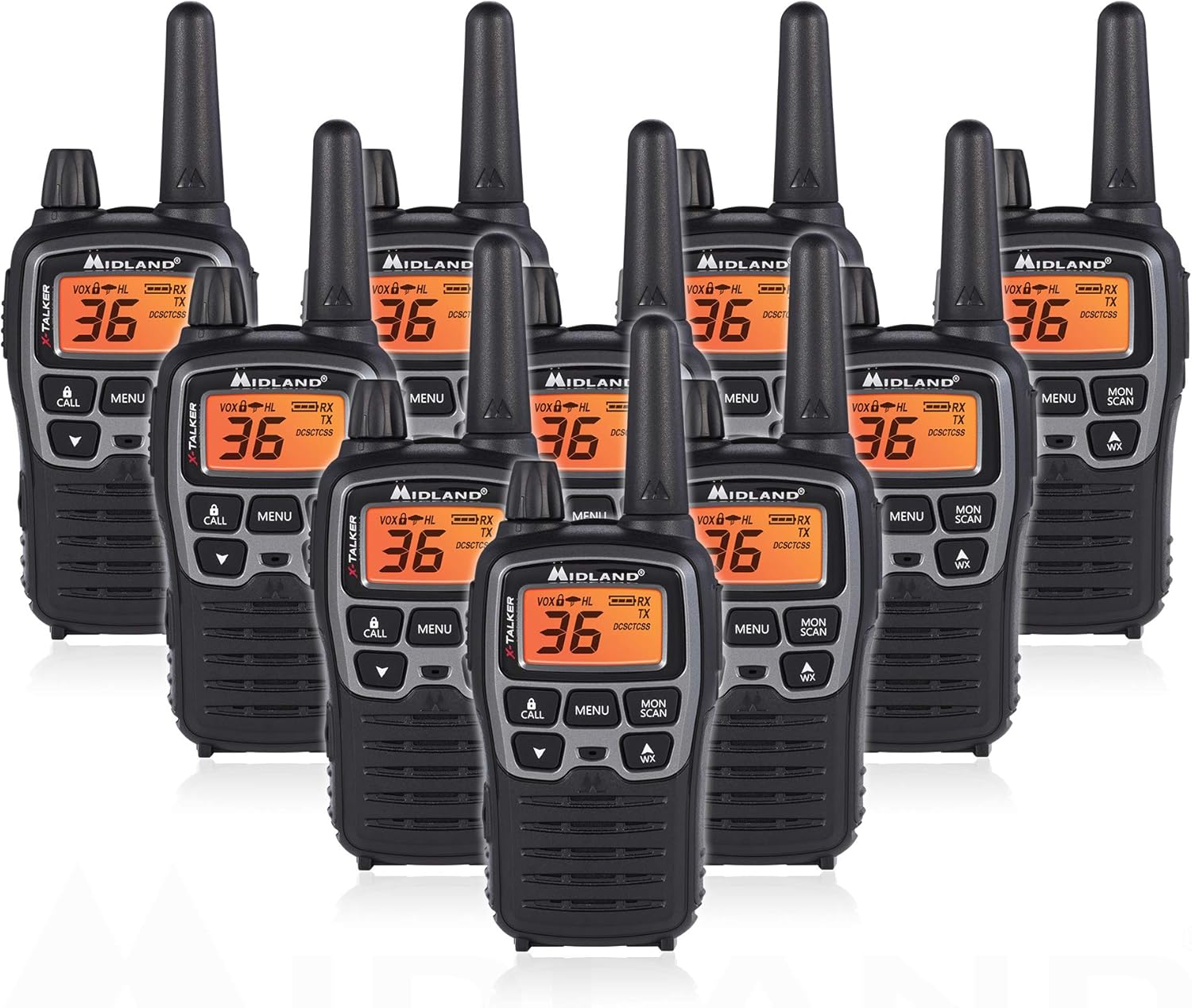
Figure 1: Midland T71VP3 Two-Way Radios (10-Pack)
2. పెట్టెలో ఏముంది
- 10 x T71VP3 Radios
- 10 x బెల్ట్ క్లిప్లు
- 10 x 700mAh రీఛార్జబుల్ బ్యాటరీ ప్యాక్లు
- 1 x Desktop Charger (for two radios)
- 1 x మైక్రో USB ఛార్జింగ్ కేబుల్
- 1 x ఓనర్స్ మాన్యువల్
3. ఉత్పత్తి లక్షణాలు
- 36 FRS/GMRS Channels: Provides a wide selection of communication channels.
- 121 CTCSS గోప్యతా కోడ్లు: Offers up to 2,662 channel options to minimize interference.
- Up to 38-Mile Range: Achieves long-range communication in open areas with minimal obstructions.
- NOAA వాతావరణ స్కాన్ + హెచ్చరిక: Automatically scans 10 weather band channels and alerts to severe weather.
- eVOX హ్యాండ్స్-ఫ్రీ ఆపరేషన్: Voice and sound activated transmission with 9 sensitivity levels.
- ద్వంద్వ శక్తి ఎంపికలు: Operates with included 1000mAh rechargeable battery packs or 3 'AA' alkaline batteries (not included).
- నిశ్శబ్ద ఆపరేషన్: Turns off all tones for discreet use.
- నీటి నిరోధకత: Designed to withstand light exposure to water.

Figure 2: Key Features of the T71VP3
4. సెటప్
4.1 బ్యాటరీ ఇన్స్టాలేషన్
The T71VP3 radio can be powered by either the included rechargeable battery pack or three AAA alkaline batteries (not included).
- రేడియో పవర్ ఆఫ్ చేయబడిందని నిర్ధారించుకోండి.
- రేడియో వెనుక భాగంలో బ్యాటరీ కంపార్ట్మెంట్ కవర్ను గుర్తించండి.
- Press down on the tab and slide the cover downwards to remove it.
- Insert the rechargeable battery pack, ensuring the contacts align correctly, or insert three AAA alkaline batteries according to the polarity markings.
- బ్యాటరీ కంపార్ట్మెంట్ కవర్ను అది స్థానంలో క్లిక్ అయ్యే వరకు పైకి జారడం ద్వారా దాన్ని మార్చండి.

Figure 3: Battery Compartment with AAA Batteries
4.2 బ్యాటరీలను ఛార్జ్ చేయడం
The rechargeable battery packs can be charged using the included desktop charger or directly via the micro USB port on the radio.
- డెస్క్టాప్ ఛార్జర్ని ఉపయోగించడం: Connect the micro USB charging cable to the desktop charger and a power source (AC wall adapter or USB car charger). Place up to two radios into the charging bays. The charging indicator light will illuminate to show charging status. Full charge typically takes 4-5 hours.
- డైరెక్ట్ USB ఛార్జింగ్: Connect the micro USB charging cable directly to the micro USB charging jack on the side of the radio and a power source.
Note: Alkaline batteries are not rechargeable and should not be placed in the charger or charged via the USB port.

Figure 4: Radio Display with Battery Indicator
5. ఆపరేటింగ్ సూచనలు
5.1 Radio Controls and Display

చిత్రం 5: ముందు ప్యానెల్ నియంత్రణలు

Figure 6: Top and Side Components
5.2 పవర్ ఆన్/ఆఫ్
రేడియోను ఆన్ చేయడానికి, తిప్పండి పవర్/వాల్యూమ్ నాబ్ clockwise until you hear a click and the display illuminates. To power off, rotate the knob counter-clockwise until you hear a click.
5.3 వాల్యూమ్ సర్దుబాటు
తిప్పండి పవర్/వాల్యూమ్ నాబ్ clockwise to increase the volume and counter-clockwise to decrease it.
5.4 ఛానెల్ ఎంపిక
The T71VP3 has 36 FRS/GMRS channels. To change channels:
- నొక్కండి మెనూ button once. The current channel number will flash.
- ఉపయోగించండి UP or డౌన్ arrow buttons to select the desired channel.
- నొక్కండి మెనూ button again or wait 5 seconds for the selection to be saved.
5.5 గోప్యతా కోడ్లు (CTCSS)
Privacy codes help reduce interference from other users on the same channel. The T71VP3 offers 121 CTCSS codes.
- నొక్కండి మెనూ button twice. The current privacy code will flash.
- ఉపయోగించండి UP or డౌన్ arrow buttons to select the desired privacy code.
- నొక్కండి మెనూ button again or wait 5 seconds for the selection to be saved.
5.6 ప్రసారం మరియు స్వీకరించడం
ప్రసారం చేయడానికి, నొక్కి పట్టుకోండి PTT (పుష్-టు-టాక్) button on the side of the radio and speak clearly into the microphone. Release the PTT button to receive.
5.7 NOAA వాతావరణ స్కాన్ + హెచ్చరిక
This feature allows the radio to scan 10 available NOAA weather band channels and alert you to severe weather conditions.
- To activate Weather Scan, press the WX button (located below the DOWN arrow).
- రేడియో క్రియాశీల వాతావరణ హెచ్చరికల కోసం స్కాన్ చేస్తుంది.
- To enable Weather Alert, refer to the owner's manual for specific menu navigation.
5.8 Hands-Free Operation (eVOX)
The eVOX feature enables voice-activated transmission without pressing the PTT button. It has 9 sensitivity levels.
- నొక్కండి మెనూ button until the eVOX icon flashes.
- ఉపయోగించండి UP or డౌన్ arrow buttons to select the desired sensitivity level (1-9, with 9 being most sensitive).
- నొక్కండి మెనూ button again or wait 5 seconds to save.
6. పరిధి పరిగణనలు
The advertised range of up to 38 miles is achieved under optimal conditions (e.g., open areas with clear line of sight). Actual range can vary significantly based on terrain, weather, electromagnetic interference, and obstructions.
- గరిష్ట పరిధి: Achieved with no obstructions (e.g., over water or in open fields).
- మధ్యస్థ పరిధి: Achieved with partial obstructions (e.g., light foliage, rolling hills).
- తక్కువ దూరం: Experienced with major obstructions (e.g., dense urban areas, heavy forests, mountainous terrain).

Figure 7: Communication Range Scenarios
7. నిర్వహణ
- శుభ్రపరచడం: ఒక మృదువైన ఉపయోగించండి, డిamp cloth to clean the radio's exterior. Do not use abrasive cleaners or solvents.
- బ్యాటరీ సంరక్షణ: For optimal battery life, fully charge rechargeable batteries before first use. If storing the radio for extended periods, remove alkaline batteries to prevent leakage.
- నిల్వ: Store the radio in a cool, dry place away from extreme temperatures.
8. ట్రబుల్షూటింగ్
| సమస్య | సాధ్యమైన కారణం | పరిష్కారం |
|---|---|---|
| పవర్ లేదు | డెడ్ బ్యాటరీలు; సరికాని బ్యాటరీ ఇన్స్టాలేషన్. | Replace/recharge batteries; Check battery polarity. |
| ప్రసారం చేయలేరు లేదా స్వీకరించలేరు | Incorrect channel/privacy code; Out of range; Low battery. | Verify channel/privacy code settings; Move closer to other radios; Recharge batteries. |
| స్టాటిక్ లేదా పేలవమైన ఆడియో నాణ్యత | Weak signal; Interference; Out of range. | Move to a clearer area; Change channel/privacy code; Move closer to other radios. |
| Weather Alert Not Functioning | Weather Alert not enabled; No NOAA signal in area. | Enable Weather Alert in menu; Check NOAA coverage for your location. |
9. స్పెసిఫికేషన్లు
- మోడల్ సంఖ్య: T71X10VP3
- ఛానెల్ల సంఖ్య: 36 FRS/GMRS ఛానెల్లు
- గోప్యతా సంకేతాలు: 121 CTCSS Codes
- ఫ్రీక్వెన్సీ పరిధి: 400-470 MHz
- Maximum Talking Range: Up to 38 Miles (optimal conditions)
- శక్తి మూలం: 1000mAh Rechargeable Battery Pack (included) or 3 AAA Batteries (not included)
- నీటి నిరోధక స్థాయి: Not Water Resistant (designed to be water resistant, but not fully waterproof)
- వస్తువు బరువు: 7.5 పౌండ్లు (10-ప్యాక్ కోసం)
- ఉత్పత్తి కొలతలు: 3.3 x 9.3 x 10.8 అంగుళాలు
10. వారంటీ మరియు మద్దతు
The Midland T71VP3 Two-Way Radio comes with a 3 సంవత్సరాల వారంటీ from the manufacturer, Midland Radio Corporation. For technical support, service, or warranty claims, please refer to the contact information provided in your owner's manual or visit the official Midland webసైట్.


