1. పరిచయం
This manual provides essential information for the safe and effective operation of the Yaskawa V1000 Series CIMR-VU4A0004FAA SERVO Drive. This industrial drive is designed for precise motor control applications, featuring a 3-phase input voltage range of 380-480V AC and an output voltage range of 0-480V AC, delivering 2 HP of power. Please read this manual thoroughly before installation, operation, or maintenance.

Figure 1.1: The Yaskawa V1000 SERVO Drive as packaged, including the drive unit, documentation, and a software CD.
2. భద్రతా సమాచారం
Always observe the following safety precautions to prevent injury or damage to equipment. This device operates with high voltages and currents that can be lethal.
- విద్యుత్ షాక్ ప్రమాదం: Ensure all power is disconnected and verified before performing any installation, wiring, or maintenance. Wait at least 5 minutes for capacitor discharge after disconnecting power.
- వేడి ఉపరితల హెచ్చరిక: The heatsink and other components can become extremely hot during operation. Avoid direct contact to prevent burns.
- అర్హత కలిగిన సిబ్బంది: Installation, wiring, and maintenance should only be performed by qualified and trained personnel.
- గ్రౌండింగ్: To conform to CE requirements, ensure the supply neutral is properly grounded for 400V class systems.
- పర్యావరణ పరిస్థితులు: Install the drive in an environment free from excessive dust, moisture, corrosive gases, or direct sunlight.

మూర్తి 2.1: వైపు view of the drive, highlighting the heatsink and warning labels regarding hot surfaces and electric shock.
3. సెటప్ మరియు ఇన్స్టాలేషన్
Proper installation is critical for the performance and longevity of the SERVO drive.
3.1 భౌతిక సంస్థాపన
Mount the drive vertically on a flat, stable surface, ensuring adequate clearance for ventilation. The drive dimensions are approximately 8.25 x 7.5 x 7 inches and it weighs 4.8 pounds.

మూర్తి 3.1: టాప్ view of the drive, illustrating the heatsink fins designed for heat dissipation.
3.2 వైరింగ్
Connect the input power, motor, and control signals according to the wiring diagrams provided in the full product manual. Ensure correct phase sequence and proper grounding.
- ఇన్పుట్ పవర్: 380-480V AC, 3-Phase.
- అవుట్పుట్ పవర్: 0-480V AC, 3-Phase.
- గ్రౌండింగ్: Connect the protective earth (PE) terminal to a reliable ground point.

చిత్రం 3.2: దిగువ view of the drive, showing the main power and motor connection terminals.
4. ఆపరేటింగ్ సూచనలు
The V1000 drive features an intuitive control panel for monitoring and basic operation.
4.1 కంట్రోల్ ప్యానెల్ ఓవర్view
The front panel includes a digital display, navigation buttons (ESC, UP, DOWN, LEFT, RIGHT, ENTER), and dedicated RUN/STOP buttons.

మూర్తి 4.1: ముందు view of the drive, detailing the control panel with its display and operational buttons.
4.2 ప్రాథమిక ఆపరేషన్
- పవర్ ఆన్: After ensuring all wiring is correct and safe, apply input power. The display will illuminate.
- పారామీటర్ సెట్టింగ్: Use the navigation buttons to access and adjust operational parameters as required for your application. Refer to the comprehensive programming manual for detailed parameter descriptions.
- ప్రారంభం/ఆపు: నొక్కండి రన్ button to start the motor. Press the ఆపు button to halt operation.
- పర్యవేక్షణ: The display can show various operational data such as output frequency, current, and voltage.
5. నిర్వహణ
Regular maintenance ensures optimal performance and extends the lifespan of your V1000 SERVO drive.
- శుభ్రపరచడం: Periodically clean the heatsink fins and ventilation openings to prevent dust accumulation, which can impede cooling. Ensure power is off and capacitors are discharged before cleaning.
- తనిఖీ: వైరింగ్ కనెక్షన్లను బిగుతుగా ఉన్నాయా లేదా అరిగిపోయినా లేదా దెబ్బతిన్నాయా అనే దాని కోసం క్రమం తప్పకుండా తనిఖీ చేయండి. ఆపరేషన్ సమయంలో ఏవైనా అసాధారణ శబ్దాలు లేదా వాసనలు ఉన్నాయా అని తనిఖీ చేయండి.
- పర్యావరణ తనిఖీ: Verify that the operating environment remains within specified temperature and humidity ranges.
6. ట్రబుల్షూటింగ్
This section provides general guidance for common issues. For detailed troubleshooting, refer to the full Yaskawa V1000 technical manual.
| సమస్య | సాధ్యమైన కారణం | పరిష్కారం |
|---|---|---|
| డ్రైవ్ పవర్ ఆన్ అవ్వదు | ఇన్పుట్ పవర్ లేదు; ఎగిరిన ఫ్యూజ్; తప్పు వైరింగ్ | విద్యుత్ సరఫరాను తనిఖీ చేయండి; ఫ్యూజ్లను తనిఖీ చేయండి; వైరింగ్ కనెక్షన్లను ధృవీకరించండి. |
| మోటారు నడవదు | Incorrect parameters; Motor wiring error; Drive fault | Verify parameter settings; Check motor connections; Check drive display for fault codes. |
| అధిక వేడి హెచ్చరిక | Insufficient ventilation; Clogged heatsink; Overload | Ensure proper airflow; Clean heatsink; Reduce load or check motor sizing. |
7. స్పెసిఫికేషన్లు
Key technical specifications for the Yaskawa V1000 CIMR-VU4A0004FAA SERVO Drive:
| పరామితి | విలువ |
|---|---|
| మోడల్ సంఖ్య | CIMR-VU4A0004FAA పరిచయం |
| ఇన్పుట్ వాల్యూమ్tagఇ (ఎసి) | 380 - 480 వి-ఎసి |
| అవుట్పుట్ వాల్యూమ్tagఇ (ఎసి) | 0 - 480 వి-ఎసి |
| దశ | 3PH |
| శక్తి | 2 HP |
| ఉత్పత్తి కొలతలు | 8.25 x 7.5 x 7 అంగుళాలు |
| బరువు | 4.8 పౌండ్లు (సుమారు 1.9 కిలోలు) |
| తయారీదారు | యాస్కావా |
| ASIN | B07NVYHM29 |
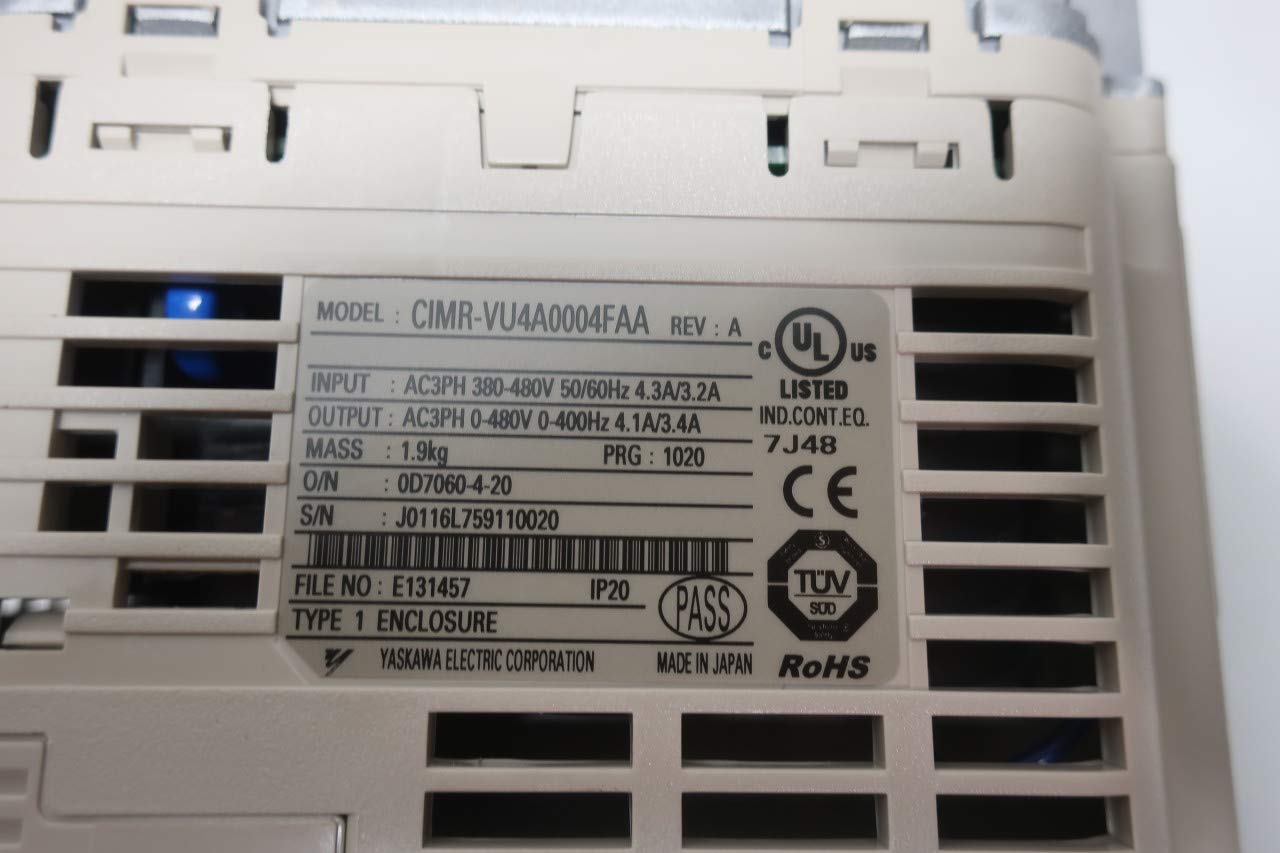
Figure 7.1: Product rating label showing model number, input/output specifications, and certifications.
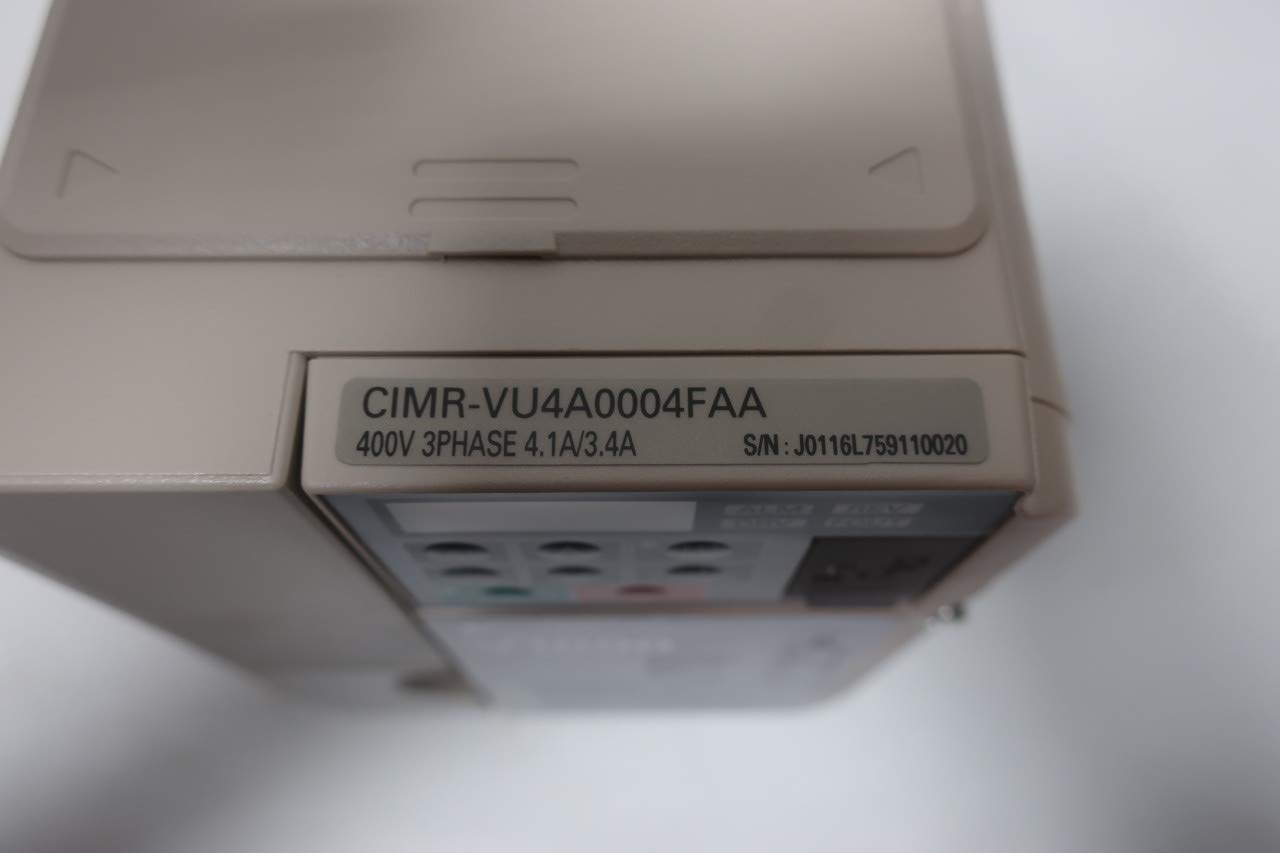
మూర్తి 7.2: View of the drive unit displaying the model number CIMR-VU4A0004FAA.

Figure 7.3: Product box label confirming the model CIMR-VU4A0004FAA and other identifiers.
8. వారంటీ మరియు మద్దతు
For specific warranty terms and conditions, please refer to the official documentation provided by Yaskawa or contact Yaskawa customer support directly. Warranty coverage typically varies by region and purchase agreement.
For technical support, service, or to obtain detailed manuals, please visit the official Yaskawa webసైట్ లేదా వారి అధీకృత సేవా కేంద్రాలను సంప్రదించండి.


