8BitDo ప్రో 2 వైర్డ్ కంట్రోలర్ యూజర్ మాన్యువల్
Your guide to setting up, operating, and maintaining your 8BitDo Pro 2 Wired Controller for Xbox and Windows.
1. పరిచయం
The 8BitDo Pro 2 Wired Controller is a high-performance gaming controller officially licensed for Xbox Series X, Xbox Series S, Xbox One, and Windows 10 and above. Designed for precision and comfort, it features a classic d-pad, trigger vibration, enhanced grip, and a 3-meter wired connection. This manual provides essential information to help you get the most out of your controller.

మూర్తి 1: ముందు view of the 8BitDo Pro 2 Wired Controller, showcasing its button layout and wired USB-C connection.
2. సెటప్
2.1 కంట్రోలర్ను కనెక్ట్ చేస్తోంది
The 8BitDo Pro 2 is a wired controller and connects directly to your device via a USB-C cable. The product may ship with either a non-detachable or detachable USB-C cable version at random.
- Locate the USB-C port on the top of your 8BitDo Pro 2 controller.
- Connect the USB-C end of the cable to the controller.
- Connect the USB-A end of the cable to an available USB port on your Xbox console (Xbox Series X, Xbox Series S, Xbox One) or Windows 10 (or above) PC.
- కంట్రోలర్ స్వయంచాలకంగా గుర్తించబడుతుంది మరియు ఉపయోగం కోసం సిద్ధంగా ఉంటుంది.

Figure 2: Illustration showing the two possible versions of the USB-C cable: non-detachable (left) and detachable (right).
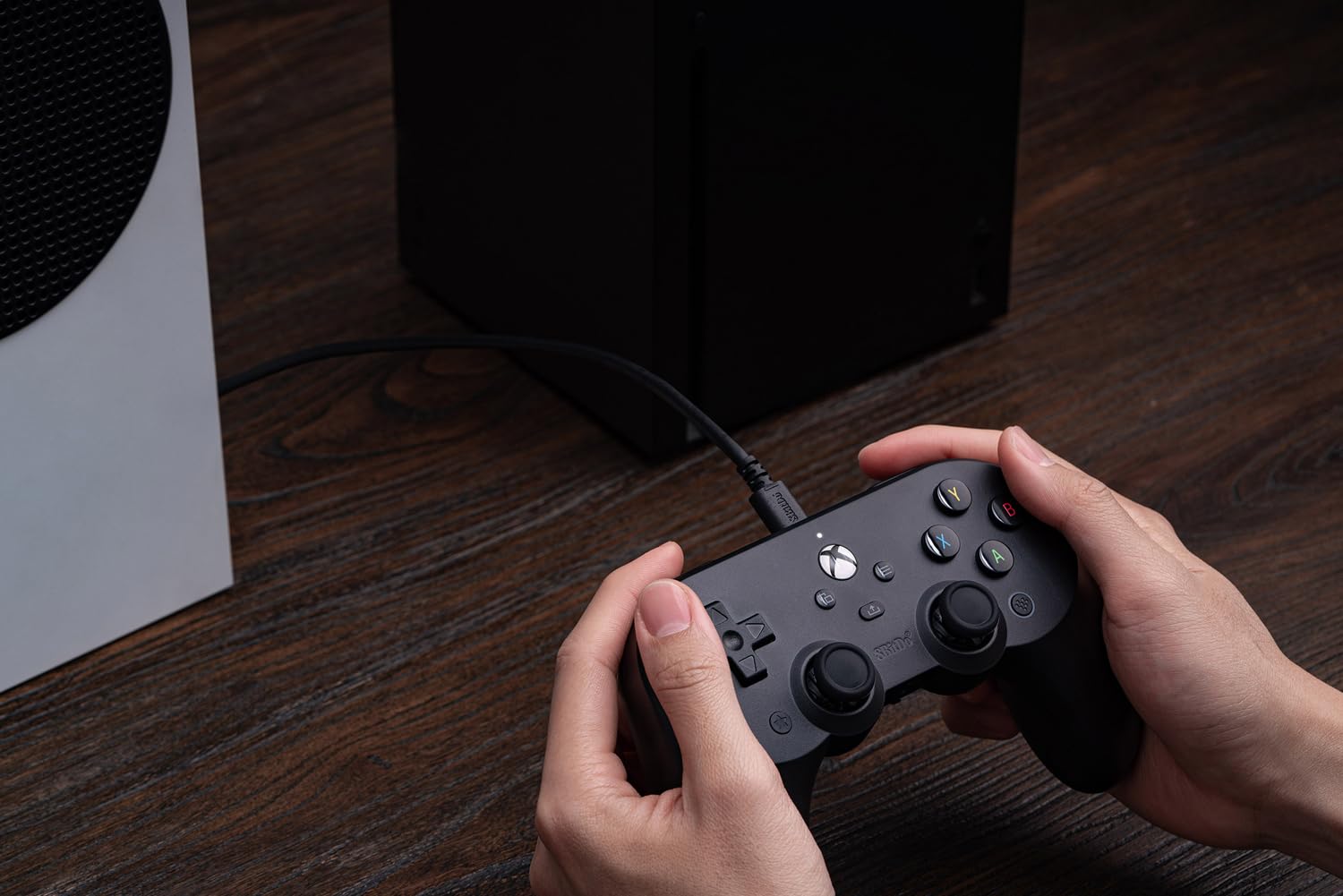
Figure 3: The 8BitDo Pro 2 controller connected via its USB-C cable to an Xbox Series S console, ready for gameplay.
3. కంట్రోలర్ను ఆపరేట్ చేయడం
3.1 ప్రాథమిక నియంత్రణలు
The 8BitDo Pro 2 controller features standard Xbox button layouts, including:
- A, B, X, Y బటన్లు: ప్రామాణిక చర్య బటన్లు.
- డి-ప్యాడ్: Classic directional pad for precise movement.
- Left & Right Analog Sticks: 360-డిగ్రీల కదలిక మరియు కెమెరా నియంత్రణ కోసం.
- Left & Right Triggers (LT, RT): Pressure-sensitive triggers, featuring trigger vibration for enhanced feedback.
- Left & Right Bumpers (LB, RB): Digital buttons located above the triggers.
- Xbox బటన్: Powers on the console, opens the guide, or returns to the home screen.
- View బటన్: Used for various in-game functions or to open context menus.
- మెనూ బటన్: Used for in-game menus or system options.

చిత్రం 4: క్లోజప్ view of the central Xbox button, View button (left), and Menu button (right) on the controller.
3.2 అధునాతన ఫీచర్లు
- Two Extra Pro-level Back Buttons: Located on the underside of the controller, these can be mapped to various functions for quick access during gameplay.
- 3.5mm ఆడియో జాక్: Directly connect your headphones for in-game audio and chat.
- Trigger Vibration: Provides immersive feedback during gameplay, especially for actions like shooting or driving.
- మెరుగైన పట్టు: Textured surface on the handles ensures a secure and comfortable hold during extended gaming sessions.

Figure 5: Visual representation of key features: Trigger Vibration, the 3.5mm Audio Jack, and the Pro-level Back Buttons.

Figure 6: A detailed close-up of one of the programmable Pro-level Back Buttons located on the underside of the controller.
3.3 Ultimate Software Customization
Unlock the full potential of your controller with the 8BitDo Ultimate Software, available on Xbox and PC. This software allows for extensive customization:
- బటన్ మ్యాపింగ్: Remap any button to your preferred layout.
- Stick & Trigger Sensitivity: Adjust the sensitivity of analog sticks and triggers for precise control.
- కంపన నియంత్రణ: Fine-tune the intensity of the controller's vibration feedback.
- ప్రోfiles: Create and save multiple custom profiles for different games or genres.
Download the Ultimate Software from the official 8BitDo website or your console's app store.

చిత్రం 7: ఒక ఓవర్view of the 8BitDo Ultimate Software interface, highlighting options for button mapping, stick/trigger adjustment, and vibration control.
4. నిర్వహణ
Proper care will extend the life of your 8BitDo Pro 2 Wired Controller:
- శుభ్రపరచడం: Use a soft, dry cloth to wipe down the controller regularly. For stubborn dirt, a slightly damp వస్త్రాన్ని ఉపయోగించవచ్చు, కానీ తేమ రంధ్రాలు లేదా పగుళ్లలోకి ప్రవేశించకుండా చూసుకోండి.
- కేబుల్ కేర్: Avoid sharp bends or kinks in the USB-C cable. Do not pull the cable to disconnect the controller; always grasp the connector.
- నిల్వ: Store the controller in a clean, dry place away from extreme temperatures and direct sunlight when not in use.
5. ట్రబుల్షూటింగ్
If you encounter issues with your 8BitDo Pro 2 Wired Controller, consider the following common solutions:
- కంట్రోలర్ స్పందించడం లేదు:
- Ensure the USB-C cable is securely connected to both the controller and your console/PC.
- మీ పరికరంలోని వేరే USB పోర్ట్కి కంట్రోలర్ను కనెక్ట్ చేయడానికి ప్రయత్నించండి.
- మీ కన్సోల్ లేదా PC ని పునఃప్రారంభించండి.
- ఇన్పుట్ లాగ్ లేదా డిస్కనెక్షన్లు:
- Ensure the cable is not damaged. Try a different compatible USB-C cable if available.
- Avoid placing the cable near sources of electromagnetic interference.
- Software Issues (e.g., customization not applying):
- Ensure you have the latest version of the 8BitDo Ultimate Software installed.
- Check for any firmware updates for your controller via the Ultimate Software.
For further assistance, please refer to the official 8BitDo support resources.
6. స్పెసిఫికేషన్లు
| ఫీచర్ | వివరాలు |
|---|---|
| మోడల్ సంఖ్య | 6922621501855 |
| అనుకూలత | Xbox Series X, Xbox Series S, Xbox One, Windows 10 and above |
| కనెక్షన్ రకం | Wired USB-C (3-meter cable) |
| కొలతలు | 6.02 x 2.56 x 3.94 అంగుళాలు |
| బరువు | 11.2 ఔన్సులు |
| ప్రత్యేక లక్షణాలు | Ultimate Software customization, Two Pro-level Back Buttons, 3.5mm Audio Jack, Trigger Vibration, Enhanced Grip |
| తయారీదారు | 8 బిట్టో |
| విడుదల తేదీ | డిసెంబర్ 8, 2021 |
7. వారంటీ మరియు మద్దతు
For information regarding product warranty, returns, or technical support, please visit the official 8BitDo webసైట్ లేదా వారి కస్టమర్ సర్వీస్ను నేరుగా సంప్రదించండి. వారంటీ క్లెయిమ్ల కోసం మీ కొనుగోలు రుజువును ఉంచండి.
Official 8BitDo Store: 8BitDo Store on Amazon