1. పరిచయం
This manual provides detailed instructions for the installation, operation, and maintenance of your Five Star Outdoor 150 Mile Motorized 360 Degree Rotation Amplified HDTV Antenna. This antenna is designed to receive free over-the-air (OTA) digital television signals, supporting resolutions up to 4K, 1080p, 1080i, and 720p, as well as VHF and UHF frequencies. Its motorized rotation and built-in amplifier enhance signal reception and flexibility.
2. ప్యాకేజీ విషయాలు
క్రింద జాబితా చేయబడిన అన్ని భాగాలు మీ ప్యాకేజీలో చేర్చబడ్డాయని దయచేసి ధృవీకరించండి. ఏవైనా అంశాలు తప్పిపోయినా లేదా దెబ్బతిన్నా, దయచేసి కస్టమర్ మద్దతును సంప్రదించండి.
- అవుట్డోర్ HDTV యాంటెన్నా
- కంట్రోల్ బాక్స్
- వైర్లెస్ రిమోట్ కంట్రోల్
- Power Supply (AC/AC Adapter)
- 40 ft RG6 Coaxial Cable
- ఇన్స్ట్రక్షన్ మాన్యువల్
Note: A mounting pole is not included and must be purchased separately.

Image 2.1: All components included in the Five Star Outdoor HDTV Antenna package.
3. భద్రతా సమాచారం
Read all instructions carefully before installation and use. Keep this manual for future reference.
- అవుట్డోర్ ఇన్స్టాలేషన్: Ensure the antenna is securely mounted to prevent falling due to wind or other weather conditions.
- మెరుపు రక్షణ: This antenna is designed with lightning protection. However, for added safety, consider installing a lightning arrestor and proper grounding according to local electrical codes.
- విద్యుత్ సరఫరా: Use only the provided power supply. Do not expose the power supply or control box to moisture.
- కేబుల్ నిర్వహణ: Route coaxial cables safely to avoid tripping hazards and damage.
- విద్యుత్ భద్రత: Do not attempt to open or repair the control box or power supply. Refer all servicing to qualified personnel.
4. సెటప్ మరియు ఇన్స్టాలేషన్
4.1 Antenna Assembly
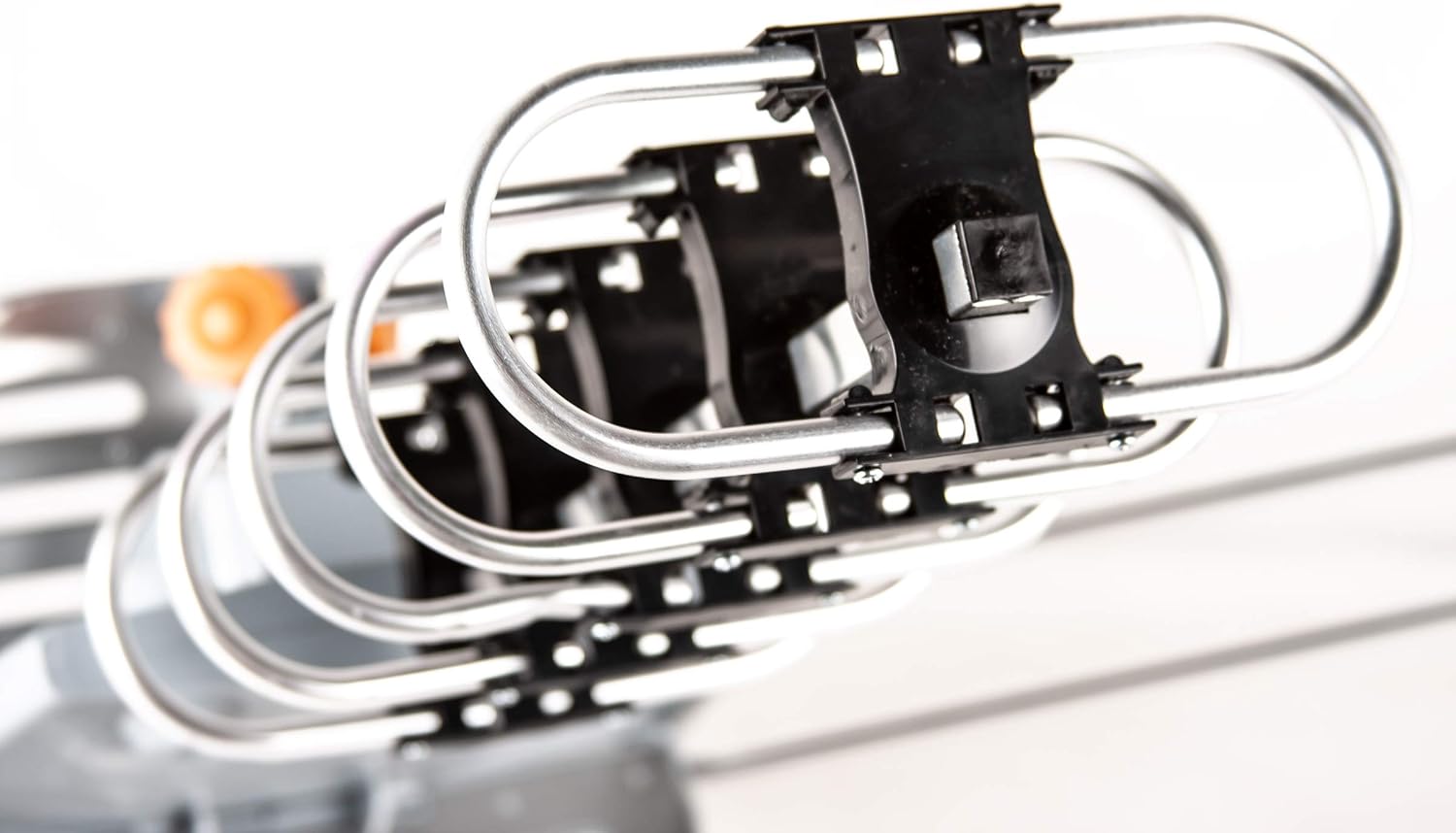
The antenna features a snap-on installation design, requiring no tools for assembly of the main elements. Follow the visual instructions provided in the package for connecting the antenna elements to the main unit.

చిత్రం 4.1: క్లోజప్ view of the antenna elements, designed for snap-on assembly.
4.2 మౌంటు స్థానం
For optimal reception, install the antenna in an elevated outdoor location with a clear line of sight to broadcasting towers. Avoid obstructions such as buildings, trees, or hills. The antenna is weather-resistant and designed for outdoor use.
చిత్రం 4.2: ఉదాample of the Five Star Outdoor HDTV Antenna mounted on a residential roof for optimal signal reception.
4.3 Connecting the Antenna System
- Connect Antenna to Control Box: Attach one end of the provided 40ft RG6 coaxial cable to the antenna's output port. Connect the other end of this cable to the "ANT IN" port on the control box.
- Connect Control Box to TV(s):
- For a single TV: Connect a coaxial cable (not included) from the "TV1" port on the control box to the "ANT/IN" or "CABLE/IN" port on your television.
- For two TVs: Connect a coaxial cable from the "TV1" port to the first TV and another coaxial cable from the "RF IN/TV2" port to the second TV.
- పవర్ కనెక్ట్ చేయండి: Plug the AC/AC adapter into the "AC IN" port on the control box, then plug the adapter into a standard electrical outlet. The power indicator on the control box should illuminate.
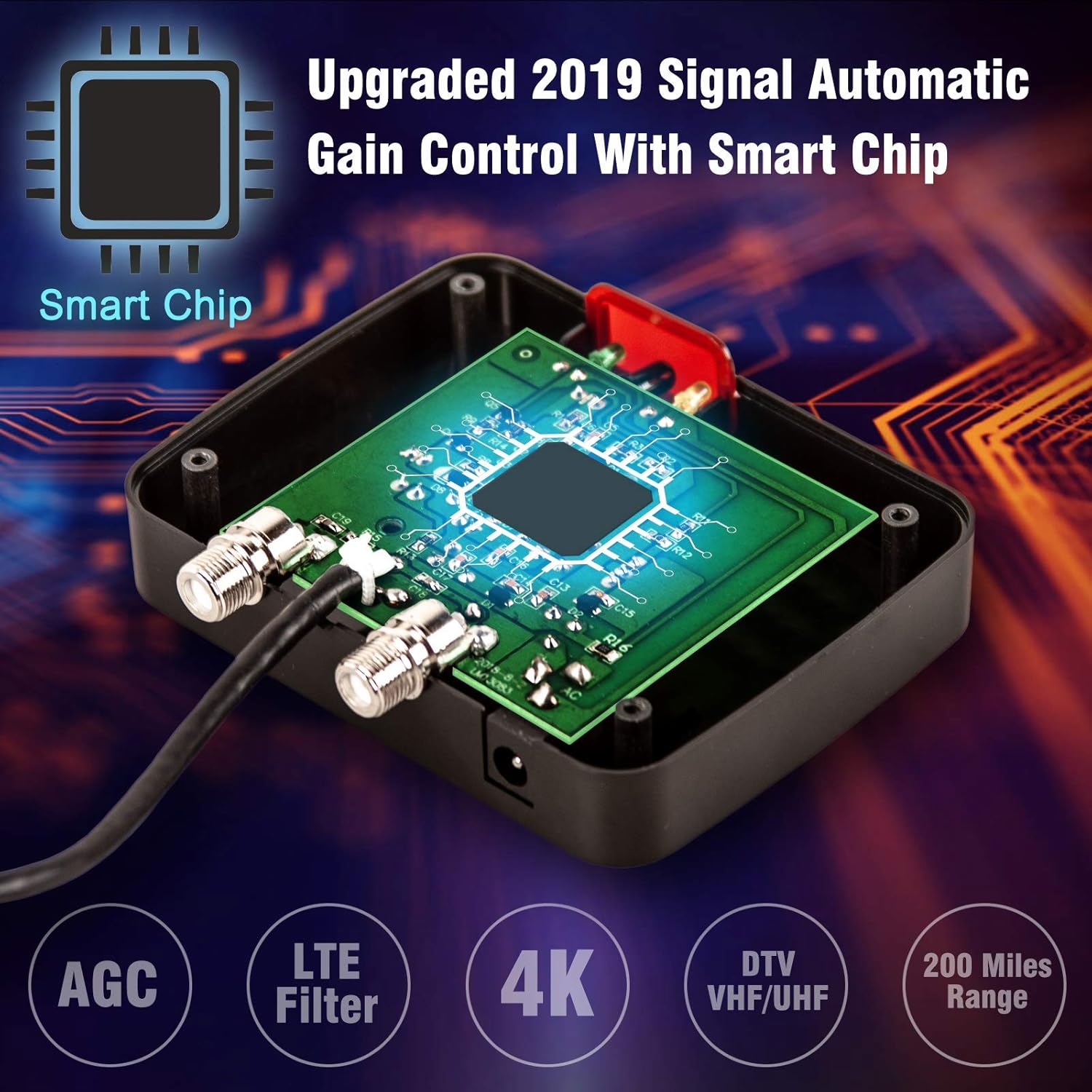
Image 4.3: Connection diagram illustrating how to connect the antenna, control box, and up to two televisions.
5. ఆపరేటింగ్ సూచనలు
5.1 ఛానల్ స్కాన్
After connecting the antenna system, perform a channel scan on your television to find available digital channels.
- Turn on your television and select the correct input source (e.g., "TV," "Antenna," or "Air").
- Navigate to your TV's menu, usually labeled "Settings," "Setup," or "Channel."
- Select "Channel Scan," "Auto Program," or "Auto Tune." Ensure the input type is set to "Antenna" or "Air," not "Cable."
- Allow the TV to complete the scan. This process may take several minutes.
The antenna's built-in super low noise amplifier and automatic gain control (AGC) technology optimize signal reception for clear HD image quality across VHF (170-230MHz) and UHF (470-860MHz) frequencies.
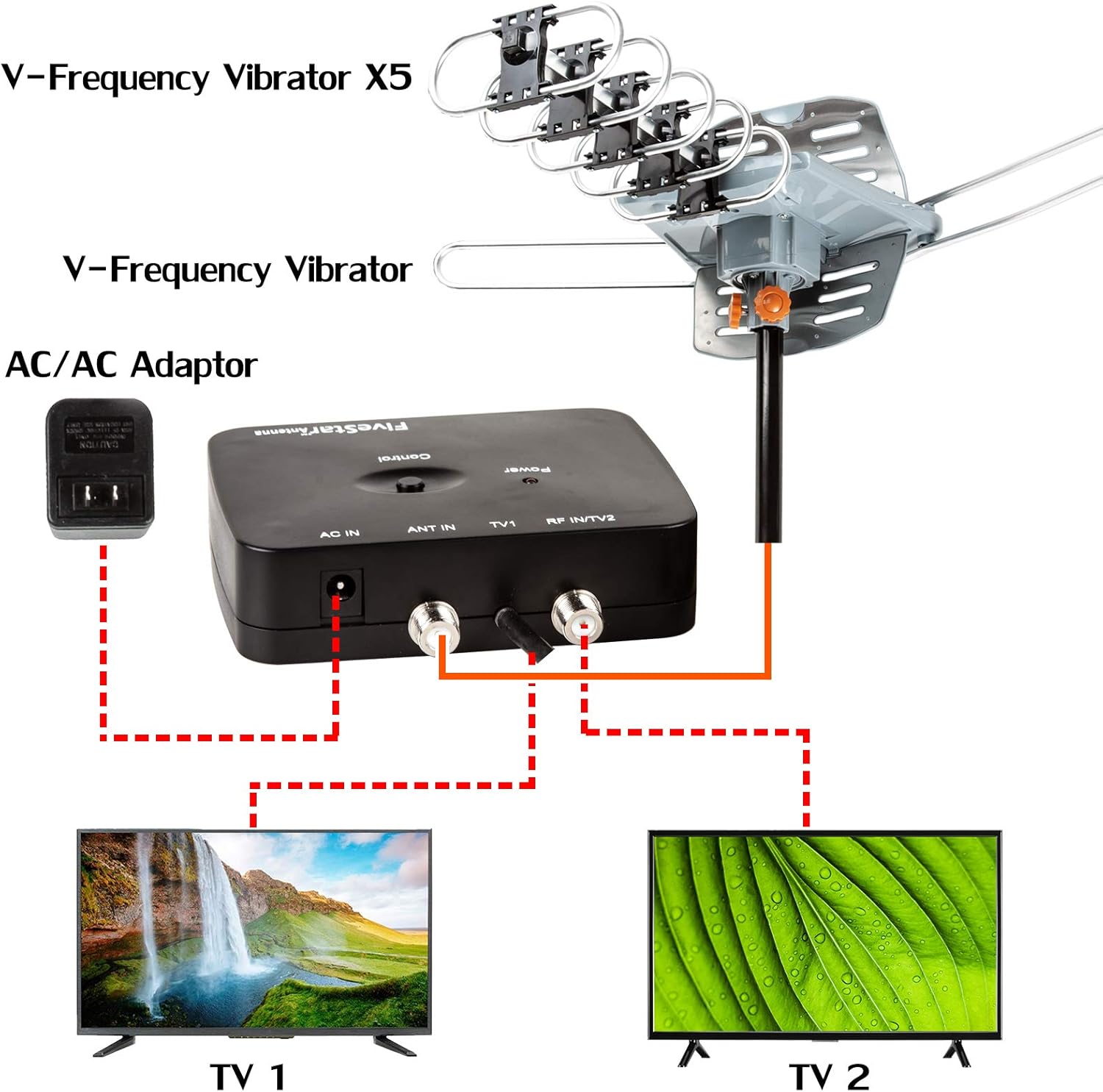
Image 5.1: The control box features an upgraded smart chip with Automatic Gain Control (AGC) and an LTE filter for enhanced signal quality.
5.2 Using the Remote Control for Antenna Rotation
The included wireless remote control allows you to rotate the antenna 360 degrees to optimize signal reception for different broadcasting towers.
- Point the remote control towards the control box.
- Press the "Control" buttons on the remote to rotate the antenna clockwise or counter-clockwise.
- While rotating, monitor your TV screen for signal strength and picture quality. Stop rotating when you achieve the best possible reception for your desired channels.

Image 5.2: The wireless remote control enables 360-degree motorized rotation of the antenna for precise signal targeting.
6. నిర్వహణ
- సాధారణ తనిఖీ: Periodically check the antenna and its mounting hardware for any signs of wear, corrosion, or damage, especially after severe weather.
- కేబుల్ సమగ్రత: Ensure all coaxial cable connections are tight and free from damage. Replace any frayed or damaged cables.
- శుభ్రపరచడం: Gently clean the antenna elements with a soft, damp cloth if dirt or debris accumulates. Do not use harsh chemicals or abrasive cleaners.
7. ట్రబుల్షూటింగ్
| సమస్య | సాధ్యమైన కారణం | పరిష్కారం |
|---|---|---|
| సిగ్నల్ లేదు లేదా చిత్ర నాణ్యత సరిగా లేదు |
|
|
| రిమోట్ కంట్రోల్ పనిచేయడం లేదు |
|
|
| Antenna not rotating |
|
|
8. స్పెసిఫికేషన్లు
| మోడల్ సంఖ్య | ES-IT18-EM24 |
| బ్రాండ్ | ఫైవ్ స్టార్ |
| యాంటెన్నా రకం | అవుట్డోర్ Amplified HDTV యాంటెన్నా |
| ఫ్రీక్వెన్సీ రేంజ్ | VHF 170~230MHz, UHF 470~860MHz |
| గరిష్ట పరిధి | Up to 150 Miles (actual range may vary) |
| భ్రమణం | 360 Degree Motorized with Wireless Remote Control |
| Ampజీవిత లాభం | 25-35dB (with Automatic Gain Control) |
| అవుట్పుట్ మద్దతు | Dual TV Outputs |
| HDTV Support | 720p, 1080i, 1080p, 4K |
| ఇంపెడెన్స్ | 75 ఓం |
| ఉత్పత్తి కొలతలు | 17 x 14 x 5 అంగుళాలు |
| వస్తువు బరువు | 4.59 పౌండ్లు |
| UPC | 840449112441 |
9. వారంటీ మరియు మద్దతు
For warranty information or technical assistance, please contact Five Star customer support. Refer to the contact information provided on the product packaging or the official Five Star webసైట్.
వారంటీ క్లెయిమ్ల కోసం దయచేసి మీ కొనుగోలు రుజువును ఉంచుకోండి.


