1. పరిచయం మరియు వ్యవస్థ ముగింపుview
The Eartec UL5D Ultralite-HD is a professional full-duplex wireless intercom headset communication system designed for clear, hands-free communication among up to five users. Operating on the 1.9 GHz frequency, it minimizes interference, making it ideal for various demanding environments such as video production, stage management, and construction sites. This system provides simultaneous two-way communication, ensuring seamless coordination without the need for external beltpacks.
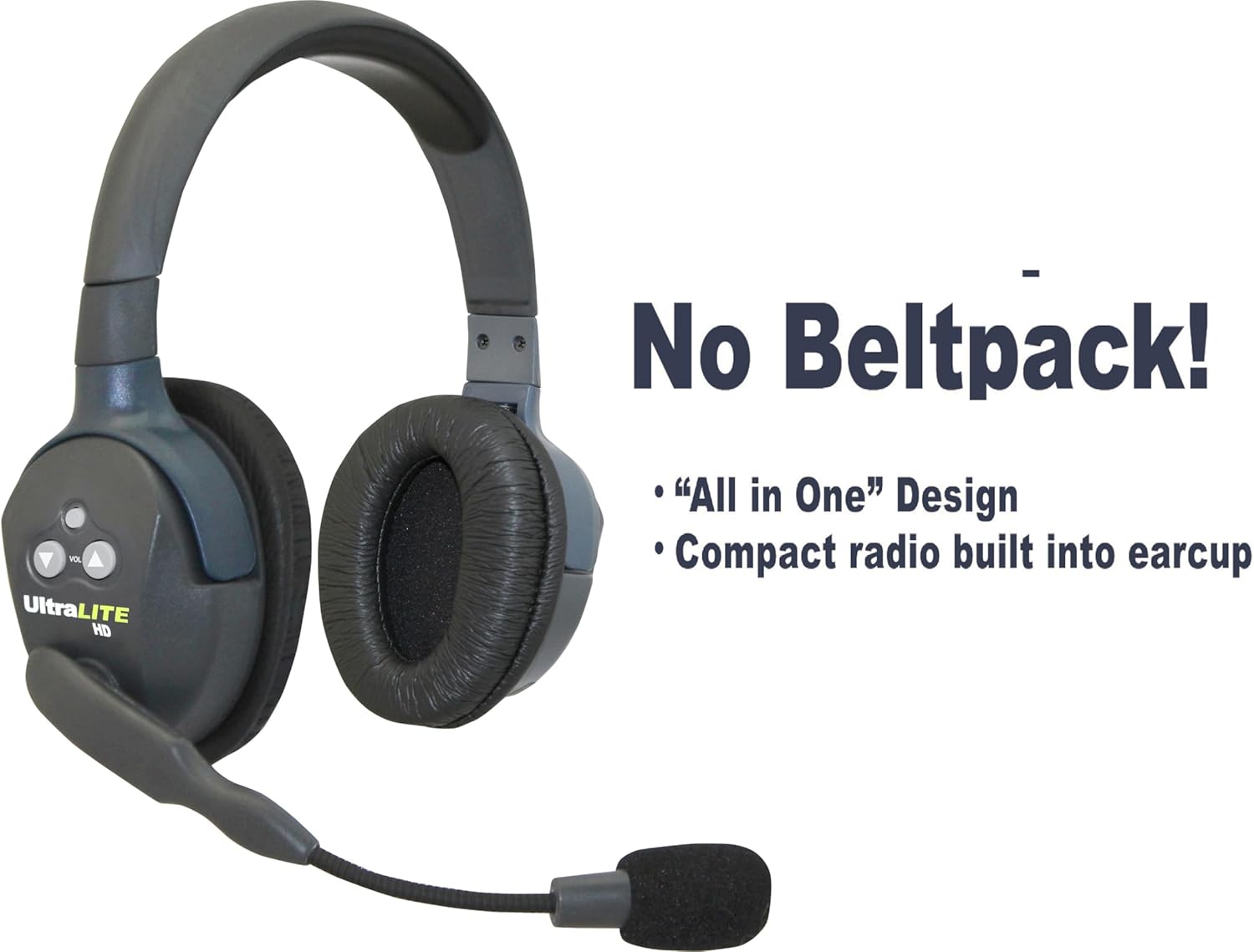
మూర్తి 1.1: Eartec Ultralite-HD headset highlighting its integrated, all-in-one design, eliminating the need for a separate beltpack.
2. పెట్టెలో ఏముంది
Your Eartec UL5D Ultralite-HD system includes the following components:
- 1 x ULDM Dual-Ear Master Headset
- 4 x ULDR Dual-Ear Remote Headsets
- 5 x Rechargeable Lithium Batteries
- 1 x 10-Bay Multi-port Charger
- 1 x Softside Carrying Case

మూర్తి 2.1: All components included in the Eartec UL5D Ultralite-HD 5-person system kit.
3. సెటప్ గైడ్
3.1. బ్యాటరీలను ఛార్జ్ చేయడం
Before initial use, fully charge all lithium batteries. Insert the batteries into the 10-bay multi-port charger. The LED indicator for each slot will show the charging status:
- ఎరుపు: ఛార్జింగ్
- ఆకుపచ్చ: పూర్తి ఛార్జ్
- ఫ్లాషింగ్: బ్యాటరీ లోపం
A full charge typically takes approximately 12 hours. Ensure the charger is connected to a stable power source.

మూర్తి 3.1: The 10-bay multi-port charger and its power adapter for charging the system batteries.
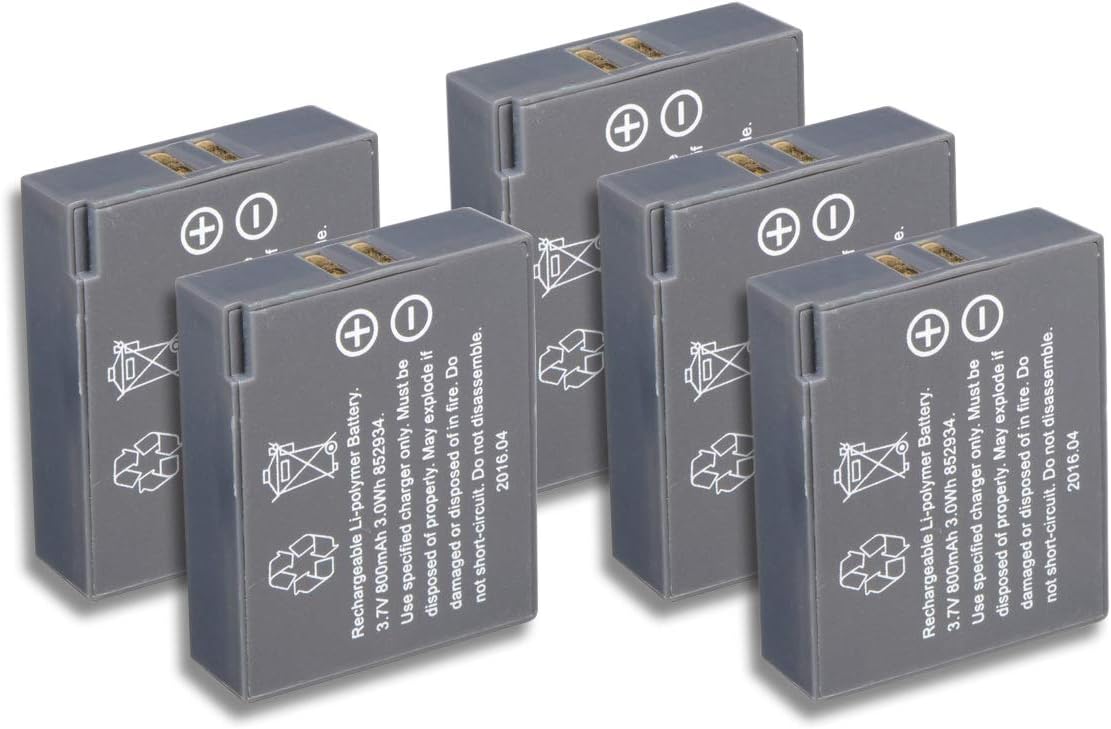
మూర్తి 3.2: The rechargeable lithium batteries used with the Ultralite-HD system.
3.2. Inserting Batteries into Headsets
Once charged, carefully insert one battery into the designated compartment on each headset. Ensure the battery is oriented correctly according to the polarity indicators.
3.3. Identifying Master and Remote Headsets
The system includes one ULDM (Master) headset and four ULDR (Remote) headsets. The Master headset initiates the communication network, and all Remote headsets connect to it. The Master headset typically has a slightly different button layout or indicator to distinguish it.
3.4. System Expansion and Pairing
The Ultralite-HD headsets are "Field Programmable," allowing for easy addition of headsets up to the 5-user limit. Refer to the specific pairing instructions provided with your system for detailed steps on connecting new or replacement remote headsets to the master unit.

మూర్తి 3.3: The system's expandability, allowing up to five headsets to communicate.
4. ఆపరేటింగ్ సూచనలు
4.1. పవర్ చేయడం ఆన్/ఆఫ్
To power on a headset, press and hold the power button (usually located on the earcup) until an indicator light illuminates. To power off, press and hold the same button until the light extinguishes.
4.2. వాల్యూమ్ నియంత్రణ
Adjust the listening volume using the dedicated volume up (+) and volume down (-) buttons on the earcup. Ensure the volume is set to a comfortable level to prevent hearing fatigue or damage.
4.3. Microphone Operation (AutoMute Boom)
The microphone boom is designed to swivel 270 degrees, allowing the headset to be worn on either the left or right ear. A key feature is the AutoMute function: when the microphone boom is pivoted upwards (straight up), it automatically mutes the microphone. To activate the microphone, simply pivot the boom down towards your mouth.
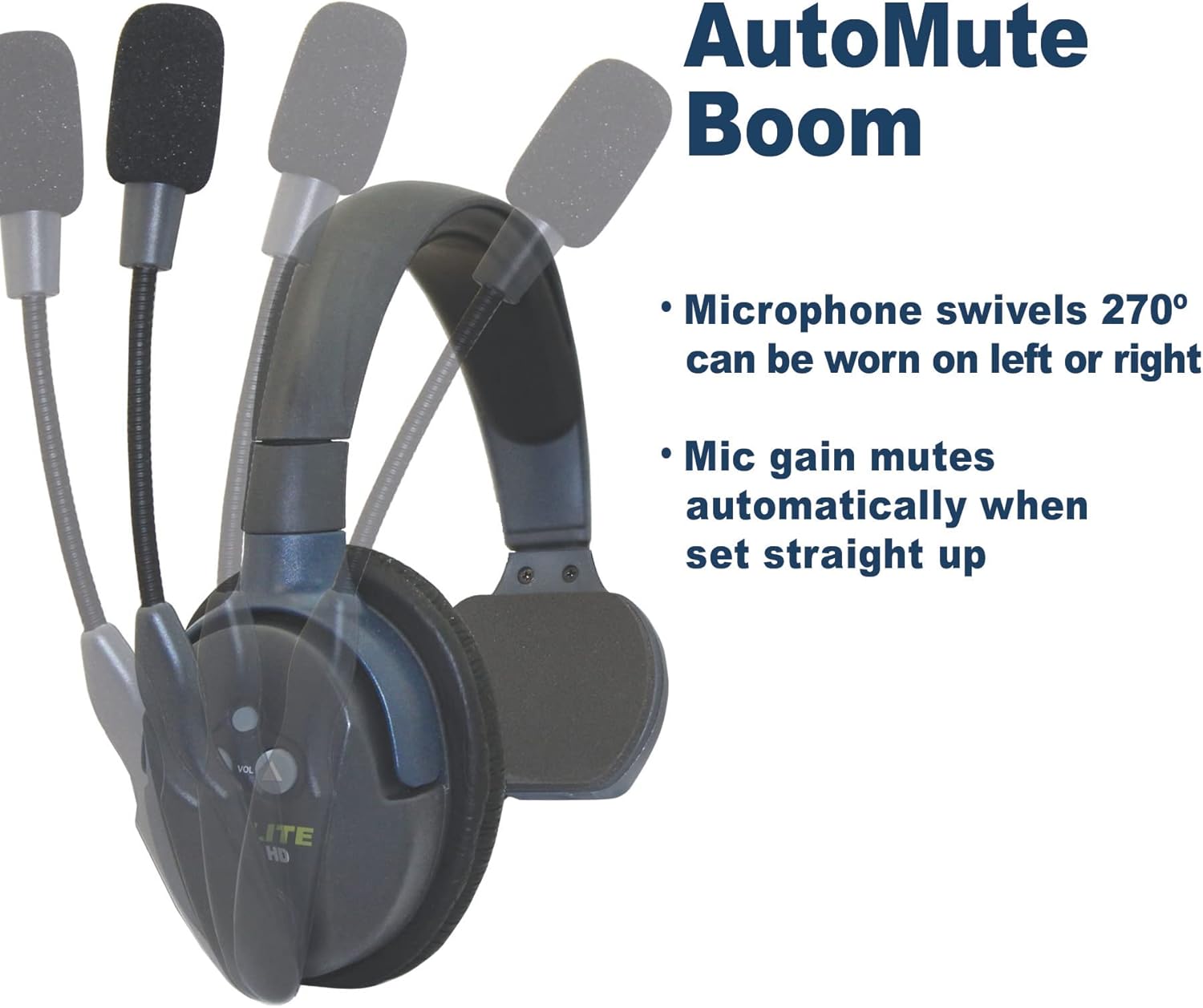
మూర్తి 4.1: The AutoMute Boom feature, demonstrating how pivoting the microphone upwards automatically mutes it.
4.4. కమ్యూనికేషన్ పరిధి
The system offers a wireless range of up to 1,000 feet Line of Sight (LOS). Obstructions such as walls, buildings, or dense foliage can reduce this range. For optimal performance, maintain a clear line of sight between users whenever possible.
5. నిర్వహణ
5.1. బ్యాటరీ సంరక్షణ
To maximize battery life, always fully charge batteries before use and store them in a cool, dry place when not in use. Avoid extreme temperatures. If storing for extended periods, charge batteries to approximately 50% capacity every few months.
5.2. Cleaning the Headsets
Wipe the headsets with a soft, damp cloth. Do not use harsh chemicals or abrasive cleaners. Ensure no moisture enters the electronic components. The ear cushions can be gently wiped or replaced if necessary.
5.3. నిల్వ
When not in use, store the entire system in the provided softside carrying case. This protects the headsets and accessories from dust, moisture, and physical damage during transport and storage.
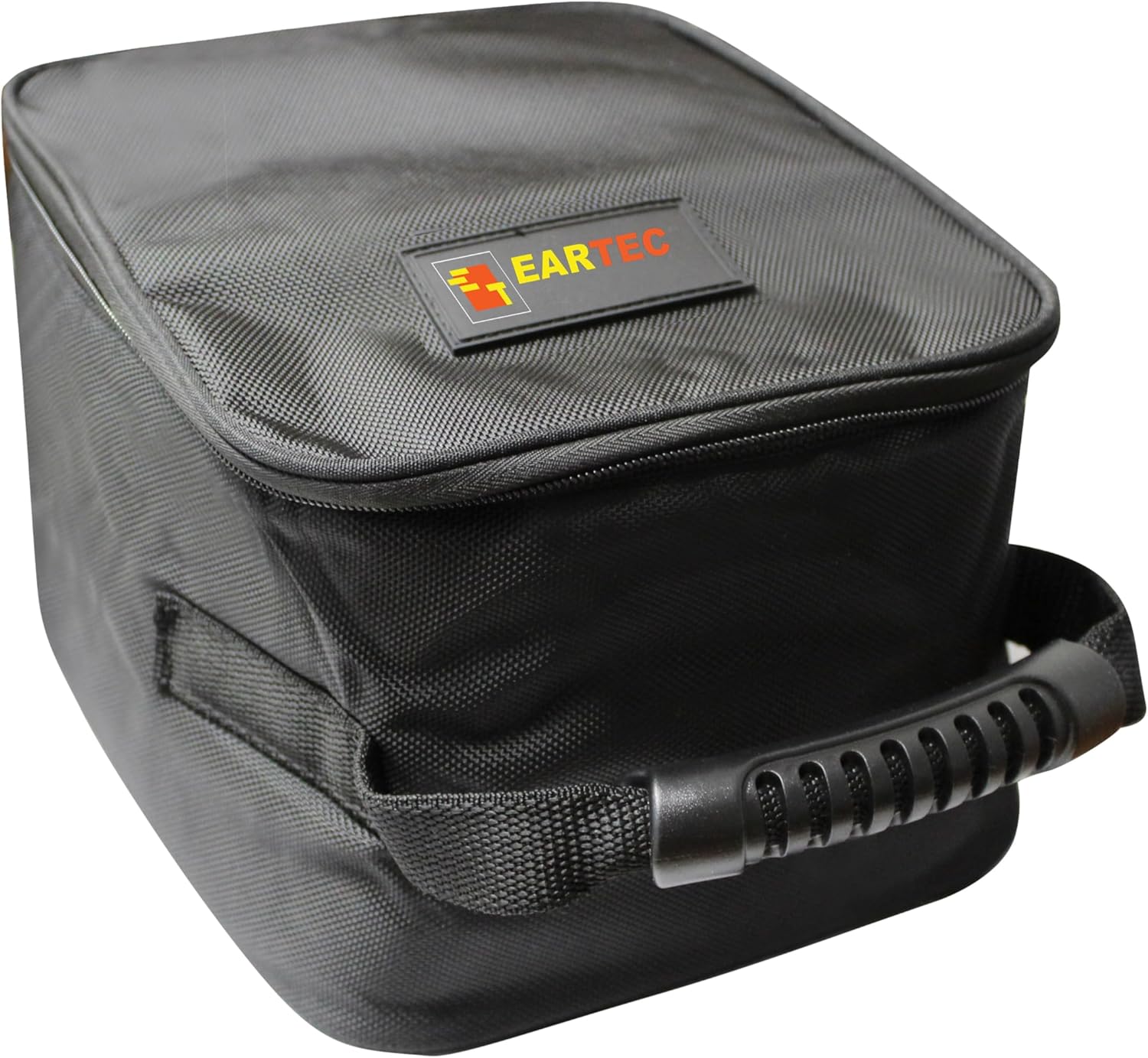
మూర్తి 5.1: The softside carrying case provides protection for the system components.
6. ట్రబుల్షూటింగ్
| సమస్య | సాధ్యమైన కారణం | పరిష్కారం |
|---|---|---|
| హెడ్సెట్ నుండి ఆడియో లేదు. | Headset not powered on; low battery; microphone muted; out of range. | Ensure headset is powered on. Check battery level and recharge if necessary. Pivot microphone boom down. Move closer to the Master headset. |
| ఆడియో నాణ్యత పేలవంగా ఉంది లేదా స్టాటిక్గా ఉంది. | జోక్యం; పరిధిలో లేదు; తక్కువ బ్యాటరీ. | Move away from potential sources of interference (e.g., Wi-Fi routers, other wireless devices). Move closer to the Master headset. Recharge battery. |
| Headsets not connecting. | Incorrect pairing; Master headset off; out of range. | Ensure Master headset is powered on. Re-attempt pairing procedure as per specific instructions. Ensure all headsets are within range. |
| తక్కువ బ్యాటరీ జీవితం. | Batteries not fully charged; aging batteries. | Ensure batteries are fully charged before each use. Consider replacing older batteries if performance degrades significantly. |
7. స్పెసిఫికేషన్లు
| ఫీచర్ | వివరాలు |
|---|---|
| మోడల్ పేరు | UL5D UltraLITE-HD |
| కనెక్టివిటీ టెక్నాలజీ | వైర్లెస్ (RF) |
| ఫ్రీక్వెన్సీ రేంజ్ | 1.9 GHz |
| వైర్లెస్ రేంజ్ | Up to 1,000 ft LOS (Line of Sight) |
| బ్యాటరీ లైఫ్ | Up to 6 Hours talk time |
| ఛార్జింగ్ సమయం | సుమారు 12 గంటలు |
| నాయిస్ కంట్రోల్ | యాక్టివ్ నాయిస్ క్యాన్సిలేషన్ (మైక్రోఫోన్) |
| ఇయర్పీస్ ఆకారం | ఓవర్-ఇయర్ |
| మైక్రోఫోన్ | Pivoting boom with AutoMute function |
| చేర్చబడిన భాగాలు | ULDM Dual-Ear Master Headset, ULDR Dual-Ear Remote Headsets, Rechargeable Lithium Batteries, 10 Bay Multi-port Charger, softside carrying case |
| ఉత్పత్తి కొలతలు | 18.8 x 10 x 7 అంగుళాలు |
| వస్తువు బరువు | 5.79 పౌండ్లు |
| నీటి నిరోధక స్థాయి | వాటర్ రెసిస్టెంట్ |
8. వారంటీ మరియు మద్దతు
For warranty information, technical support, or service inquiries regarding your Eartec UL5D Ultralite-HD system, please refer to the warranty card included with your product or visit the official EARTEC webసైట్. కస్టమర్ మద్దతు కోసం సంప్రదింపు సమాచారం సాధారణంగా తయారీదారు యొక్క webసైట్.
గమనిక: No official product videos were available in the provided data for embedding in this manual.


