పరిచయం
Thank you for choosing the Amazon Basics Fixed Height Z-Shape Keyboard and Piano Stand. This manual provides essential information for the safe and proper assembly, operation, and maintenance of your new stand. Please read these instructions carefully before use and retain them for future reference.
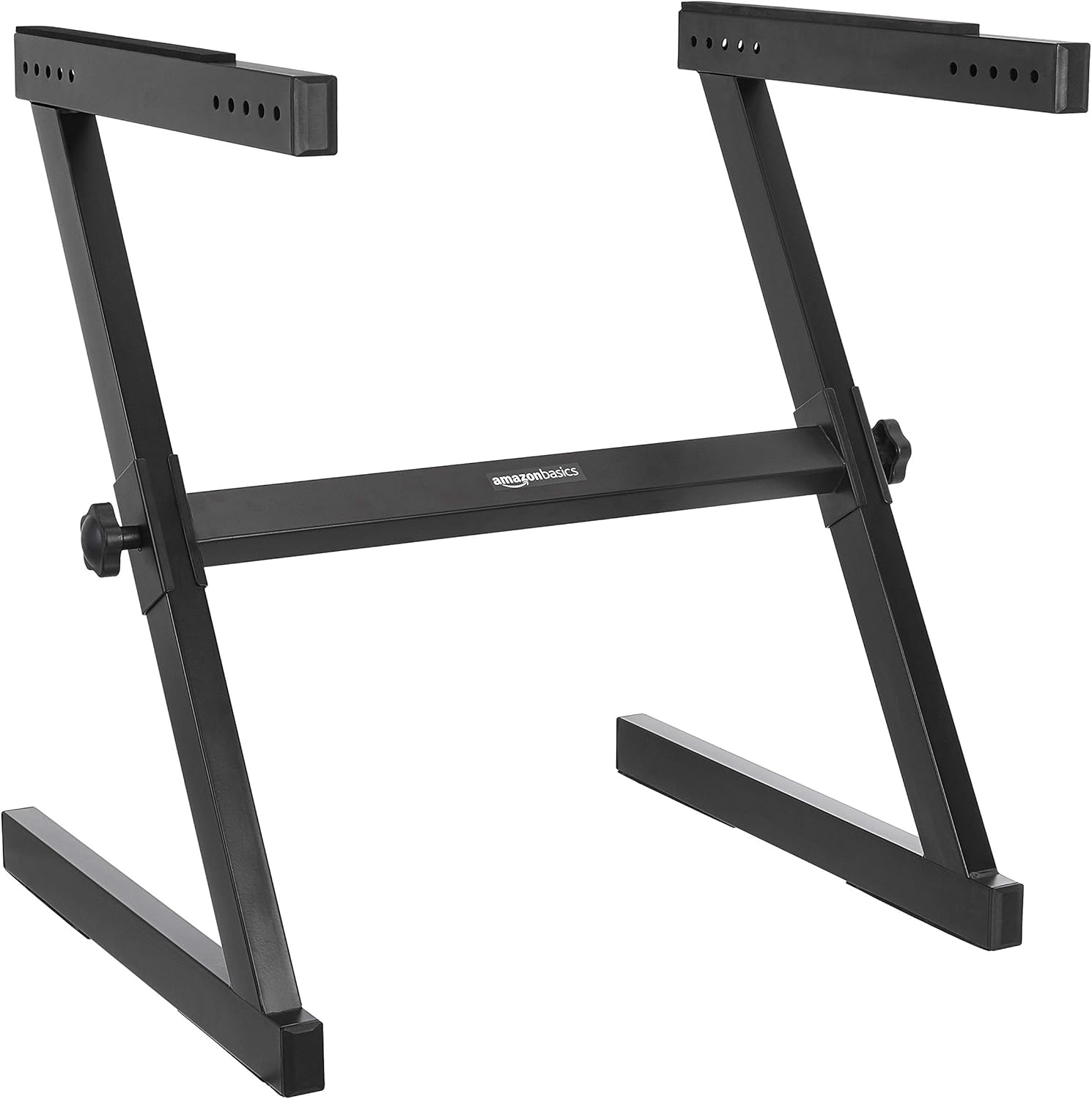
Image: The Amazon Basics Fixed Height Z-Shape Keyboard and Piano Stand, shown in its assembled state. It features a black finish and a sturdy Z-shaped frame, designed to support a keyboard or piano.
భద్రతా సమాచారం
సురక్షితమైన ఆపరేషన్ను నిర్ధారించడానికి, దయచేసి ఈ క్రింది మార్గదర్శకాలను పాటించండి:
- అసెంబ్లీకి ముందు అన్ని సూచనలను చదివి వాడండి.
- Do not exceed the maximum weight capacity of the stand.
- Ensure all connections are securely fastened before placing any instrument on the stand.
- స్టాండ్ను ఒరిగిపోకుండా స్థిరమైన, సమతల ఉపరితలంపై ఉంచండి.
- Keep fingers and clothing clear of moving parts during assembly and adjustment.
- This stand is designed for fixed height use while sitting. Do not attempt to adjust the height beyond its intended design.
ప్యాకేజీ విషయాలు
అసెంబ్లీని ప్రారంభించే ముందు అన్ని భాగాలు ఉన్నాయని ధృవీకరించండి:
- Main Z-frame assembly (1)
- Support arms with rubber pads (2)
- Adjustment knobs (2)
- ఇన్స్ట్రక్షన్ మాన్యువల్ (1)
సెటప్
Follow these steps to assemble your keyboard stand:
- భాగాలను అన్ప్యాక్ చేయండి: ప్యాకేజింగ్ నుండి అన్ని భాగాలను జాగ్రత్తగా తీసివేసి, వాటిని శుభ్రమైన, చదునైన ఉపరితలంపై వేయండి.
- Extend Main Frame: Gently pull the two Z-shaped sections apart to form the base of the stand.
- Attach Support Arms: Insert the support arms into the designated slots on the top of the Z-frame. Ensure the rubber pads on the support arms are facing upwards to provide grip for your instrument.
- Secure with Knobs: Insert and tighten the adjustment knobs into the corresponding holes on the side of the Z-frame to secure the support arms in place. Turn clockwise until snug.
- స్థిరత్వాన్ని ధృవీకరించండి: Before placing any instrument, gently shake the stand to ensure it is stable and all connections are tight.

చిత్రం: క్లోజప్ view of one of the stand's support arms, showing the pre-drilled holes for secure attachment and the protective rubber padding.

Image: A detailed shot of the black adjustment knob, used to tighten and secure the stand's components, ensuring stability.
ఆపరేటింగ్
Once assembled, using your keyboard stand is straightforward:
- ప్లేస్మెంట్: Carefully place your keyboard or piano on the support arms, ensuring it is centered and balanced. The rubber pads on the support arms help prevent the instrument from sliding.
- లెగ్రూమ్: The Z-shape design provides ample legroom, allowing for comfortable seating during use.

Image: The Z-shape keyboard stand supporting a digital keyboard in a living room setting, demonstrating its practical use and aesthetic integration.
నిర్వహణ
Regular maintenance helps prolong the life of your stand:
- శుభ్రపరచడం: స్టాండ్ను మృదువైన, డి-తుడిచిపెట్టిన వస్త్రంతో తుడవండి.amp దుమ్ము మరియు ధూళిని తొలగించడానికి వస్త్రం. రాపిడి క్లీనర్లను నివారించండి.
- కనెక్షన్లను తనిఖీ చేయండి: Periodically inspect all knobs and connections to ensure they remain tight. Tighten if necessary.
- నిల్వ: When not in use, the stand can be partially disassembled for more compact storage.
ట్రబుల్షూటింగ్
మీకు ఏవైనా సమస్యలు ఎదురైతే, ఈ క్రింది సాధారణ పరిష్కారాలను చూడండి:
| సమస్య | సాధ్యమైన కారణం | పరిష్కారం |
|---|---|---|
| స్టాండ్ wobbles | వదులుగా ఉండే కనెక్షన్లు; అసమాన ఉపరితలం | Ensure all knobs are tightened. Move stand to a level surface. |
| Keyboard slides on stand | Missing or damaged rubber pads | Verify rubber pads are present and intact on support arms. Contact support if replacements are needed. |
స్పెసిఫికేషన్లు
- మోడల్: DF022
- ఆకారం: Z-ఆకారం
- ఎత్తు: Fixed (approximately 27.56 inches / 69.9 cm)
- కొలతలు (L x W x H): 24.33 x 23.07 x 27.56 అంగుళాలు (61.8 x 58.6 x 69.9 సెం.మీ.)
- వస్తువు బరువు: 14.18 పౌండ్లు (6.43 కిలోలు)
- మెటీరియల్: Durable Steel and Plastic (PP)
- రంగు: నలుపు
- అసెంబ్లీ అవసరం: No (minimal assembly of support arms)
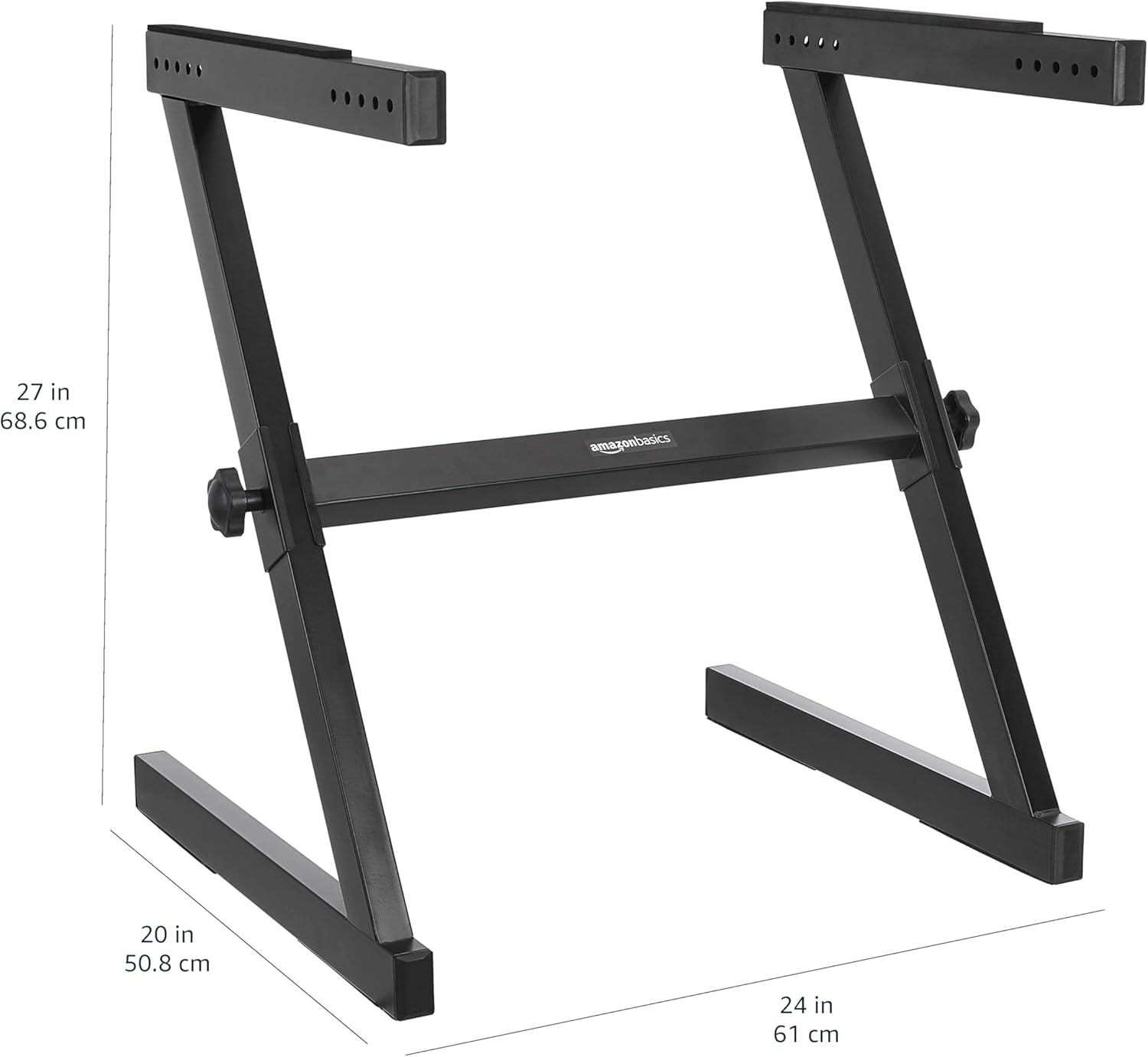
Image: A diagram illustrating the key dimensions of the Z-shape keyboard stand, including its height (27 inches / 68.6 cm), width (24 inches / 61 cm), and depth (20 inches / 50.8 cm).
వారంటీ మరియు మద్దతు
This Amazon Basics product is backed by an Amazon Basics 1-year limited warranty. For warranty claims or technical support, please refer to the Amazon Basics customer service portal or contact Amazon customer support directly. Keep your purchase receipt for warranty validation.


