1. పరిచయం
The ROCAM CR1009 is a versatile emergency weather radio designed to provide essential information and power during various situations, including power outages, outdoor activities, and severe weather events. It features multiple power sources, comprehensive radio reception, and integrated lighting functions to ensure reliability when you need it most.

2. ప్యాకేజీ విషయాలు
దయచేసి అన్ని అంశాలు ప్యాకేజీలో ఉన్నాయని ధృవీకరించండి:
- ROCAM Emergency Weather Radio (CR1009) x 1
- Carry Strap with Buckle x 1
- USB ఛార్జింగ్ కేబుల్ x 1
- వినియోగదారు మాన్యువల్ x 1

3. ఉత్పత్తి లక్షణాలు
- Multi-Band Radio Reception: Receives AM, FM, Shortwave (SW), and NOAA weather band frequencies. Features an extendable telescopic antenna for improved reception.
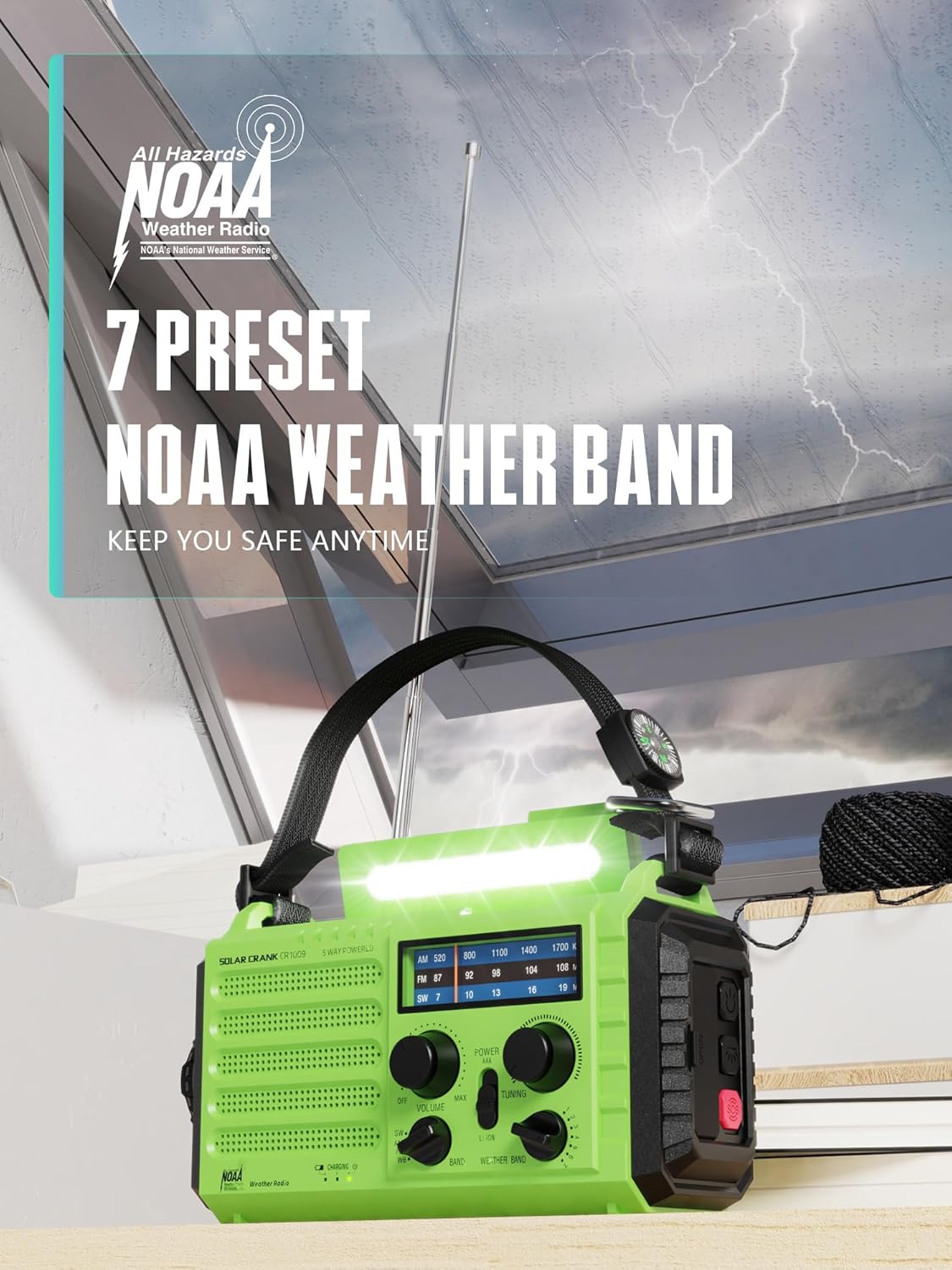
- NOAA Weather Alerts: Equipped with 7 weather channels to receive loud alerts from NOAA weather signals during severe weather events.
- Five Power Sources: Operates via AC power (adapter not included), 3 AAA batteries (not included), hand crank, solar panel, or its internal 5000mAh rechargeable lithium-ion battery.
- ఇంటిగ్రేటెడ్ లైటింగ్: Includes a 3W LED flashlight (150/300 lumens) and a 2.5W LED reading lamp (150/300 lumens) with two brightness levels.
- అత్యవసర విధులు: Features a loud SOS alarm with a bright red flashing light and an integrated compass on the carry strap for navigation.
- పవర్ బ్యాంక్ కార్యాచరణ: Built-in output port (Mini USB) for charging mobile phones and other small electronic devices in emergencies.
- ఆడియో అవుట్పుట్: Includes a 3.5mm headphone jack for private listening.
- పోర్టబిలిటీ: Compact design with a carry strap and buckle for easy transport and attachment to bags.
- మన్నిక: Constructed from high-quality ABS material and features IPX6 waterproof rating.
4. సెటప్
4.1 ప్రారంభ ఛార్జింగ్
Before first use, it is recommended to fully charge the internal 5000mAh lithium-ion battery using the USB charging cable. Connect the Mini USB end of the cable to the radio's input port and the standard USB end to a compatible USB power source (e.g., wall adapter, computer USB port). The charging indicator will illuminate during charging and turn off when fully charged.
4.2 AAA Battery Installation
For an alternative power source, you can install 3 AAA batteries (not included). Open the battery compartment cover, insert the batteries according to the polarity markings, and close the cover securely.
5. ఆపరేటింగ్ సూచనలు
5.1 పవర్ చేయడం ఆన్/ఆఫ్
తిప్పండి వాల్యూమ్ knob clockwise to turn the radio on and adjust the sound level. Rotate it counter-clockwise until it clicks to turn the radio off.
5.2 రేడియో ఆపరేషన్
- సరైన రిసెప్షన్ కోసం టెలిస్కోపిక్ యాంటెన్నాను విస్తరించండి.
- Select the desired band (AM, FM, SW, or Weather Band) using the బ్యాండ్ మారండి.
- తిప్పండి ట్యూనింగ్ knob to scan for radio stations. The frequency display will show the current station.
- For NOAA Weather Band, select the 'WB' band and tune to one of the 7 available weather channels.
5.3 ఫ్లాష్లైట్ ఆపరేషన్
Press the flashlight button (usually located on the side or front) to turn the flashlight on. Press again to cycle through brightness levels (if applicable) or turn off.
5.4 Reading Lamp ఆపరేషన్
Slide or press the reading lamp switch to activate the LED reading lamp. Adjust brightness levels if available.

5.5 SOS Alarm Activation
నొక్కండి మరియు పట్టుకోండి SOS button to activate the loud alarm and flashing red light. Release the button to deactivate.
5.6 బాహ్య పరికరాలను ఛార్జ్ చేయడం
Connect your mobile phone or other small electronic device to the radio's USB output port using your device's charging cable. The radio's internal battery will then charge your device. This function is intended for emergency use to provide a quick power boost.
5.7 హెడ్ఫోన్ వాడకం
Insert 3.5mm headphones into the headphone jack for private listening. The external speaker will be muted when headphones are connected.

6. పవర్ సోర్సెస్
The ROCAM CR1009 offers five distinct ways to power the device and charge its internal battery:
- USB ఛార్జింగ్: Connect the included USB cable to a 5V/1.5A USB power source. This is the primary and fastest method for charging the internal 5000mAh battery. Full charge time: approximately 12 hours.
- హ్యాండ్ క్రాంక్ ఛార్జింగ్: Rotate the hand crank located on the back of the radio. Cranking for 1 minute can provide approximately 3-5 minutes of radio playtime or a short burst of flashlight use. Full charge time: approximately 15 hours of continuous cranking.
- సోలార్ ఛార్జింగ్: Place the radio with its solar panel facing direct sunlight. This method is ideal for maintaining battery charge or providing a slow charge over time. Full charge time: approximately 120 hours of direct sunlight.
- AAA బ్యాటరీలు: Insert 3 AAA batteries into the designated compartment. This provides an immediate power source when the internal battery is depleted and other charging methods are unavailable.
- అంతర్గత పునర్వినియోగపరచదగిన బ్యాటరీ: The built-in 5000mAh lithium-ion battery powers the radio, lights, and USB charging output.


7. నిర్వహణ
- శుభ్రపరచడం: రేడియోను మెత్తగా తుడవండి, డిamp వస్త్రం. కఠినమైన రసాయనాలు లేదా రాపిడి క్లీనర్లను ఉపయోగించవద్దు.
- నిల్వ: Store the radio in a cool, dry place away from direct sunlight and extreme temperatures. If storing for extended periods, ensure the internal battery is partially charged (around 50%) and recharge it every 3-6 months to maintain battery health.
- బ్యాటరీ సంరక్షణ: If using AAA batteries, remove them if the radio will not be used for a long time to prevent leakage.
8. ట్రబుల్షూటింగ్
- శక్తి లేదు: Check the internal battery level. If low, charge via USB, hand crank, or solar. Ensure AAA batteries are correctly installed and not depleted if using them.
- పేలవమైన రేడియో రిసెప్షన్: Extend the telescopic antenna fully. Try repositioning the radio. Ensure you are on the correct band (AM/FM/SW/WB).
- Flashlight/Reading Lamp పని చేయటం లేదు: Check battery level. Ensure the light switch is in the correct position.
- External Device Not Charging: Ensure the radio's internal battery has sufficient charge. Verify the USB cable connection and that your device is compatible with 5V/1.5A charging.
- SOS Alarm Not Activating: Ensure the SOS button is pressed and held firmly.
9. స్పెసిఫికేషన్లు
| ఫీచర్ | స్పెసిఫికేషన్ |
|---|---|
| మోడల్ | CR1009 |
| USB పోర్ట్ | Mini USB (Input/Output) |
| పవర్ ఇన్పుట్ | DC 5V/1.5A |
| ఉత్పత్తి పరిమాణం (L x W x H) | 7.5 x 3.5 x 4.7 అంగుళాలు |
| Radio Sound Output | 0-110dB |
| Charging Time (Hand Crank) | సుమారు 15 గంటలు |
| Charging Time (Solar Power) | సుమారు 120 గంటలు |
| ఛార్జింగ్ సమయం (USB) | సుమారు 12 గంటలు |
| Operating Time (SOS Alarm) | సుమారు 6 గంటలు |
| Operating Time (Flashlight) | సుమారు 22 గంటలు |
| Operating Time (Reading Lamp) | సుమారు 21 గంటలు |
| LED ఫ్లాష్లైట్ | 3W, 150/300 Lumens |
| LED రీడింగ్ Lamp | 2.5W, 150/300 Lumens |
| మెటీరియల్ | అధిక-నాణ్యత ABS |
| జలనిరోధిత రేటింగ్ | IPX6 |
| అంతర్గత బ్యాటరీ | 5000mAh Lithium-ion (rechargeable) |
| External Battery Support | 3 x AAA బ్యాటరీలు (చేర్చబడలేదు) |
10. భద్రతా సమాచారం
- Do not expose the radio to extreme temperatures, direct sunlight for prolonged periods (beyond solar charging), or high humidity.
- బలమైన అయస్కాంత క్షేత్రాల నుండి పరికరాన్ని దూరంగా ఉంచండి.
- Do not disassemble or attempt to repair the radio yourself. Refer to qualified service personnel.
- Ensure the USB port covers are securely closed when not in use to maintain water resistance.
- స్థానిక నిబంధనల ప్రకారం బ్యాటరీలను బాధ్యతాయుతంగా పారవేయండి.
11. వారంటీ మరియు మద్దతు
For warranty information or technical support, please refer to the contact details provided with your purchase or visit the official ROCAM webవారంటీ క్లెయిమ్ల కోసం మీ కొనుగోలు రుజువును ఉంచండి.


