1. పరిచయం
This manual provides detailed instructions for the assembly, operation, and maintenance of your PERLESMITH Universal Floor TV Stand, Model PSFS01. This stand is designed to securely hold most 37-70 inch flat-panel, plasma, and curved LCD/LED televisions with VESA mounting patterns from 100x100mm to 600x400mm. Please read this manual thoroughly before installation to ensure safe and correct usage.
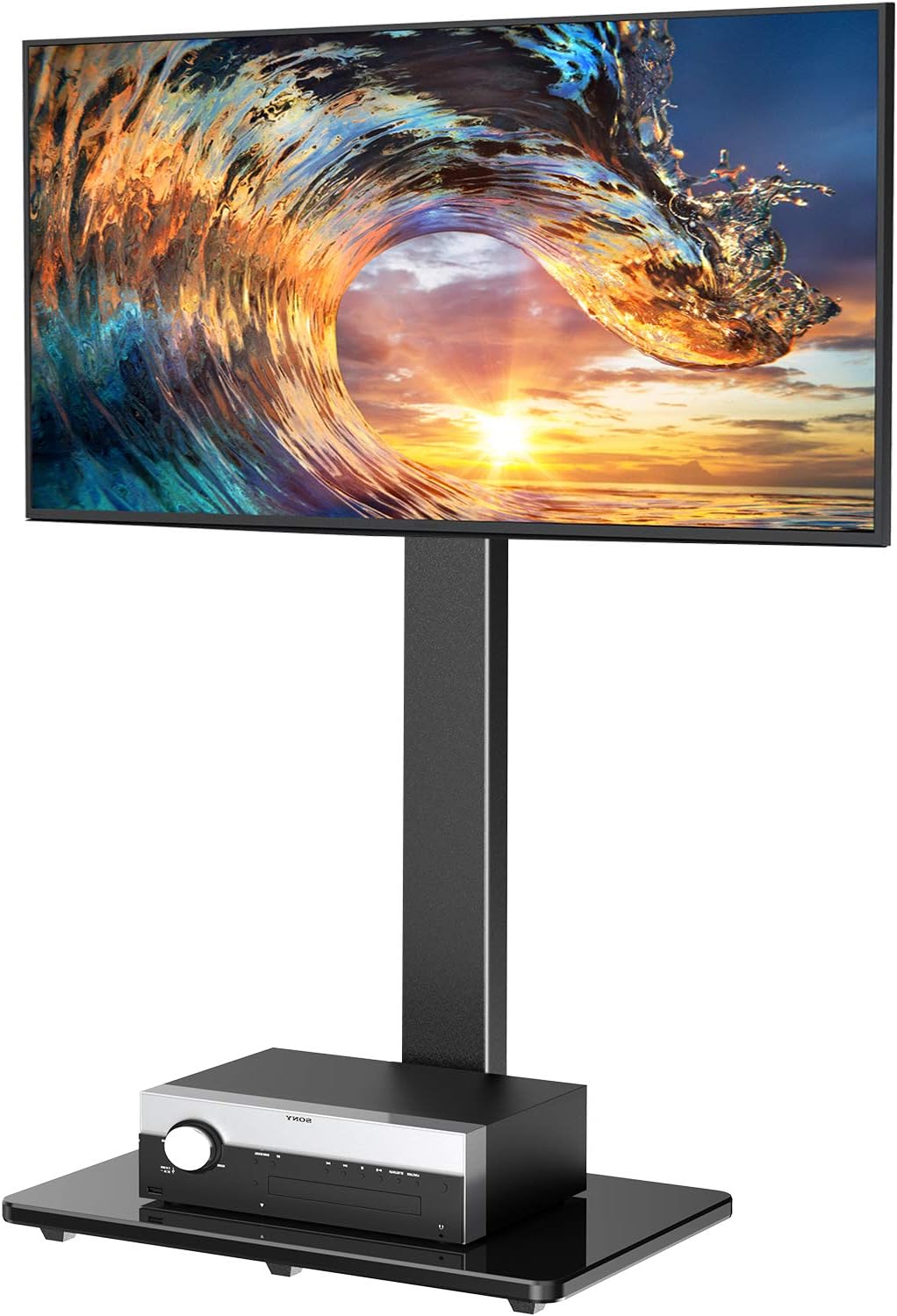
Image 1.1: The PERLESMITH Universal Floor TV Stand PSFS01, featuring a mounted television and a media device on its tempered glass base.
2. భద్రతా సమాచారం
హెచ్చరిక: Failure to read and follow all instructions may result in personal injury or damage to the product. Keep this manual for future reference.
- గరిష్ట బరువు సామర్థ్యం 99 పౌండ్లు (45 కిలోలు) మించకూడదు.
- మీ టీవీ VESA మౌంటు నమూనా అనుకూలంగా ఉందని నిర్ధారించుకోండి (100x100mm నుండి 600x400mm).
- ఈ ఉత్పత్తి ఇండోర్ ఉపయోగం కోసం మాత్రమే ఉద్దేశించబడింది.
- Use only the provided hardware. Do not use damaged parts.
- If you have any questions or encounter difficulties during assembly, contact customer support.
- స్టాండ్ వంగిపోకుండా ఉండటానికి ఎల్లప్పుడూ స్థిరమైన, సమతల ఉపరితలంపై ఉంచబడిందని నిర్ధారించుకోండి.

Image 2.1: Key safety and design features, including a safety lock mechanism for the TV bracket, a durable tempered glass base, and non-slip feet for stability.
3. ప్యాకేజీ విషయాలు
Verify that all components are present and undamaged before beginning assembly. If any parts are missing or defective, please contact customer service.

Image 3.1: An exploded diagram showing all individual parts of the TV stand, including the base, support pillar, TV mounting plate, TV brackets, and various screws and tools.
సాధారణ ప్యాకేజీ కంటెంట్లలో ఇవి ఉన్నాయి:
- టెంపర్డ్ గ్లాస్ బేస్
- మద్దతు స్తంభం
- టీవీ మౌంటింగ్ ప్లేట్
- టీవీ బ్రాకెట్లు (2 pcs)
- Media Shelf (optional, if included)
- Various Screws, Washers, Spacers for TV and Stand Assembly
- Allen Wrenches and other basic tools
- కేబుల్ నిర్వహణ క్లిప్లు
4. అసెంబ్లీ సూచనలు
మీ టీవీ స్టాండ్ను సమీకరించడానికి ఈ దశలను జాగ్రత్తగా అనుసరించండి.
- Attach the Support Pillar to the Base: Secure the main support pillar to the tempered glass base using the provided screws and tools. Ensure all connections are tight and stable.
- Install the TV Mounting Plate: Attach the TV mounting plate to the top of the support pillar. This plate will connect to the TV brackets.
- Attach TV Brackets to your Television: Carefully place your TV face down on a soft, clean surface. Identify the correct screws, washers, and spacers for your TV's VESA holes. Attach the two vertical TV brackets to the back of your television. Ensure they are securely fastened and evenly spaced.
- Mount the Television to the Stand: With assistance, carefully lift your television and hook the TV brackets onto the TV mounting plate on the stand. Ensure the TV is centered and level. Secure the TV to the mounting plate using the safety screws or locking mechanism.
- Install Media Shelf (if applicable): If your model includes a media shelf, attach it to the support pillar at your desired height.
- కేబుల్ నిర్వహణ: Organize your TV and media device cables using the provided cable management clips. Route them neatly along the back of the support pillar to maintain a clean appearance.
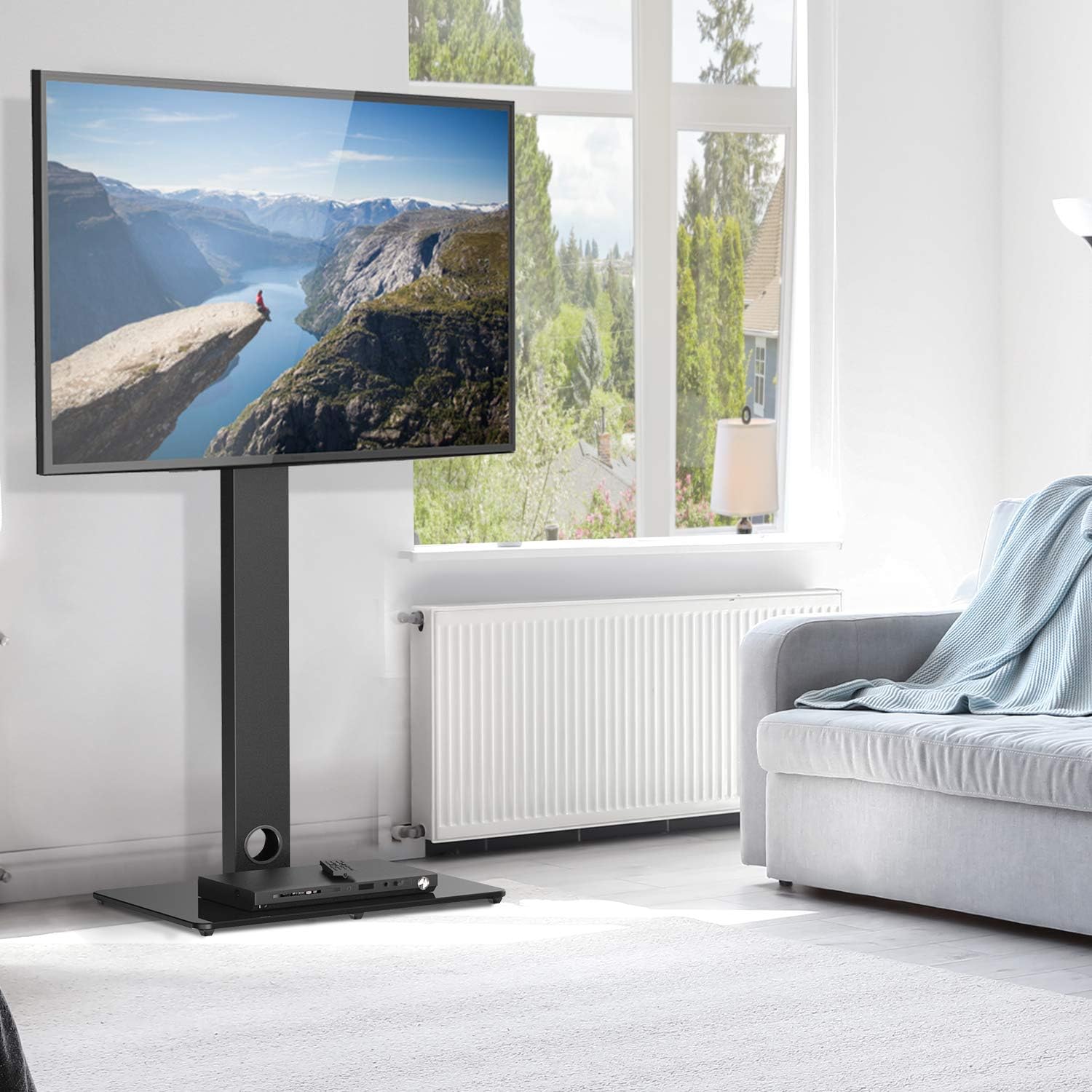
Image 4.1: Illustration of the integrated cable management system, demonstrating how to route power and signal cables along the central pillar for a tidy setup.
5. ఆపరేటింగ్ సూచనలు
Your PERLESMITH TV stand offers adjustable features for an optimized viewing అనుభవం.
5.1 ఎత్తు సర్దుబాటు
The TV mounting plate allows for multiple height settings. To adjust the height:
- With assistance, carefully unmount the TV from the stand.
- Adjust the position of the TV brackets on the back of your TV or the mounting plate on the pillar to one of the available height options.
- Remount the TV, ensuring it is securely fastened at the new height.

Image 5.1: A visual guide demonstrating the six distinct height adjustment levels for the TV bracket and plate, allowing customization for different viewing preferences or TV sizes.
5.2. స్వివెల్ ఫంక్షన్
The stand features a swivel mount, allowing you to rotate your TV for optimal viewing కోణాలు.
- Gently grasp the sides of your television.
- Rotate the TV left or right up to 25 degrees in either direction.
- Avoid forcing the TV beyond its maximum swivel range.

Image 5.2: A diagram illustrating the swivel functionality, showing the television rotating up to 25 degrees to the left and right, providing a total of 50 degrees of viewసర్దుబాటు.
6. నిర్వహణ
క్రమం తప్పకుండా నిర్వహణ మీ టీవీ స్టాండ్ యొక్క దీర్ఘాయువు మరియు సురక్షితమైన ఆపరేషన్ను నిర్ధారిస్తుంది.
- శుభ్రపరచడం: స్టాండ్ను మృదువైన, డి-తుడిచిపెట్టిన వస్త్రంతో తుడవండి.amp వస్త్రం. ముగింపును దెబ్బతీసే రాపిడి క్లీనర్లు లేదా ద్రావకాలను నివారించండి.
- ఆవర్తన తనిఖీ: అన్ని స్క్రూలు మరియు కనెక్షన్లు బిగుతుగా ఉన్నాయని నిర్ధారించుకోవడానికి కాలానుగుణంగా వాటిని తనిఖీ చేయండి. అవసరమైతే తిరిగి బిగించండి.
- స్థిరత్వ తనిఖీ: Ensure the stand remains on a stable and level surface.
7. ట్రబుల్షూటింగ్
మీరు ఏవైనా సమస్యలను ఎదుర్కొంటే, ఈ క్రింది సాధారణ సమస్యలు మరియు పరిష్కారాలను చూడండి.
| సమస్య | సాధ్యమైన కారణం | పరిష్కారం |
|---|---|---|
| టీవీ స్థాయిలో లేదు | Uneven bracket attachment or floor surface. | Re-check TV bracket installation. Ensure stand is on a level surface. |
| స్టాండ్ అస్థిరంగా అనిపిస్తుంది | Loose connections or overloaded. | Ensure all screws are tightened. Verify TV weight is within limits. |
| TV does not swivel smoothly | Obstruction or excessive weight. | Check for cables or objects obstructing movement. Ensure TV weight is within limits. |
8. స్పెసిఫికేషన్లు
Detailed technical specifications for the PERLESMITH Universal Floor TV Stand PSFS01.
| ఫీచర్ | వివరాలు |
|---|---|
| మోడల్ | PSFS01 |
| అనుకూల టీవీ పరిమాణాలు | 37" - 70" |
| గరిష్ట బరువు సామర్థ్యం | 99 పౌండ్లు (45 కిలోలు) |
| VESA అనుకూలత | 100x100mm నుండి 600x400mm |
| స్వివెల్ యాంగిల్ | Up to 25 degrees left/right (50 degrees total) |
| ఎత్తు సర్దుబాటు | Multiple levels (6 options) |
| మెటీరియల్ | టెంపర్డ్ గ్లాస్, అల్లాయ్ స్టీల్ |
| ఉత్పత్తి కొలతలు | 114.1 x 9 x 46 సెం.మీ (సుమారుగా 44.9 x 3.5 x 18.1 అంగుళాలు) |
| వస్తువు బరువు | 11.6 కిలోలు (సుమారు 25.6 పౌండ్లు) |
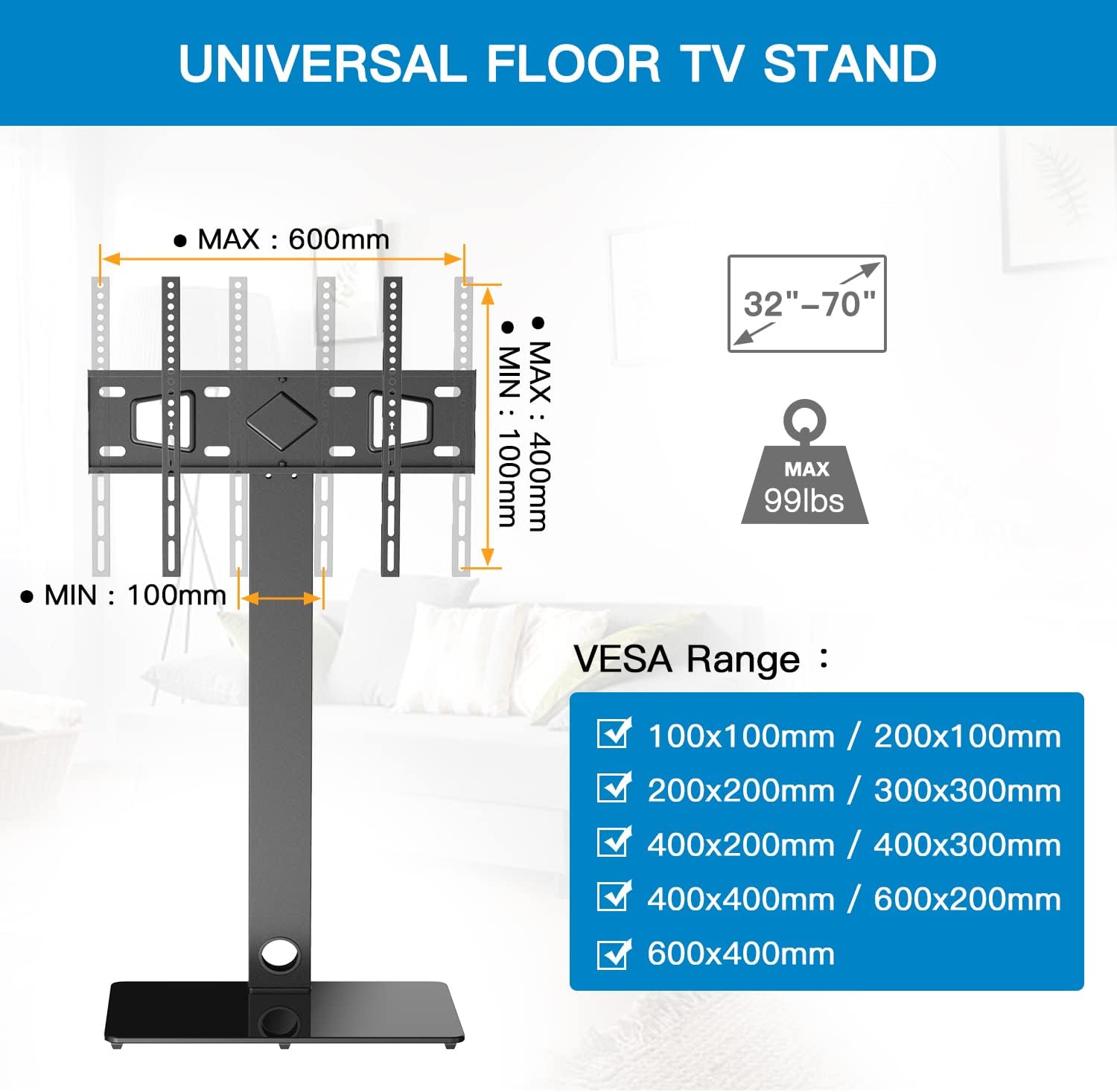
Image 8.1: A detailed diagram outlining the VESA compatibility range (100x100mm to 600x400mm) and the supported TV sizes (32-70 inches) and maximum weight (99 lbs).
9. వారంటీ మరియు మద్దతు
PERLESMITH products are manufactured with quality and durability in mind. This product comes with a standard manufacturer's warranty. For specific warranty details, product support, or assistance with any issues not covered in this manual, please contact PERLESMITH customer service directly. Contact information can typically be found on the product packaging or the official PERLESMITH webసైట్.


