1. పరిచయం
This manual provides detailed instructions for the CHACON Set of 3 Mini Waterproof Remote Control Sockets, Model 54672. This product allows you to remotely control your outdoor electrical devices, such as lighting or garden equipment, with ease and convenience. Please read this manual thoroughly before installation and use to ensure safe and optimal performance.

Image 1.1: The CHACON Set of 3 Mini Waterproof Remote Control Sockets with its accompanying remote control.
2. ఉత్పత్తి లక్షణాలు
The CHACON Mini Waterproof Remote Control Sockets offer a range of features designed for outdoor convenience and reliability:
- రిమోట్ కంట్రోల్ ఆపరేషన్: Effortlessly manage your outdoor lighting or other electrical appliances from a distance.
- Radio Frequency (RF) Technology: Operates on a 433.92 MHz frequency for reliable wireless communication.
- విస్తరించిన ప్రసార దూరం: Enjoy a transmission range of up to 30 meters in open areas.
- IP44 వాతావరణ నిరోధకత: Designed to withstand outdoor conditions, protected against solid objects larger than 1mm and splashing water from any direction.
- Simple On/Off Functionality: Provides straightforward control for connected devices.
- అధిక శక్తి సామర్థ్యం: Each socket supports devices up to 3000 Watts.
3. ప్యాకేజీ విషయాలు
దయచేసి మీ ప్యాకేజీలో అన్ని అంశాలు ఉన్నాయని ధృవీకరించండి:
- 3 x CHACON Mini Waterproof Remote Control Sockets
- 1 x Remote Control (with 1 Lithium-ion battery included)
- 1 x యూజర్ మాన్యువల్ (ఈ పత్రం)
4. భద్రతా సమాచారం
WARNING: Risk of electric shock. Read all safety warnings and instructions.
- Ensure the product is installed and used in accordance with local electrical codes and regulations.
- Do not immerse the sockets or remote control in water. The IP44 rating protects against splashing water, not submersion.
- Do not open or attempt to repair the devices. Refer all servicing to qualified personnel.
- Keep children away from electrical outlets and remote controls.
- Do not overload the sockets. The maximum power capacity is 3000 Watts.
- Ensure the plug of the connected appliance is fully inserted into the socket.
- శుభ్రపరిచే ముందు లేదా ఏదైనా నిర్వహణ చేసే ముందు విద్యుత్తును డిస్కనెక్ట్ చేయండి.
5. సెటప్
5.1. రిమోట్ కంట్రోల్ బ్యాటరీ ఇన్స్టాలేషన్
The remote control comes with a pre-installed Lithium-ion battery. If replacement is needed:
- రిమోట్ కంట్రోల్ వెనుక బ్యాటరీ కంపార్ట్మెంట్ను గుర్తించండి.
- కంపార్ట్మెంట్ కవర్ తెరవండి.
- Insert a new Lithium-ion battery, ensuring correct polarity (+/-).
- బ్యాటరీ కంపార్ట్మెంట్ కవర్ను సురక్షితంగా మూసివేయండి.
5.2. Socket Placement
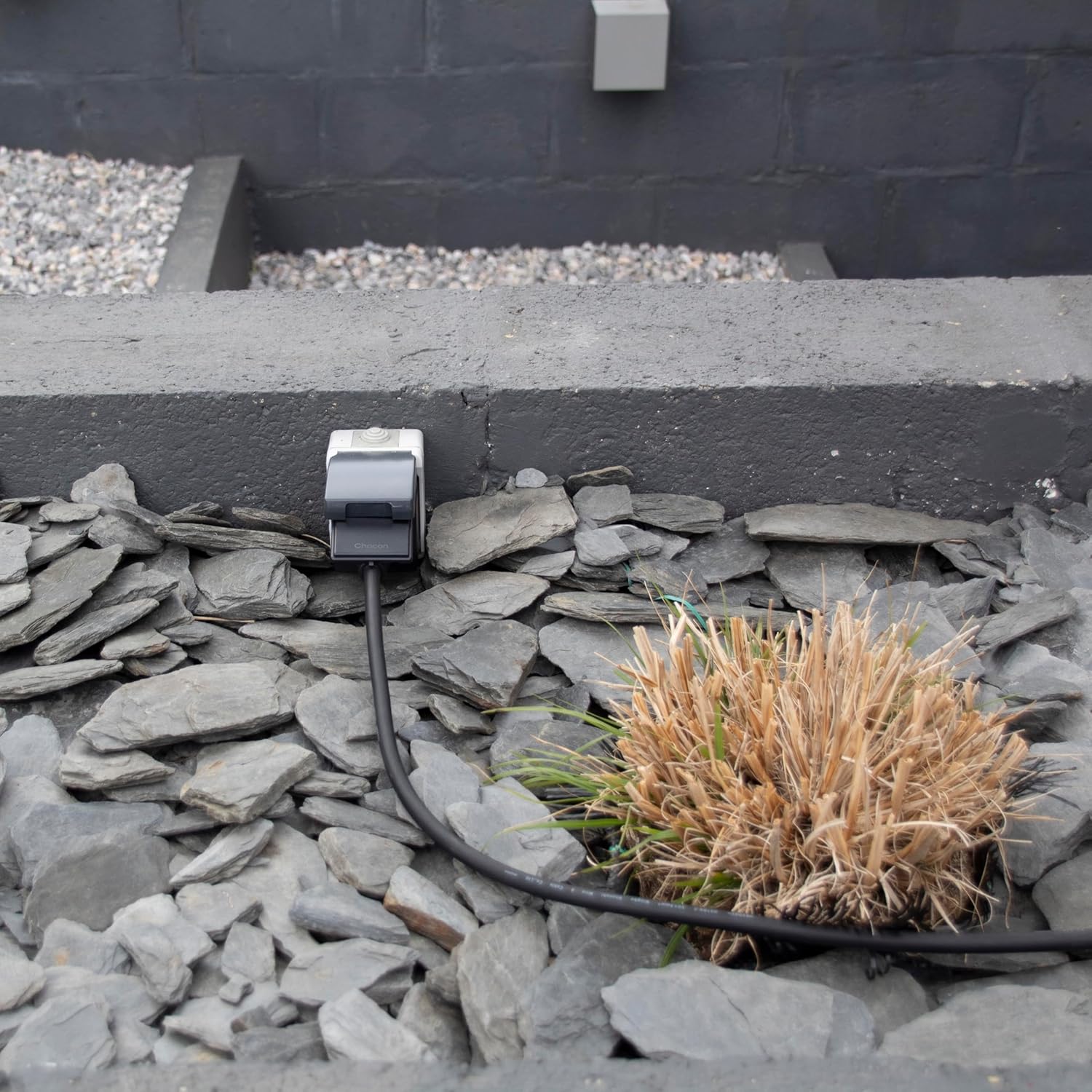
Place the waterproof sockets in desired outdoor locations, ensuring they are protected from direct heavy rain or submersion. The IP44 rating makes them suitable for general outdoor use where splashing water may occur. Ensure the sockets are within the 30-meter range of the remote control for optimal performance.

చిత్రం 5.2.1: ఒక మాజీample of a CHACON waterproof socket installed in an outdoor environment, blending with landscaping.
5.3. Pairing Sockets with Remote Control
The sockets are typically pre-paired with the remote control. If re-pairing is necessary or if you wish to change the assigned channels:
- Plug the socket into a wall outlet. The indicator light on the socket may flash.
- Within 5 seconds of plugging in, press and hold the desired "ON" button (e.g., 1 ON, 2 ON, 3 ON) on the remote control for approximately 3 seconds.
- The indicator light on the socket should stop flashing and remain solid, or click, indicating successful pairing.
- Repeat this process for each socket and desired remote channel.

చిత్రం 5.3.1: వివిధ views of the CHACON Mini Waterproof Remote Control Socket, showing its design and plug type.
6. ఆపరేటింగ్ సూచనలు
Once the sockets are paired, operating them is straightforward:
- Plug the appliance you wish to control into one of the CHACON remote control sockets.
- Ensure the appliance's own power switch is in the "ON" position.
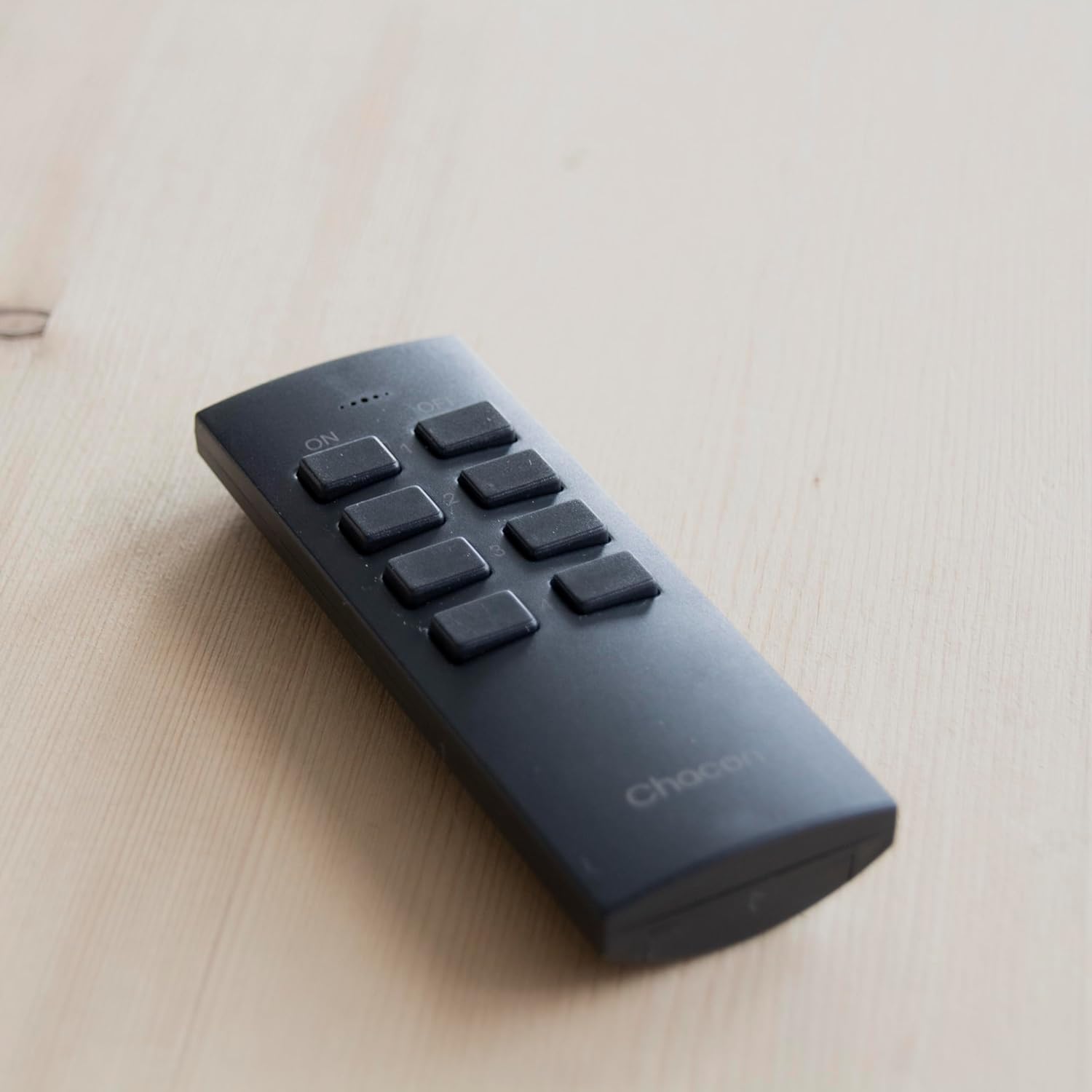
- To turn on a specific socket, press the corresponding "ON" button (e.g., "1 ON") on the remote control.
- To turn off a specific socket, press the corresponding "OFF" button (e.g., "1 OFF") on the remote control.
- To turn all connected sockets ON, press the "ALL ON" button.
- To turn all connected sockets OFF, press the "ALL OFF" button.
The remote control allows you to manage up to three individual sockets, plus a master control for all three.
7. నిర్వహణ
- శుభ్రపరచడం: Disconnect the sockets from power before cleaning. Use a soft, dry cloth to wipe the surfaces. Do not use abrasive cleaners or solvents.
- బ్యాటరీ భర్తీ: Replace the remote control battery when its range decreases or it stops responding. Use only the specified Lithium-ion battery type.
- నిల్వ: If storing the product for an extended period, remove the battery from the remote control. Store in a cool, dry place.
8. ట్రబుల్షూటింగ్
| సమస్య | సాధ్యమైన కారణం | పరిష్కారం |
|---|---|---|
| Socket does not respond to remote. |
|
|
| తగ్గించబడిన రిమోట్ కంట్రోల్ పరిధి. |
|
|
| Socket not powering on. |
|
|
9. స్పెసిఫికేషన్లు
| మోడల్ సంఖ్య | 54672 |
| బ్రాండ్ | చాకోన్ |
| కొలతలు (L x W x H) | 18 x 7 x 10.5 cm (approximate, for the set) |
| బరువు | 340 grams (approximate, for the set) |
| మెటీరియల్ | ప్లాస్టిక్ |
| రంగు | నలుపు |
| వాల్యూమ్tage | 3 Volts (Remote Control), 230V AC (Sockets, typical for Type C plug) |
| గరిష్ట పవర్ లోడ్ | 3000 వాట్స్ |
| రేడియో ఫ్రీక్వెన్సీ | 433.92 MHz |
| ప్రసార దూరం | 30 మీటర్ల వరకు (ఓపెన్ ఫీల్డ్) |
| IP రేటింగ్ | IP44 (Protected against solid objects over 1mm and splashing water) |
| ప్లగ్ రకం | Type C – 2 pins (European plug) |
| బ్యాటరీ (రిమోట్) | 1 x లిథియం-అయాన్ (చేర్చబడింది) |
| మూలం దేశం | చైనా |
10. వారంటీ మరియు మద్దతు
CHACON products are designed for reliability and performance. For warranty information, technical support, or service inquiries, please refer to the contact details provided on the product packaging or visit the official CHACON webసైట్. కొనుగోలు రుజువుగా మీ కొనుగోలు రసీదుని ఉంచండి.


