1. పరిచయం
Thank you for choosing the Qlima D630P Smart Portable Dehumidifier. This manual provides important information regarding the safe operation, installation, maintenance, and troubleshooting of your new appliance. Please read this manual thoroughly before using the dehumidifier and keep it for future reference. This appliance is designed to remove excess moisture from the air, creating a more comfortable and healthier indoor environment.
2. భద్రతా సూచనలు
వినియోగదారు లేదా ఇతర వ్యక్తులకు గాయం మరియు ఆస్తి నష్టాన్ని నివారించడానికి, కింది సూచనలను పాటించాలి. సూచనలను విస్మరించడం వల్ల సరికాని ఆపరేషన్ హాని లేదా నష్టాన్ని కలిగించవచ్చు.
- ఉపకరణాన్ని ఉపయోగించే ముందు అన్ని సూచనలను చదవండి.
- ఈ సూచనల మాన్యువల్లో వివరించిన విధంగా ఈ ఉపకరణాన్ని దాని ఉద్దేశించిన ప్రయోజనం కోసం మాత్రమే ఉపయోగించండి.
- Always ensure the appliance is unplugged from the power outlet before cleaning, servicing, or moving.
- Do not operate the appliance if the power cord or plug is damaged, or if the appliance itself is damaged in any way.
- Do not block the air inlets or outlets. Ensure adequate space around the unit for proper air circulation.
- ఉపకరణం, త్రాడు లేదా ప్లగ్ నీటిలో లేదా ఇతర ద్రవాలలో ముంచవద్దు.
- పరికరాన్ని పిల్లలు మరియు పెంపుడు జంతువులకు దూరంగా ఉంచండి.
- ఉపకరణం ఒరిగిపోకుండా ఉండటానికి స్థిరమైన, సమతల ఉపరితలంపై ఉంచండి.
- మండే వాయువులు లేదా ద్రవాలు ఉన్న ప్రాంతాల్లో ఉపకరణాన్ని ఉపయోగించవద్దు.
- ఉపకరణాన్ని మీరే రిపేర్ చేయడానికి లేదా సవరించడానికి ప్రయత్నించవద్దు. మరమ్మతుల కోసం అర్హత కలిగిన సేవా సిబ్బందిని సంప్రదించండి.
- Dispose of the appliance and its components responsibly according to local regulations.
3. ఉత్పత్తి ముగిసిందిview
The Qlima D630P is a high-performance smart dehumidifier designed for efficiency and user convenience. Key features include integrated Wi-Fi for smartphone control via the Tuya Smart app, precise humidity level control, automatic shut-off when the water tank is full, and exceptionally quiet operation at just 34 dB.
3.1 భాగాలు
- డిజిటల్ డిస్ప్లేతో కంట్రోల్ ప్యానెల్
- ఎయిర్ అవుట్లెట్
- ఎయిర్ ఇన్లెట్ / ఎయిర్ ఫిల్టర్
- Removable Water Tank (6 Liters)
- Casters (Wheels) for Portability
- పవర్ కార్డ్

The Qlima D630P Smart Portable Dehumidifier, featuring a sleek white design with the Qlima logo at the top.

వైపు view of the Qlima D630P Dehumidifier, illustrating its compact dimensions: 59.5 cm height, 37.1 cm width, and 25.1 cm depth. It also highlights Wi-Fi capability and 'Powered by Tuya' integration.

ఒక వివరణాత్మక view of the top control panel of the Qlima D630P Dehumidifier, showing buttons for Timer, Capacity (L30/24H), and Humidity Level Control. The digital display and various indicator lights are visible.
4. సెటప్
4.1 అన్ప్యాకింగ్
- దాని ప్యాకేజింగ్ నుండి డీహ్యూమిడిఫైయర్ను జాగ్రత్తగా తొలగించండి.
- Remove all packaging materials, including any tape or protective films.
- Check the appliance for any signs of damage during transit. If damaged, do not operate and contact your retailer.
4.2 ప్లేస్మెంట్
- డీహ్యూమిడిఫైయర్ను దాని బరువును సమర్ధించగల దృఢమైన, స్థాయి ఉపరితలంపై ఉంచండి.
- Ensure there is at least 20 cm (8 inches) of space around the unit for proper air circulation. Do not place it against a wall or furniture that would block the air inlets or outlets.
- Avoid placing the unit in direct sunlight or near heat sources such as radiators, heaters, or ovens.
- For optimal performance, place the dehumidifier in the center of the room where humidity is highest.

The Qlima D630P Dehumidifier shown in various typical home settings, including a kitchen, bedroom, bathroom, and living room, demonstrating its versatility and portability for use across different areas of the house.
4.3 పవర్ కనెక్షన్
- సరిగ్గా గ్రౌన్దేడ్ ఎలక్ట్రికల్ అవుట్లెట్లో పవర్ కార్డ్ని ప్లగ్ చేయండి.
- వాల్యూమ్ నిర్ధారించుకోండిtage and frequency of your power supply match the specifications of the dehumidifier (refer to the 'Specifications' section).
5. ఆపరేటింగ్ సూచనలు
5.1 నియంత్రణ ప్యానెల్
The control panel is located on the top of the unit and features a digital display and various touch buttons for easy operation.
- పవర్ బటన్: యూనిట్ను ఆన్ లేదా ఆఫ్ చేస్తుంది.
- మోడ్ బటన్: Cycles through different operating modes (e.g., Auto, Continuous, Laundry).
- ఫ్యాన్ స్పీడ్ బటన్: Adjusts the fan speed (High/Low).
- Humidity Set Buttons (+/-): కావలసిన తేమ స్థాయిని సర్దుబాటు చేస్తుంది.
- టైమర్ బటన్: ఆటో-ఆన్ లేదా ఆటో-ఆఫ్ టైమర్ను సెట్ చేస్తుంది.
- Wi-Fi బటన్: Activates or deactivates Wi-Fi pairing mode.
5.2 ప్రాథమిక ఆపరేషన్
- నొక్కండి శక్తి button to turn on the dehumidifier. The display will show the current room humidity.
- నొక్కండి మోడ్ మీకు కావలసిన ఆపరేటింగ్ మోడ్ను ఎంచుకోవడానికి బటన్.
- నొక్కండి ఫ్యాన్ వేగం button to choose between high or low fan speed.
- యూనిట్ను ఆఫ్ చేయడానికి, నొక్కండి శక్తి మళ్ళీ బటన్.
5.3 Wi-Fi Connectivity (Tuya Smart App)
The Qlima D630P can be controlled remotely via the Tuya Smart app on your smartphone or tablet.
- Download the 'Tuya Smart' app from your device's app store (Google Play Store for Android, Apple App Store for iOS).
- మీ తుయా స్మార్ట్ ఖాతాకు నమోదు చేసుకోండి లేదా లాగిన్ అవ్వండి.
- Ensure your dehumidifier is plugged in and powered on.
- On the dehumidifier's control panel, press and hold the Wi-Fi button for 3-5 seconds until the Wi-Fi indicator light blinks rapidly, indicating pairing mode.
- In the Tuya Smart app, tap '+' to add a device. Select 'Dehumidifier' or 'Small Home Appliance' and follow the on-screen instructions to connect your device to your home Wi-Fi network.
- Once connected, you can control all functions of the dehumidifier from your smartphone.
5.4 తేమ నియంత్రణ
You can set your desired humidity level using the humidity set buttons.
- యూనిట్ నడుస్తున్నప్పుడు, నొక్కండి + or - buttons to adjust the target humidity level (e.g., from 30% to 80% RH).
- The unit will operate until the set humidity level is reached, then it will cycle on and off to maintain that level.
5.5 టైమర్ ఫంక్షన్
The timer function allows you to set a specific time for the unit to automatically turn on or off.
- ఆటో-ఆఫ్ టైమర్: యూనిట్ పవర్తో, నొక్కండి టైమర్ button repeatedly to select the desired number of hours (1-24) after which the unit will turn off.
- ఆటో-ఆన్ టైమర్: యూనిట్ ఆపివేయబడినప్పుడు, నొక్కండి టైమర్ button repeatedly to select the desired number of hours (1-24) after which the unit will turn on.
5.6 నిరంతర పారుదల
For continuous operation without needing to empty the water tank, you can connect a drainage hose (not included).
- యూనిట్ వెనుక లేదా వైపున నిరంతర డ్రైనేజీ అవుట్లెట్ను గుర్తించండి.
- రబ్బరు స్టాపర్ (ఏదైనా ఉంటే) తీసివేయండి.
- Connect a suitable drainage hose (e.g., garden hose) to the outlet. Ensure the connection is secure to prevent leaks.
- Route the hose downwards to a floor drain or a large container, ensuring there are no kinks or blockages in the hose.
6. నిర్వహణ
క్రమం తప్పకుండా నిర్వహణ చేయడం వల్ల మీ డీహ్యూమిడిఫైయర్ యొక్క ఉత్తమ పనితీరు లభిస్తుంది మరియు జీవితకాలం పెరుగుతుంది. ఏదైనా నిర్వహణ చేసే ముందు ఎల్లప్పుడూ యూనిట్ను అన్ప్లగ్ చేయండి.
6.1 వాటర్ ట్యాంక్ శుభ్రపరచడం
The water tank should be emptied and cleaned regularly to prevent mold and mildew growth.
- When the water tank is full, the unit will automatically stop and an indicator light will illuminate.
- యూనిట్ ముందు నుండి వాటర్ ట్యాంక్ను జాగ్రత్తగా బయటకు తీయండి.
- సేకరించిన నీటిని ఖాళీ చేయండి.
- Clean the tank with mild detergent and warm water. Rinse thoroughly and dry before reinserting.
- Slide the tank back into place until it clicks securely.

An image illustrating the easy removal of the water collection tank from the Qlima D630P Dehumidifier for emptying and cleaning.
6.2 ఎయిర్ ఫిల్టర్ను శుభ్రపరచడం
గాలి నాణ్యత మరియు దాని వాడకాన్ని బట్టి ప్రతి రెండు వారాలకు ఒకసారి లేదా అంతకంటే ఎక్కువసార్లు ఎయిర్ ఫిల్టర్ను శుభ్రం చేయాలి.
- సాధారణంగా యూనిట్ వెనుక లేదా వైపున ఎయిర్ ఫిల్టర్ను గుర్తించండి.
- ఫిల్టర్ను సున్నితంగా బయటకు లాగడం ద్వారా దాన్ని తొలగించండి.
- Clean the filter with a vacuum cleaner to remove dust and debris. For heavy dirt, wash it with warm, soapy water.
- Allow the filter to air dry completely before reinserting it into the unit. Do not use the dehumidifier without the filter.
6.3 నిల్వ
If you plan to store the dehumidifier for an extended period:
- వాటర్ ట్యాంక్ ఖాళీ మరియు శుభ్రం.
- ఎయిర్ ఫిల్టర్ను శుభ్రం చేయండి.
- పవర్ కార్డ్ను తీసివేసి, దానిని చక్కగా చుట్టండి.
- దుమ్ము నుండి రక్షించడానికి యూనిట్ను ప్లాస్టిక్ బ్యాగ్ లేదా గుడ్డతో కప్పండి.
- డీహ్యూమిడిఫైయర్ను చల్లని, పొడి ప్రదేశంలో, ప్రత్యక్ష సూర్యకాంతి మరియు తీవ్రమైన ఉష్ణోగ్రతలకు దూరంగా నిల్వ చేయండి.
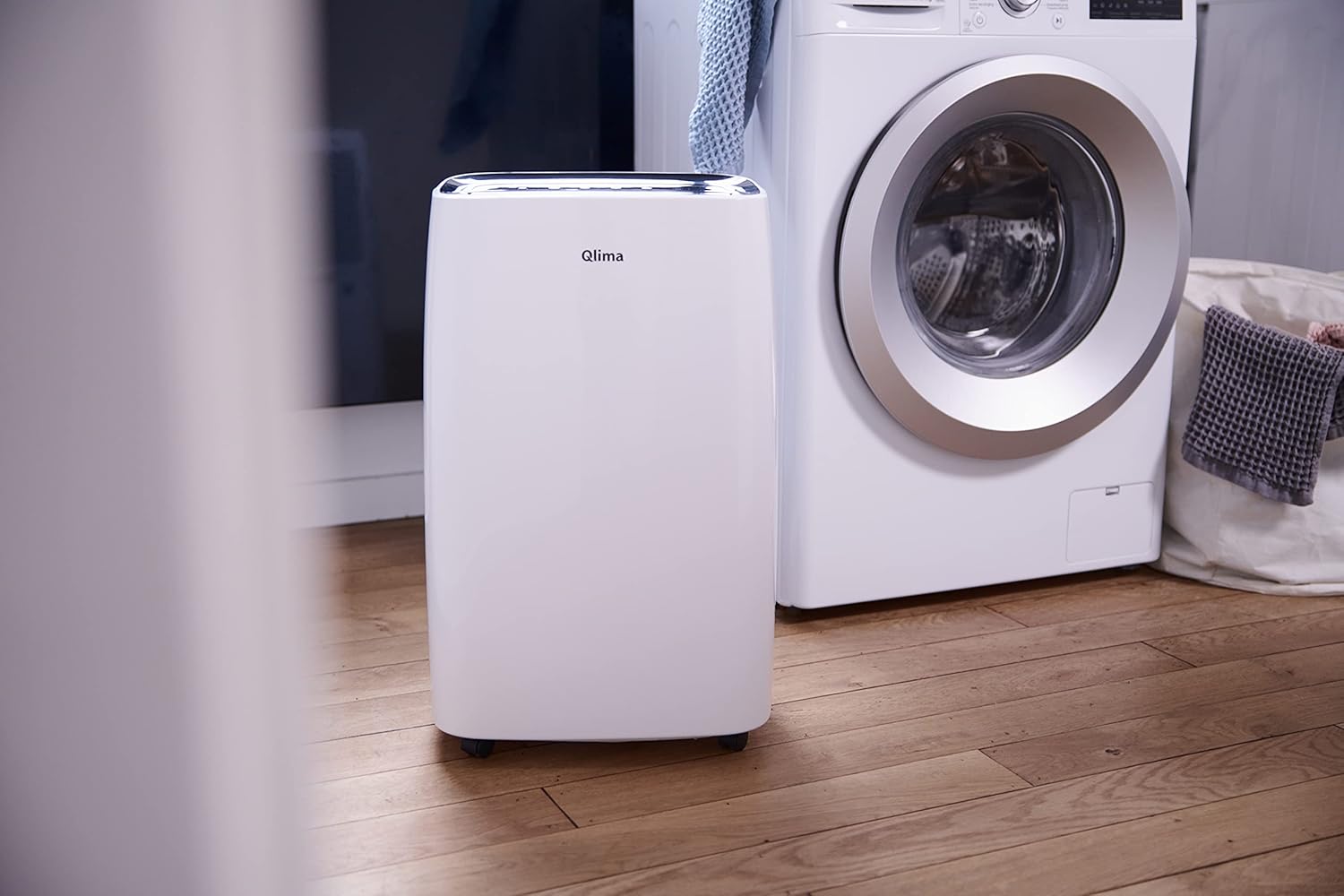
The Qlima D630P Dehumidifier placed in a laundry room next to a washing machine, highlighting its utility in damp areas to help dry clothes and reduce humidity.
7. ట్రబుల్షూటింగ్
కస్టమర్ సపోర్ట్ను సంప్రదించే ముందు, సాధారణ సమస్యలు మరియు వాటి పరిష్కారాల కోసం దయచేసి క్రింది పట్టికను చూడండి.
| సమస్య | సాధ్యమైన కారణం | పరిష్కారం |
|---|---|---|
| యూనిట్ ఆన్ చేయబడలేదు. | విద్యుత్ సరఫరా లేదు. పవర్ కార్డ్ సురక్షితంగా ప్లగ్ ఇన్ చేయబడలేదు. వాటర్ ట్యాంక్ నిండి ఉంది లేదా సరిగ్గా ఉంచలేదు. | యూనిట్ పనిచేసే అవుట్లెట్లోకి ప్లగ్ చేయబడిందో లేదో తనిఖీ చేయండి. పవర్ కార్డ్ గట్టిగా కనెక్ట్ అయ్యిందని నిర్ధారించుకోండి. నీటి ట్యాంక్ను ఖాళీ చేసి, దానిని సరిగ్గా తిరిగి అమర్చారని నిర్ధారించుకోండి. |
| No dehumidification. | ఎయిర్ ఫిల్టర్ మురికిగా ఉంది. గది ఉష్ణోగ్రత చాలా తక్కువ. తేమ సెట్టింగ్ చాలా ఎక్కువగా ఉంది. తలుపులు/కిటికీలు తెరిచి ఉన్నాయి. | ఎయిర్ ఫిల్టర్ను శుభ్రం చేయండి. డీహ్యూమిడిఫైయర్లు 5°C (41°F) కంటే ఎక్కువ ఉష్ణోగ్రత వద్ద బాగా పనిచేస్తాయి. కావలసిన తేమ సెట్టింగ్ను తగ్గించండి. గదిలోని అన్ని తలుపులు మరియు కిటికీలను మూసివేయండి. |
| యూనిట్ ధ్వనించే ఉంది. | యూనిట్ సమతల ఉపరితలంపై లేదు. ఎయిర్ ఫిల్టర్ మురికిగా ఉంది. ఫ్యాన్ లో అడ్డంకి. | యూనిట్ను చదునైన, స్థిరమైన ఉపరితలంపై ఉంచండి. ఎయిర్ ఫిల్టర్ను శుభ్రం చేయండి. Check for any foreign objects near the fan. |
| నీటి లీకేజీ. | వాటర్ ట్యాంక్ సరిగ్గా ఉంచలేదు. Continuous drainage hose is kinked or blocked. | వాటర్ ట్యాంక్ను సరిగ్గా తిరిగి చొప్పించండి. Check the drainage hose for kinks or blockages and ensure it is properly connected. |
| Wi-Fi కనెక్షన్ సమస్యలు. | Wi-Fi పాస్వర్డ్ తప్పు. Router too far or signal too weak. Dehumidifier not in pairing mode. | మీ Wi-Fi పాస్వర్డ్ను ఒకటికి రెండుసార్లు తనిఖీ చేయండి. Move the dehumidifier closer to the router or improve Wi-Fi signal. Ensure the Wi-Fi indicator light is blinking rapidly (pairing mode). Reset Wi-Fi if necessary. |
8. స్పెసిఫికేషన్లు
Technical specifications for the Qlima D630P Dehumidifier:
| పరామితి | విలువ |
|---|---|
| బ్రాండ్ | క్లిమా |
| మోడల్ సంఖ్య | 177047 |
| కొలతలు (L x W x H) | 37.1 x 25.1 x 59.5 సెం.మీ |
| బరువు | 17 కిలోలు |
| రంగు | తెలుపు |
| మెటీరియల్ | ప్లాస్టిక్ |
| వాట్tage | 580 వాట్స్ |
| డీహ్యూమిడిఫికేషన్ సామర్థ్యం | 30 లీటర్లు/24 గంటలు |
| వాటర్ ట్యాంక్ వాల్యూమ్ | 6 లీటర్లు |
| శబ్దం స్థాయి | గరిష్టంగా 34 డిబి |
| ఫ్యాన్ వేగం | 2 |
| సిఫార్సు ఉపయోగం | దేశీయ |
| వర్తించే ఫ్లోర్ ఏరియా | 200 m³ వరకు |
| ప్రత్యేక లక్షణాలు | Automatic Shut-off, Silent Operation, Timer, Portable, Wi-Fi |
9. వారంటీ మరియు మద్దతు
Qlima products are manufactured to the highest quality standards. For information regarding your product's warranty, please refer to the warranty card included with your purchase or visit the official Qlima website. If you encounter any issues that cannot be resolved using the troubleshooting guide, or if you require technical assistance, please contact Qlima customer support. Have your model number and purchase details ready when contacting support.
తాజా సమాచారం మరియు మద్దతు కోసం, దయచేసి సందర్శించండి: www.qlima.com


