1. పరిచయం
ధన్యవాదాలు, ధన్యవాదాలు.asing the FEELWORLD F6 On-Camera Monitor. This manual provides detailed instructions for the proper use, setup, and maintenance of your monitor. Please read this manual thoroughly before operating the device to ensure optimal performance and to prevent damage.
The FEELWORLD F6 is a compact and lightweight 5.7-inch Full HD 1920x1080 IPS monitor designed for DSLR and mirrorless cameras. It features a 170° wide viewing angle, professional Rec.709 color calibration, and a range of advanced monitoring tools to assist in professional video production.
భద్రతా సమాచారం
- విద్యుత్ షాక్ లేదా మంటలను నివారించడానికి మానిటర్ను వర్షం లేదా తేమకు గురిచేయవద్దు.
- ప్రత్యక్ష సూర్యకాంతిలో లేదా వేడి మూలాల దగ్గర మానిటర్ను ఉంచడం మానుకోండి.
- Use only the specified power adapter or compatible batteries.
- Do not disassemble or modify the monitor. Refer all servicing to qualified personnel.
- బలమైన అయస్కాంత క్షేత్రాల నుండి మానిటర్ను దూరంగా ఉంచండి.
2. ప్యాకేజీ విషయాలు
దయచేసి మీ ప్యాకేజీలో అన్ని వస్తువులు ఉన్నాయో లేదో తనిఖీ చేయండి:
- FEELWORLD F6 On-Camera Monitor
- టిల్ట్ ఆర్మ్
- HDMI కేబుల్
- సన్ షేడ్
- వినియోగదారు మాన్యువల్
3. ఉత్పత్తి ముగిసిందిview
The FEELWORLD F6 monitor is designed for ease of use and portability, featuring a slim profile and lightweight construction.
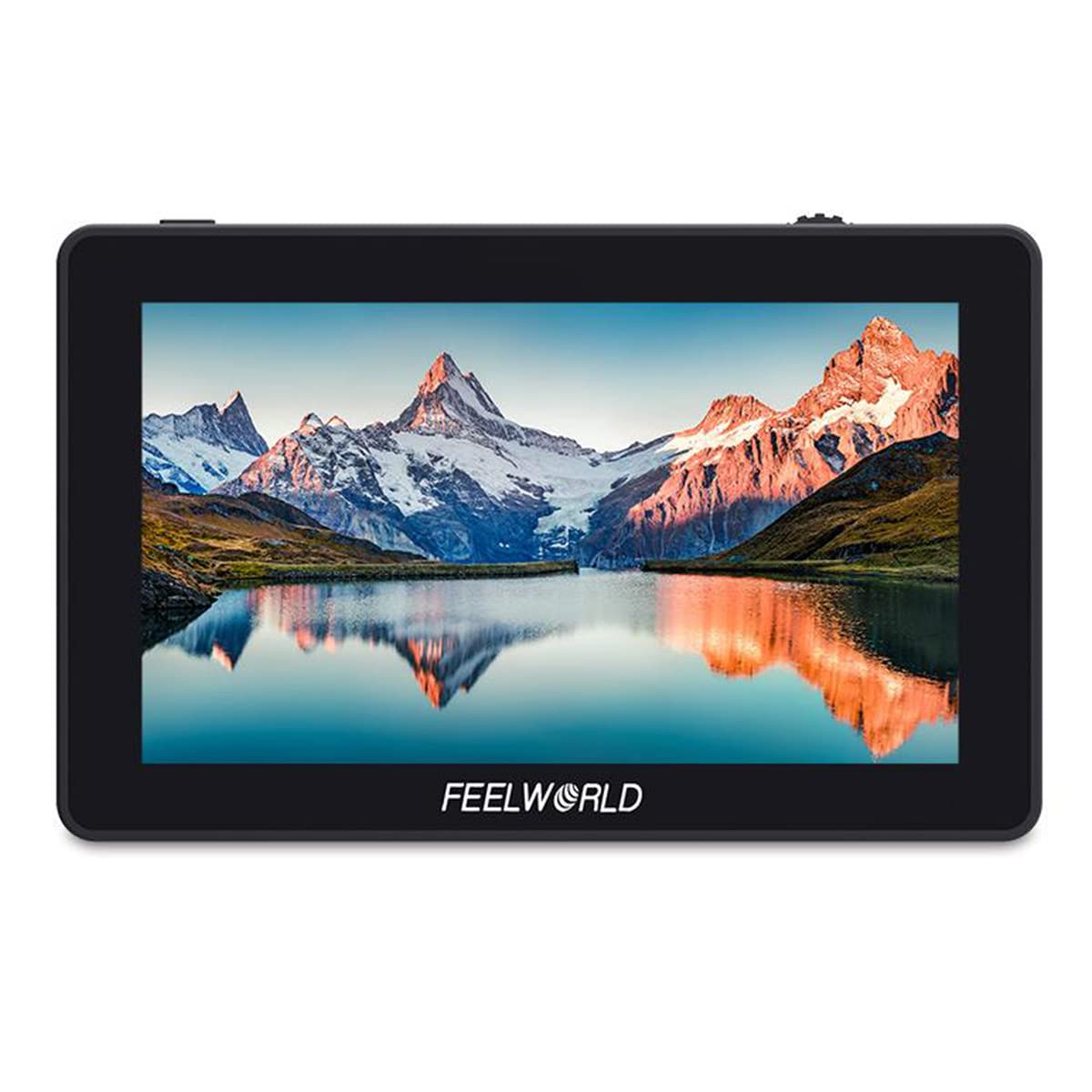
Figure 3.1: FEELWORLD F6 monitor mounted on a camera with a microphone.
పోర్టులు మరియు బటన్లు

మూర్తి 3.2: వైపు view of the FEELWORLD F6 monitor illustrating its various input and output ports.
- DC 12V: Power input for the monitor.
- DC OUT 8V: Power output to power compatible cameras or accessories.
- HDMI IN: HDMI input for video signal from your camera.
- USB అప్గ్రేడ్: ఫర్మ్వేర్ నవీకరణల కోసం USB పోర్ట్.
- 3.5mm Ear Phone Slot: Audio output for monitoring sound.
- ఫంక్షన్ బటన్లు: Customizable buttons for quick access to monitor features.
- మెనూ బటన్: Accesses the monitor's main menu.
- స్క్రోల్ వీల్: మెనూ ఎంపికల ద్వారా నావిగేట్ చేస్తుంది మరియు సెట్టింగ్లను సర్దుబాటు చేస్తుంది.
4. సెటప్
4.1 మానిటర్ను మౌంట్ చేయడం
The FEELWORLD F6 includes a tilt arm for flexible mounting options on your camera's hot shoe or cold shoe mount.

Figure 4.1: The monitor attached to a camera via the included tilt arm, allowing for angle adjustments.
- Attach the tilt arm to your camera's hot shoe or cold shoe mount.
- Securely fasten the tilt arm.
- Mount the FEELWORLD F6 monitor onto the tilt arm using the ¼-20 screw.
- Adjust the monitor to your desired viewing angle and tighten the tilt arm.
4.2 మానిటర్ను శక్తివంతం చేయడం
The F6 monitor supports both DC power input and battery power.

చిత్రం 4.2: వెనుక view of the monitor, highlighting the battery plate for compatible rechargeable batteries.
- DC పవర్: Connect a 7-24V DC power adapter to the 'DC IN 12V' port.
- బ్యాటరీ శక్తి: Attach a compatible NP-F series battery (e.g., NP-F970) to the battery plate on the back of the monitor.
4.3 కెమెరాకు కనెక్ట్ చేయడం
Use an HDMI cable to connect your camera to the monitor.
- Ensure both the monitor and camera are powered off.
- Connect one end of the HDMI cable to your camera's HDMI output port.
- Connect the other end of the HDMI cable to the 'HDMI IN' port on the FEELWORLD F6 monitor.
- Power on the monitor, then power on your camera. The video signal should appear on the monitor.
5. ఆపరేటింగ్ సూచనలు
5.1 ప్రాథమిక ఆపరేషన్
- పవర్ ఆన్/ఆఫ్: Press and hold the power button (usually located on the side or top) for a few seconds to turn the monitor on or off.
- మెను నావిగేషన్: Press the 'MENU' button to access the main menu. Use the scroll wheel to navigate through options and press the wheel to confirm selections.
- ఫంక్షన్ బటన్లు: The F1/F2/F3 buttons are customizable. You can assign frequently used functions (e.g., Peaking, False Color) to these buttons via the menu.
5.2 అధునాతన పర్యవేక్షణ లక్షణాలు
The F6 monitor includes several professional tools to assist with exposure, focus, and framing:
- పీకింగ్ ఫిల్టర్: Highlights sharp edges in red, green, or blue to assist with focus.
- హిస్టోగ్రామ్: Displays the tonal distribution of the image, helping to prevent over or under-exposure.
- False Colors: Assigns specific color overlays to different exposure levels, making it easy to identify overexposed or underexposed areas.
- Exposure (Zebras): Displays zebra patterns over areas exceeding a set exposure threshold.
- పొందుపరిచిన ఆడియో: Visualizes audio levels on the screen.
- Anamorphic Mode: De-squeezes anamorphic footagఇ సరైన కోసం viewing.
- Nine Grids: Overlays a 3x3 grid for composition assistance.
- పెద్దదిగా చూపు: కీలకమైన దృష్టి కోసం చిత్రంలోని ఒక భాగాన్ని పెద్దదిగా చేస్తుంది.
- Pixel-to-Pixel: స్కేలింగ్ లేకుండా చిత్రాన్ని దాని స్థానిక రిజల్యూషన్లో ప్రదర్శిస్తుంది.
- ఫీల్డ్ని తనిఖీ చేయండి: Displays only red, green, blue, or mono channels for color analysis.
- చిత్రం ఫ్లిప్: Flips the image horizontally or vertically, useful for various mounting orientations.
- చిత్రం ఫ్రీజ్: Pauses the current frame on the screen.
5.3 Color Calibration (Rec.709 Standard)
The FEELWORLD F6 monitor is factory-calibrated to the professional Rec.709 HD color standard, ensuring accurate color reproduction.

Figure 5.1: Illustration of the Rec.709 color standard, indicating the monitor's professional color accuracy.

Figure 5.2: Visual comparison demonstrating the improved color accuracy after professional calibration.
This calibration ensures that the colors displayed on the monitor are consistent and true to the source, which is crucial for critical monitoring during production.
6. నిర్వహణ
6.1 శుభ్రపరచడం
- Use a soft, dry cloth to clean the monitor's exterior.
- For the screen, use a microfiber cloth specifically designed for electronics. If necessary, lightly dampen the cloth with a screen cleaning solution. Do not spray liquid directly onto the screen.
- కఠినమైన రసాయనాలు, ద్రావకాలు లేదా రాపిడి క్లీనర్లను ఉపయోగించడం మానుకోండి.
6.2 నిల్వ
- When not in use, store the monitor in a cool, dry place, away from direct sunlight and extreme temperatures.
- If storing for an extended period, remove any attached batteries.
- Use a protective case or pouch to prevent scratches and impacts.
7. ట్రబుల్షూటింగ్
| సమస్య | సాధ్యమైన కారణం | పరిష్కారం |
|---|---|---|
| మానిటర్ పవర్ ఆన్ చేయదు. | పవర్ లేదు, బ్యాటరీ తక్కువగా ఉంది లేదా పవర్ కనెక్షన్ సరిగా లేదు. | Check DC power connection or replace/recharge battery. Ensure power button is pressed correctly. |
| వీడియో సిగ్నల్ లేదు. | Incorrect HDMI connection, camera not outputting signal, or incorrect input selected. | Verify HDMI cable connection. Check camera's HDMI output settings. Ensure 'HDMI IN' is selected on the monitor. |
| Image is distorted or flickering. | Faulty HDMI cable, incompatible resolution, or interference. | Try a different HDMI cable. Adjust camera's output resolution. Move away from sources of electromagnetic interference. |
| Monitor gets hot during operation. | Normal operation, or poor ventilation. | Some warmth is normal. Ensure adequate airflow around the monitor. If excessively hot, power off and allow to cool. |
ఈ పరిష్కారాలను ప్రయత్నించిన తర్వాత కూడా సమస్య కొనసాగితే, దయచేసి కస్టమర్ మద్దతును సంప్రదించండి.
8. స్పెసిఫికేషన్లు
| ఫీచర్ | స్పెసిఫికేషన్ |
|---|---|
| మోడల్ | F6 |
| స్క్రీన్ పరిమాణం | 5.7" ఐపీఎస్ |
| రిజల్యూషన్ | 1920 x 1080 పిక్సెల్లు |
| పిక్సెల్ పిచ్ | 0.0657 x 0.0219 మి.మీ |
| కారక నిష్పత్తి | 16:9 |
| ప్రకాశం | 460 cd/m² |
| కాంట్రాస్ట్ రేషియో | 1400:1 |
| బ్యాక్లైట్ | LED |
| Viewing యాంగిల్ | 85°/85° (L/R) 85°/85° (U/D) |
| ఇన్పుట్ వాల్యూమ్tage | 7 ~ 24 V DC |
| విద్యుత్ వినియోగం | ≤ 8 W |
| పవర్ కనెక్టర్ | DC |
| ఆపరేటింగ్ ఉష్ణోగ్రత | -20 °C ~ 55 °C |
| నిల్వ ఉష్ణోగ్రత | -30 °C ~ 65 °C |
| సంస్థాపన | 3 x ¼-20 Thread points (top, bottom, right side) |
| కొలతలు | 154 x 90 x 23 మిమీ |
| యూనిట్ బరువు | 200 గ్రా |
| HDMI Input/Output Support | 480i/576i/480p/576p, 1080i (60/59.94/50), 720p (60/59.94/50/30/29/25/24/23.98), 1080p (60/59.94/50/30/29.97/25/24/24sF/23.98/ 23.98sF), 4K UHD 3840 × 2160p (30/29.97/25/24/23.98 Hz), 4096 × 2160p (24 Hz) |
| ఆడియో అవుట్పుట్ | 3.5mm స్టీరియో హెడ్ఫోన్ జాక్ |
| సూచన సంఖ్య | 712350122799 |
| ASIN | B07ZR8SHZ8 |
9. వారంటీ మరియు మద్దతు
9.1 వారంటీ సమాచారం
FEELWORLD products typically come with a limited warranty against defects in materials and workmanship. Please refer to the warranty card included with your product or visit the official FEELWORLD webమీ ప్రాంతానికి వర్తించే నిర్దిష్ట వారంటీ నిబంధనలు మరియు షరతుల కోసం సైట్ను చూడండి.
9.2 కస్టమర్ మద్దతు
For technical assistance, troubleshooting, or service inquiries, please contact FEELWORLD customer support. You can usually find contact information, including email and phone numbers, on the official FEELWORLD webసైట్ (www.feelworld.cn) లేదా మీ స్థానిక పంపిణీదారు ద్వారా.
When contacting support, please have your product model (F6) and purchase information ready.


