ఉత్పత్తి ముగిసిందిview
The Motorola Tech 3-in-1 Smart True Wireless Headphones offer versatile listening options, adapting to your lifestyle whether you prefer true wireless, a secure sport loop, or a direct audio plug-in connection. Designed for convenience and durability, these headphones feature IPX5 water resistance, a built-in microphone for hands-free calls, and a magnetic charging case with integrated cable storage.

Image: Motorola Tech 3-in-1 Smart True Wireless Headphones, showcasing the earbuds and charging case.
- 3-ఇన్-1 ఉపయోగం: Seamlessly switch between true wireless earbuds, a sport wire for active use, or a 3.5mm audio plug-in for wired connection.
- పొడిగించిన బ్యాటరీ జీవితం: Enjoy up to 7 hours of playtime from the earbuds, with an additional 11 hours provided by the charging case.
- Water and Sweat Resistant (IPX5): Designed to withstand splashes and sweat, making them suitable for workouts and outdoor activities.
- త్వరిత ఛార్జింగ్: A rapid 15-minute charge provides up to 3 hours of headphone use.
- స్మార్ట్ అసిస్టెంట్ అనుకూలత: Compatible with Amazon Alexa, Siri, and Google Assistant for hands-free control via the Hubble app.
సెటప్ మరియు జత చేయడం
ప్రారంభ ఛార్జింగ్
Before first use, ensure your Motorola Tech 3-in-1 headphones are fully charged. Place both earbuds into the magnetic charging case. Connect the charging case to a power source using the provided USB cable. The indicator light on the case will show charging status.
బ్లూటూత్ పెయిరింగ్
- ఇయర్బడ్లు ఛార్జ్ అయ్యాయని మరియు ఛార్జింగ్ కేస్ నుండి తీసివేయబడ్డాయని నిర్ధారించుకోండి. అవి స్వయంచాలకంగా జత చేసే మోడ్లోకి ప్రవేశిస్తాయి.
- మీ స్మార్ట్ఫోన్ లేదా ఆడియో పరికరంలో, బ్లూటూత్ సెట్టింగ్లకు నావిగేట్ చేయండి.
- కోసం వెతకండి available devices and select "TECH3" from the list.
- Once connected, the earbuds will indicate successful pairing (e.g., a voice prompt or LED change).
వీడియో: ఒక అధికారిview of the Motorola Tech3 headphones, demonstrating their features and versatility.
ఆపరేటింగ్ మోడ్లు
1. True Wireless Mode
For complete freedom, use the earbuds independently via Bluetooth connection. Ideal for everyday listening and hands-free calls.
2. Sport Loop Mode
Attach the flexible sport wire to the earbuds for added security during physical activities. This prevents loss and provides stability.

Image: A person exercising while wearing the Motorola Tech 3-in-1 headphones in Sport Loop mode, demonstrating their secure fit and water-resistant design.
3. Audio Plug-in Mode
For situations requiring a wired connection or when battery is low, connect the audio plug-in cable to the charging case and then to your device's 3.5mm jack. This mode offers unlimited playtime.
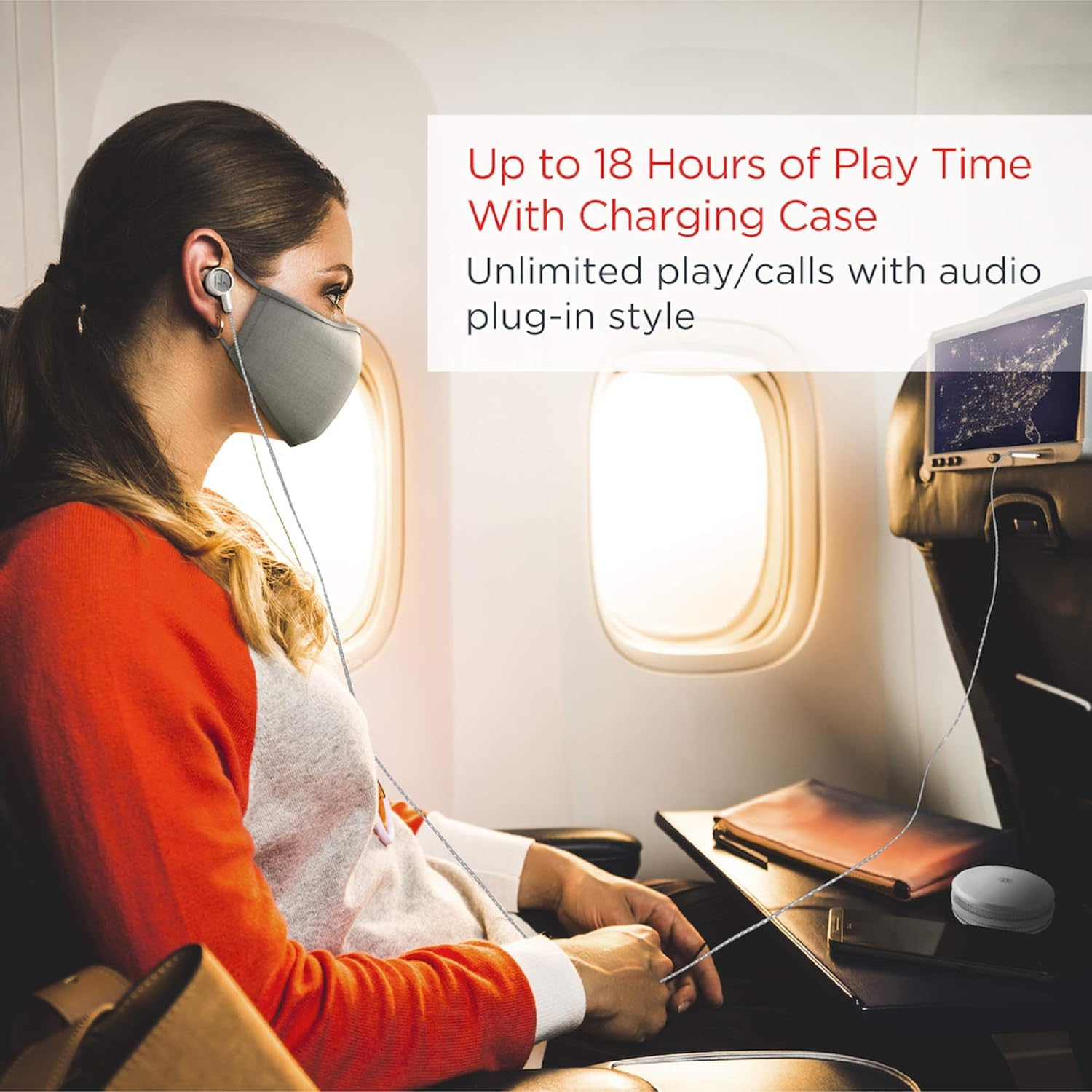
Image: A person using the Motorola Tech 3-in-1 headphones in wired mode while traveling, illustrating the audio plug-in functionality for continuous listening.
స్మార్ట్ టచ్ నియంత్రణలు
The earbuds feature smart touch controls for managing music playback, calls, and activating your voice assistant. Refer to the quick start guide for specific tap commands.

Image: A person using the smart touch controls on one of the Motorola Tech 3-in-1 earbuds, demonstrating ease of interaction.
నిర్వహణ
- శుభ్రపరచడం: ఇయర్బడ్లు మరియు ఛార్జింగ్ కేసును మృదువైన, పొడి వస్త్రంతో క్రమం తప్పకుండా శుభ్రం చేయండి. కఠినమైన రసాయనాలు లేదా రాపిడి పదార్థాలను ఉపయోగించకుండా ఉండండి.
- నీటి నిరోధకత: The headphones are IPX5 water resistant, meaning they can withstand low-pressure water jets. Do not submerge them in water. Ensure they are dry before placing them back in the charging case.
- నిల్వ: ఉపయోగంలో లేనప్పుడు, ఇయర్బడ్లను రక్షించడానికి మరియు వాటిని ఛార్జ్లో ఉంచడానికి వాటి ఛార్జింగ్ కేసులో నిల్వ చేయండి.
ట్రబుల్షూటింగ్
- ఇయర్బడ్లు ఛార్జ్ కావడం లేదు: Ensure the plastic tabs are removed from the earbuds' charging contacts. Verify the charging cable is securely connected to both the case and the power source.
- One Earbud Not Working/Connecting: Place both earbuds back into the charging case, close the lid, and then reopen it. Remove them and try pairing again. If issues persist, try resetting the earbuds (refer to the full manual for specific reset instructions).
- Poor Sound Quality/Disconnections: Ensure the earbuds are within the Bluetooth range (10 meters) of your device. Check for interference from other wireless devices. Ensure the ear tips provide a secure seal in your ear.
- బ్యాటరీ లైఫ్ ఊహించిన దానికంటే తక్కువ: Ensure the earbuds and case are fully charged. Battery performance can vary based on volume levels and usage patterns.
స్పెసిఫికేషన్లు
| ఫీచర్ | వివరాలు |
|---|---|
| మోడల్ పేరు | Motorola Tech 3-in-1 Smart True Wireless Headphones |
| మోడల్ సంఖ్య | SH055 PW |
| కనెక్టివిటీ టెక్నాలజీ | బ్లూటూత్ |
| వైర్లెస్ కమ్యూనికేషన్ టెక్నాలజీ | బ్లూటూత్ |
| బ్లూటూత్ వెర్షన్ | 4.0 |
| బ్లూటూత్ రేంజ్ | 10 మీటర్లు |
| నీటి నిరోధక స్థాయి | IPX5 (వాటర్ రెసిస్టెంట్) |
| బ్యాటరీ లైఫ్ | Up to 9 Hours (earbuds), 18 Hours (with charging case) |
| ఛార్జింగ్ సమయం | 15 గంటల ఉపయోగం కోసం 3 నిమిషాలు |
| హెడ్ఫోన్స్ జాక్ | 3.5 mm Jack (for audio plug-in mode) |
| చేర్చబడిన భాగాలు | కేబుల్, ప్రొటెక్టివ్ కేస్ |
| వస్తువు బరువు | 0.07 కిలోగ్రాములు (2.46 ఔన్సులు) |
| ఉత్పత్తి కొలతలు | 2.36 x 1.89 x 1.06 అంగుళాలు |
| నియంత్రణ రకం | మీడియా నియంత్రణ, యాప్ |
| ప్రత్యేక ఫీచర్ | Sweatproof, Sports-and-Exercise, Water-Resistant, Wireless |
వారంటీ మరియు మద్దతు
For any questions, warranty information, support, or service related to your Motorola Tech 3-in-1 Smart True Wireless Headphones, please visit the official support webసైట్:


