1. పరిచయం
This manual provides instructions for the proper use and maintenance of your DEWALT Jobsite Earphones DW2. Please read this manual thoroughly before using the product to ensure safe and optimal performance.
The DEWALT Jobsite Earphones DW2 are designed for durability and performance in demanding environments, featuring a wired connection, in-line remote control, and IPX6 water resistance.
2. భద్రతా సమాచారం
గాయం లేదా నష్టం ప్రమాదాన్ని తగ్గించడానికి ఈ ఉత్పత్తిని ఉపయోగిస్తున్నప్పుడు ఎల్లప్పుడూ ప్రాథమిక భద్రతా జాగ్రత్తలను అనుసరించండి.
- Do not use earphones at excessively high volumes for extended periods to prevent hearing damage.
- Ensure the earphones are securely fitted to prevent them from falling out during activity.
- Keep the product away from extreme temperatures, direct sunlight, and corrosive materials.
- Do not attempt to disassemble or modify the earphones. This will void the warranty and may cause damage.
- Clean the earphones only with a soft, dry cloth. Avoid using harsh chemicals or abrasive cleaners.

Image: The earphones are designed to withstand sweat and moisture, rated IPX6 water resistant.
3. ప్యాకేజీ విషయాలు
ప్యాకేజీలో అన్ని అంశాలు ఉన్నాయని నిర్ధారించుకోండి:
- DEWALT Jobsite Earphones DW2
- Stabilizing Ear Fins (multiple sizes)
- Memory Foam Ear Cushions (multiple sizes)
- Triple Flange Ear Tips (multiple sizes)
- చొక్కా క్లిప్

Image: A visual representation of all included accessories, including different sizes of ear fins, memory foam cushions, triple flange ear tips, and a shirt clip.
4. సెటప్
4.1 Selecting Ear Tips and Fins
Choose the ear tips and stabilizing ear fins that provide the most comfortable and secure fit for your ears. A proper fit is essential for optimal sound quality and noise isolation.
- Experiment with different sizes of ear tips (memory foam, triple flange) to find the best seal.
- Attach the appropriate stabilizing ear fins to help keep the earphones in place during activity.
4.2 మీ పరికరానికి కనెక్ట్ అవుతోంది
The DEWALT Jobsite Earphones DW2 use a standard 3.5mm audio jack for connection.
- Locate the 3.5mm audio jack on your smartphone, tablet, or other compatible audio device.
- Insert the earphone's 3.5mm connector firmly into the device's audio jack.

Image: The 3.5mm audio jack ensures wide compatibility with most smartphones, tablets, and other audio devices.
5. ఆపరేటింగ్ సూచనలు
The earphones feature an in-line remote control for managing audio playback and phone calls.

Image: The in-line remote control with volume buttons, a multi-function button for play/pause and call management, and an HD clarity microphone.
5.1 మ్యూజిక్ ప్లేబ్యాక్
- ప్లే/పాజ్: సెంటర్ బటన్ను ఒకసారి నొక్కండి.
- తదుపరి ట్రాక్: మధ్య బటన్ను రెండుసార్లు త్వరగా నొక్కండి.
- మునుపటి ట్రాక్: మధ్య బటన్ను మూడుసార్లు త్వరగా నొక్కండి.
- ధ్వని పెంచు: '+' బటన్ నొక్కండి.
- వాల్యూమ్ డౌన్: '-' బటన్ నొక్కండి.
5.2 ఫోన్ కాల్స్
- సమాధానం/ముగింపు కాల్: సెంటర్ బటన్ను ఒకసారి నొక్కండి.
- కాల్ని తిరస్కరించండి: Press and hold the center button for approximately 2 seconds.
- వాయిస్ అసిస్టెంట్ను సక్రియం చేయండి: Press and hold the center button for approximately 2 seconds when not on a call.
5.3 మైక్రోఫోన్ వాడకం
The integrated HD clarity microphone allows for clear communication during calls. Ensure the microphone is positioned appropriately for optimal voice pickup.

Image: The earphones feature an HD microphone for clear calls and noise isolation for improved audio experience.
6. నిర్వహణ
6.1 శుభ్రపరచడం
- Wipe the earphones and cable with a soft, dry, lint-free cloth.
- For ear tips, gently remove them and clean with a mild soap solution if necessary, then rinse thoroughly and allow to dry completely before reattaching.
- రాపిడి క్లీనర్లు, ఆల్కహాల్ లేదా రసాయన ద్రావకాలను ఉపయోగించవద్దు.
6.2 నిల్వ
- Store the earphones in a clean, dry place when not in use.
- కేబుల్ను చక్కగా చుట్టడం ద్వారా చిక్కులు పడకుండా ఉండండి.
- ఇయర్ఫోన్లను తీవ్రమైన ఉష్ణోగ్రతలు లేదా తేమకు గురిచేయవద్దు.
7. ట్రబుల్షూటింగ్
| సమస్య | సాధ్యమైన కారణం | పరిష్కారం |
|---|---|---|
| ధ్వని లేదా తక్కువ వాల్యూమ్ లేదు |
|
|
| మైక్రోఫోన్ పని చేయడం లేదు |
|
|
| రిమోట్ కంట్రోల్ బటన్లు స్పందించడం లేదు |
|
|
8. స్పెసిఫికేషన్లు
| మోడల్ సంఖ్య | DXMA1909032 |
| కనెక్షన్ రకం | Wired (3.5mm Audio Jack) |
| హెడ్ఫోన్ శైలి | చెవిలో |
| నీటి నిరోధకత రేటింగ్ | IPX6 (చెమట మరియు నీటి నిరోధకం) |
| మైక్రోఫోన్ | Integrated HD Clarity Microphone |
| In-line Remote Control | Volume, Play/Pause, Call Answer/End |
| కేబుల్ పొడవు | సుమారు 50 అంగుళాలు (127 సెం.మీ.) |
| బరువు | Approximately 0.15 pounds (68 grams) |
| మెటీరియల్ | ప్లాస్టిక్ |
| రంగు | నలుపు, పసుపు |
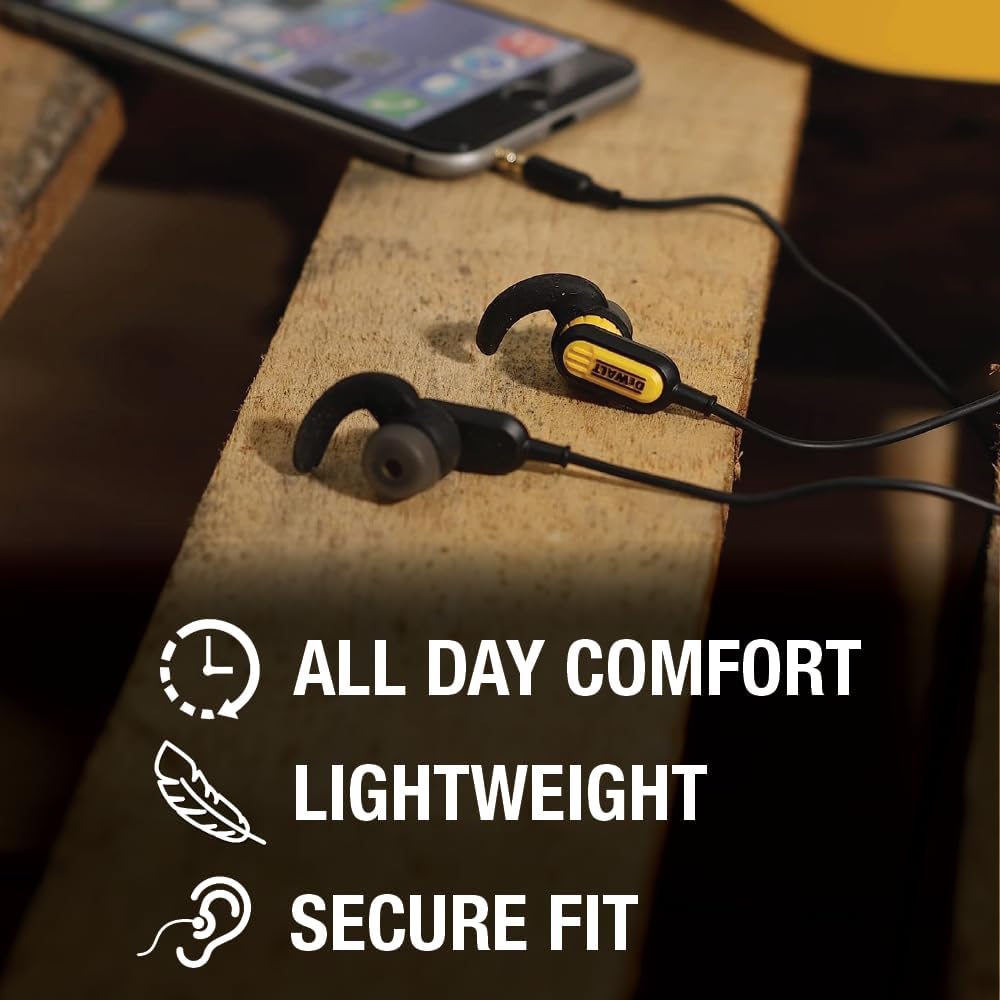
Image: The earphones are designed for all-day comfort, are lightweight, and provide a secure fit.

Image: As wired earphones, they offer continuous power without the need for charging.
9. వారంటీ మరియు మద్దతు
వారంటీ సమాచారం మరియు కస్టమర్ మద్దతు కోసం, దయచేసి అధికారిక DEWALT ని చూడండి. website or contact your local DEWALT service center. Keep your purchase receipt as proof of purchase for warranty claims.
మరింత సహాయం కోసం, సందర్శించండి DEWALT Brand Store.


