పరిచయం
ధన్యవాదాలు, ధన్యవాదాలు.asing the WorkPro™ LED USB Desk Lamp with Wireless Charger. This manual provides detailed instructions for the safe and efficient use of your new desk lamp. Please read this manual thoroughly before operation and retain it for future reference.
ముఖ్యమైన భద్రతా సమాచారం
- l ను బహిర్గతం చేయవద్దుamp నీరు లేదా అధిక తేమ.
- l ని విడదీయవద్దు లేదా మరమ్మత్తు చేయడానికి ప్రయత్నించవద్దుamp మీరే. అన్ని సేవలను అర్హత కలిగిన సిబ్బందికి సూచించండి.
- విద్యుత్ వనరు lతో సరిపోలుతుందని నిర్ధారించుకోండిamp's requirements (e.g., 7 watts).
- ఎల్ ఉంచండిamp వేడి మూలాలు మరియు ప్రత్యక్ష సూర్యకాంతి నుండి దూరంగా.
- Use only the provided power adapter or a compatible one.
- ఎల్ను అన్ప్లగ్ చేయండిamp మెరుపు తుఫానుల సమయంలో లేదా ఎక్కువ కాలం ఉపయోగించనప్పుడు.
పెట్టెలో ఏముంది
ప్యాకేజీని తెరిచిన తర్వాత, దయచేసి అన్ని భాగాలు ఉన్నాయని మరియు దెబ్బతినకుండా ఉన్నాయని ధృవీకరించండి:
- WorkPro™ LED USB Desk Lamp
- పవర్ అడాప్టర్
- రిమోట్ కంట్రోల్
- వినియోగదారు మాన్యువల్ (ఈ పత్రం)
సెటప్ మరియు అసెంబ్లీ
L ని అన్ప్యాక్ చేస్తోందిamp
ప్యాకేజింగ్ నుండి అన్ని భాగాలను జాగ్రత్తగా తొలగించండి. భవిష్యత్తులో నిల్వ లేదా రవాణా కోసం ప్యాకేజింగ్ను ఉంచండి.
L ని ఉంచడంamp
ఎల్ ఉంచండిamp on a stable, flat surface, such as a desk or table. Ensure there is enough space around the lamp for proper ventilation and adjustment.

Image: The WorkPro LED USB Desk Lamp positioned on a desk, showcasinదాని సొగసైన డిజైన్ మరియు స్థిరమైన బేస్.
కనెక్ట్ పవర్
l వెనుక భాగంలో పవర్ ఇన్పుట్ పోర్ట్ను గుర్తించండి.amp base. Insert the power adapter cable firmly into the port. Plug the other end of the power adapter into a standard electrical outlet.

చిత్రం: క్లోజప్ view l యొక్కamp's base, highlighting the USB charging ports and the power input connection point.
ఆపరేటింగ్ సూచనలు
Lamp Controls (Touch Control)
ది ఎల్amp features touch controls integrated into its base for easy operation.
- పవర్ ఆన్/ఆఫ్: Lightly touch the power icon on the base to turn the lamp ఆన్ లేదా ఆఫ్.
- ప్రకాశం సర్దుబాటు: Touch the brightness control area to cycle through 5 brightness levels.
- రంగు ఉష్ణోగ్రత సర్దుబాటు: Touch the color temperature control area to cycle through 5 color modes (3000K-6000K).
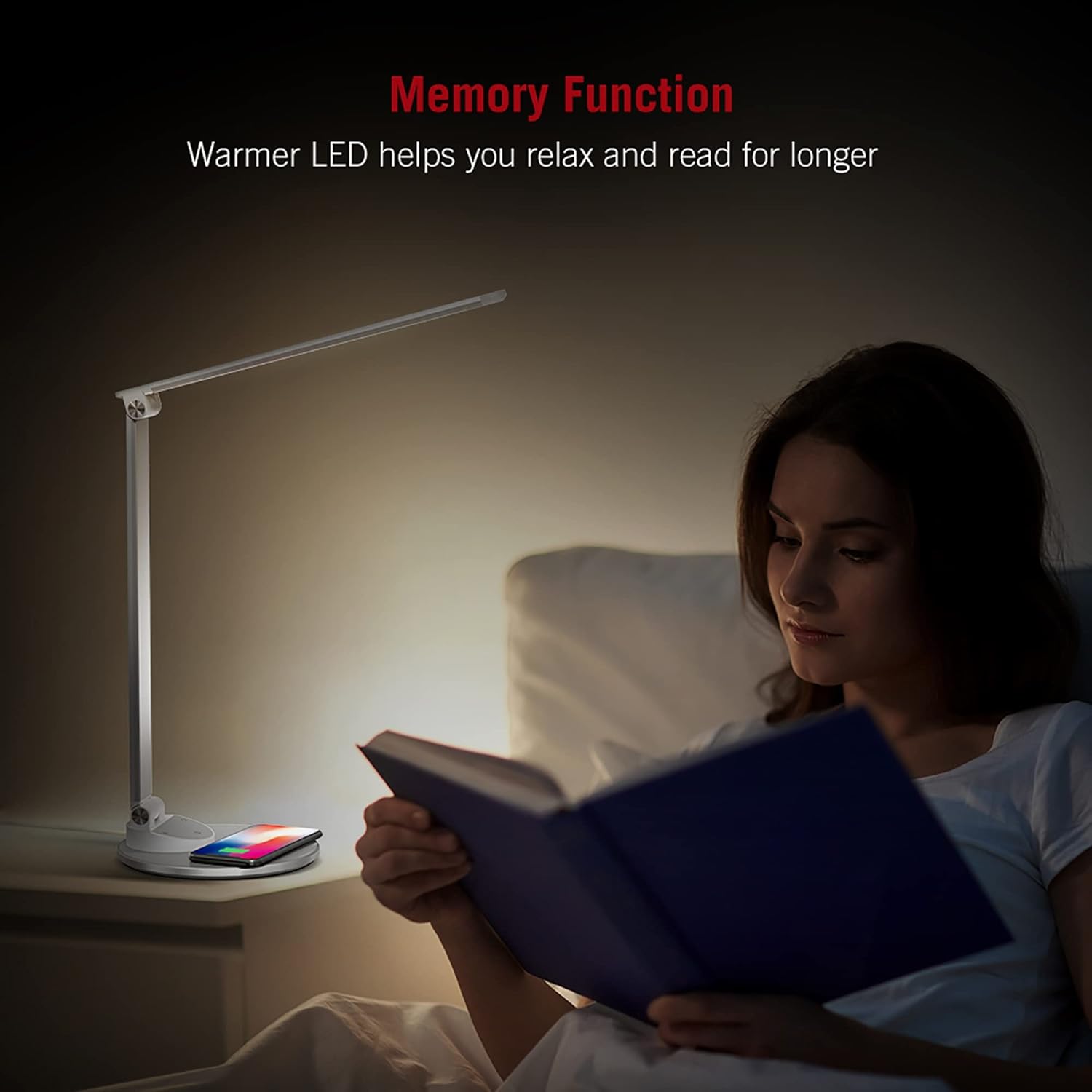
Image: An illustration demonstrating the five available color temperature modes (from warm to cool white) and five brightness levels of the WorkPro desk lamp.
ఎల్ని సర్దుబాటు చేయడంamp చేయి
ది ఎల్amp features an adjustable arm for multi-angle lighting. Gently adjust the arm and head to your desired position. The lamp arm can be adjusted up to 135 degrees and the base arm up to 145 degrees.

Image: A diagram illustrating the adjustable angles of the lamp's arm (135 degrees) and its base (145 degrees), allowing for flexible positioning.
వైర్లెస్ ఛార్జింగ్ ఫంక్షన్
ది ఎల్amp base includes a built-in wireless charging pad. To use, place your Qi-compatible device (e.g., smartphone) centered on the charging pad. The device should begin charging automatically.
- మీ పరికరం Qi వైర్లెస్ ఛార్జింగ్కు మద్దతు ఇస్తుందని నిర్ధారించుకోండి.
- Remove any thick cases that might interfere with charging.
- A charging indicator (if present on your device) will confirm charging status.

Image: The WorkPro desk lamp with a smartphone resting on its integrated wireless charging pad, demonstrating the charging feature.
USB ఛార్జింగ్ పోర్ట్లు
ది ఎల్amp also features USB ports for wired charging of other devices. Connect your device's USB cable to the port on the lamp బేస్.
చిత్రం: క్లోజప్ view l యొక్కamp's base, highlighting the USB charging ports and the power input connection point.
మెమరీ ఫంక్షన్
ది ఎల్amp is equipped with a memory function that recalls your last used brightness and color temperature settings when turned back on.

Image: A person reading in bed, illuminated by the WorkPro lamp, demonstrating how the warmer LED settings can aid relaxation and extended reading.
నిర్వహణ మరియు సంరక్షణ
- శుభ్రపరచడం: l ను డిస్కనెక్ట్ చేయండిamp శుభ్రం చేయడానికి ముందు పవర్ నుండి. l ను తుడవడానికి మృదువైన, పొడి వస్త్రాన్ని ఉపయోగించండిamp's surfaces. Do not use abrasive cleaners, solvents, or harsh chemicals.
- నిల్వ: l నిల్వ చేస్తేamp for an extended period, unplug it and store it in a cool, dry place, preferably in its original packaging.
- LED లైట్లు: The LED lights are integrated and not user-replaceable. Do not attempt to replace them.
ట్రబుల్షూటింగ్
| సమస్య | సాధ్యమైన కారణం | పరిష్కారం |
|---|---|---|
| Lamp ఆన్ చేయదు. | Not plugged in; power outlet not working; power adapter faulty. | Ensure power adapter is securely plugged into lamp and outlet. Test outlet with another device. Try a different compatible power adapter. |
| వైర్లెస్ ఛార్జింగ్ పనిచేయడం లేదు. | Device not Qi-compatible; device not properly aligned; thick phone case; foreign objects on pad. | Verify device supports Qi charging. Re-position device on the center of the pad. Remove phone case. Remove any metal objects or cards from the pad. |
| Lamp flickers or light is unstable. | Unstable power supply; faulty lamp. | Try plugging into a different outlet. If problem persists, contact customer support. |
ఉత్పత్తి లక్షణాలు
| ఫీచర్ | వివరాలు |
|---|---|
| మోడల్ సంఖ్య | WP2000S |
| బ్రాండ్ | వర్క్ప్రో |
| కాంతి మూలం రకం | LED |
| వాట్tage | 7 వాట్స్ |
| రంగు మోడ్లు | 5 (3000 కె-6000 కె) |
| ప్రకాశం స్థాయిలు | 5 |
| నియంత్రణ పద్ధతి | టచ్ |
| ప్రత్యేక లక్షణాలు | Adjustable Arm, Energy Efficient, Wireless Charging, USB Charging Ports, Memory Function |
| మెటీరియల్ | Metal, Porcelain |
| ఉత్పత్తి కొలతలు | 17.75 x 8.5 x 3 అంగుళాలు |
| వస్తువు బరువు | 3.49 పౌండ్లు (1.59 కిలోగ్రాములు) |
| శక్తి మూలం | కార్డెడ్ ఎలక్ట్రిక్ |
| కనెక్టివిటీ టెక్నాలజీ | USB |
| UPC | 735854860363 |
వారంటీ సమాచారం
నిర్దిష్ట వారంటీ వివరాలు సాధారణంగా మీ కొనుగోలు డాక్యుమెంటేషన్తో లేదా తయారీదారు అధికారిక పత్రంలో అందించబడతాయి website. Please refer to the warranty card included in your product packaging or visit the WorkPro official webఅత్యంత తాజా వారంటీ పాలసీ కోసం సైట్.
కస్టమర్ మద్దతు
For technical assistance, troubleshooting beyond this manual, or warranty claims, please contact WorkPro customer support:
- WorkPro Store on Amazon: Visit WorkPro Store
- Refer to your product packaging for direct contact information (phone number, email address) if available.


