1. పరిచయం
This manual provides detailed instructions for the setup, operation, and maintenance of your 8Bitdo N30 2.4G Wireless Gamepad. This controller is designed to offer a wireless gaming experience for your Original Nintendo Entertainment System (NES) console, combining classic design with modern 2.4G wireless technology.
ముఖ్య లక్షణాలు ఉన్నాయి:
- 2.4G wireless connectivity for your original NES system.
- Integrated Turbo function via dedicated Turbo A and Turbo B buttons.
- A Home button for convenient access to the Analogue NT Mini home menu.
- Lag-free performance for an authentic gaming experience.
- Rechargeable built-in Lithium-Ion battery.
- గమనిక: Bluetooth connection is not supported by this device.
2. ప్యాకేజీ విషయాలు
మీ ప్యాకేజీలో అన్ని అంశాలు ఉన్నాయని ధృవీకరించండి:
- 8Bitdo N30 2.4G Controller
- 8Bitdo 2.4G Wireless Receiver
- USB ఛార్జింగ్ కేబుల్
- సూచనల మాన్యువల్ (ఈ పత్రం)

మూర్తి 1: Contents of the 8Bitdo N30 2.4G Wireless Gamepad package.
3. ఉత్పత్తి ముగిసిందిview
The 8Bitdo N30 2.4G Wireless Gamepad is designed to replicate the feel of the original NES controller while providing modern wireless convenience.

మూర్తి 2: The 8Bitdo N30 2.4G Wireless Gamepad, designed to resemble the classic NES controller, shown alongside its dedicated 2.4G wireless receiver.
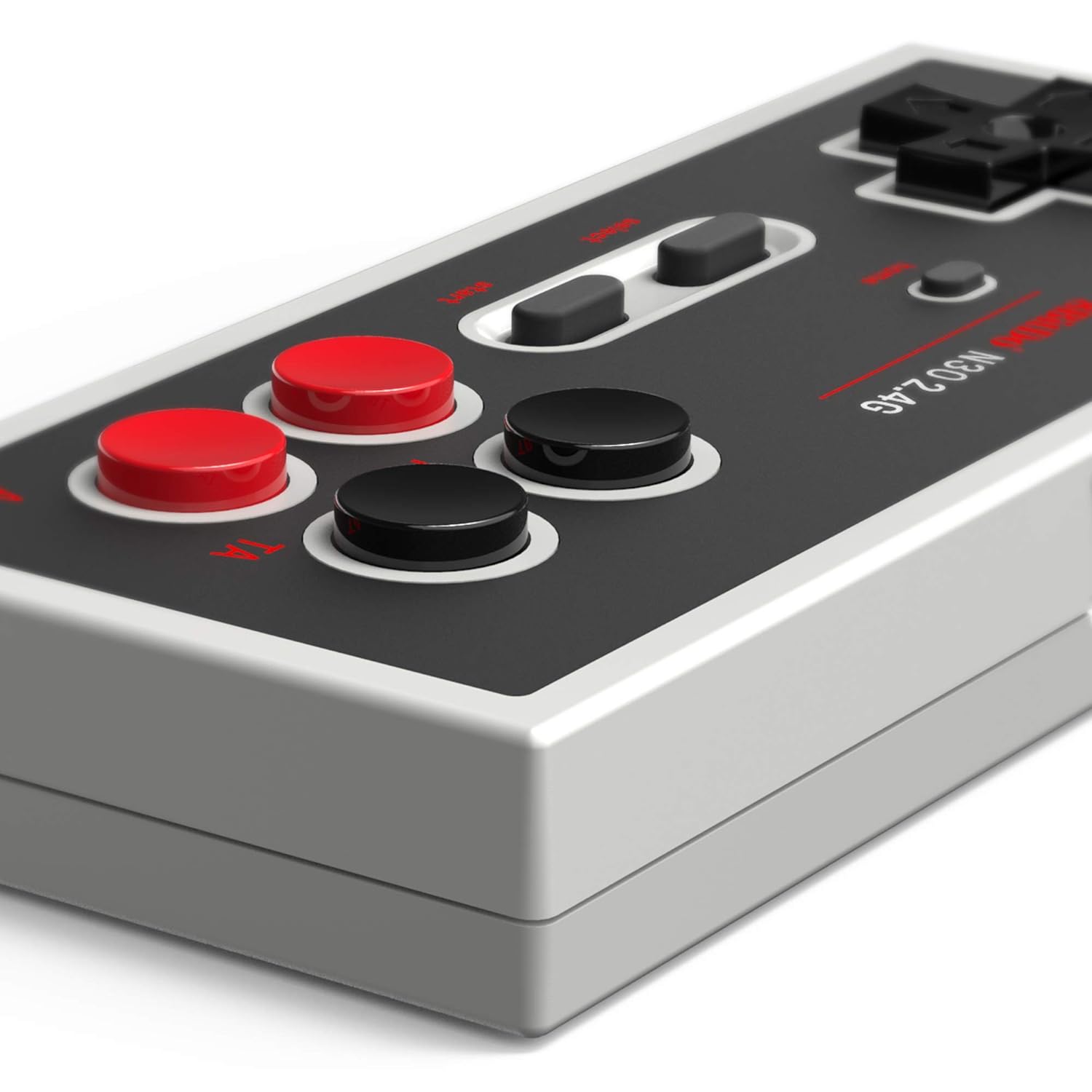
మూర్తి 3: ఒక వివరణాత్మక view of the controller's face, highlighting the D-pad, A, B, Turbo A, Turbo B, Select, Start, and Home buttons.

మూర్తి 4: The side of the controller, featuring the USB-C charging port for convenient power replenishment.

మూర్తి 5: A detailed image of the compact 2.4G wireless receiver, which plugs into the NES console.
4. సెటప్ సూచనలు
- కంట్రోలర్ను ఛార్జ్ చేయండి: Before first use, connect the 8Bitdo N30 2.4G Wireless Gamepad to a USB power source using the provided USB charging cable. The LED indicator on the controller will show charging status. A full charge typically takes 1-2 hours.
- రిసీవర్ని కనెక్ట్ చేయండి: Insert the 8Bitdo 2.4G Wireless Receiver into a controller port on your Original NES console. Ensure it is firmly seated.
- Power On the Console: Turn on your NES console.
- Power On the Controller: Press the Start button on the 8Bitdo N30 controller to power it on. The controller and receiver should automatically pair. The LED on both devices will indicate a successful connection (e.g., solid light).
- Begin Gaming: Once connected, you can start playing your NES games wirelessly.

మూర్తి 6: The 8Bitdo N30 2.4G Wireless Gamepads connected to an Original NES console via their receivers.
5. ఆపరేటింగ్ సూచనలు
5.1 ప్రాథమిక నియంత్రణలు
The controller features the standard NES button layout:
- డి-ప్యాడ్: దిశాత్మక కదలిక కోసం.
- ఒక బటన్: ప్రాథమిక చర్య బటన్.
- బి బటన్: ద్వితీయ చర్య బటన్.
- ప్రారంభ బటన్: Pauses games or confirms selections.
- బటన్ని ఎంచుకోండి: Changes game options or selections.
- హోమ్ బటన్: Specifically designed to access the Analogue NT Mini home menu wirelessly.
5.2 టర్బో ఫంక్షన్
The N30 2.4G Gamepad includes dedicated Turbo A (TA) and Turbo B (TB) buttons for rapid-fire input. Press and hold the respective Turbo button along with the A or B button to activate the turbo function.
5.3 పవర్ మేనేజ్మెంట్
- ఆటోమేటిక్ స్లీప్ మోడ్: The controller will enter sleep mode after 1 minute if no connection is detected, or after 15 minutes of inactivity while connected.
- మేల్కొలుపు: Press any button to wake the controller from sleep mode.
- పవర్ ఆఫ్: To manually power off the controller, hold the Start button for 3 seconds.
6. అనుకూలత
The 8Bitdo N30 2.4G Wireless Gamepad is compatible with the following systems:
- Original NES (Nintendo Entertainment System)
- Famicom (Model HVC-101)
- Analogue Nt / Nt Mini
7. స్పెసిఫికేషన్లు
| మోడల్ | N30 2.4G వైర్లెస్ గేమ్ప్యాడ్ |
| కనెక్టివిటీ | 2.4G Wireless Technology (Bluetooth not applicable) |
| బ్యాటరీ రకం | 180mAh Li-on battery, rechargeable |
| బ్యాటరీ లైఫ్ | 18-20 hours of play on a full charge |
| ఛార్జింగ్ సమయం | 1-2 గంటలు |
| కొలతలు (కంట్రోలర్) | 123.8 x 53.5 x 19.7 మిమీ |
| బరువు (కంట్రోలర్) | 72.5 గ్రా |
| తయారీదారు | 8 బిట్టో |
| అంశం మోడల్ సంఖ్య | 6922621501220 |
8. ట్రబుల్షూటింగ్
- కంట్రోలర్ కనెక్ట్ కావడం లేదు:
- Ensure the 2.4G receiver is securely plugged into the NES console.
- Verify the controller is charged. Connect it to a USB power source to charge.
- Power off and on both the NES console and the controller to re-establish connection.
- ఇన్పుట్ లాగ్:
- The 8Bitdo N30 2.4G is designed for lag-free performance. Ensure there are no significant obstructions between the controller and the receiver.
- Minimize interference from other 2.4G wireless devices in the vicinity.
- For optimal performance with older consoles, playing on a CRT television can further reduce display-related lag.
- Battery not holding charge / short battery life:
- Ensure the USB charging cable is properly connected to both the controller and a working USB power source.
- పూర్తి ఛార్జ్ కోసం 1-2 గంటలు అనుమతించండి.
- If battery life significantly degrades over time, contact customer support.
9. వారంటీ మరియు మద్దతు
For warranty information, technical support, or further assistance, please visit the official 8Bitdo webసైట్ లేదా వారి కస్టమర్ సర్వీస్ విభాగాన్ని సంప్రదించండి. వారంటీ క్లెయిమ్ల కోసం మీ కొనుగోలు రుజువును ఉంచండి.
Official 8Bitdo Webసైట్: www.8bitdo.com