1. ఉత్పత్తి ముగిసిందిview
This manual provides instructions for the Senville 42-inch Oscillating Tower Fan, Model SENTF-19JRA. This appliance is designed to provide cooling airflow in indoor environments.
ముఖ్య లక్షణాలు:
- సర్దుబాటు ఎత్తు: The fan's height can be adjusted from 36 inches to 42 inches.
- రిమోట్ కంట్రోల్: Includes a remote for convenient operation.
- టైమర్ ఫంక్షన్: Features a built-in timer for scheduled operation.
- బహుళ స్పీడ్ సెట్టింగ్లు: Offers 3 fan speed settings.
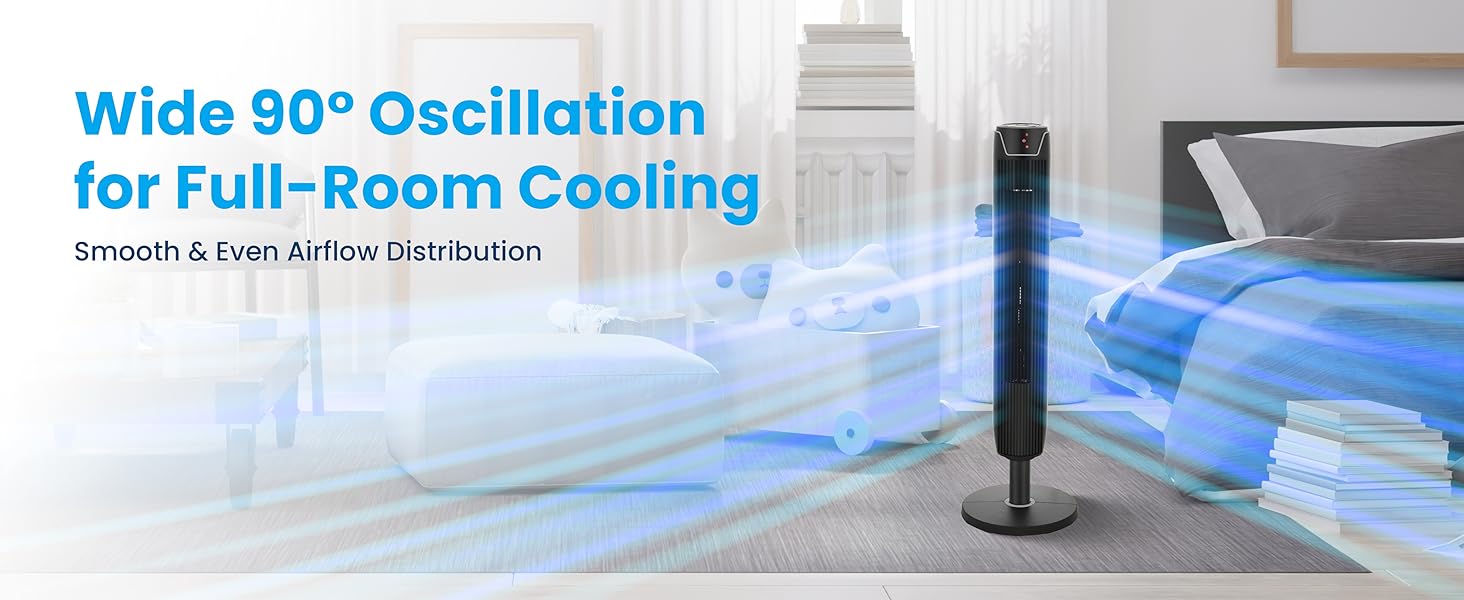
- ఆసిలేషన్: Provides wide oscillation for broad air distribution.
2. ముఖ్యమైన భద్రతా సూచనలు
Read all instructions before using this appliance. Failure to follow these instructions may result in electric shock, fire, or serious injury.
సాధారణ భద్రతా జాగ్రత్తలు:
- Always unplug the fan before cleaning, servicing, or relocating.
- దెబ్బతిన్న త్రాడు లేదా ప్లగ్తో ఫ్యాన్ను ఆపరేట్ చేయవద్దు. త్రాడు లేదా ప్లగ్ దెబ్బతిన్నట్లయితే, కస్టమర్ సపోర్ట్ను సంప్రదించండి.
- ఆపరేషన్ సమయంలో పిల్లలు మరియు పెంపుడు జంతువులను ఫ్యాన్ నుండి దూరంగా ఉంచండి.
- ఫ్యాన్ పనిచేస్తున్నప్పుడు గ్రిల్ ద్వారా వేళ్లు లేదా ఇతర వస్తువులను చొప్పించవద్దు.
- Place the fan on a stable, level surface to prevent tipping.
- తడి లేదా డిలో ఫ్యాన్ని ఉపయోగించవద్దుamp స్నానపు గదులు వంటి స్థానాలు.
- విద్యుత్ సరఫరా వాల్యూమ్తో సరిపోలుతుందని నిర్ధారించుకోండిtage specified on the fan's rating label (110 Volts).
- ఈ ఉత్పత్తిలో క్యాన్సర్ మరియు పుట్టుకతో వచ్చే లోపాలు లేదా ఇతర పునరుత్పత్తి హాని కలిగించే రసాయనాలు కాలిఫోర్నియా రాష్ట్రానికి తెలిసినవి (ప్రతిపాదన 65 హెచ్చరిక).
3. ప్యాకేజీ విషయాలు
ప్యాకేజింగ్లో అన్ని భాగాలు ఉన్నాయని నిర్ధారించుకోండి:
- టవర్ ఫ్యాన్ యూనిట్
- ఆధార పలక
- Remote Control (2 AAA batteries not included)
- వినియోగదారు మాన్యువల్
4. ఉత్పత్తి భాగాలు

Figure 4.1: Senville Tower Fan and Remote Control.
నియంత్రణ ప్యానెల్
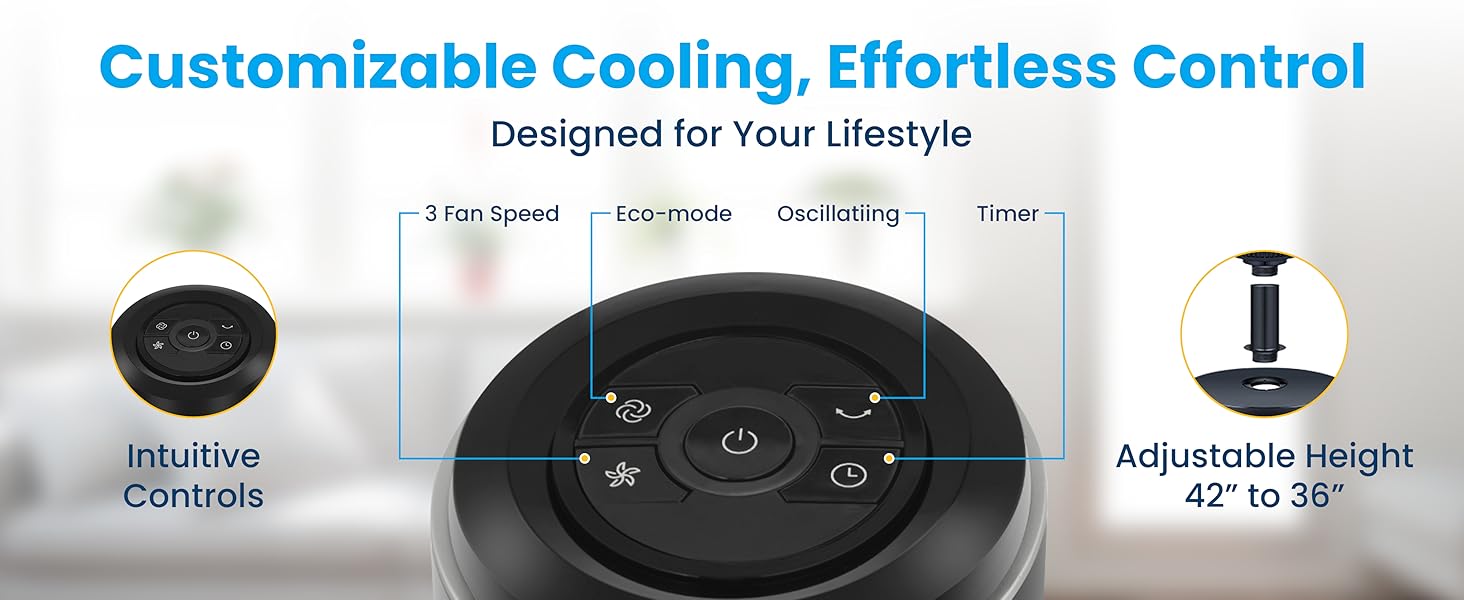
Figure 4.2: Top-mounted control panel with touch buttons for various functions.
రిమోట్ కంట్రోల్
చిత్రం 4.3: అనుకూలమైన ఆపరేషన్ కోసం రిమోట్ కంట్రోల్.
5. అసెంబ్లీ సూచనలు
Follow these steps to assemble your Senville Tower Fan:
- ప్యాకేజింగ్ నుండి అన్ని భాగాలను జాగ్రత్తగా తొలగించండి.
- Locate the large plastic nut on the bottom of the tower fan unit. ముఖ్యమైన: This nut must be removed before attaching the base. Twist counter-clockwise to remove.
- Align the tower fan unit with the base plate. Ensure the power cord passes through the center hole of the base plate.
- Secure the base plate to the tower fan unit using the large plastic nut previously removed. Twist clockwise until securely tightened.
- Adjust the fan's height if desired. The fan can be set to either 36 inches or 42 inches. To adjust, gently pull the upper section upwards or push downwards until it clicks into the desired position.
Figure 5.1: Adjustable height mechanism.
6. ఆపరేటింగ్ సూచనలు
పవర్ ఆన్/ఆఫ్
- పవర్ కార్డ్ను ప్రామాణిక 110 వి ఎసి అవుట్లెట్లోకి ప్లగ్ చేయండి.
- నొక్కండి పవర్ బటన్ () ఫ్యాన్ను ఆన్ లేదా ఆఫ్ చేయడానికి కంట్రోల్ ప్యానెల్ లేదా రిమోట్ కంట్రోల్లో.
ఫ్యాన్ స్పీడ్ సెట్టింగులు
ఫ్యాన్ 3 స్పీడ్ సెట్టింగ్లను కలిగి ఉంది: తక్కువ, మధ్యస్థం మరియు ఎక్కువ.
- నొక్కండి స్పీడ్ బటన్ (
 ) repeatedly to cycle through the speed settings. The LED display will indicate the current speed.
ఆసిలేషన్ ఫంక్షన్
ఫ్యాన్ గాలిని విస్తృత ప్రదేశంలో పంపిణీ చేయడానికి డోలనం చేయగలదు.
- నొక్కండి డోలనం బటన్ () to start or stop the oscillation.

Figure 6.1: Wide 90-degree oscillation for broad coverage.
టైమర్ ఫంక్షన్
Set the fan to automatically turn off after a specified period (up to 7 hours).
- నొక్కండి టైమర్ బటన్ () repeatedly to select the desired operating time in 1-hour increments. The LED display will show the set time.
ఎకో మోడ్
The fan features an Eco Mode for energy efficiency.
- నొక్కండి ఎకో మోడ్ బటన్ () to activate or deactivate Eco Mode. In this mode, the fan adjusts its speed automatically to optimize energy consumption.
7. సంరక్షణ మరియు నిర్వహణ
Regular cleaning and proper storage will help maintain the fan's performance and extend its lifespan.
శుభ్రపరచడం:
- శుభ్రపరిచే ముందు ఎల్లప్పుడూ ఫ్యాన్ను అన్ప్లగ్ చేయండి.
- ఒక మృదువైన ఉపయోగించండి, డిamp ఫ్యాన్ బయటి ఉపరితలాలను తుడవడానికి గుడ్డ. రాపిడి క్లీనర్లు లేదా ద్రావకాలను ఉపయోగించవద్దు.
- గాలి తీసుకోవడం మరియు ఎగ్జాస్ట్ గ్రిల్స్ నుండి దుమ్మును తొలగించడానికి బ్రష్ అటాచ్మెంట్ ఉన్న వాక్యూమ్ క్లీనర్ను ఉపయోగించండి.
- ఫ్యాన్ను తిరిగి ప్లగ్ చేసి ఆపరేట్ చేసే ముందు అది పూర్తిగా ఆరిపోయిందని నిర్ధారించుకోండి.
నిల్వ:
- If storing the fan for an extended period, unplug it and clean it thoroughly.
- ఫ్యాన్ను దాని అసలు ప్యాకేజింగ్లో లేదా రక్షణ కవర్లో చల్లని, పొడి ప్రదేశంలో నిల్వ చేయండి.
8. ట్రబుల్షూటింగ్ గైడ్
సాధారణ సమస్యలు మరియు వాటి పరిష్కారాల కోసం క్రింది పట్టికను చూడండి.
| సమస్య | సాధ్యమైన కారణం | పరిష్కారం |
|---|---|---|
| ఫ్యాన్ ఆన్ అవ్వదు. | విద్యుత్ సరఫరా లేదు. | పవర్ కార్డ్ పనిచేసే అవుట్లెట్లోకి సురక్షితంగా ప్లగ్ చేయబడిందని నిర్ధారించుకోండి. సర్క్యూట్ బ్రేకర్ను తనిఖీ చేయండి. |
| ఫ్యాన్ అసాధారణ శబ్దం చేస్తోంది. | Dust accumulation or loose parts. | Unplug the fan and clean the grilles. Ensure the base is securely attached. If rattling persists, apply a small amount of lubricant (e.g., WD-40) to the top and bottom spinning posts. |
| రిమోట్ కంట్రోల్ పనిచేయడం లేదు. | డెడ్ బ్యాటరీలు లేదా అడ్డంకి. | Replace the 2 AAA batteries in the remote control. Ensure there are no obstructions between the remote and the fan's sensor. |
| బలహీనమైన గాలి ప్రవాహం. | Fan speed too low or blocked grilles. | Increase the fan speed setting. Clean any dust or debris from the air intake and exhaust grilles. |
9. సాంకేతిక లక్షణాలు
| స్పెసిఫికేషన్ | వివరాలు |
|---|---|
| బ్రాండ్ | Senville |
| మోడల్ పేరు | SENTF-19JRA |
| రంగు | నలుపు |
| ఉత్పత్తి కొలతలు | 7"డి x 7"వా x 42"హ |
| సర్దుబాటు ఎత్తు | 36" నుండి 42" వరకు |
| శక్తి మూలం | AC |
| వాల్యూమ్tage | 110 వోల్ట్లు |
| వాట్tage | 50 వాట్స్ |
| వేగ స్థాయిల సంఖ్య | 3 |
| టైమర్ | 7 గంటల వరకు |
| నియంత్రణ పద్ధతి | రిమోట్, టచ్ ప్యానెల్ |
| వస్తువు బరువు | 11 పౌండ్లు (5 కిలోగ్రాములు) |
| ఇండోర్/అవుట్డోర్ వినియోగం | ఇండోర్ |
| సర్టిఫికేషన్ | ETL |
10. వారంటీ సమాచారం
The Senville SENTF-19JRA Tower Fan is backed by a 1 సంవత్సరాల తయారీదారు వారంటీ. ఈ వారంటీ సాధారణ ఉపయోగంలో మెటీరియల్స్ మరియు పనితనంలో లోపాలను కవర్ చేస్తుంది. వారంటీ క్లెయిమ్ల కోసం దయచేసి మీ కొనుగోలు రుజువును ఉంచుకోండి.
For additional protection, extended protection plans may be available for purchase:
- 3-సంవత్సరాల రక్షణ ప్రణాళిక
- 4-సంవత్సరాల రక్షణ ప్రణాళిక
- Complete Protect (covers multiple eligible purchases)
11. కస్టమర్ మద్దతు
For technical support, warranty inquiries, or assistance with your Senville Tower Fan, please contact Senville customer service. Complimentary technical support is available.
Visit the official Senville website for contact information or refer to your purchase documentation.
Senville Store: Senville Amazon Store


