1. పరిచయం
This manual provides essential information for the proper setup, operation, and maintenance of your Samsung T7 Portable SSD. The T7 Portable SSD offers high-speed external storage with advanced features for data management across various devices.

Figure 1: Samsung T7 Portable SSD (Blue)
2. ఉత్పత్తి ముగిసిందిview
The Samsung T7 Portable SSD is designed for users requiring fast, reliable, and portable storage. Key features include:
- హై-స్పీడ్ పనితీరు: Utilizes PCIe NVMe technology for read/write speeds up to 1,050/1,000 MB/s, significantly faster than traditional external hard drives.
- మన్నికైన డిజైన్: Features a sleek, shock-resistant aluminum unibody construction capable of withstanding drops from up to 6 feet.
- విస్తృతమైన అనుకూలత: Compatible with PCs, Macs, Android devices, gaming consoles, and iPhone 15.
- High-Resolution Video Recording: Supports direct recording of Ultra High Resolution (4K 60fps) videos from compatible cameras and mobile devices.
- సురక్షిత డేటా: Offers AES 256-bit encrypted password protection for enhanced data security.
- థర్మల్ నియంత్రణ: Engineered to maintain optimal operating temperatures during extended use.

Figure 2: High-speed data transfer capabilities of the Samsung T7 SSD.
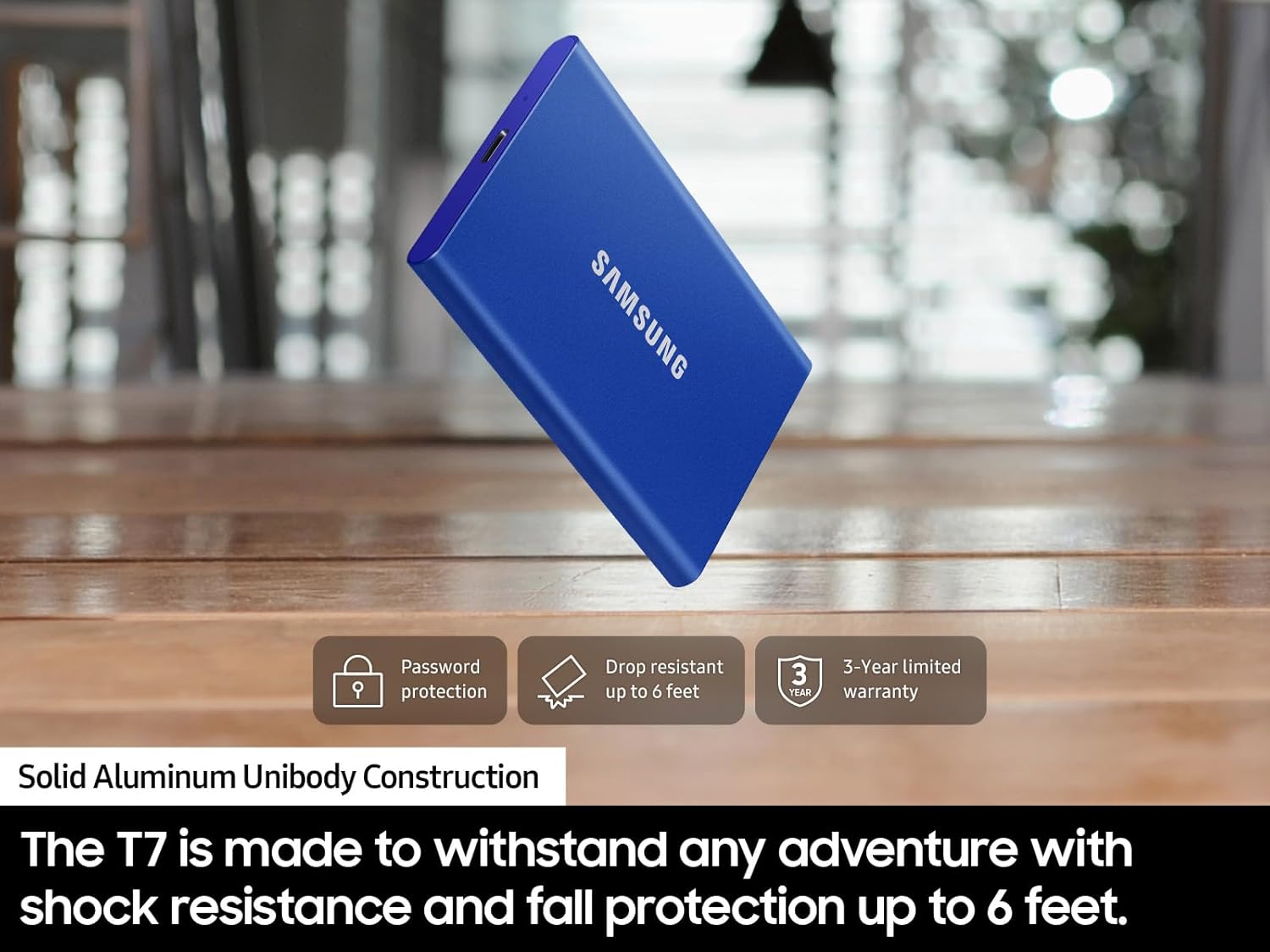
Figure 3: The T7 SSD's durable design, capable of withstanding drops.
3. పెట్టెలో ఏముంది
Your Samsung T7 Portable SSD package includes:
- Samsung T7 Portable SSD (1TB)
- USB టైప్ C-టు-C కేబుల్
- USB టైప్ C-టు-A కేబుల్
- Quick Start Guide and Warranty Statement

Figure 4: Package contents of the Samsung T7 Portable SSD.
4. సెటప్
Follow these steps to set up your Samsung T7 Portable SSD:
- SSD ని కనెక్ట్ చేయండి: Use the provided USB Type C-to-C or USB Type C-to-A cable to connect the T7 SSD to your computer, smartphone, or gaming console.
- ప్రారంభ గుర్తింపు: పరికరం మీ ఆపరేటింగ్ సిస్టమ్ ద్వారా స్వయంచాలకంగా గుర్తించబడాలి.
- Pre-formatted: The drive comes pre-formatted in exFAT, making it compatible with both Windows and Mac computers without immediate reformatting.
- సాఫ్ట్వేర్ ఇన్స్టాలేషన్ (ఐచ్ఛికం): For enhanced security features like password protection, install the Samsung Portable SSD software. This software is available for Windows 7 and higher, Mac OS X 10.10 and higher, or Android 5.1 (Lollipop) and higher. Firmware updates also require a PC or Mac and an internet connection.
Video 1: Guide on connecting Samsung SSDs to Blackmagic Cinema Cameras for high-capacity recording.
5. ఆపరేటింగ్ సూచనలు
Using your Samsung T7 Portable SSD is straightforward:
- డేటా బదిలీ: లాగండి మరియు వదలండి files to and from the T7 SSD as you would with any other external drive. The high transfer speeds ensure quick movement of large files.
- డైరెక్ట్ రికార్డింగ్: For compatible devices, you can record high-resolution video directly to the T7 SSD, expanding your recording capacity significantly.
- పాస్వర్డ్ రక్షణ: If enabled via the Samsung Portable SSD software, you will be prompted to enter your password to access the drive's contents.

Figure 5: The Samsung T7 SSD offers extensive compatibility with various devices.
వీడియో 2: నిజాయితీగల అభిప్రాయంview highlighting the features and benefits of the Samsung T7 SSD.
6. నిర్వహణ
To ensure the longevity and optimal performance of your T7 Portable SSD:
- భౌతిక రక్షణ: While durable, avoid unnecessary drops or impacts. The solid aluminum unibody is designed to protect against accidental damage.
- ఉష్ణోగ్రత నిర్వహణ: The T7 is designed to manage heat effectively, keeping its outer casing temperature below 118.4°F during normal operation. Avoid exposing it to extreme temperatures outside its operating range (14°F to 140°F).
- డేటా భద్రత: Regularly back up critical data to multiple locations. Utilize the AES 256-bit encryption feature for sensitive information.
- ఫర్మ్వేర్ నవీకరణలు: Periodically check for and install firmware updates using the Samsung Portable SSD software to ensure optimal performance and compatibility.
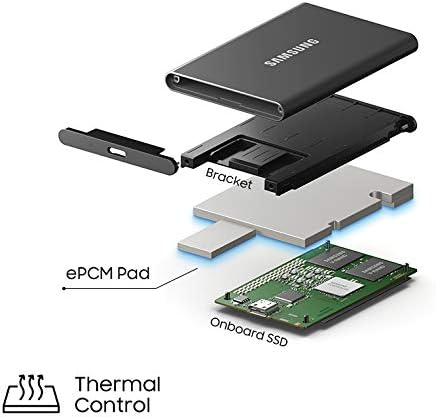
Figure 6: Internal thermal control mechanism of the Samsung T7 SSD.
7. ట్రబుల్షూటింగ్
If you encounter issues with your Samsung T7 Portable SSD, consider the following:
- డ్రైవ్ గుర్తించబడలేదు: Ensure the USB cable is securely connected to both the SSD and your device. Try a different USB port or cable. Verify that your device's operating system is compatible (Windows 7+, Mac OS X 10.10+, Android 5.1+).
- నెమ్మదిగా బదిలీ వేగం: Ensure your host device and connection cables support USB 3.2 Gen 2 and that UASP mode is enabled for maximum speeds. Older USB ports (e.g., USB 2.0) will result in slower performance.
- పాస్వర్డ్ సమస్యలు: If you forget your password, you may need to reformat the drive, which will erase all data. Contact Samsung support if you require assistance.
- వేడెక్కడం: The T7 is designed for thermal efficiency. If you suspect overheating, ensure the drive is in a well-ventilated area and not covered.
మరింత సహాయం కోసం, Samsung మద్దతును చూడండి. webసైట్ లేదా కస్టమర్ సేవను సంప్రదించండి.
8. స్పెసిఫికేషన్లు
| ఫీచర్ | స్పెసిఫికేషన్ |
|---|---|
| ఉత్పత్తి కొలతలు | 3.3 x 2.2 x 0.3 అంగుళాలు |
| వస్తువు బరువు | 2.08 ఔన్సులు |
| అంశం మోడల్ సంఖ్య | MU-PC1T0H/AM |
| డిజిటల్ స్టోరేజ్ కెపాసిటీ | 1 TB |
| హార్డ్ డిస్క్ ఇంటర్ఫేస్ | USB 3.2 Gen 2 |
| కనెక్టివిటీ టెక్నాలజీ | USB |
| బ్రాండ్ | శామ్సంగ్ |
| ప్రత్యేక ఫీచర్ | పోర్టబుల్ |
| హార్డ్ డిస్క్ ఫారమ్ ఫ్యాక్టర్ | 2.5 అంగుళాలు |
| హార్డ్ డిస్క్ వివరణ | సాలిడ్ స్టేట్ హార్డ్ డ్రైవ్ |
| అనుకూల పరికరాలు | Gaming Console, Laptop, Smartphone, Television, iPhone 15 |
| సంస్థాపన రకం | బాహ్య హార్డ్ డ్రైవ్ |
| రంగు | నీలం |
9. వారంటీ మరియు మద్దతు
The Samsung T7 Portable SSD comes with a 3-year limited warranty. For detailed warranty information, product registration, and technical support, please visit the official Samsung support webసైట్:
www.samsung.com/us/support/warranty/
You can also find compatible devices and software downloads on the Samsung support page.


