పరిచయం
Thank you for choosing the SOUL S-FIT True Wireless Earbuds. These earbuds are designed for active lifestyles, offering a secure fit, robust durability, and clear audio performance. This manual provides detailed instructions for setup, operation, and maintenance to ensure optimal use of your device.

Image: SOUL S-FIT True Wireless Earbuds and their charging case, presented in a green color.
ప్యాకేజీ విషయాలు
మీ ఉత్పత్తి ప్యాకేజింగ్లో అన్ని అంశాలు ఉన్నాయని నిర్ధారించుకోండి:
- SOUL S-FIT True Wireless Earbuds (Left and Right)
- ఛార్జింగ్ కేసు
- USB ఛార్జింగ్ కేబుల్
- బహుళ పరిమాణాల చెవి చిట్కాలు
- Multiple Sizes of Freebit Wing-Shaped Earlocks
- ఇన్స్ట్రక్షన్ మాన్యువల్

Image: The retail packaging for the SOUL S-FIT earbuds, showing the earbuds and case with water splash graphics.
ఉత్పత్తి ముగిసిందిview
The SOUL S-FIT earbuds feature an ergonomic design with Freebit wing-shaped earlocks for a secure and comfortable fit during various activities. They are IP67 rated for water and dust resistance.
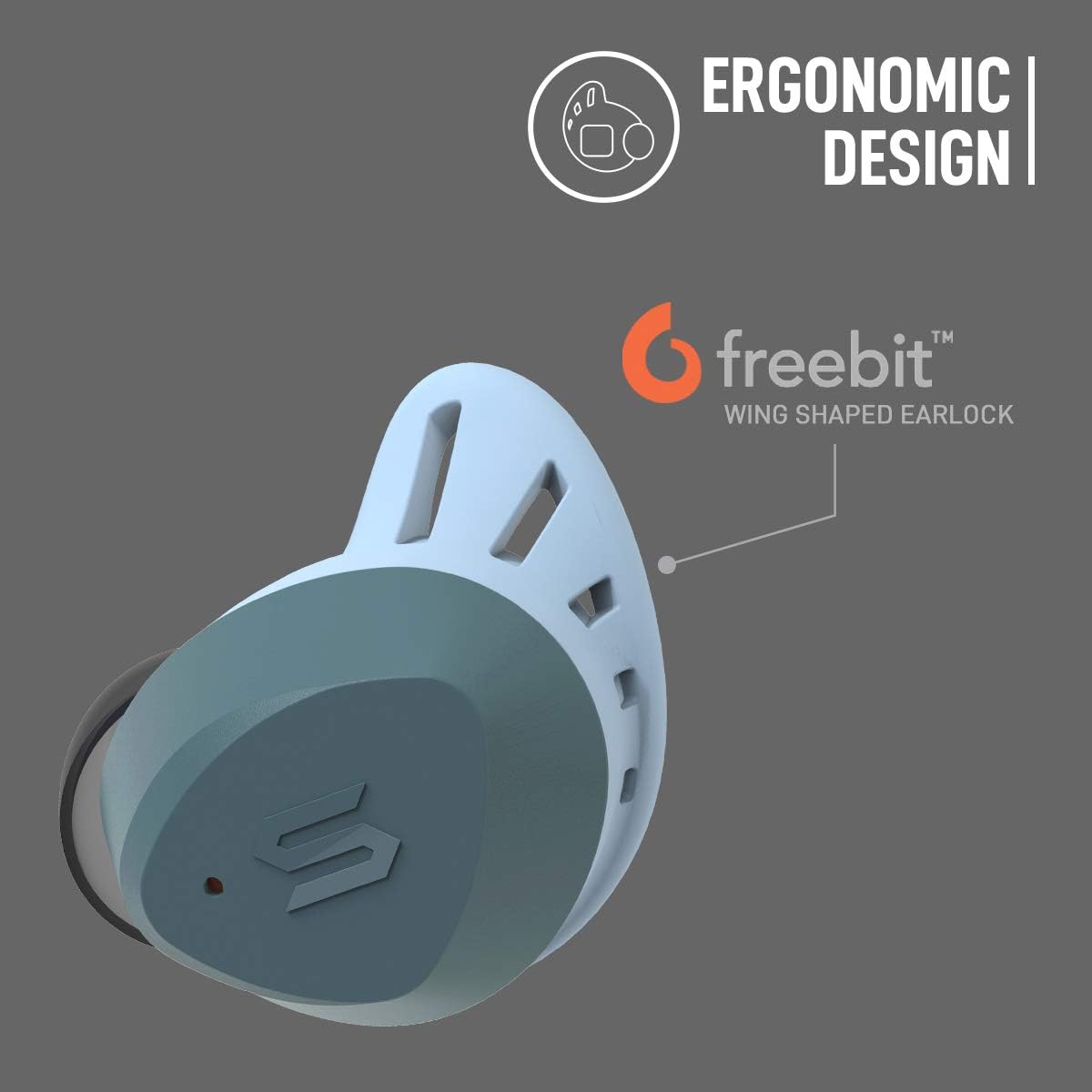
చిత్రం: క్లోజప్ view of a single SOUL S-FIT earbud highlighting its ergonomic design and the Freebit wing-shaped earlock for secure fitting.
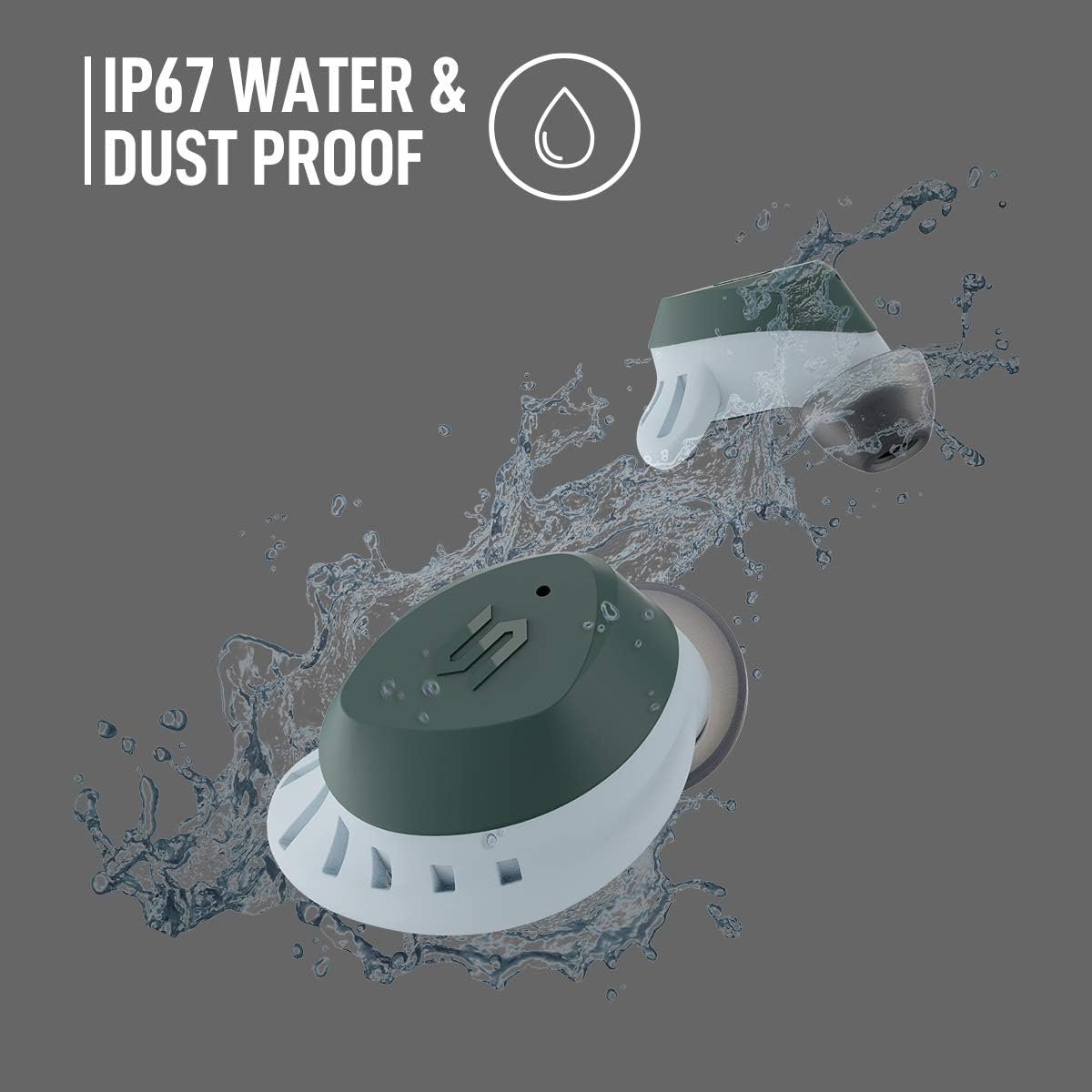
Image: Two SOUL S-FIT earbuds shown with water splashing, illustrating their IP67 water and dust proof rating.
సెటప్
1. ఇయర్బడ్లు మరియు కేస్ను ఛార్జ్ చేయడం
మొదటిసారి ఉపయోగించే ముందు, ఇయర్బడ్లు మరియు ఛార్జింగ్ కేసును పూర్తిగా ఛార్జ్ చేయండి.
- ఇయర్బడ్లను ఛార్జింగ్ కేసులో ఉంచండి. అవి సరిగ్గా అమర్చబడ్డాయని నిర్ధారించుకోండి.
- USB ఛార్జింగ్ కేబుల్ను కేస్లోని ఛార్జింగ్ పోర్ట్కు మరియు పవర్ సోర్స్కి కనెక్ట్ చేయండి.
- The LED indicators on the case will show charging status. A full charge provides up to 33 hours of total playtime with the charging case.

Image: The SOUL S-FIT earbuds and charging case, with an overlay indicating "Up to 33 hrs Battery Life".
2. బ్లూటూత్ పెయిరింగ్
Follow these steps to pair your SOUL S-FIT earbuds with a Bluetooth-enabled device:
- ఛార్జింగ్ కేస్ను తెరవండి. ఇయర్బడ్లు ఆటోమేటిక్గా జత చేసే మోడ్లోకి ప్రవేశిస్తాయి.
- మీ పరికరంలో (స్మార్ట్ఫోన్, టాబ్లెట్, మొదలైనవి), బ్లూటూత్ సెట్టింగ్లకు వెళ్లి బ్లూటూత్ ప్రారంభించబడిందని నిర్ధారించుకోండి.
- కోసం వెతకండి available devices and select "SOUL S-FIT" from the list.
- కనెక్ట్ అయిన తర్వాత, మీరు ఆడియో ప్రాంప్ట్ వింటారు మరియు ఇయర్బడ్లపై LED సూచికలు మారుతాయి.
- పరికరంలో బ్లూటూత్ ప్రారంభించబడితే, ఇయర్బడ్లను కేస్ నుండి తీసివేసినప్పుడు అవి చివరిగా జత చేసిన పరికరానికి స్వయంచాలకంగా తిరిగి కనెక్ట్ అవుతాయి.
ఆపరేటింగ్ సూచనలు
టచ్ కంట్రోల్స్
The SOUL S-FIT earbuds feature intuitive touch controls for managing audio playback and calls.
- ప్లే/పాజ్: ఇయర్బడ్పై ఒక్కసారి నొక్కండి.
- తదుపరి ట్రాక్: కుడి ఇయర్బడ్పై రెండుసార్లు నొక్కండి.
- మునుపటి ట్రాక్: ఎడమ ఇయర్బడ్పై రెండుసార్లు నొక్కండి.
- సమాధానం/ముగింపు కాల్: ఇన్కమింగ్ కాల్ సమయంలో ఇయర్బడ్లలో దేనినైనా ఒకసారి నొక్కండి.
- కాల్ని తిరస్కరించండి: ఇన్కమింగ్ కాల్ సమయంలో ఇయర్బడ్లో దేనినైనా 2 సెకన్ల పాటు నొక్కి పట్టుకోండి.
- వాయిస్ అసిస్టెంట్ను సక్రియం చేయండి: ఏ ఇయర్బడ్పైనా మూడుసార్లు నొక్కండి.
- ధ్వని పెంచు: కుడి ఇయర్బడ్ను నొక్కి పట్టుకోండి.
- వాల్యూమ్ డౌన్: ఎడమ ఇయర్బడ్ను నొక్కి పట్టుకోండి.
పారదర్శకత మోడ్
Transparency Mode allows you to hear your surroundings while listening to audio, enhancing situational awareness.
- Toggle Transparency Mode: కుడి ఇయర్బడ్పై మూడుసార్లు నొక్కండి.

Image: Two SOUL S-FIT earbuds depicted with sound wave graphics, illustrating the audio transparency feature.
ఫిట్ మరియు కంఫర్ట్
Achieving a proper fit is crucial for both sound quality and stability. The SOUL S-FIT earbuds come with various sizes of ear tips and Freebit wing-shaped earlocks to ensure a customizable and secure fit.
- Experiment with different ear tip sizes to find the ones that create a comfortable seal in your ear canal.
- Select the Freebit wing-shaped earlocks that fit snugly against the inner ridge of your ear, providing stability without discomfort.
- Insert the earbuds into your ears and gently twist them forward or backward until they feel secure.
నిర్వహణ
Proper care extends the lifespan of your earbuds.
- శుభ్రపరచడం: Regularly clean the ear tips and the mesh grilles of the earbuds with a soft, dry, lint-free cloth. For stubborn dirt, a slightly damp cloth can be used, ensuring no moisture enters the earbud openings.
- నిల్వ: Always store the earbuds in their charging case when not in use to protect them from damage and to keep them charged.
- నీటి నిరోధకత: While the earbuds are IP67 water and dust proof, avoid prolonged submersion in water. Ensure the earbuds are dry before placing them back into the charging case to prevent damage to the charging contacts.
- ఉష్ణోగ్రత: ఇయర్బడ్లను తీవ్రమైన ఉష్ణోగ్రతలకు గురిచేయకుండా ఉండండి.
ట్రబుల్షూటింగ్
If you encounter issues with your SOUL S-FIT earbuds, refer to the following common solutions:
| సమస్య | పరిష్కారం |
|---|---|
| ఇయర్బడ్లు జత చేయడం లేదు |
|
| ఒక ఇయర్బడ్లో మాత్రమే శబ్దం ఉంది |
|
| ఇయర్బడ్లు ఛార్జ్ కావడం లేదు |
|
| తక్కువ వాల్యూమ్ |
|
స్పెసిఫికేషన్లు
| ఫీచర్ | వివరాలు |
|---|---|
| మోడల్ సంఖ్య | SS57GN |
| వైర్లెస్ కమ్యూనికేషన్ టెక్నాలజీ | బ్లూటూత్ 5.0 |
| బ్లూటూత్ రేంజ్ | 10 మీటర్లు (33 అడుగులు) వరకు |
| బ్యాటరీ లైఫ్ (ఇయర్బడ్స్ + కేస్) | 33 గంటల వరకు |
| నీటి నిరోధక స్థాయి | IP67 (వాటర్ప్రూఫ్ మరియు డస్ట్ప్రూఫ్) |
| నియంత్రణ రకం | మీడియా నియంత్రణ (టచ్) |
| చెవి ప్లేస్మెంట్ | చెవిలో |
| ఫారమ్ ఫ్యాక్టర్ | చెవిలో |
| నాయిస్ కంట్రోల్ | యాక్టివ్ నాయిస్ రద్దు |
| ఉత్పత్తి కొలతలు | 5.28 x 1.54 x 7.32 అంగుళాలు (ప్యాకేజింగ్/మొత్తం) |
| వస్తువు బరువు | 9.8 ఔన్సులు |
| క్యారీయింగ్ కేస్ వెయిట్ | 50 గ్రాములు |
| UPC | 840311105205 |
భద్రతా సమాచారం
మీ పరికరానికి నష్టం జరగకుండా లేదా మీకు గాయం కాకుండా ఉండటానికి దయచేసి ఈ భద్రతా మార్గదర్శకాలను చదివి అనుసరించండి:
- ఇయర్బడ్లు లేదా ఛార్జింగ్ కేసును విడదీయవద్దు లేదా సవరించవద్దు.
- పరికరాన్ని తీవ్రమైన ఉష్ణోగ్రతలు, ప్రత్యక్ష సూర్యకాంతి మరియు తెరిచిన మంటల నుండి దూరంగా ఉంచండి.
- వినికిడి దెబ్బతినకుండా నిరోధించడానికి ఎక్కువ కాలం పాటు అధిక వాల్యూమ్ స్థాయిలలో వినడం మానుకోండి.
- పిల్లలు మరియు పెంపుడు జంతువులకు దూరంగా ఉంచండి.
- స్థానిక నిబంధనల ప్రకారం పరికరాన్ని మరియు దాని బ్యాటరీని బాధ్యతాయుతంగా పారవేయండి.
వారంటీ మరియు మద్దతు
Your SOUL S-FIT True Wireless Earbuds are covered by a limited warranty. For specific warranty terms and conditions, please refer to the warranty card included with your purchase or visit the official Soul Electronics webసైట్.
For technical support, frequently asked questions, or to contact customer service, please visit the Soul Electronics support page: Soul Electronics Official Store.


