1. పరిచయం
This manual provides comprehensive instructions for the setup, operation, and maintenance of your Zebronics Zeb-Ultimate Pro Full HD 1080p Webcam. Please read this manual carefully before using the product to ensure optimal performance and longevity. Keep this manual for future reference.
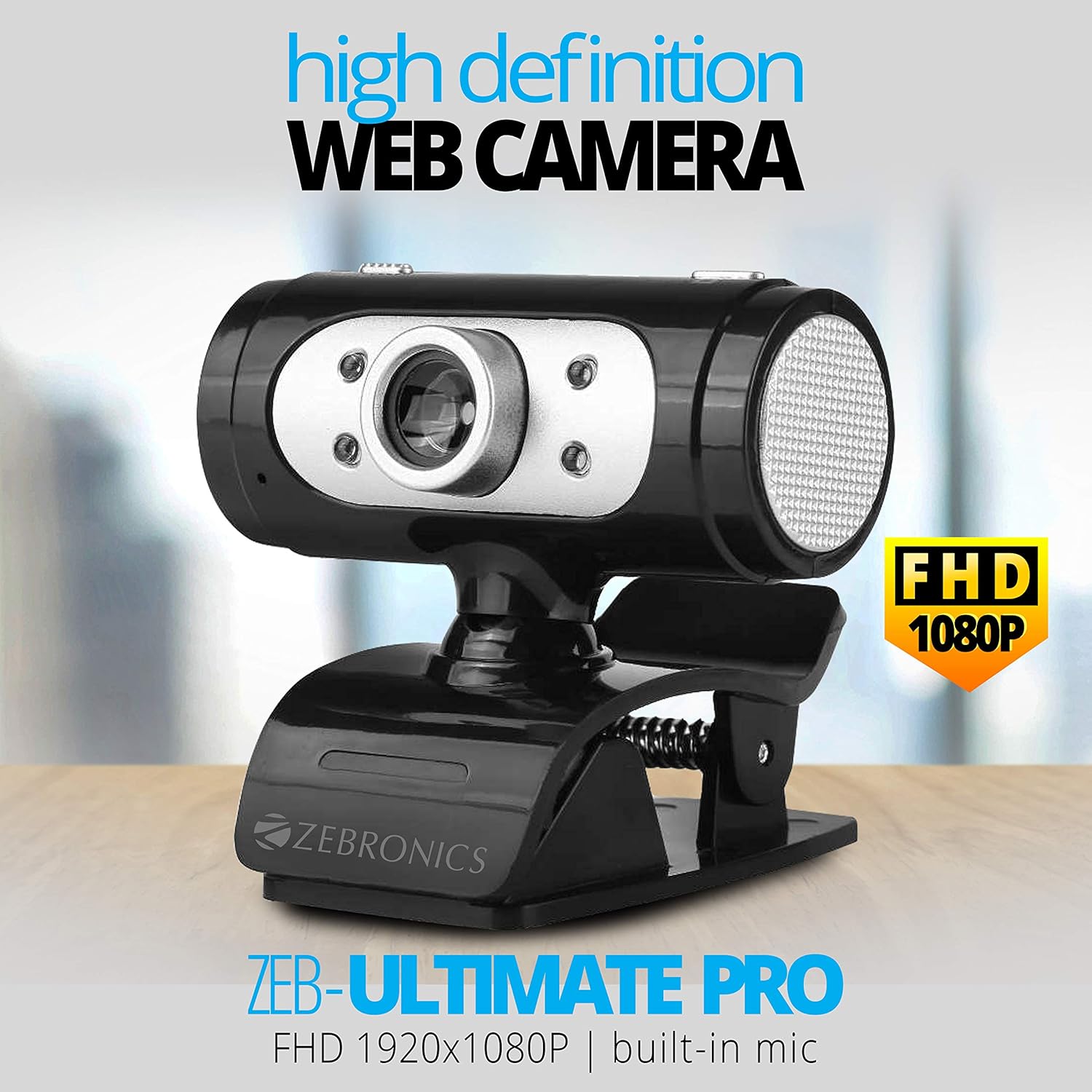
Image 1.1: The Zebronics Zeb-Ultimate Pro Full HD 1080p Webకామ్, షోక్asing its design and FHD 1080P capability.
2. ప్యాకేజీ విషయాలు
క్రింద జాబితా చేయబడిన అన్ని అంశాలు మీ ఉత్పత్తి ప్యాకేజీలో ఉన్నాయని నిర్ధారించుకోండి:
- Zebronics Zeb-Ultimate Pro Webcam (1 Unit)
3. ఉత్పత్తి ముగిసిందిview
The Zebronics Zeb-Ultimate Pro is a Full HD webcam designed for clear video communication. It features a 5P quality lens, a built-in microphone, automatic white balance, night vision capabilities, and a manual switch for its integrated LED lighting.
ముఖ్య లక్షణాలు:
- పూర్తి HD 1080p రిజల్యూషన్: Delivers video at 1920x1080 pixels at 30 frames per second.
- 5P Quality Lens: Ensures sharp and clear image capture.
- అంతర్నిర్మిత మైక్రోఫోన్: Provides integrated audio for video calls.
- ఆటో వైట్ బ్యాలెన్స్: Automatically adjusts color balance for natural-looking video.
- రాత్రి దృష్టి: తక్కువ-కాంతి పరిస్థితుల్లో దృశ్యమానతను మెరుగుపరుస్తుంది.
- Manual LED Switch: Allows user control over the integrated LED light.
- USB ఇంటర్ఫేస్: Simple plug-and-play connectivity.

Image 3.1: Diagram illustrating the 5P lens for Full HD videos and the built-in microphone for video calls.

Image 3.2: Visual representation of the USB interface for connectivity and the night vision feature for low-light performance.
4. సెటప్ సూచనలు
Follow these steps to set up your Zebronics Zeb-Ultimate Pro Webక్యామ్:
- అన్ప్యాక్ ది Webక్యామ్: జాగ్రత్తగా తొలగించండి webదాని ప్యాకేజింగ్ నుండి కామ్.
- స్థానం Webక్యామ్: ఉంచండి webcam securely on top of your monitor, laptop screen, or a flat surface. The adjustable clip allows for stable placement.
- కంప్యూటర్కు కనెక్ట్ చేయండి: Insert the USB connector of the webమీ కంప్యూటర్లో అందుబాటులో ఉన్న USB పోర్ట్లోకి క్యామ్ చేయండి.
- ఆటోమేటిక్ డ్రైవర్ ఇన్స్టాలేషన్: ది webcam is designed for plug-and-play operation. Your operating system (Windows, macOS, iOS) should automatically detect and install the necessary drivers. Wait for a notification indicating that the device is ready for use.
- ఇన్స్టాలేషన్ను ధృవీకరించండి: Open a video conferencing application or your computer's camera application to confirm that the webcam is recognized and displaying video.
5. ఆపరేటింగ్ సూచనలు
Once set up, the Zeb-Ultimate Pro Webకామ్ వివిధ అప్లికేషన్లతో ఉపయోగించడానికి సిద్ధంగా ఉంది.
ఉపయోగించి Webక్యామ్:
- Video Calls and Conferences: Launch your preferred video communication software (e.g., Zoom, Microsoft Teams, Google Meet). Select the "Zebronics Zeb-Ultimate Pro" as your video and audio input device in the application's settings.
- Online Classes: ది webcam is suitable for participating in or conducting online educational sessions.
- రికార్డింగ్: Use your computer's native camera application or third-party software to record videos.

చిత్రం 5.1: ది webcam positioned on a laptop, illustrating its use for webinars మరియు సమావేశాలు.

Image 5.2: A child using a laptop with the webcam for online classes, demonstrating its application in education.
సర్దుబాటు లక్షణాలు:
- మాన్యువల్ ఫోకస్: యొక్క లెన్స్ webcam can be rotated to adjust the focus for a sharper image. Turn the lens gently until the image appears clear.
- LED లైట్: Use the manual switch located on the webcam to turn the integrated LED light on or off, especially useful in low-light environments.
6. నిర్వహణ
సరైన నిర్వహణ మీ దీర్ఘాయువు మరియు సరైన పనితీరును నిర్ధారిస్తుంది webకామ్.
- లెన్స్ శుభ్రపరచడం: లెన్స్ను మృదువైన, మెత్తటి బట్టతో సున్నితంగా తుడవండి. లెన్స్ను గీతలు పడే కఠినమైన రసాయనాలు లేదా రాపిడి పదార్థాలను ఉపయోగించకుండా ఉండండి.
- శరీరాన్ని శుభ్రపరచడం: పొడి లేదా కొద్దిగా ఉపయోగించండి damp యొక్క వెలుపలి భాగాన్ని శుభ్రం చేయడానికి వస్త్రం webకామ్.
- నిల్వ: ఉపయోగంలో లేనప్పుడు, నిల్వ చేయండి webప్రత్యక్ష సూర్యకాంతి మరియు తీవ్రమైన ఉష్ణోగ్రతలు లేని శుభ్రమైన, పొడి ప్రదేశంలో కామ్ను ఉంచండి.
- కేబుల్ కేర్: అంతర్గత నష్టాన్ని నివారించడానికి USB కేబుల్ను ఎక్కువగా వంచడం లేదా తిప్పడం మానుకోండి.
7. ట్రబుల్షూటింగ్
మీరు మీతో సమస్యలను ఎదుర్కొంటే webcam, ఈ క్రింది సాధారణ సమస్యలు మరియు పరిష్కారాలను చూడండి:
| సమస్య | సాధ్యమైన కారణం | పరిష్కారం |
|---|---|---|
| Webcam not detected or not working. | Loose USB connection, driver issue, or disabled camera. | Ensure the USB cable is securely connected. Try a different USB port. Restart your computer. Check privacy settings to ensure camera access is enabled for applications. |
| చిత్రం అస్పష్టంగా లేదా దృష్టిలో లేదు. | సరికాని ఫోకస్ సర్దుబాటు. | Gently rotate the lens of the webcam until the image becomes clear. |
| No audio from the webకామ్ యొక్క మైక్రోఫోన్. | Microphone not selected or muted in software. | In your video conferencing application or system sound settings, ensure the Zebronics webcam's microphone is selected as the input device and is not muted. |
| తక్కువ కాంతిలో చిత్ర నాణ్యత తక్కువగా ఉంటుంది. | తగినంత వెలుతురు లేదు. | సక్రియం చేయండి webcam's LED light using its manual switch. Ensure adequate ambient lighting in your environment. |
8. స్పెసిఫికేషన్లు
Technical specifications for the Zebronics Zeb-Ultimate Pro Webక్యామ్:
- మోడల్: Zeb-Ultimate Pro
- వీడియో రిజల్యూషన్: 1920 x 1080 (పూర్తి HD)
- ఫ్రేమ్ రేట్: 30 fps
- చిత్ర సెన్సార్: CMOS
- లెన్స్ రకం: 5P Quality Lens
- ఇంటర్ఫేస్: USB
- కేబుల్ పొడవు: 1.58 మీటర్లు
- ప్రత్యేక లక్షణాలు: Built-in Microphone, Auto White Balance, Night Vision, Manual Switch for LED
- ఉత్పత్తి కొలతలు: 7.2 x 7.2 x 6.4 సెం.మీ
- వస్తువు బరువు: 90 గ్రా
- అనుకూలమైన ఆపరేటింగ్ సిస్టమ్లు: Windows, iOS (and generally other USB-compatible systems)
9. వారంటీ మరియు మద్దతు
For warranty information and technical support, please refer to the official Zebronics website or contact their customer service. Details regarding warranty periods and service centers are typically provided with your purchase documentation or on the manufacturer's webసైట్.
తయారీదారు: 13,7, Smith Road, Royapettah CHENNAI-600002


