1. పరిచయం
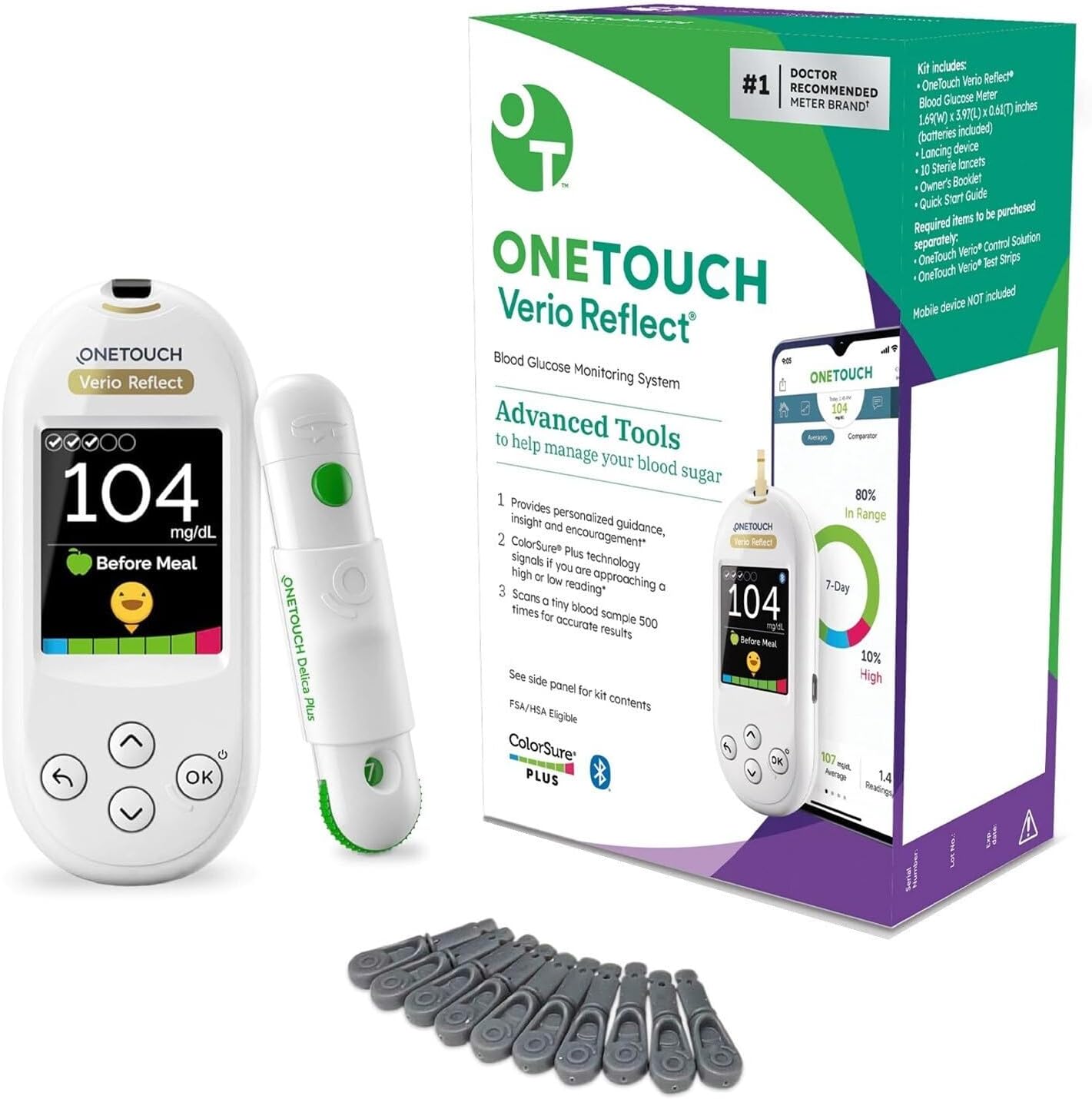
The OneTouch Verio Reflect Blood Glucose Meter is designed to help individuals manage their diabetes by providing accurate and timely blood glucose readings. This system includes the meter, a lancing device, and sterile lancets, offering a comprehensive solution for personal blood glucose monitoring. It features advanced tools like ColorSure Technology and Blood Sugar Mentor messages to provide personalized guidance and insights.
2. భద్రతా సమాచారం
Always consult your healthcare professional for treatment decisions based on your numeric blood glucose reading and their recommendation. This device is for ఇన్ విట్రో diagnostic use only. Do not use for the diagnosis of or screening for diabetes. Keep out of reach of children. Store all components in a cool, dry place. Dispose of used lancets and test strips properly in a sharps container.
3. ప్యాకేజీ విషయాలు
Your OneTouch Verio Reflect Blood Glucose Monitoring System package typically includes the following items:
- OneTouch Verio Reflect Blood Glucose Meter
- OneTouch Delica Plus Lancing Device
- 10 OneTouch Delica Plus Sterile Lancets
- క్యారీయింగ్ కేసు
- యజమాని మాన్యువల్ మరియు త్వరిత ప్రారంభ మార్గదర్శి
4. సెటప్
4.1. Meter Preparation
The meter comes with batteries included. Ensure they are properly installed. Follow the on-screen prompts to set the date, time, and measurement units (mg/dL or mmol/L) if not already configured. Refer to the Quick Start Guide for initial setup steps.
4.2. Lancing Device Setup
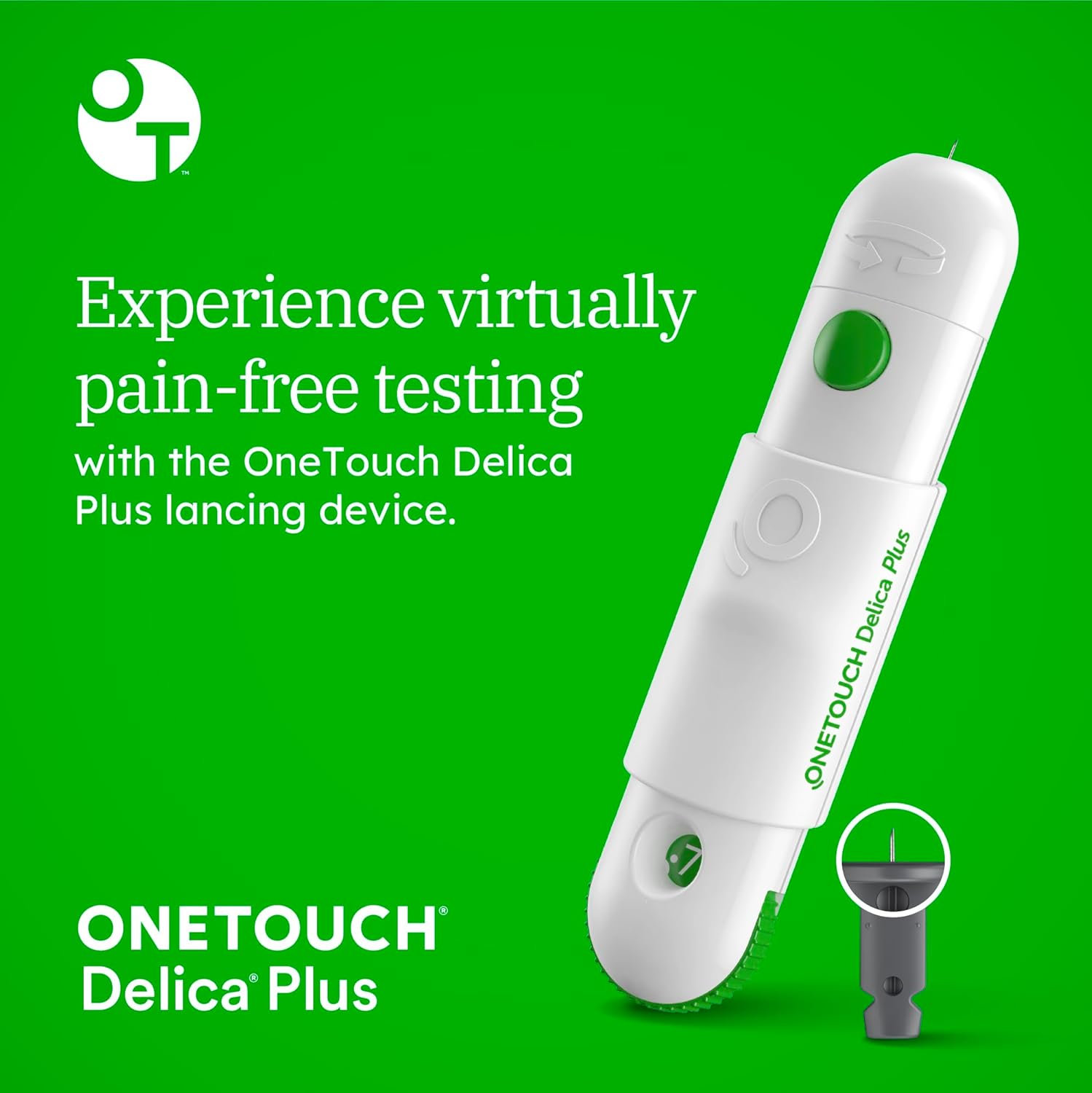
The OneTouch Delica Plus Lancing Device is designed for comfortable blood sampling. To prepare the lancing device:
- లాన్సింగ్ పరికరం నుండి టోపీని తీసివేయండి.
- లాన్సెట్ హోల్డర్లో కొత్త స్టెరిలైజ్డ్ లాన్సెట్ను గట్టిగా చొప్పించండి.
- లాన్సెట్ నుండి రక్షణ టోపీని తీసివేసి, సురక్షితంగా పారవేయడానికి దాన్ని భద్రపరచండి.
- లాన్సింగ్ పరికర టోపీని భర్తీ చేయండి.
- Adjust the depth setting to a comfortable level (start with a lower setting and increase if needed).
- Pull back the sliding barrel until it clicks, indicating it is ready to use.
5. ఆపరేటింగ్ సూచనలు
5.1. రక్తంలో గ్లూకోజ్ పరీక్ష నిర్వహించడం
To obtain an accurate blood glucose reading, follow these steps:
- మీ చేతులను సబ్బు మరియు గోరువెచ్చని నీటితో బాగా కడుక్కోండి, తరువాత వాటిని పూర్తిగా ఆరబెట్టండి.
- Insert a OneTouch Verio test strip into the meter. The meter will turn on automatically.
- Use the lancing device to get a blood sample from the side of your fingertip.
- రక్తాన్ని వర్తించు రుample to the narrow channel on either side of the test strip. The blood will be drawn into the strip.
- Wait for the result to appear on the meter's display (approximately 5 seconds).

5.2. ColorSure Technology
The OneTouch Verio Reflect meter features ColorSure Dynamic Range Indicator technology, which instantly shows if your blood glucose reading is within, near low, near high, low, or high. This visual feedback helps you understand your results at a glance.

5.3. Blood Sugar Mentor Messages
The meter provides personalized Blood Sugar Mentor messages that offer guidance, insight, and encouragement based on your readings. These messages can help you understand patterns and take action to manage highs and lows effectively.

5.4. OneTouch Reveal App Connectivity
The OneTouch Verio Reflect meter can wirelessly connect to the OneTouch Reveal mobile app via Bluetooth. This app provides additional insights, trend tracking, and allows you to share data with your healthcare team. Download the app from the App Store or Google Play.

5.5. ఉత్పత్తి వీడియో గైడ్
For a visual demonstration of the OneTouch Verio Reflect Blood Glucose Meter's features and usage, please watch the official product video below:
6. నిర్వహణ
6.1. శుభ్రపరచడం మరియు సంరక్షణ
Clean the meter and lancing device regularly with a soft, damp cloth. Do not immerse the meter in water or use harsh cleaning agents. Refer to the full owner's manual for detailed cleaning and disinfection procedures.
6.2. నిల్వ
Store the meter, test strips, and lancets in their original containers in a cool, dry place, away from direct sunlight and extreme temperatures. Do not store in a refrigerator. Ensure the test strip vial cap is tightly closed after each use.
6.3. బ్యాటరీ భర్తీ
The OneTouch Verio Reflect meter uses two CR2032 lithium metal batteries. When the low battery indicator appears, replace both batteries simultaneously. Ensure proper polarity when inserting new batteries.
7. ట్రబుల్షూటింగ్
If you encounter issues with your OneTouch Verio Reflect meter, consider the following common solutions:
- దోష సందేశాలు: If an error code appears, refer to the owner's manual for specific meanings and corrective actions. Common errors may relate to insufficient blood sample, expired test strips, or temperature issues.
- అస్థిరమైన రీడింగ్లు: Ensure proper technique, check test strip expiration dates, and verify that the meter and strips are stored correctly. Calibration with control solution may be necessary if you suspect accuracy issues.
- కనెక్టివిటీ సమస్యలు: If the meter is not connecting to the OneTouch Reveal app, ensure Bluetooth is enabled on both devices and that the app is updated to the latest version. Try restarting both the meter and your mobile device.
- ప్రదర్శన లేదు: బ్యాటరీ ఇన్స్టాలేషన్ను తనిఖీ చేయండి మరియు అవసరమైతే బ్యాటరీలను భర్తీ చేయండి.
If problems persist, contact OneTouch Customer Service for further assistance.
8. స్పెసిఫికేషన్లు
| ఫీచర్ | స్పెసిఫికేషన్ |
|---|---|
| మోడల్ పేరు | వెరియో రిఫ్లెక్ట్ |
| ఉత్పత్తి కొలతలు | 3.02"లీ x 3.54"వా x 3.85"హ |
| Operating Time (Test Result) | 5 సెకన్లు |
| బ్యాటరీలు | 2 Lithium Metal batteries (CR2032) |
| తయారీదారు | OneTouch |
9. వారంటీ మరియు మద్దతు
For detailed warranty information and customer support, please refer to the warranty card included with your product or visit the official OneTouch website. You can also contact OneTouch customer service directly for assistance with product inquiries, troubleshooting, or replacement parts.
తయారీదారు: OneTouch
Webసైట్: www.onetouch.com ద్వారా మరిన్ని


