పరిచయం
The Chieftec CW-01B-OP Computer Unit Tower is a robust ATX mid-tower case designed for optimal ventilation and component compatibility. It features a mesh front panel for enhanced airflow, a tempered glass side panel for visibility, and comprehensive cable management options. This manual provides essential information for setting up, operating, and maintaining your computer case.

చిత్రం 1: కోణీయ ముందు భాగం view of the Chieftec CW-01B-OP Computer Unit Tower in black.
సెటప్
Proper setup is crucial for the performance and longevity of your computer system. Follow these steps for installing components into the CW-01B-OP case.
1. కేసును సిద్ధం చేయడం
- కేసును స్థిరమైన, చదునైన ఉపరితలంపై ఉంచండి.
- Carefully remove the tempered glass side panel by unscrewing the thumb screws at the rear.
- Identify the internal layout, including motherboard standoffs, drive bays, and cable routing channels.

చిత్రం 2: అంతర్గత view of the CW-01B-OP case, highlighting the spacious motherboard tray and cable management cutouts.
2. మదర్బోర్డు సంస్థాపన
- Ensure the motherboard standoffs align with your ATX motherboard's screw holes. Adjust if necessary.
- Gently place the motherboard onto the standoffs.
- అందించిన స్క్రూలతో మదర్బోర్డును భద్రపరచండి.
3. డ్రైవ్ ఇన్స్టాలేషన్
The case offers multiple mounting options for hard drives and SSDs.
- Locate the 3.5-inch and 2.5-inch drive bays.
- Slide drives into the appropriate bays and secure them using the provided tool-less mechanisms or screws.

మూర్తి 3: క్లోజ్-అప్ view of the internal drive bays, demonstrating the extensive mounting options for storage devices.
4. Power Supply and Cable Management
- Install the power supply unit (PSU) in the designated rear mount area.
- Utilize the integrated cable management system to route cables neatly behind the motherboard tray, ensuring optimal airflow and a clean build.
- Connect all necessary power cables to your components.
5. ముందు ప్యానెల్ కనెక్షన్లు
- Connect the front panel USB 3.0 (1 port), USB 2.0 (2 ports), audio, power, and reset cables to the corresponding headers on your motherboard.
ఆపరేటింగ్
Once all components are installed and secured, the Chieftec CW-01B-OP case is ready for operation.
పవర్ ఆన్
- Ensure all external peripherals (monitor, keyboard, mouse) are connected.
- పవర్ కేబుల్ను PSU మరియు వాల్ అవుట్లెట్కి కనెక్ట్ చేయండి.
- కేసు ముందు ప్యానెల్లో ఉన్న పవర్ బటన్ను నొక్కండి.
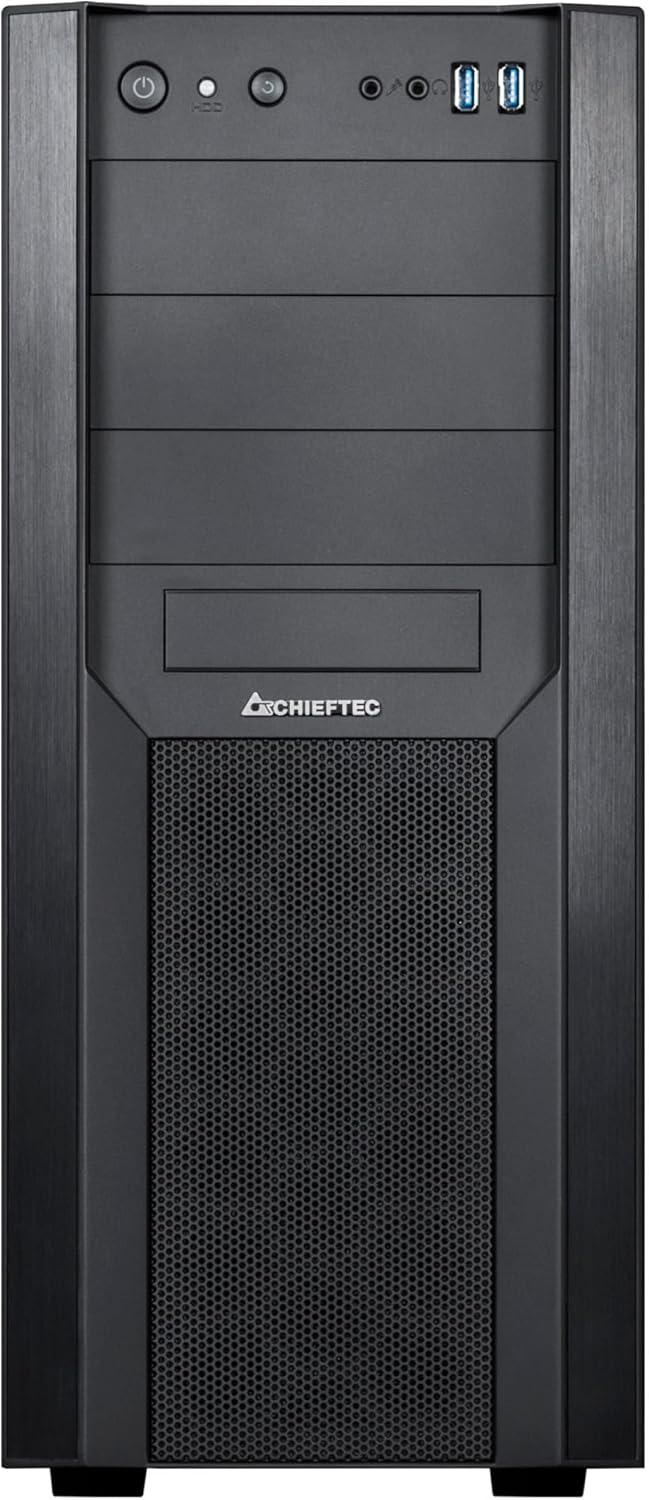
మూర్తి 4: ముందు view of the CW-01B-OP case, detailing the power button, reset button, audio jacks, and USB ports.
Optimal Airflow
The mesh front panel and overall design of the CW-01B-OP are engineered for optimal airflow. Ensure no obstructions block the front mesh or rear exhaust areas to maintain efficient cooling.
నిర్వహణ
Regular maintenance helps ensure the longevity and performance of your computer system.
దుమ్ము నిర్వహణ
- Periodically clean the mesh front panel and any fan filters to prevent dust buildup, which can impede airflow and cooling efficiency.
- Use compressed air to remove dust from internal components.
Cleaning the Tempered Glass Panel
- Use a soft, lint-free cloth and a non-abrasive glass cleaner to clean the tempered glass side panel. Avoid harsh chemicals.
ట్రబుల్షూటింగ్
ఈ విభాగం మీరు ఎదుర్కొనే సాధారణ సమస్యలను పరిష్కరిస్తుంది.
సిస్టమ్ ఆన్ కావడం లేదు
- విద్యుత్ కనెక్షన్లను తనిఖీ చేయండి: Ensure the power cable is securely connected to the PSU and the wall outlet. Verify the PSU switch is in the 'ON' position.
- ముందు ప్యానెల్ హెడర్లు: Confirm that the power button cable from the front panel is correctly connected to the motherboard's power header.
- PSU కార్యాచరణ: Test the power supply unit if possible, or try a different PSU.
Poor Airflow or Overheating
- డస్ట్ బిల్డప్: Clean the mesh front panel and any installed fan filters.
- అభిమానుల దిశ: Ensure fans are installed with the correct airflow direction (intake/exhaust).
- కేబుల్ నిర్వహణ: Verify that cables are neatly routed and not obstructing airflow.
స్పెసిఫికేషన్లు
Detailed specifications for the Chieftec CW-01B-OP Computer Unit Tower.
| ఫీచర్ | వివరాలు |
|---|---|
| మోడల్ పేరు | CW-01B-OP |
| బ్రాండ్ | చీఫ్టెక్ |
| కేసు రకం | మిడ్ టవర్ |
| మదర్బోర్డు అనుకూలత | ATX |
| కొలతలు (LxWxH) | 19.29 x 8.27 x 18.54 అంగుళాలు (490 x 210 x 471 మిమీ) |
| మెటీరియల్ | టెంపర్డ్ గ్లాస్, మెటల్ |
| రంగు | నలుపు |
| ఫ్రంట్ I / O పోర్ట్స్ | 1x USB 3.0, 2x USB 2.0, ఆడియో ఇన్/అవుట్ |
| విద్యుత్ సరఫరా మౌంటు | వెనుక మౌంట్ |
| శీతలీకరణ పద్ధతి | Air (Mesh design for optimal ventilation) |
| ఫ్యాన్ సైజు సపోర్ట్ | 120 Millimeters (common fan size) |
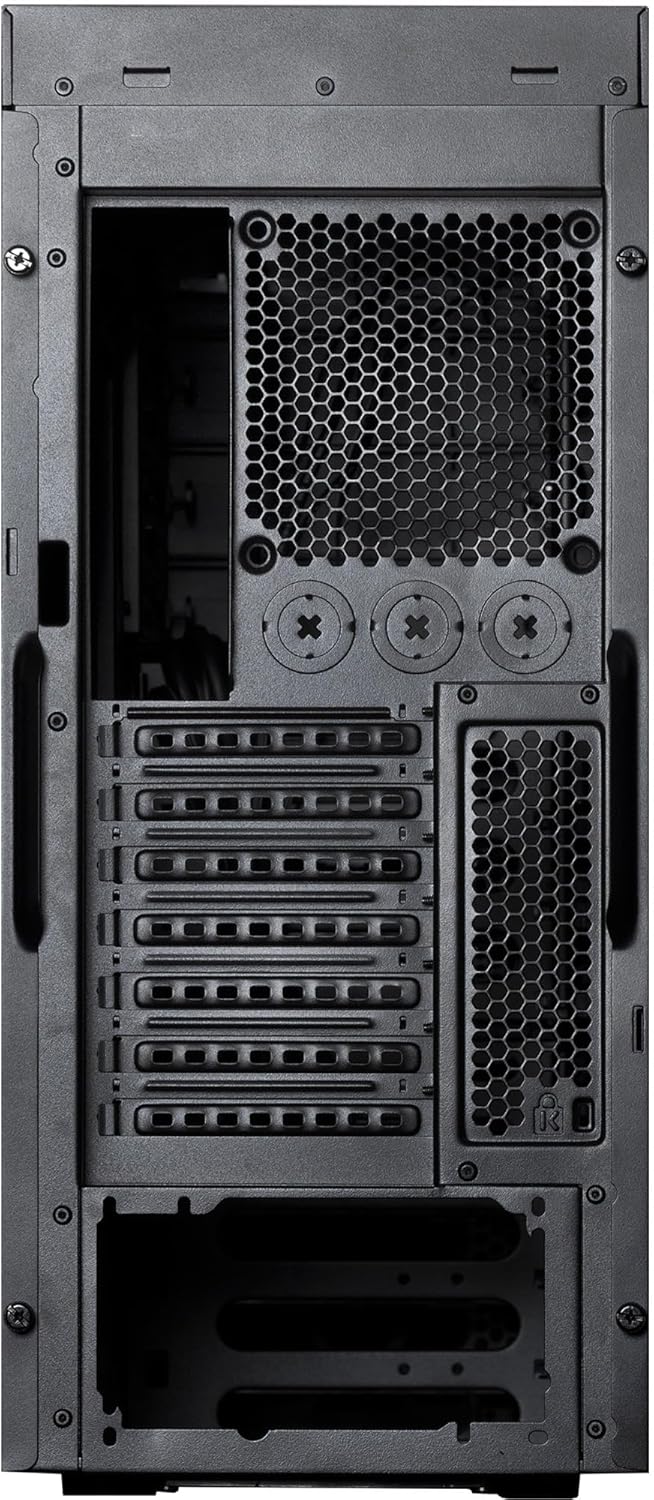
చిత్రం 5: వెనుక view of the CW-01B-OP case, illustrating the expansion slots and rear fan mounting area.
వారంటీ మరియు మద్దతు
For warranty information and technical support, please refer to the official Chieftec webసైట్లో లేదా వారి కస్టమర్ సర్వీస్ను సంప్రదించండి. కొనుగోలు రుజువుగా మీ కొనుగోలు రసీదును ఉంచండి.
తయారీదారు: చీఫ్టెక్
మోడల్: CW-01B-OP
మొదటి తేదీ అందుబాటులో ఉంది: మార్చి 1, 2021


