1. పరిచయం
This manual provides detailed instructions for the safe and efficient use of your DigiLand DL1036 Android Tablet. Please read this manual thoroughly before operating the device and keep it for future reference. The DigiLand DL1036 is a 10.1-inch Android tablet designed for versatile use, featuring a quad-core processor, HD IPS touchscreen, and dual cameras.
2. భద్రతా సమాచారం
To ensure proper operation and avoid damage, please observe the following safety precautions:
- టాబ్లెట్ను తీవ్రమైన ఉష్ణోగ్రతలు, ప్రత్యక్ష సూర్యకాంతి లేదా అధిక తేమకు గురిచేయవద్దు.
- టాబ్లెట్ను పడవేయడం లేదా బలమైన ప్రభావాలకు గురిచేయడం మానుకోండి.
- Use only the charger and charging cable provided with the tablet.
- Do not disassemble, repair, or modify the tablet yourself. Refer to qualified service personnel.
- టాబ్లెట్ను నీరు మరియు ఇతర ద్రవాలకు దూరంగా ఉంచండి.
- స్థానిక నిబంధనల ప్రకారం టాబ్లెట్ మరియు దాని బ్యాటరీని బాధ్యతాయుతంగా పారవేయండి.
3. పెట్టెలో ఏముంది
Carefully unpack your DigiLand DL1036 Tablet and ensure all items are present:
- DL1036 Tablet
- ఛార్జర్
- ఛార్జింగ్ కేబుల్
- వినియోగదారు మాన్యువల్ (ఈ పత్రం)

Image: The DigiLand DL1036 Tablet shown with its included charger and charging cable, alongside the user manual.
4. ఉత్పత్తి ముగిసిందిview
మీ టాబ్లెట్ యొక్క భౌతిక భాగాలతో మిమ్మల్ని మీరు పరిచయం చేసుకోండి.
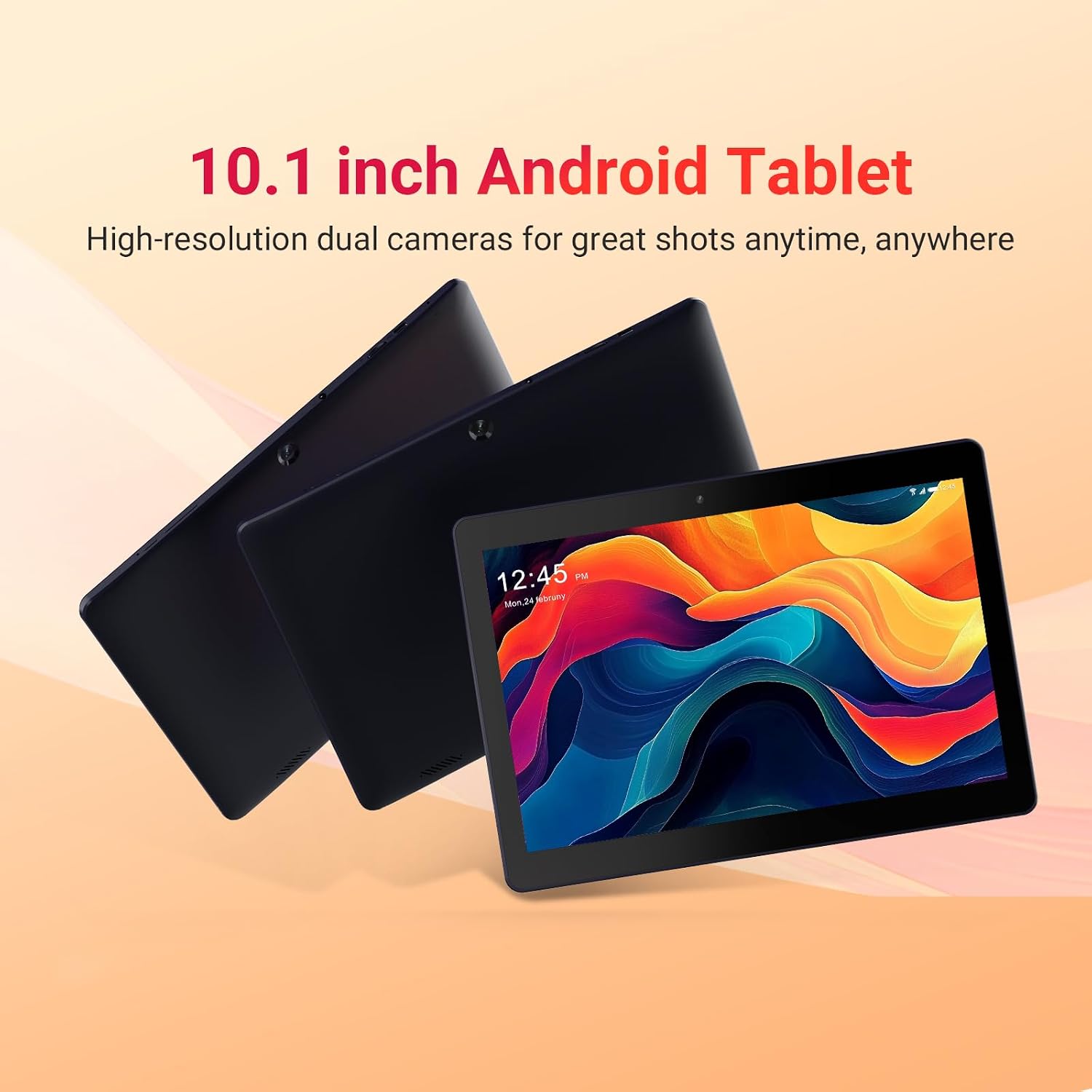
Image: Three DigiLand DL1036 tablets displayed from different angles, showcasinజి ది స్లిమ్ ప్రోfile and rear camera placement.
4.1. పోర్ట్లు మరియు బటన్లు
- పవర్ బటన్: Located on the side, used to turn the tablet on/off or put it to sleep/wake it up.
- వాల్యూమ్ బటన్లు: ఆడియో వాల్యూమ్ను సర్దుబాటు చేయండి.
- USB-C పోర్ట్: ఛార్జింగ్ మరియు డేటా బదిలీ కోసం.
- హెడ్ఫోన్ జాక్: 3.5mm ఆడియో అవుట్పుట్.
- మైక్రో SD కార్డ్ స్లాట్: 256GB వరకు నిల్వను విస్తరించుకోవడానికి.
- ముందు కెమెరా: వీడియో కాల్స్ మరియు సెల్ఫీల కోసం.
- వెనుక కెమెరా: ఫోటోలు మరియు వీడియోలు తీయడం కోసం.
- స్పీకర్లు: ఆడియో అవుట్పుట్ కోసం.

చిత్రం: క్లోజప్ view of the DigiLand DL1036 tablet's side, highlighting the USB-C charging port and the MicroSD card slot.
5. సెటప్
5.1. టాబ్లెట్ను ఛార్జ్ చేయడం
Before first use, fully charge the tablet. Connect the provided charging cable to the USB-C port on the tablet and the other end to the charger. Plug the charger into a power outlet. The battery indicator on the screen will show charging status.
5.2. పవర్ చేయడం ఆన్/ఆఫ్
- పవర్ ఆన్ చేయడానికి: DigiLand లోగో కనిపించే వరకు పవర్ బటన్ను నొక్కి పట్టుకోండి.
- పవర్ ఆఫ్ చేయడానికి: పవర్ ఆప్షన్స్ మెనూ కనిపించే వరకు పవర్ బటన్ను నొక్కి పట్టుకోండి. "పవర్ ఆఫ్" ఎంచుకుని నిర్ధారించండి.
- నిద్ర/మేల్కొలపండి: Briefly press the Power button to put the tablet to sleep or wake it up.
5.3. ప్రారంభ సెటప్
మొదటిసారి పవర్-ఆన్ చేసినప్పుడు, టాబ్లెట్ ప్రారంభ సెటప్ ప్రక్రియ ద్వారా మిమ్మల్ని మార్గనిర్దేశం చేస్తుంది:
- భాష ఎంపిక: మీకు ఇష్టమైన భాషను ఎంచుకోండి.
- Wi-Fi కనెక్షన్: Select your Wi-Fi network and enter the password. A stable internet connection is recommended for setup.
- Google ఖాతా: Sign in with your existing Google account or create a new one. This is necessary to access the Google Play Store and other Google services.
- తేదీ & సమయం: Set the correct date and time, or allow the network to set it automatically.
- భద్రత: భద్రత కోసం స్క్రీన్ లాక్ (పిన్, నమూనా లేదా పాస్వర్డ్)ను సెటప్ చేయండి.
6. టాబ్లెట్ను ఆపరేట్ చేయడం
6.1. Navigation and Gestures
The DigiLand DL1036 uses a touch-sensitive screen for navigation:
- నొక్కండి: ఒక అంశాన్ని ఎంచుకోవడానికి లేదా యాప్ను తెరవడానికి.
- తాకి & పట్టుకోండి: సందర్భోచిత మెనూలను యాక్సెస్ చేయడానికి లేదా చిహ్నాలను తరలించడానికి.
- స్వైప్: పేజీలు లేదా జాబితాల ద్వారా స్క్రోల్ చేయడానికి.
- పించ్-టు-జూమ్: చిత్రాలను జూమ్ ఇన్ లేదా అవుట్ చేయడానికి లేదా web పేజీలు.
6.2. Wi-Fiకి కనెక్ట్ చేస్తోంది
Wi-Fi నెట్వర్క్కి కనెక్ట్ చేయడానికి:
- వెళ్ళండి సెట్టింగ్లు > నెట్వర్క్ & ఇంటర్నెట్ > Wi-Fi.
- Wi-Fiని ఆన్ చేయండి.
- జాబితా నుండి మీకు కావలసిన నెట్వర్క్ను ఎంచుకోండి.
- ప్రాంప్ట్ చేయబడితే పాస్వర్డ్ను నమోదు చేసి, నొక్కండి కనెక్ట్ చేయండి.

Image: A graphic illustrating the 2.4G WiFi capability of the DigiLand DL1036 tablet, along with camera and charging details.
6.3. యాప్లను డౌన్లోడ్ చేస్తోంది
Access the Google Play Store to download and install applications:
- నొక్కండి ప్లే స్టోర్ icon on your home screen or app drawer.
- కోసం వెతకండి the app you want to install.
- నొక్కండి ఇన్స్టాల్ చేయండి మరియు ఆన్-స్క్రీన్ ప్రాంప్ట్లను అనుసరించండి.

Image: The DigiLand DL1036 tablet screen filled with various application icons, demonstrating its compatibility with Google Play Store apps.
6.4. కెమెరా వినియోగం
The tablet features a 2MP front camera and a 2MP rear camera.
- తెరవండి కెమెరా అనువర్తనం.
- ముందు మరియు వెనుక కెమెరాల మధ్య టోగుల్ చేయడానికి కెమెరా స్విచ్ చిహ్నాన్ని నొక్కండి.
- ఫోటో తీయడానికి లేదా వీడియో రికార్డింగ్ ప్రారంభించడానికి/ఆపడానికి షట్టర్ బటన్ను నొక్కండి.

చిత్రం: వివరణాత్మక గ్రాఫిక్ షోక్asing the dual 2MP cameras of the DigiLand DL1036 tablet, emphasizing its photo and video capabilities.
6.5. నిల్వ నిర్వహణ
The tablet comes with 32GB of internal storage and supports expansion up to 256GB via a MicroSD card. To manage storage:
- వెళ్ళండి సెట్టింగ్లు > నిల్వ కు view నిల్వ వినియోగం.
- Insert a MicroSD card into the designated slot to expand storage for photos, videos, and other files.

Image: A visual representation of the DigiLand DL1036 tablet's 2GB RAM and 32GB ROM, indicating ample space for photos, videos, and music.
6.6. బ్యాటరీ లైఫ్
The tablet is equipped with a 5000mAh battery, providing extended usage time. To optimize battery life:
- స్క్రీన్ ప్రకాశాన్ని తగ్గించండి.
- Turn off Wi-Fi or Bluetooth when not in use.
- నేపథ్యంలో నడుస్తున్న ఉపయోగించని అప్లికేషన్లను మూసివేయండి.

Image: A graphic highlighting the 5000mAh battery capacity of the DigiLand DL1036 tablet, emphasizing its long-lasting power.
7. నిర్వహణ
7.1. శుభ్రపరచడం
Use a soft, lint-free cloth to clean the tablet screen and body. Do not use liquid cleaners or aerosols directly on the tablet.
7.2. సాఫ్ట్వేర్ నవీకరణలు
సరైన పనితీరు మరియు భద్రతను నిర్ధారించడానికి సిస్టమ్ నవీకరణల కోసం కాలానుగుణంగా తనిఖీ చేయండి:
- వెళ్ళండి సెట్టింగ్లు > వ్యవస్థ > సిస్టమ్ నవీకరణ.
- అందుబాటులో ఉన్న ఏవైనా నవీకరణలను డౌన్లోడ్ చేసి, ఇన్స్టాల్ చేయడానికి స్క్రీన్పై ఉన్న సూచనలను అనుసరించండి.
7.3. నిల్వ ఆప్టిమైజేషన్
To maintain smooth performance, regularly clear unnecessary files and apps:
- మీరు ఇకపై ఉపయోగించని యాప్లను అన్ఇన్స్టాల్ చేయండి.
- యాప్ల కోసం కాష్ డేటాను క్లియర్ చేయండి సెట్టింగ్లు > యాప్లు & నోటిఫికేషన్లు > [యాప్ పేరు] > నిల్వ & కాష్.
- పెద్ద మొత్తాన్ని బదిలీ చేయండి files (photos, videos) to a MicroSD card or cloud storage.
8. ట్రబుల్షూటింగ్
మీ టాబ్లెట్తో మీకు సమస్యలు ఎదురైతే, ఈ క్రింది సాధారణ పరిష్కారాలను చూడండి:
| సమస్య | పరిష్కారం |
|---|---|
| టాబ్లెట్ ఆన్ అవ్వడం లేదు | Ensure the battery is charged. Connect the charger and wait a few minutes before attempting to power on again. If still unresponsive, perform a forced restart by holding the Power button for 10-15 seconds. |
| Wi-Fi కనెక్షన్ సమస్యలు | సెట్టింగ్లలో Wi-Fi ప్రారంభించబడిందో లేదో తనిఖీ చేయండి. మీ Wi-Fi రూటర్ను పునఃప్రారంభించండి. నెట్వర్క్ను మర్చిపోయి తిరిగి కనెక్ట్ చేయండి. |
| Tablet is slow or unresponsive | Close unused apps. Clear app cache. Restart the tablet. Check for system updates. If issues persist, consider a factory reset (backup data first). |
| Apps are crashing | Clear the app's cache and data (Settings > Apps & notifications > [App Name] > Storage & cache). Reinstall the app. Ensure the tablet's software is up to date. |
| స్క్రీన్ స్పందించడం లేదు | Restart the tablet. Ensure the screen is clean and dry. |
8.1. ఫ్యాక్టరీ రీసెట్
A factory reset will erase all data from your tablet and restore it to its original factory settings. కొనసాగే ముందు అన్ని ముఖ్యమైన డేటాను బ్యాకప్ చేయండి.
- వెళ్ళండి సెట్టింగ్లు > వ్యవస్థ > రీసెట్ ఎంపికలు.
- ఎంచుకోండి మొత్తం డేటాను తొలగించండి (ఫ్యాక్టరీ రీసెట్).
- మీ నిర్ణయాన్ని నిర్ధారించండి మరియు ప్రాంప్ట్ చేయబడితే మీ పిన్/నమూనా/పాస్వర్డ్ను నమోదు చేయండి.
9. స్పెసిఫికేషన్లు
Key technical specifications for the DigiLand DL1036 Tablet:

Image: A comprehensive graphic detailing the DigiLand DL1036 tablet's core specifications including display, battery, processor, OS, RAM, and ROM.
| ఫీచర్ | స్పెసిఫికేషన్ |
|---|---|
| మోడల్ పేరు | DL1036 |
| స్క్రీన్ డిస్ప్లే పరిమాణం | 10.1 అంగుళాలు |
| స్క్రీన్ రిజల్యూషన్ | 1280 x 800 IPS |
| ప్రాసెసర్ | 2 GHz Quad-core (MediaTek) |
| RAM | 2 GB |
| అంతర్గత నిల్వ | 32 GB |
| విస్తరించదగిన నిల్వ | Up to 256GB (MicroSD) |
| ఆపరేటింగ్ సిస్టమ్ | ఆండ్రాయిడ్ 11 గో |
| వెనుక Webకెమెరా రిజల్యూషన్ | 2 ఎంపీ |
| ముందు Webకెమెరా రిజల్యూషన్ | 2 ఎంపీ |
| బ్యాటరీ లైఫ్ (సగటు) | 10 గంటలు |
| బ్యాటరీ కెపాసిటీ | 5000mAh |
| వైర్లెస్ రకం | 802.11g (2.4G WiFi) |
| వస్తువు బరువు | 1.06 పౌండ్లు |
| ఉత్పత్తి కొలతలు | 9.6 x 6.8 x 0.3 అంగుళాలు |
| రంగు | నీలం |
10. వారంటీ మరియు మద్దతు
DigiLand products are covered by a limited warranty. For specific warranty terms and conditions, please refer to the warranty card included with your product or visit the official DigiLand website. If you encounter any issues or require technical assistance, please contact DigiLand customer support through the contact information provided on our website or in your product packaging. Please have your model number (DL1036) and purchase information ready when contacting support.


