1. పరిచయం
This manual provides essential information for setting up, operating, maintaining, and troubleshooting your TECLAST M40 10.1-inch Android Tablet. Please read it thoroughly to ensure optimal performance and longevity of your device.
2. పెట్టెలో ఏముంది
Upon unboxing your TECLAST M40 tablet, you should find the following items:
- TECLAST M40 10.1-inch Android Tablet
- USB-C నుండి USB-A ఛార్జింగ్ కేబుల్
- USB-A Charging Adapter
- SIM/MicroSD Card Tray Ejector Tool
- వినియోగదారు మాన్యువల్ (ఈ పత్రం)
- వారంటీ కార్డ్
For a visual guide on unboxing and included accessories, please refer to the official unboxing video below:
అధికారిక ఉత్పత్తి వీడియో ప్రదర్శనasing the TECLAST M40 Android Tablet, highlighting its design, performance, and key features like 10-inch display, 128GB storage, and 5G WiFi capabilities.
3. ఉత్పత్తి ముగిసిందిview
The TECLAST M40 is a 10.1-inch Android tablet designed for versatile use, featuring a powerful Octa-Core processor and a high-resolution display.

This image displays the TECLAST M40 tablet from both the front, showing its 10.1-inch display, and the back, highlighting the rear camera and port layout.
ముఖ్య భాగాలు:
- ప్రదర్శన: 10.1-అంగుళాల పూర్తి HD (1920x1200) IPS స్క్రీన్.
- ప్రాసెసర్: 2.0GHz Octa-Core (UNISOC T618) with Mali G52 3EE GPU.
- మెమరీ & నిల్వ: 6GB RAM, 128GB internal storage, expandable via TF card.
- కెమెరాలు: 5MP Front Camera, 8MP Rear Camera.
- కనెక్టివిటీ: Dual-band 2.4G+5G WiFi, Bluetooth 5.0, BDS+GPS, 4G LTE support (via dual SIM slot).
- బ్యాటరీ: 6000mAh, offering approximately 8 hours of usage.
- ఆపరేటింగ్ సిస్టమ్: ఆండ్రాయిడ్ 10.
- పోర్టులు: USB-C for charging and data transfer, 3.5mm headphone jack.

This image details the tablet's connectivity options including BDS+GPS, Dual WiFi, Bluetooth 5.0, and its 6000mAh battery with Type-C charging, suggesting long usage and versatile navigation.
4. సెటప్
4.1 ప్రారంభ పవర్ ఆన్
- Press and hold the Power button (located on the side) until the TECLAST logo appears on the screen.
- మీ భాషను ఎంచుకోవడానికి, Wi-Fi నెట్వర్క్కు కనెక్ట్ అవ్వడానికి మరియు మీ Google ఖాతాను సెటప్ చేయడానికి స్క్రీన్పై కనిపించే ప్రాంప్ట్లను అనుసరించండి.
4.2 Inserting SIM/MicroSD Card
The TECLAST M40 supports dual SIM cards for 4G LTE connectivity and a MicroSD card for expandable storage.
- టాబ్లెట్ వైపున SIM/MicroSD కార్డ్ ట్రేని గుర్తించండి.
- Insert the provided ejector tool into the small hole next to the tray and press gently until the tray pops out.
- Place your Nano-SIM card(s) and/or MicroSD card into the designated slots on the tray. Ensure they are correctly oriented.
- ట్రే సరైన స్థానంలోకి వచ్చే వరకు జాగ్రత్తగా దాన్ని టాబ్లెట్లోకి నెట్టండి.
5. మీ టాబ్లెట్ను ఆపరేట్ చేయడం
5.1 ప్రాథమిక నావిగేషన్
The tablet runs on Android 10, offering intuitive navigation. You can choose between gesture navigation or the traditional 3-button navigation in the system settings.
5.2 కనెక్టివిటీ
- Wi-Fi: Connect to 2.4G or 5G Wi-Fi networks for internet access. Go to Settings > Network & internet > Wi-Fi.
- బ్లూటూత్: Pair with Bluetooth 5.0 devices like headphones or speakers. Go to Settings > Connected devices > Bluetooth.
- మొబైల్ డేటా: If a SIM card is inserted, enable mobile data for internet access on the go. Go to Settings > Network & internet > Mobile network.
- GPS: The tablet supports BDS+GPS for location services and navigation.
5.3 డిస్ప్లే మరియు ఆడియో
Enjoy a vibrant visual experience on the 10.1-inch 1920x1200 Full HD IPS display. The tablet also features dual speakers for audio output.
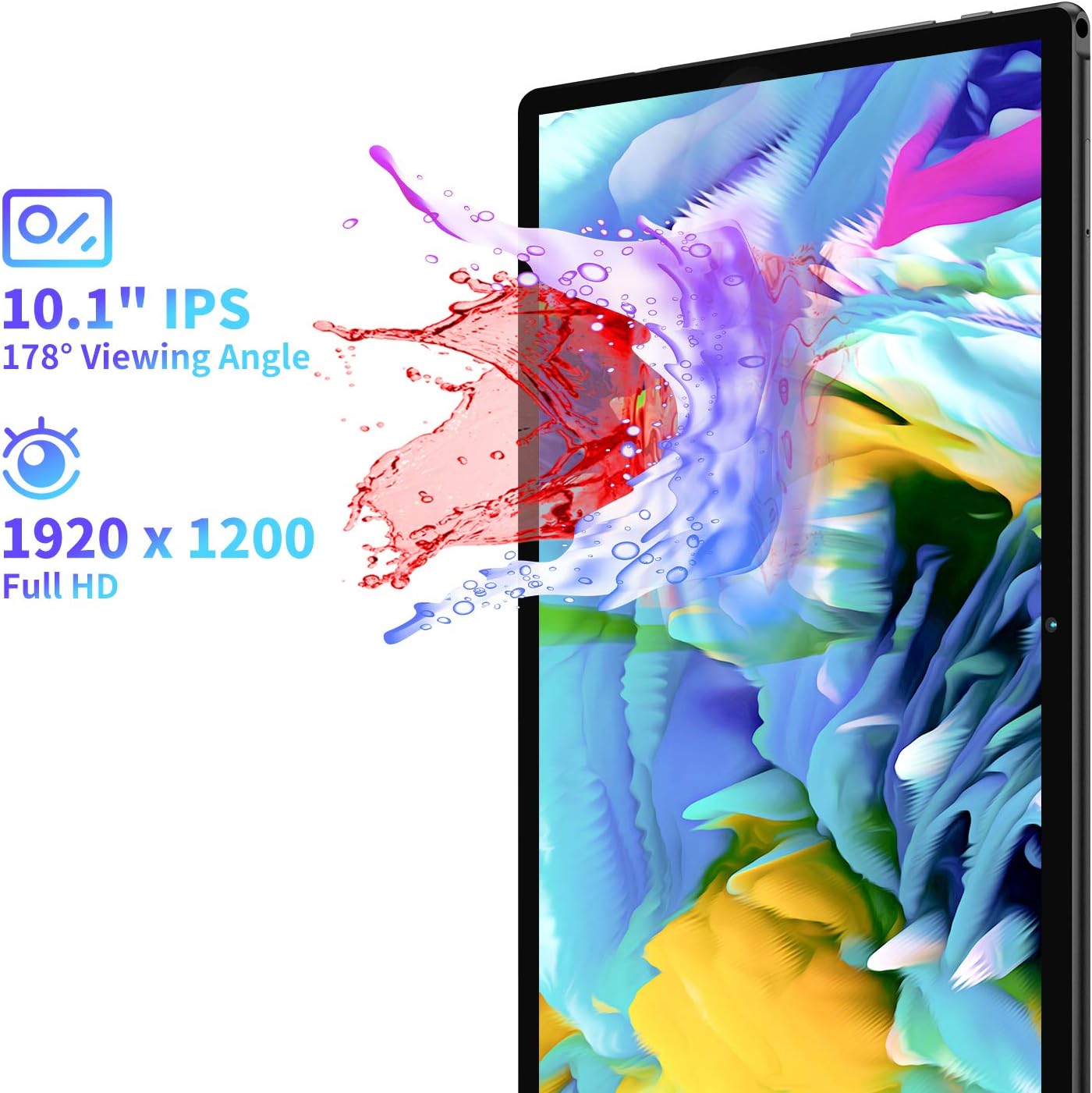
This image illustrates the tablet's 10.1-inch Full HD IPS display with a 1920x1200 resolution and a 178-degree viewing angle, emphasizing vibrant visuals.
5.4 కెమెరా వినియోగం
The tablet is equipped with a 5MP front camera and an 8MP rear camera for photos and video calls.
- హోమ్ స్క్రీన్ లేదా యాప్ డ్రాయర్ నుండి కెమెరా యాప్ను తెరవండి.
- Tap the shutter button to take a photo or switch to video mode.
- కెమెరాల మధ్య మారడానికి ముందు/వెనుక కెమెరా టోగుల్ని ఉపయోగించండి.
For a detailed look at the tablet's cameras and their performance, you can watch the video below:
ఒక వివరణాత్మక రీview and unboxing video by FishBee Productions, demonstrating the TECLAST M40 Gaming Android Tablet's features, performance, and user experience, including a look at its components and software.
6. నిర్వహణ
6.1 బ్యాటరీని ఛార్జ్ చేయడం
The TECLAST M40 is equipped with a 6000mAh battery. Use the provided USB-C cable and charging adapter to charge the device. Connect the USB-C end to the tablet's port and the USB-A end to the adapter, then plug the adapter into a power outlet.
Note: Some USB Power Delivery (PD) chargers may not be compatible and could cause the tablet to attempt charging the charger instead of being charged itself. Use the provided charger or a standard 5V 2.4A charger for best results.
6.2 సాఫ్ట్వేర్ నవీకరణలు
Ensure your tablet's software is up-to-date for optimal performance and security. Go to Settings > System > Advanced > System update to check for and install any available updates.
6.3 నిల్వ నిర్వహణ
The tablet comes with 128GB of internal storage, expandable via a TF (MicroSD) card. Regularly manage your storage to prevent performance issues:
- అనవసరంగా తొలగించండి fileలు మరియు యాప్లు.
- పెద్దగా తరలించు files (photos, videos) to a MicroSD card.
- Clear cache data for apps in Settings > Apps & notifications > See all apps > [App Name] > Storage & cache.
7. ట్రబుల్షూటింగ్
If you encounter any issues with your TECLAST M40 tablet, try the following solutions:
- Tablet is unresponsive/frozen: రీస్టార్ట్ చేయమని బలవంతం చేయడానికి పవర్ బటన్ను దాదాపు 10-15 సెకన్ల పాటు నొక్కి పట్టుకోండి.
- నెమ్మది పనితీరు: Close unused apps, clear app caches, free up storage space, or restart the tablet.
- ఛార్జింగ్ సమస్యలు: Ensure you are using the provided charger and cable. Check if the charging port is clean and free of debris. Avoid using incompatible USB PD chargers.
- స్క్రీన్ ప్రతిస్పందన: If the touchscreen is inconsistent, a restart may resolve the issue. If problems persist, a factory reset might be necessary (back up your data first).
- Wi-Fi/బ్లూటూత్ కనెక్టివిటీ సమస్యలు: Toggle Wi-Fi/Bluetooth off and on. Restart the tablet and your router/Bluetooth device.
- క్రాష్ అవుతున్న యాప్లు: Ensure apps are updated to their latest versions. Clear app cache or reinstall the app.
If these steps do not resolve the issue, please contact TECLAST customer support.
8. స్పెసిఫికేషన్లు
| ఫీచర్ | స్పెసిఫికేషన్ |
|---|---|
| మోడల్ పేరు | M40 |
| స్క్రీన్ పరిమాణం | 10.1 అంగుళాలు |
| గరిష్ట స్క్రీన్ రిజల్యూషన్ | 1920x1200 (FHD IPS) |
| ప్రాసెసర్ | 2 GHz Octa-Core (UNISOC T618) |
| RAM | 6 GB |
| హార్డ్ డ్రైవ్ / నిల్వ | 128 GB |
| విస్తరించదగిన నిల్వ | TF Expansion (MicroSD) |
| ఆపరేటింగ్ సిస్టమ్ | ఆండ్రాయిడ్ 10 |
| వెనుక Webకెమెరా రిజల్యూషన్ | 8 ఎంపీ |
| ముందు Webకెమెరా రిజల్యూషన్ | 5 ఎంపీ |
| కనెక్టివిటీ | 2.4G+5G WiFi, Bluetooth 5.0, BDS+GPS, 4G LTE (Dual SIM) |
| బ్యాటరీ లైఫ్ (సగటు) | 8 గంటలు (6000 mAh) |
| వస్తువు బరువు | 2.05 పౌండ్లు |
| ఉత్పత్తి కొలతలు | 9.56 x 6.4 x 0.37 అంగుళాలు |
9. వారంటీ మరియు మద్దతు
For warranty information and customer support, please refer to the warranty card included in your product packaging. You can also visit the official TECLAST website for further assistance and contact options.
Note: Some users have reported difficulties in receiving responses from TECLAST support. It is recommended to keep all purchase records and contact information readily available.


