1. పరిచయం
Thank you for choosing the Anlapus 8-Channel H.265+ 1080P DVR Video Recorder. This manual provides detailed instructions for setting up, operating, and maintaining your DVR system. Please read this manual thoroughly before use to ensure proper installation and functionality.
2. పెట్టెలో ఏముంది
ప్యాకేజీని తెరిచినప్పుడు, దయచేసి కింది అంశాలన్నీ చేర్చబడ్డాయో లేదో తనిఖీ చేయండి:
- 1 x Anlapus 8-Channel 2MP DVR
- 1 x 12VDC 2A పవర్ అడాప్టర్
- 1 x USB మౌస్
- 1 x యూజర్ మాన్యువల్ (ఈ పత్రం)

Image: Included components of the Anlapus DVR system.
3. ఉత్పత్తి ముగిసిందిview
The Anlapus DVR is designed for reliable video surveillance recording. Familiarize yourself with the front and rear panels of the device.
3.1 ముందు మరియు వెనుక ప్యానెల్లు

Image: Front and rear panel layout of the Anlapus DVR.
3.2 Port Descriptions and Dimensions

చిత్రం: వివరణాత్మకం view of DVR ports and dimensions.
- Video Input (1-8): BNC connectors for connecting analog cameras (TVI, AHD, CVI, CVBS).
- ఆడియో ఇన్/అవుట్: RCA connectors for audio input from cameras (if supported) and audio output to a speaker/monitor.
- VGA/HDMI: Video output ports for connecting to a monitor or TV.
- నెట్వర్క్: RJ45 port for connecting to your local network/router for remote access.
- USB 2.0: Ports for connecting the included mouse or a USB flash drive for backup.
- DC 12V: పవర్ ఇన్పుట్ పోర్ట్.
4. సెటప్
4.1 హార్డ్ డ్రైవ్ ఇన్స్టాలేషన్ (ఐచ్ఛికం)
The Anlapus DVR does not include a hard drive. A 2.5/3.5 inch SATA surveillance hard drive (up to 8TB) is required for video recording. PC hard drives are not recommended. Refer to the separate hard drive installation guide for detailed steps.
4.2 కెమెరాలను కనెక్ట్ చేయడం
The DVR supports 800-3000TVL, 720P-1080P AHD, CVI, and TVI cameras. Thanks to self-adaptive technology, connected cameras are automatically recognized.

Image: Camera compatibility and connection diagram.
- Connect your analog cameras to the BNC video input ports (1-8) on the rear panel of the DVR.
- కెమెరాలు ఆన్లో ఉన్నాయని నిర్ధారించుకోండి.
4.3 Connecting to a Monitor/TV
- Connect a monitor or TV to the DVR using either the VGA or HDMI port.
- Connect the included USB mouse to one of the USB ports on the DVR.
4.4 నెట్వర్క్ కనెక్షన్
రిమోట్ కోసం viewing and network features, connect the DVR to your router using an Ethernet cable.
4.5 పవర్ ఆన్
- Connect the 12VDC 2A power adapter to the DC 12V input port on the DVR.
- Plug the power adapter into a power outlet. The DVR will power on automatically.
5. DVRని ఆపరేట్ చేయడం
5.1 రికార్డింగ్ మోడ్లు
The DVR supports various recording modes to suit your surveillance needs:
- నిరంతర రికార్డింగ్: రికార్డులు 24/7.
- షెడ్యూల్డ్ రికార్డింగ్: నిర్దిష్ట కాల వ్యవధులలో రికార్డులు.
- మోషన్ డిటెక్షన్ రికార్డింగ్: కదలిక గుర్తించబడినప్పుడు మాత్రమే రికార్డ్ చేస్తుంది, నిల్వ స్థలాన్ని ఆదా చేస్తుంది.
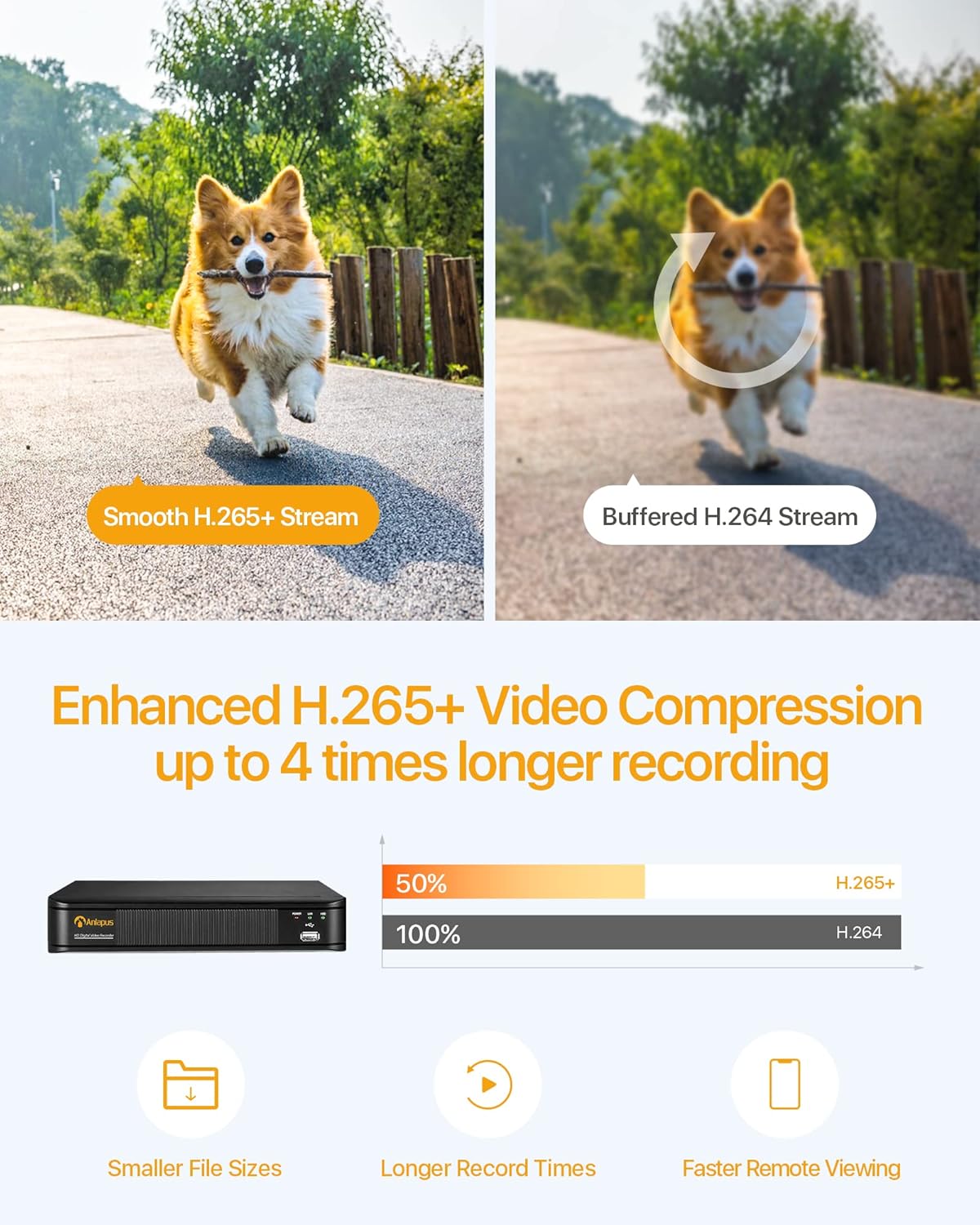
Image: Multiple recording modes supported by the DVR.
5.2 H.265+ వీడియో కంప్రెషన్
The DVR utilizes advanced H.265+ video compression technology, which efficiently encodes video streams. This results in smaller file sizes, longer recording times, and faster remote viewing, optimizing your storage and bandwidth usage.

Image: Benefits of H.265+ video compression.
5.3 రిమోట్ Viewing and Alerts
Access your DVR and view ప్రత్యక్షంగా లేదా రికార్డ్ చేయబడిన footage from anywhere using the free Anlapus Cloud App on your smartphone, tablet, laptop, or PC. The app also provides push notifications for motion-triggered events, keeping you informed.

Image: Customized motion detection and alerts via the app.

Image: Live view on multiple devices.
5.4 ప్లేబ్యాక్
Review రికార్డ్ చేసిన footage directly from the DVR or remotely via the mobile application. The intuitive interface allows for easy navigation through timelines and events.

Image: Playback and remote viewఇంటర్ఫేస్.
6. నిర్వహణ
- శుభ్రపరచడం: Use a soft, dry cloth to clean the DVR's exterior. Do not use liquid or aerosol cleaners.
- వెంటిలేషన్: వేడెక్కకుండా నిరోధించడానికి DVR బాగా వెంటిలేషన్ ఉన్న ప్రదేశంలో ఉంచబడిందని నిర్ధారించుకోండి. వెంటిలేషన్ ఓపెనింగ్లను నిరోధించవద్దు.
- ఫర్మ్వేర్ నవీకరణలు: Periodically check the Anlapus official webసరైన పనితీరు మరియు భద్రతను నిర్ధారించడానికి అందుబాటులో ఉన్న ఏవైనా ఫర్మ్వేర్ నవీకరణల కోసం సైట్.
- డేటా బ్యాకప్: ముఖ్యమైన వీడియో foo ని క్రమం తప్పకుండా బ్యాకప్ చేయండిtage to an external USB drive or cloud storage.
7. ట్రబుల్షూటింగ్
| సమస్య | సాధ్యమైన కారణం | పరిష్కారం |
|---|---|---|
| మానిటర్ పై వీడియో అవుట్పుట్ లేదు. | Loose cable connection; Incorrect input source on monitor; DVR not powered on. | Check VGA/HDMI cable connections; Select correct input source on monitor; Verify DVR power indicator is on. |
| రికార్డింగ్ లేదు | No hard drive installed or detected; Hard drive full; Incorrect recording schedule. | Install a compatible hard drive; Format/delete old recordings; Check recording settings and schedule. |
| Cannot access DVR remotely | No network connection; Incorrect network settings; Firewall blocking access. | Check Ethernet cable connection; Verify network settings (IP address, gateway); Configure router firewall/port forwarding if necessary. |
| చిత్ర నాణ్యత తక్కువగా ఉంది | Camera resolution mismatch; Dirty camera lens; Poor lighting. | Ensure cameras are 1080P compatible; Clean camera lenses; Improve lighting conditions. |
8. స్పెసిఫికేషన్లు
| ఫీచర్ | స్పెసిఫికేషన్ |
|---|---|
| మోడల్ సంఖ్య | 6973225210377 |
| వీడియో కంప్రెషన్ | H.265 + |
| వీడియో ఇన్పుట్ | 8 ఛానెల్లు |
| వీడియో రిజల్యూషన్ | Up to 1080P (2.0MP) at 15fps |
| అనుకూల కెమెరాలు | 800-3000TVL, 720P-1080P AHD, CVI, TVI (Analog) |
| హార్డ్ డ్రైవ్ మద్దతు | 1x SATA Port, up to 8TB (Hard drive not included) |
| వీడియో అవుట్పుట్ | VGA, HDMI |
| ఆడియో ఇన్పుట్/అవుట్పుట్ | RCA పోర్ట్స్ |
| నెట్వర్క్ ఇంటర్ఫేస్ | RJ45 ఈథర్నెట్ |
| USB ఇంటర్ఫేస్ | 2 x USB 2.0 |
| విద్యుత్ సరఫరా | DC 12V |
| కొలతలు (L x W x H) | సుమారు 230 మిమీ x 250 మిమీ x 43 మిమీ |
| బరువు | 1.35 కిలోలు |
9. వారంటీ మరియు మద్దతు
Anlapus products are designed for reliability and performance. For warranty information, technical support, or any inquiries, please refer to the contact details provided in your product packaging or visit the official Anlapus webవారంటీ క్లెయిమ్ల కోసం దయచేసి మీ కొనుగోలు రసీదును ఉంచుకోండి.


