1. పరిచయం మరియు ఓవర్view
The Bluesound Pulse SUB+ is a wireless powered subwoofer meticulously engineered to enhance your audio experience by complementing Bluesound wireless speakers, amplifiers, and streamers. It delivers powerful and detailed bass through its 8-inch woofer and intelligent DSP amplifier, producing an impressive 150 watts of distortion-free output. Designed for seamless integration, the Pulse SUB+ eliminates the need for tangled wires, offering flexible placement options and intuitive control via the BluOS Controller App.
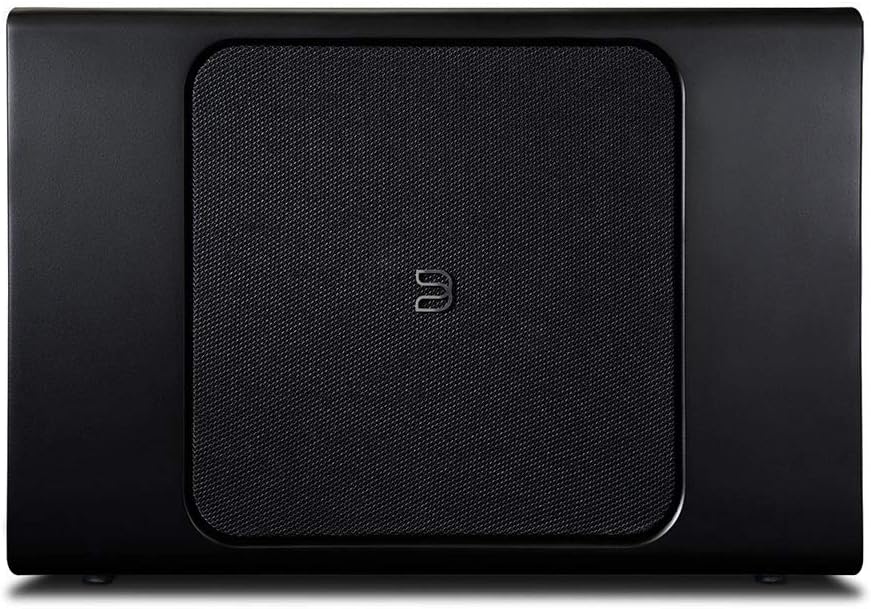
చిత్రం: ముందు భాగం view of the Bluesound Pulse SUB+ Wireless Powered Subwoofer, showcasing its sleek black design and central mesh grille.
2. ప్యాకేజీ విషయాలు
Upon unboxing your Bluesound Pulse SUB+, please ensure all components are present:
- Pulse SUB+ Wireless Powered Subwoofer
If any items are missing or damaged, please contact Bluesound customer support.
3. సెటప్
Setting up your Pulse SUB+ is designed to be straightforward, primarily managed through the BluOS Controller App. This wireless subwoofer offers effortless integration into your existing Bluesound ecosystem.
3.1 ప్రారంభ కనెక్షన్
Connect the Pulse SUB+ to a power outlet using the provided power cable. The subwoofer is designed for wireless connectivity, eliminating the need for audio cables to your main system.

Image: Rear panel of the Bluesound Pulse SUB+, displaying the power input, service ports, and Ethernet port for wired network connection if preferred.
3.2 BluOS Controller App Configuration
Download and install the BluOS Controller App on your mobile device (smartphone or tablet). Within minutes, you can pair and configure the subwoofer through the app. The app provides full control over your audio experience, including volume and crossover controls, allowing you to customize the sound to your preferences.
3.3 Wired Network Connection (Optional)
For a stable and reliable connection, you may choose to connect the Pulse SUB+ to your network via an Ethernet cable. This can be particularly beneficial in environments with high wireless interference.
4. Operating the Pulse SUB+
The Pulse SUB+ is primarily operated and controlled via the BluOS Controller App, offering a seamless user experience.
4.1 యాప్ నియంత్రణ
Use the BluOS Controller App to:
- Adjust the subwoofer's volume level.
- Set the crossover frequency (40-120Hz) to blend the subwoofer's output with your main speakers.
- Toggle the subwoofer on/off.
- Access advanced settings for fine-tuning audio performance.

Image: Close-up of the illuminated control button on the side of the Bluesound Pulse SUB+, indicating power or connection status.
4.2 వాయిస్ అసిస్టెంట్ ఇంటిగ్రేషన్
Integrate the Pulse SUB+ seamlessly into your smart home ecosystem. It is compatible with popular voice assistants such as Amazon Alexa and Google Assistant. Simply use your voice commands to control and adjust the subwoofer settings, enhancing the convenience and accessibility of your audio setup.
5. ప్లేస్మెంట్ ఎంపికలు
The Pulse SUB+ offers versatile placement options to suit your needs and room aesthetics. Its sleek and compact design allows it to blend effortlessly with your decor.
- నిలబడి: Position the subwoofer upright beside furniture or in a corner.
- Laying Down: దీని స్లిమ్ ప్రోfile allows it to be laid flat, fitting discreetly beneath furniture.
- వాల్ మౌంటు: Utilize the included custom mounting bracket to mount the subwoofer on a wall, saving floor space and providing a clean look.

Image: The Bluesound Pulse SUB+ positioned next to a media console, showcasing its ability to integrate into a home entertainment setup.

Image: The Bluesound Pulse SUB+ placed discreetly under a couch, highlighting its compact design and flexible placement capabilities.
Experiment with different placements to find the optimal position that delivers the best bass response for your listening environment.
6. నిర్వహణ
To ensure the longevity and optimal performance of your Bluesound Pulse SUB+, follow these simple maintenance guidelines:
- శుభ్రపరచడం: Use a soft, dry cloth to clean the exterior surfaces. Avoid abrasive cleaners, waxes, or solvents.
- వెంటిలేషన్: Ensure adequate airflow around the subwoofer. Do not block any ventilation openings.
- పర్యావరణం: Avoid exposing the subwoofer to extreme temperatures, humidity, or direct sunlight. Keep it away from sources of heat and moisture.
- శక్తి: Disconnect the power cable from the wall outlet if the unit will be unused for a long period.
7. ట్రబుల్షూటింగ్
If you encounter issues with your Pulse SUB+, refer to the following common troubleshooting steps:
7.1 ధ్వని లేదా తక్కువ అవుట్పుట్ లేదు
- పవర్ చెక్: Ensure the subwoofer is properly plugged into a working power outlet and the power indicator light is on.
- యాప్ సెట్టింగ్లు: Open the BluOS Controller App and verify that the subwoofer's volume is not muted or set too low. Check the crossover settings to ensure they are appropriate for your main speakers.
- మూలం: Ensure your main Bluesound player is outputting audio and the subwoofer is correctly paired and configured within the BluOS app.
- నెట్వర్క్ కనెక్షన్: A weak or unstable Wi-Fi connection can affect performance. Try moving the subwoofer closer to your router or connecting via Ethernet.
7.2 Boomy or Undefined Bass
- ప్లేస్మెంట్: Experiment with different placement options. Placing the subwoofer too close to a wall or corner can sometimes result in boomy bass. Try moving it slightly or adjusting its orientation.
- క్రాస్ఓవర్ సర్దుబాటు: Adjust the crossover frequency in the BluOS app. A lower crossover setting might reduce boominess and provide a tighter bass response.
- దశ నియంత్రణ: Some subwoofers have a phase control. While not explicitly listed as a user-adjustable feature for this model, ensuring proper phase alignment with your main speakers is crucial for seamless integration. The BluOS app handles this automatically during setup.
7.3 Subwoofer Goes Out of Sync
- నెట్వర్క్ స్థిరత్వం: This issue is often related to network instability. Ensure your Wi-Fi network is strong and free from interference. Consider connecting the subwoofer directly to your router via an Ethernet cable for a more stable connection.
- రూటర్ రీబూట్: Try rebooting your home router and the Pulse SUB+.
- ఫర్మ్వేర్ నవీకరణ: Ensure your Pulse SUB+ and BluOS app are running the latest firmware versions. Updates often include performance improvements and bug fixes.
For persistent issues, consult the official Bluesound support resources or contact their customer service.
8. స్పెసిఫికేషన్లు
Below are the key technical specifications for the Bluesound Pulse SUB+ Wireless Powered Subwoofer:
| ఫీచర్ | స్పెసిఫికేషన్ |
|---|---|
| మోడల్ పేరు | Pulse Sub Plus Black |
| స్పీకర్ రకం | సబ్ వూఫర్ |
| స్పీకర్ గరిష్ట అవుట్పుట్ పవర్ | 150 వాట్స్ |
| వూఫర్ వ్యాసం | 8 అంగుళాలు |
| కనెక్టివిటీ టెక్నాలజీ | వైర్లెస్ (వై-ఫై, బ్లూటూత్) |
| నియంత్రణ పద్ధతి | అనువర్తన నియంత్రణ |
| ఉత్పత్తి కొలతలు | 17.99 x 11.81 x 5.75 అంగుళాలు |
| వస్తువు బరువు | 18.22 పౌండ్లు (8.28 కిలోగ్రాములు) |
| రంగు | నలుపు |
| మౌంటు రకం | Tabletop Mount (Wall mount bracket included) |
| UPC | 786357001418 |
9. వారంటీ మరియు మద్దతు
The Bluesound Pulse SUB+ comes with a Limited Warranty. For detailed information regarding warranty terms and conditions, please refer to the documentation included with your product or visit the official Bluesound webసైట్.
9.1 వినియోగదారు మాన్యువల్ (PDF)
PDF ఫార్మాట్లో సమగ్రమైన యూజర్ మాన్యువల్ డౌన్లోడ్ చేసుకోవడానికి అందుబాటులో ఉంది. మీరు దానిని ఈ లింక్ ద్వారా యాక్సెస్ చేయవచ్చు: Bluesound Pulse SUB+ User Manual (PDF)
9.2 కస్టమర్ మద్దతు
For technical assistance, product inquiries, or warranty claims, please contact Bluesound customer support. Visit the official Bluesound webసంప్రదింపు సమాచారం మరియు అదనపు వనరుల కోసం సైట్.
9.3 ఐచ్ఛిక రక్షణ ప్రణాళికలు
Extended protection plans are available for purchase to provide additional coverage beyond the standard manufacturer's warranty. Options may include 2-Year or 3-Year Protection Plans, or a Complete Protect plan. Please check with your retailer for availability and details.


