పరిచయం
The DYNAVIN D9-7 Premium Flex is an advanced Android car radio and GPS system designed specifically for the Skoda Octavia III Mk3 (2013-2019). This unit features a 10.1-inch anti-glare capacitive touchscreen, integrated GPS navigation, wireless CarPlay, Android Auto, and a Head-up Display. It seamlessly integrates with your vehicle's existing systems, providing enhanced multimedia, navigation, and connectivity features.

Image: The DYNAVIN D9-7 Premium Flex unit seamlessly integrated into the dashboard of a Skoda Octavia III, displaying a modern user interface with various application icons.
సెటప్ మరియు ఇన్స్టాలేషన్
ఈ విభాగం ఓవర్ను అందిస్తుందిview of the installation process and initial setup for your DYNAVIN D9-7 Premium Flex unit. Professional installation is recommended.
అనుకూలత
- Designed for Skoda Octavia III Mk3 models (2013-2019).
- Retains original vehicle settings menu.
- Supports original Skoda rearview కెమెరా.
భాగం ముగిసిందిview
Image: An illustrative diagram showing the main display unit, various cables, antennas (GPS, BT/Wi-Fi), microphone, and installation tools included with the DYNAVIN D9-7 Premium Flex system.
The package includes the main display unit, necessary wiring harnesses, GPS antenna, BT/Wi-Fi antenna, USB extension cables, and a compact digital dual microphone. Ensure all components are present before beginning installation.
Head-up Display (HUD) Installation
The Head-up Display provides key information directly in your line of sight. Install the HUD unit on your dashboard in a position that does not obstruct your view of the road. Connect it according to the provided wiring diagram.
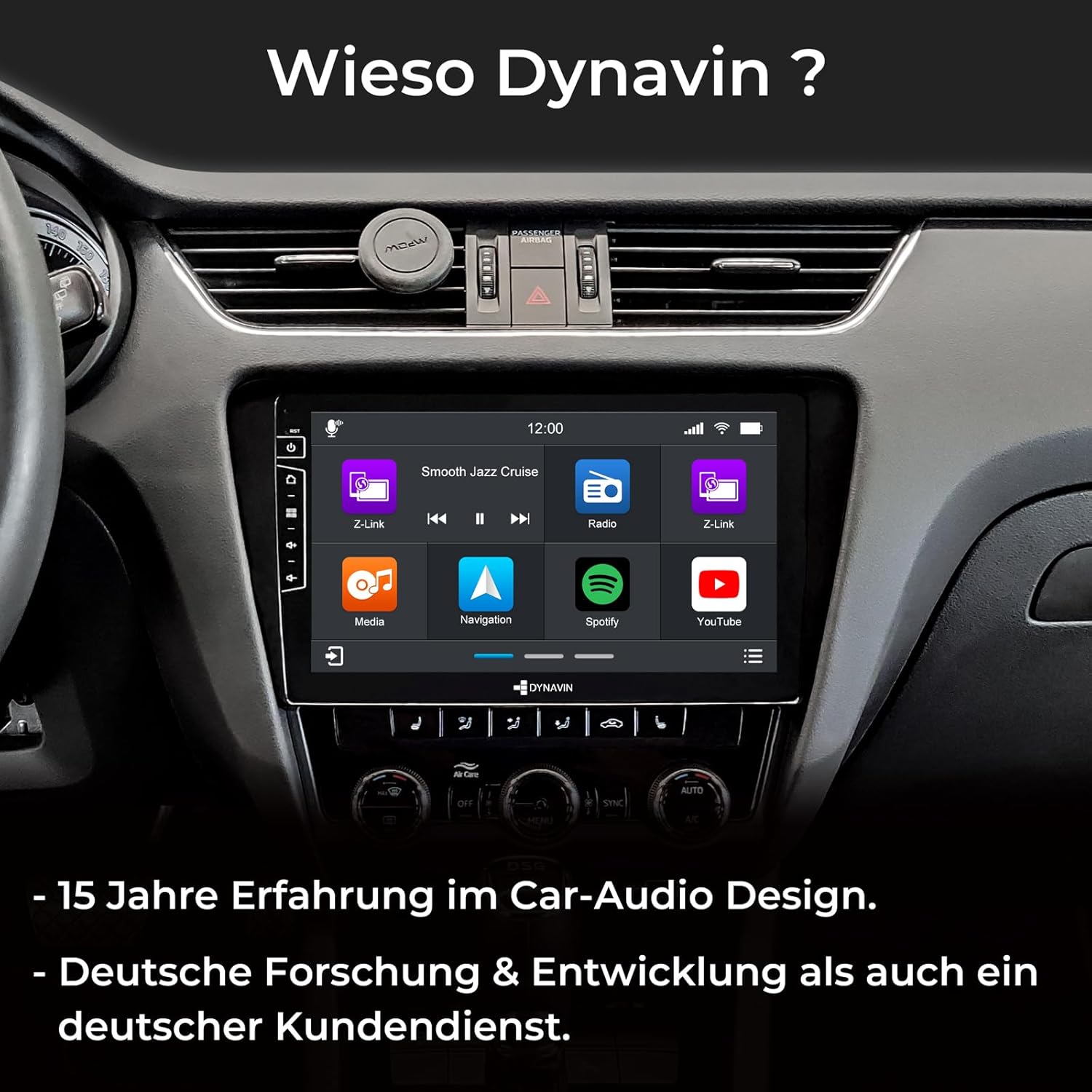
Image: A split image showing the Head-up Display (HUD) mounted on the dashboard, displaying navigation cues and time, enhancing driving convenience.
మైక్రోఫోన్ సంస్థాపన
The compact digital dual microphone ensures clear voice quality during calls. Install it in a suitable location, typically near the driver's sun visor or steering column, ensuring it is not obstructed.

చిత్రం: క్లోజప్ view of the innovative Dynavin Digital Dual-Microphone, discreetly installed near the steering wheel, designed for stable and excellent call quality.
ఆపరేటింగ్ సూచనలు
This section details the various functions and operations of your DYNAVIN D9-7 Premium Flex unit.
వినియోగదారు ఇంటర్ఫేస్ మరియు ప్రదర్శన
The unit features a 10.1-inch high-resolution (1280x720) anti-glare capacitive touchscreen. Navigate through menus and applications by touching the screen. The Android 11 OS provides a familiar and intuitive interface.

Image: The main screen of the DYNAVIN unit displaying a grid of application icons, including Z-Link, Media, Navigation, Spotify, and YouTube, indicating its multimedia capabilities.
ఆడియో ఫీచర్లు
- Integrated Class D DSP Ampజీవితకాలం: Provides 4 * 60W RMS output with low distortion (THD+N <1%). Features adjustable crossover and speaker gain. Vehicle-specific sound configuration files can be downloaded from the Dynavin webసైట్.
- FM RDS Radio: High-sensitivity tuner with 15 station presets, optimized for clear reception across the EU.
- DAB+ రేడియో: Supports digital audio broadcasting for enhanced sound quality and more stations.
- Optional VW Dynaudio System Support: Compatible with the D8-MO150-V accessory (ASIN B09Z6QZJFF).

Image: The DYNAVIN unit's display highlighting its powerful 100W x 4 Class-D High Power Amplifier, emphasizing its audio capabilities.
నావిగేషన్ మరియు కనెక్టివిటీ
- ఇంటిగ్రేటెడ్ GPS నావిగేషన్: Pre-installed navigation software with Blitzer.de database. Features easy destination entry, turn-by-turn voice instructions, and selectable route guidance. A 31-day trial is included, with full access requiring the Dynapp-Pack activation.
- వైర్లెస్ కార్ప్లే & ఆండ్రాయిడ్ ఆటో: Seamlessly integrate your smartphone for navigation, music, calls, and messaging. A 31-day trial is included, with full access requiring an activation code purchased online.
- స్మార్ట్ఫోన్ మిర్రరింగ్: Display your smartphone screen directly on the unit.
- Dynapp-Pack: This pack (31-day trial, activation code required) includes the Dynaway navigation app, Google Playstore access for third-party apps, and display of speed limits with Blitzer.de data on the Head-up Display.
- బ్లూటూత్: హ్యాండ్స్-ఫ్రీ కాలింగ్ మరియు ఆడియో స్ట్రీమింగ్ కోసం.
- USB కనెక్టివిటీ: Two USB ports for multimedia playback and device charging.
వాహన ఇంటిగ్రేషన్
- CAN-BUS ఇంటిగ్రేషన్: Supports multifunction steering wheel controls and VW multifunction display (MFD/MFD+).
- Real-time Vehicle Data: Displays current fuel level, battery voltage, and external temperature on the Dynavin screen.
- Climate Control Support: Air conditioning status information is displayed as pop-ups on the unit (functionality may vary by vehicle model and year).
- Parking Sensors: Reads CAN data from factory-installed parking distance sensors, displaying front/rear radar segments on the OPS screen.
- Optional Lane Keeping Assist & Traffic Sign Recognition: Supported with the D8-CANMIB-H accessory (ASIN B09Z6RHT7V).
నిర్వహణ
Proper maintenance ensures the longevity and optimal performance of your DYNAVIN unit.
- శుభ్రపరచడం: స్క్రీన్ మరియు యూనిట్ శుభ్రం చేయడానికి మృదువైన, పొడి వస్త్రాన్ని ఉపయోగించండి. రాపిడి క్లీనర్లు లేదా ద్రావకాలను నివారించండి.
- సాఫ్ట్వేర్ అప్డేట్లు: Check the Dynavin website periodically for available software updates to ensure optimal performance and access to new features. Information on guaranteed software updates is not available.
- సాధారణ సంరక్షణ: యూనిట్ను తీవ్రమైన ఉష్ణోగ్రతలు, ఎక్కువసేపు ప్రత్యక్ష సూర్యకాంతి లేదా అధిక తేమకు గురిచేయకుండా ఉండండి.
ట్రబుల్షూటింగ్
This section addresses common issues you might encounter with your DYNAVIN D9-7 Premium Flex unit.
| సమస్య | సాధ్యమైన కారణం | పరిష్కారం |
|---|---|---|
| Unit is slow to load or respond. | Too many applications running in the background; low system resources. | Close unused applications. Restart the unit. Ensure sufficient free storage space. |
| No sound from Android Auto/CarPlay applications. | Audio routing issue; cache interference. | Clear data and cache for Android Auto/CarPlay applications on your phone and/or the unit. Ensure correct audio output is selected on the unit. |
| CarPlay/Android Auto/Navigation features are not fully functional after trial period. | Trial period has expired. | Purchase and enter the activation code online for continued access to these features (e.g., Z-Link for CarPlay/Android Auto, Dynapp-Pack for navigation). |
| Steering wheel controls or phone commands not working. | CAN-BUS integration issue; incorrect settings. | Verify all wiring connections. Check the unit's settings for steering wheel control configuration. Ensure your vehicle model is fully compatible with the CAN-BUS integration. |
| GPS సిగ్నల్ బలహీనంగా లేదా తప్పుగా ఉంది. | GPS antenna placement; environmental interference. | GPS యాంటెన్నా స్పష్టమైన ప్రదేశంలో ఉంచబడిందని నిర్ధారించుకోండి view of the sky (e.g., under the dashboard, away from metal obstructions). |
If you encounter issues not listed here, please refer to the official Dynavin support resources or contact their customer service.
స్పెసిఫికేషన్లు
| ఫీచర్ | వివరాలు |
|---|---|
| బ్రాండ్ | డైనవిన్ |
| మోడల్ సంఖ్య | D9-7 Premium Flex |
| స్క్రీన్ పరిమాణం | 10.1 అంగుళాలు |
| స్క్రీన్ రిజల్యూషన్ | 1280x720 |
| ఆపరేటింగ్ సిస్టమ్ | ఆండ్రాయిడ్ 11 |
| CPU | క్వాడ్-కోర్ |
| RAM | 4GB |
| Ampజీవితకాలం | Class D DSP, 4 * 60W RMS |
| కనెక్టివిటీ | Bluetooth, Wi-Fi, 2x USB ports |
| ప్రత్యేక లక్షణాలు | DAB+, Wireless CarPlay, Android Auto, Head-up Display, GPS Navigation, CAN-BUS Integration |
| అనుకూల పరికరాలు | స్మార్ట్ఫోన్ |
| బరువు | 3 కిలోలు |
వారంటీ మరియు మద్దతు
For warranty information, please refer to the documentation provided with your purchase or visit the official Dynavin webసైట్. విడిభాగాల లభ్యత మరియు హామీ ఇవ్వబడిన సాఫ్ట్వేర్ నవీకరణలకు సంబంధించిన సమాచారం ఈ సమయంలో అందుబాటులో లేదు.
For technical support or inquiries, please contact Dynavin customer service through their official channels.


