1. పరిచయం
Thank you for choosing the ZEBRONICS Zeb-Buds C2 Type C Wired Earphones. This manual provides essential information for the proper setup, operation, maintenance, and troubleshooting of your new earphones. Please read this guide thoroughly before use to ensure optimal performance and longevity of your device.
2. ఉత్పత్తి ముగిసిందిview
ముఖ్య లక్షణాలు:
- Type C Connector for broad compatibility.
- హ్యాండ్స్-ఫ్రీ కాల్స్ కోసం ఇంటిగ్రేటెడ్ మైక్రోఫోన్.
- Durable 1.2-meter braided cable.
- Metallic design for enhanced durability.
- Comfortable in-ear fit.
- Equipped with 10mm drivers for clear audio.
- In-line remote for call function and volume/media control.
ప్యాకేజీ విషయాలు:
- 1 x ZEBRONICS Zeb-Buds C2 Earphone
- Extra Eartips (various sizes)

Image: ZEBRONICS Zeb-Buds C2 earphones, showcasing the Type C connector, in-line remote with volume and call controls, and the braided cable leading to the metallic earbuds.

Image: A visual representation highlighting the key design elements and accessories of the Zeb-Buds C2, such as comfortable fit, in-ear design, in-line microphone, included extra eartips, and the 1.2-meter cable length.
3. సెటప్
Connecting Your Earphones:
The Zeb-Buds C2 earphones are designed for plug-and-play functionality with most devices featuring a Type C audio output. Simply insert the Type C connector into your device's Type C port.

చిత్రం: వివరణాత్మక view of the Type-C connector, which is used to connect the earphones to compatible devices.
Mobile Phone Compatibility & User Guide:
Most phones work with Type-C wired earphones without any setup. However, if the audio still plays through the phone speaker after plugging in the earphones, try one of the following solutions:
ఎంపిక 1
- వెళ్ళండి సెట్టింగ్లు > ఫోన్ గురించి మరియు ప్రారంభించండి డెవలపర్ ఎంపికలు (tap "Build Number" 7 times).
- In Developer Options, turn off the "Disable USB audio routing" setting.
- Plug in your earphones and enjoy your music.
ఎంపిక 2
- Enable Developer Options as described above.
- In Developer Options, turn on the "OTG connection" setting.
- Plug in your earphones and start listening.
గమనిక: For Option 2, if the earphones are unused for over 10 minutes, the OTG connection may turn off automatically. You'll need to re-enable it manually.
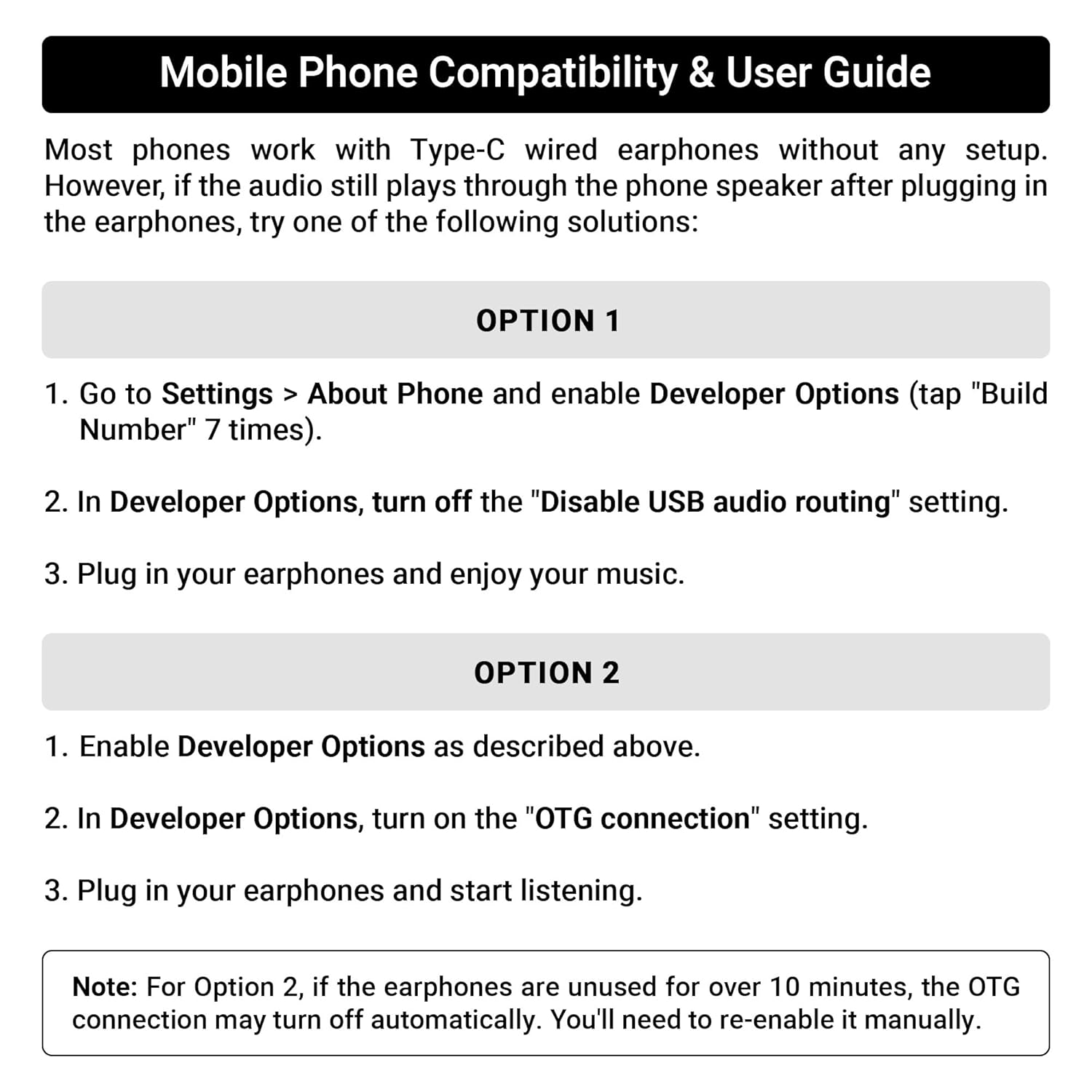
Image: A guide detailing compatibility and troubleshooting steps for connecting Type C earphones to mobile phones, including instructions for Developer Options and OTG settings.
4. ఆపరేటింగ్ సూచనలు
In-line Remote Control:
The Zeb-Buds C2 features an in-line remote control for convenient management of audio playback and calls.
- వాల్యూమ్ అప్ (+): Press to increase audio volume.
- వాల్యూమ్ డౌన్ (-): Press to decrease audio volume.
- మల్టీ-ఫంక్షన్ బటన్ (సెంటర్):
- సింగిల్ ప్రెస్: సంగీతాన్ని ప్లే చేయండి/పాజ్ చేయండి, కాల్లకు సమాధానం ఇవ్వండి/ముగించండి.
- డబుల్ ప్రెస్: తదుపరి ట్రాక్కి వెళ్లండి.
- ట్రిపుల్ ప్రెస్: మునుపటి ట్రాక్కి వెళ్లండి.
- లాంగ్ ప్రెస్: Reject incoming calls, Activate voice assistant (if supported by device).

Image: A user demonstrating the in-line volume and media control remote on the Zeb-Buds C2 earphones.
5. నిర్వహణ
మీ ఇయర్ఫోన్ల దీర్ఘాయువు మరియు సరైన పనితీరును నిర్ధారించడానికి, ఈ నిర్వహణ మార్గదర్శకాలను అనుసరించండి:
- శుభ్రపరచడం: ఇయర్బడ్లు మరియు కేబుల్ను మృదువైన, పొడి గుడ్డతో సున్నితంగా తుడవండి. కఠినమైన రసాయనాలు లేదా రాపిడి పదార్థాలను ఉపయోగించవద్దు.
- నిల్వ: When not in use, store the earphones in a clean, dry place, preferably in a protective pouch to prevent tangling and damage.
- కేబుల్ కేర్: Avoid sharp bends or excessive pulling on the cable, especially near the connectors, to prevent internal wire damage. The braided cable is designed for durability, but proper handling is still recommended.
- ఇర్టిప్స్: Regularly check and clean the eartips. Replace them if they become worn or damaged to maintain sound quality and comfort.
6. ట్రబుల్షూటింగ్
If you encounter issues with your Zeb-Buds C2 earphones, refer to the following common solutions:
- ధ్వని లేదు:
- Ensure the Type C connector is fully inserted into your device.
- మీ పరికరం వాల్యూమ్ సెట్టింగ్లను తనిఖీ చేయండి.
- Verify that your device's audio output is set to the Type C port (refer to Section 3: Setup for specific mobile phone settings).
- Test the earphones with another compatible device to rule out a device-specific issue.
- మైక్రోఫోన్ పనిచేయకపోవడం:
- Ensure the earphones are fully connected.
- మీ పరికరం మైక్రోఫోన్ ఇన్పుట్ సెట్టింగ్లను తనిఖీ చేయండి.
- మైక్రోఫోన్ అడ్డుపడకుండా చూసుకోండి.
- ధ్వని వక్రీకరణ:
- మీ పరికరంలో వాల్యూమ్ను తగ్గించండి.
- ఆడియో మూలం మంచి నాణ్యతతో ఉందని నిర్ధారించుకోండి.
- Check for any physical damage to the cable or earbuds.
7. స్పెసిఫికేషన్లు
| ఫీచర్ | స్పెసిఫికేషన్ |
|---|---|
| మోడల్ పేరు | Zeb-Buds C2 |
| కనెక్టివిటీ టెక్నాలజీ | వైర్డు |
| కనెక్టర్ రకం | USB టైప్ C |
| డ్రైవర్ పరిమాణం | 10మి.మీ |
| ఫ్రీక్వెన్సీ రేంజ్ | 20Hz-20kHz |
| కేబుల్ పొడవు | 1.2 మీటర్ |
| కేబుల్ ఫీచర్ | జడ, చిక్కు లేని |
| మెటీరియల్ | Plastic (earbuds with metallic design elements) |
| వస్తువు బరువు | 16 గ్రాములు |
| నియంత్రణ రకం | Call Control, Volume/Media Control |
| అనుకూల పరికరాలు | Laptops, Mobile Phones, Tablets, PC, Audio Devices with Type C Input Port |
8. వారంటీ మరియు మద్దతు
వారంటీ సమాచారం:
The ZEBRONICS Zeb-Buds C2 earphones come with a 6 Months Carry Into Service Centre warranty from the date of purchase. Please retain your purchase receipt for warranty claims. The warranty covers manufacturing defects under normal use conditions.
కస్టమర్ మద్దతు:
For any support queries, technical assistance, or warranty claims, please contact ZEBRONICS customer service through their official webసైట్ లేదా మీ ఉత్పత్తి ప్యాకేజింగ్తో అందించబడిన సంప్రదింపు వివరాలు.


