పరిచయం
This manual provides essential instructions for the safe and effective use of your Sunbeam Loftec Wi-Fi Connected Electric Heated Blanket. This blanket offers customizable warmth through a wired digital controller, a dedicated mobile application, and voice assistant integration. Please read all instructions carefully before use and retain this manual for future reference.
The Sunbeam Loftec Electric Heated Blanket features 10 heat settings, a 10-hour auto-shut off, and is constructed with soft Lofttec fabric. It incorporates advanced heating technology designed for continuous, even heat distribution and safe operation.
భద్రతా సమాచారం
Always follow basic safety precautions when using electrical appliances to reduce the risk of fire, electric shock, and personal injury. This blanket is designed for household use only.
- శిశువులు, పిల్లలు, అశక్తులైన వ్యక్తులు లేదా వేడికి సున్నితంగా లేని వ్యక్తులతో ఉపయోగించవద్దు.
- పెంపుడు జంతువులతో ఉపయోగించవద్దు.
- Never use the blanket if it is wet.
- Do not use with a generator, power inverter, or DC-to-AC converter.
- Ensure the blanket is not folded, bunched, or tucked in when in use, as this can cause overheating.
- Always unplug the blanket from the wall outlet when not in use.
- Inspect the blanket, cord, and controller regularly for any signs of damage. If damaged, discontinue use immediately.
- ఈ ఉత్పత్తిని డ్రై క్లీన్ చేయవద్దు. డ్రై క్లీనింగ్ ద్రావకాలు హీటింగ్ ఎలిమెంట్ యొక్క ఇన్సులేషన్ను దెబ్బతీస్తాయి.
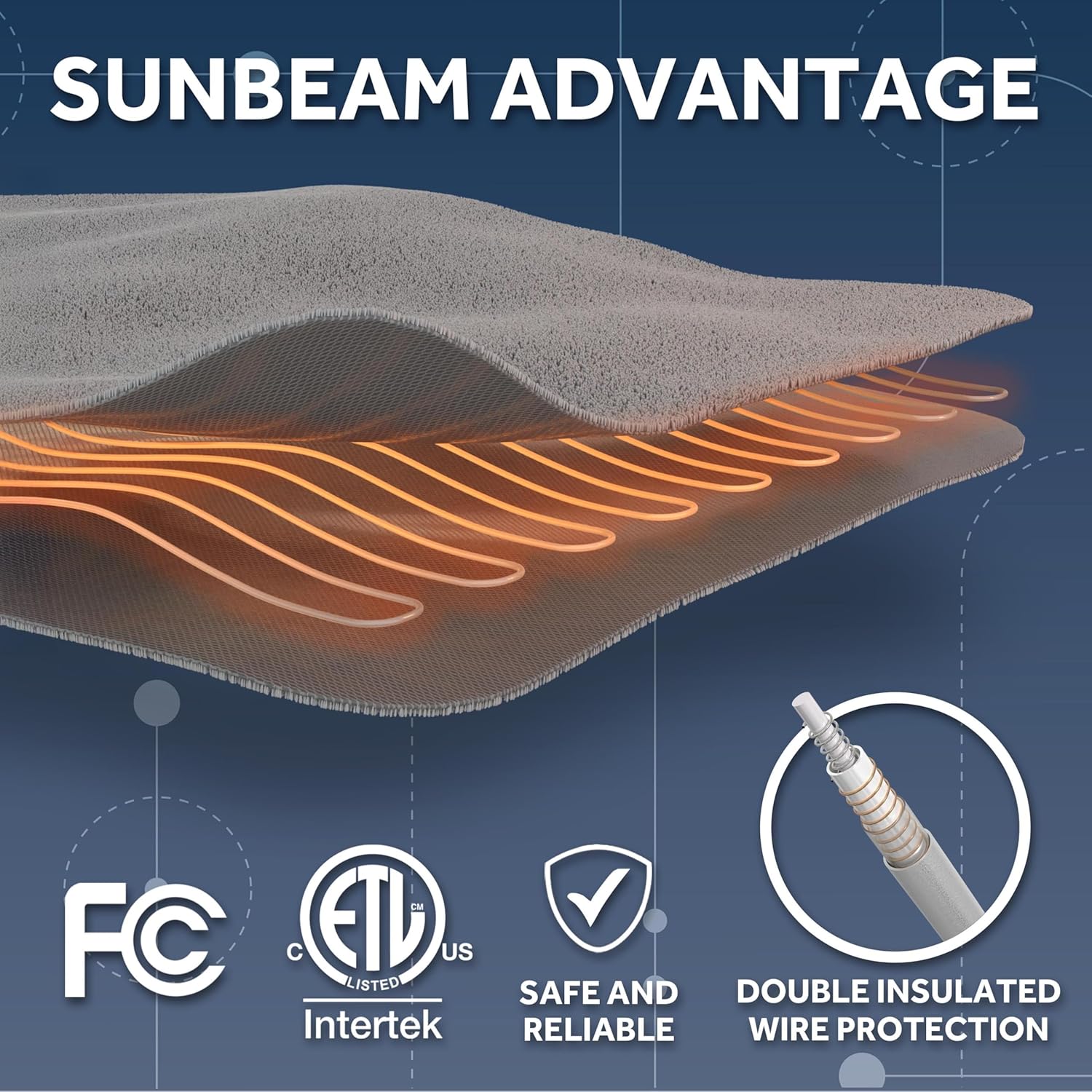
Image: Sunbeam Advantage highlights safety features including FCC and ETL certifications, indicating safe and reliable operation with double insulated wire protection.
సెటప్ సూచనలు
- దుప్పటి విప్పండి: Carefully remove the blanket and controller from the packaging. Ensure all components are present: the heated blanket and the wired digital controller.
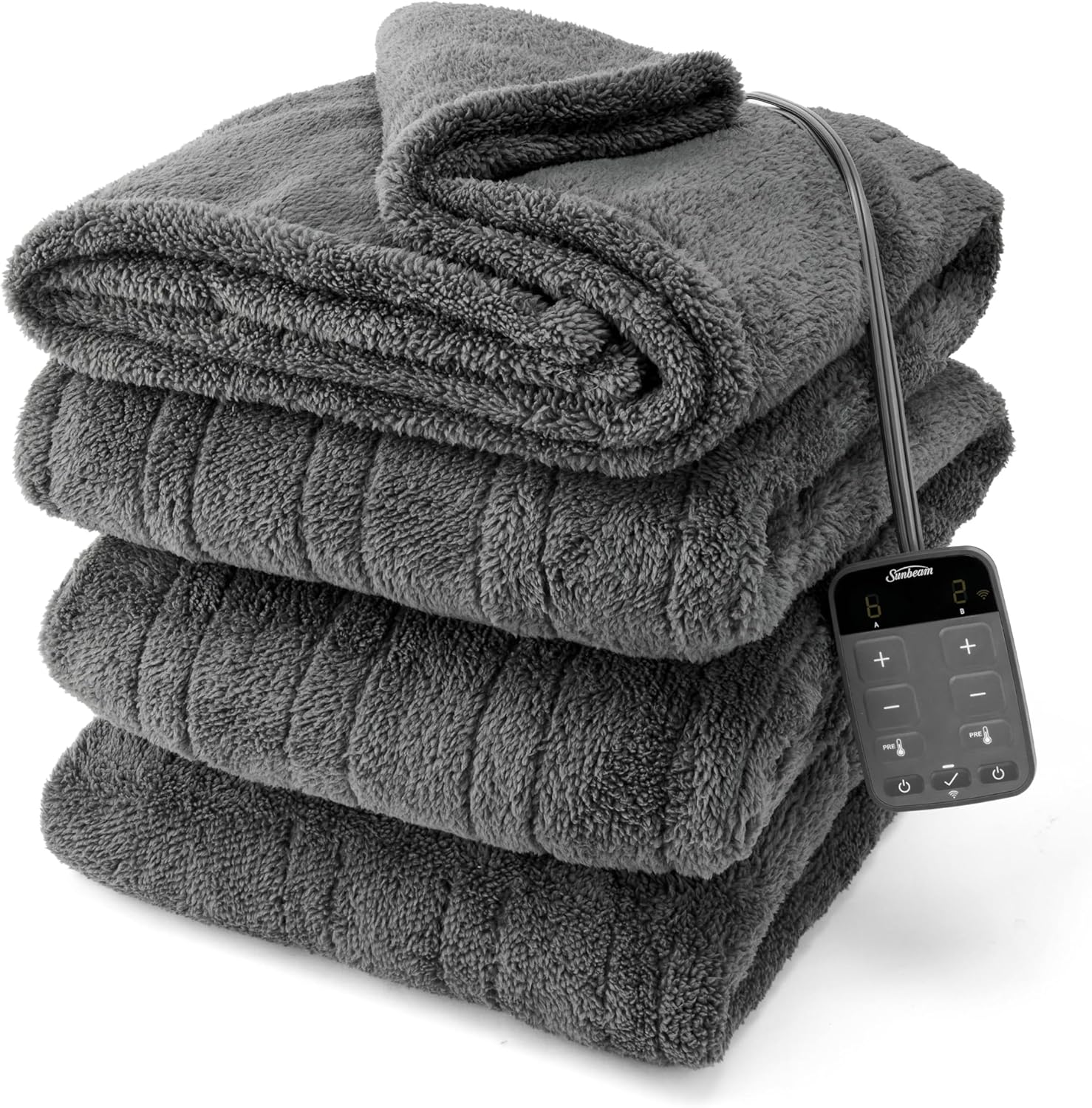
Image: The Sunbeam Loftec Electric Heated Blanket, folded, with its wired digital controller visible.
- దుప్పటిని ఉంచండి: Lay the heated blanket flat on your bed, ensuring it is not folded or bunched. The connector for the controller should be positioned at the foot of the bed.
- కంట్రోలర్ను కనెక్ట్ చేయండి: Firmly plug the controller cord into the blanket's connector. Ensure a secure connection.
- పవర్ లోకి ప్లగ్ చేయండి: Plug the controller's power cord into a 120V AC electrical wall outlet. Do not use with extension cords or power strips.
- App Setup (Optional but Recommended):
- Download the Sunbeam app from your device's app store (iOS or Android).
- ఖాతాను సృష్టించండి లేదా లాగిన్ చేయండి.
- Follow the in-app instructions to add your Sunbeam Loftec Heated Blanket. This typically involves putting the blanket into pairing mode and connecting it to your home Wi-Fi network.
- సరైన కనెక్టివిటీ కోసం మీ Wi-Fi నెట్వర్క్ 2.4 GHz అని నిర్ధారించుకోండి.
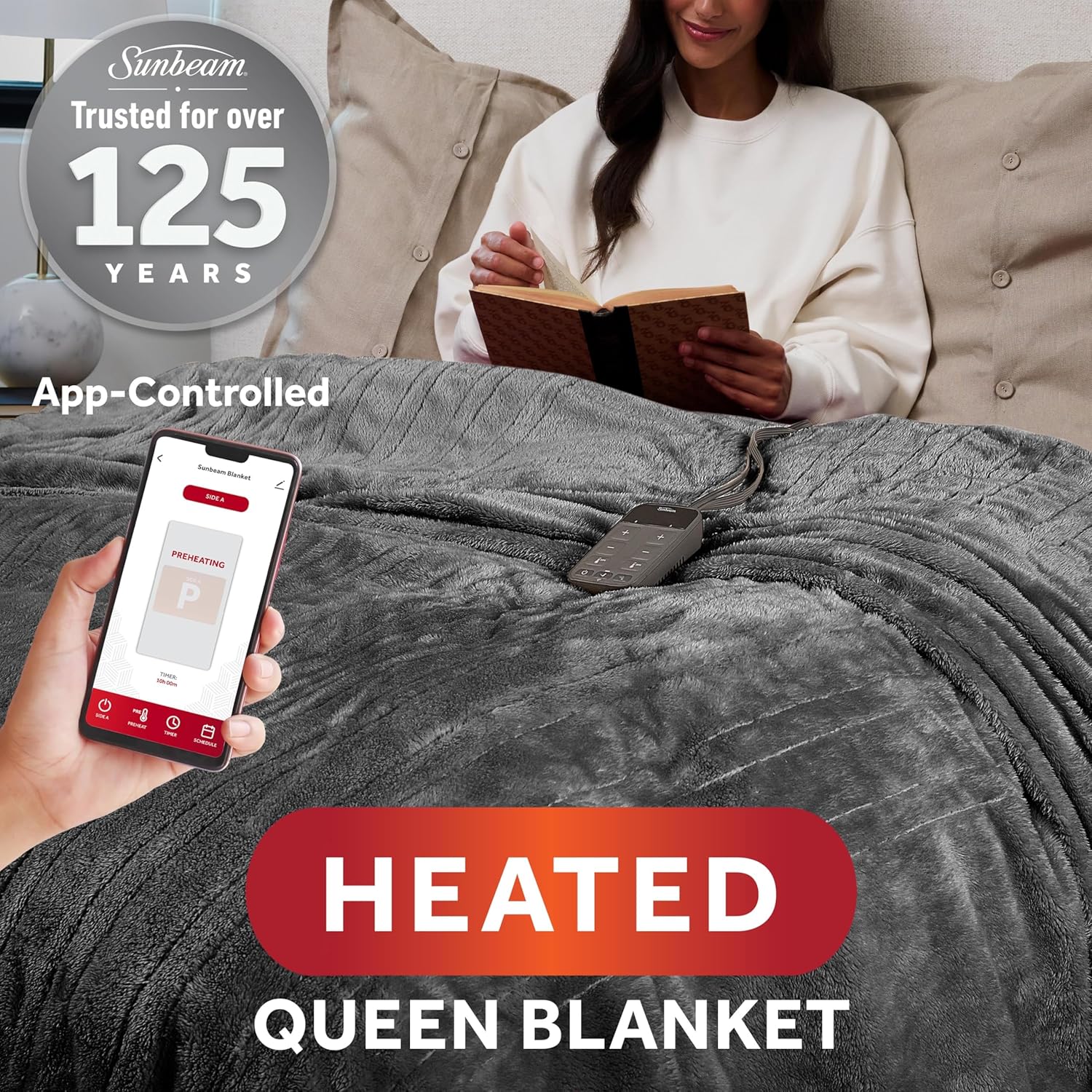
Image: A user interacting with the Sunbeam mobile application on a smartphone to control the heated blanket, demonstrating the app-controlled functionality.
- వాయిస్ అసిస్టెంట్ ఇంటిగ్రేషన్ (ఐచ్ఛికం): Once connected to the Sunbeam app, you can link your blanket to compatible voice assistants like Google Home or Amazon Alexa by following the instructions within the Sunbeam app or your voice assistant's application.
ఆపరేటింగ్ సూచనలు
వైర్డ్ డిజిటల్ కంట్రోలర్ని ఉపయోగించడం
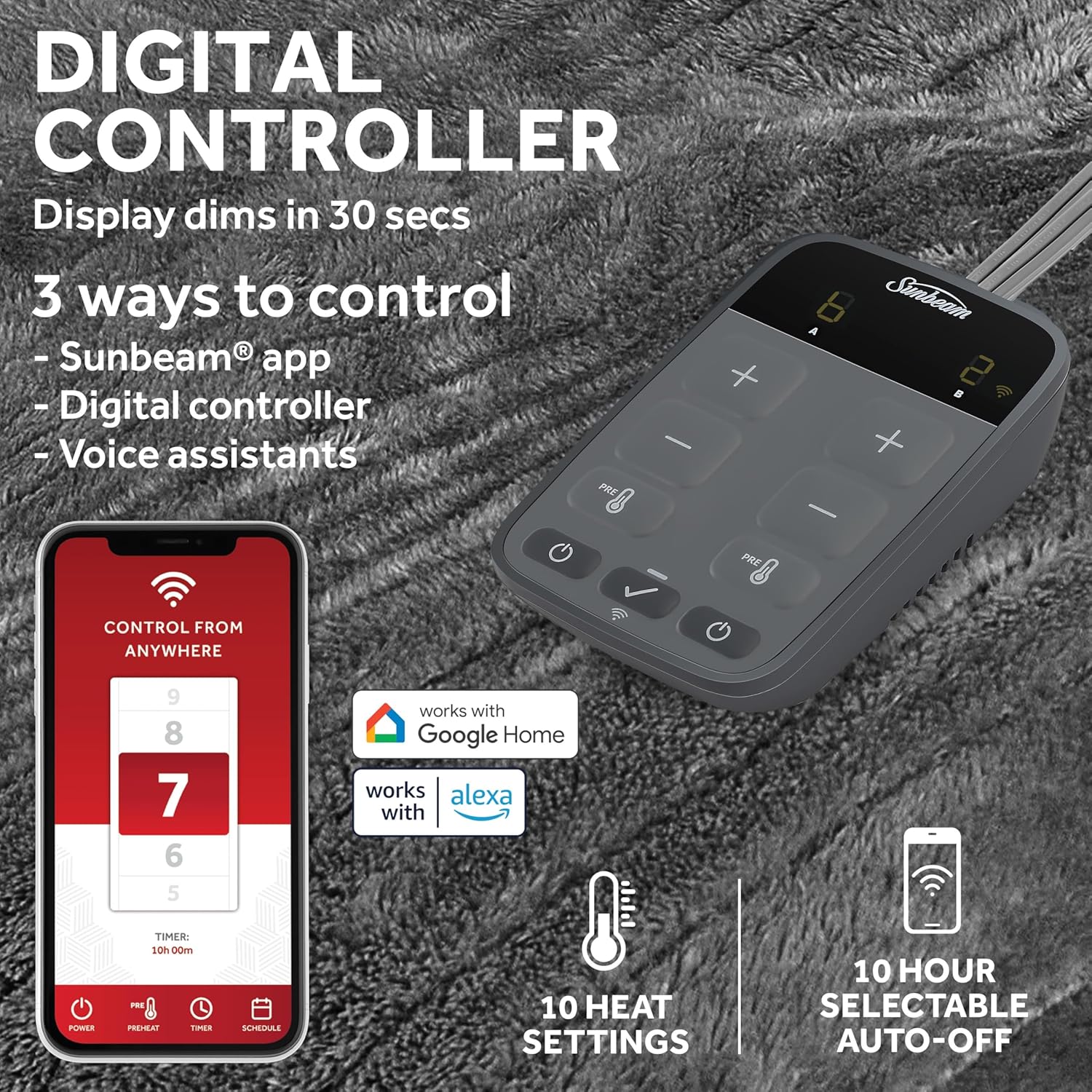
Image: The digital controller and a smartphone screen displaying the Sunbeam app, illustrating the three control methods: app, digital controller, and voice assistants. Features like 10 heat settings and 10-hour auto-off are highlighted.
- పవర్ ఆన్/ఆఫ్: పవర్ బటన్ నొక్కండి (⏻ ⏻ తెలుగు) to turn the blanket on or off.
- హీట్ సెట్టింగ్లను సర్దుబాటు చేయండి: అందుబాటులో ఉన్న 10 హీట్ సెట్టింగ్ల ద్వారా సైకిల్ చేయడానికి '+' మరియు '-' బటన్లను ఉపయోగించండి. ప్రస్తుత సెట్టింగ్ కంట్రోలర్లో ప్రదర్శించబడుతుంది.
- ప్రీహీట్ ఫంక్షన్: Press the 'PREHEAT' button to quickly warm the blanket before use.
- ఆటో షట్-ఆఫ్: The blanket features a 10-hour auto shut-off for safety. This can be adjusted via the app.
- Individualized Comfort: Queen and King size blankets feature dual controls, allowing separate heat settings for each side of the bed.
Using the Sunbeam Mobile App
- రిమోట్ కంట్రోల్: Control the blanket's power and heat settings from anywhere using your smartphone.
- ముందుగా వేడి చేయండి: Activate the preheat function remotely to warm your bed before you get in.
- షెడ్యూల్ చేయడం: Set custom schedules for the blanket to turn on and off, or adjust heat levels at specific times.
- డ్యూయల్ జోన్ నియంత్రణ: For Queen and King sizes, the app allows independent control of heat settings for each side.

చిత్రం: ఒక ఓవర్ హెడ్ view of a bed with the heated blanket, visually representing two distinct heating zones, illustrating the individualized comfort feature for users.
వాయిస్ అసిస్టెంట్లను ఉపయోగించడం
- Once linked, use voice commands to turn the blanket on/off and adjust heat settings.
- Example commands: "Alexa, turn on my heated blanket," or "Hey Google, set heated blanket to level 7."
నిర్వహణ మరియు సంరక్షణ
Proper care ensures the longevity and performance of your heated blanket. Always follow these instructions carefully.
- శుభ్రపరిచే ముందు: Always unplug the blanket from the wall outlet and detach the controller from the blanket. Do not immerse the controller in water.
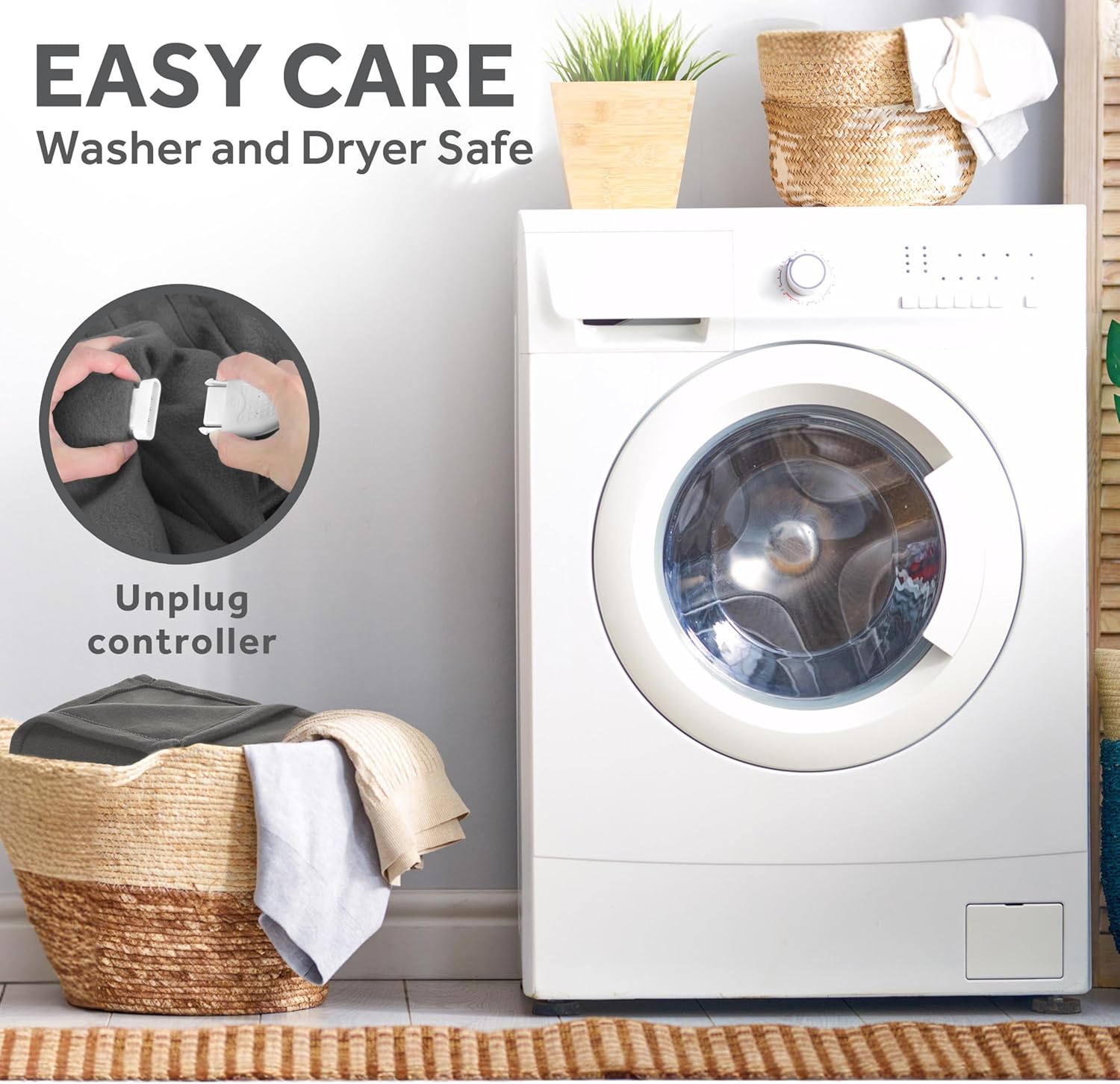
Image: A close-up demonstrating the process of unplugging the controller from the heated blanket, emphasizing the "Easy Care" and "Washer and Dryer Safe" features.
- మెషిన్ వాషింగ్:
- Wash on a gentle cycle in cold water (maximum 30°C / 86°F).
- తేలికపాటి డిటర్జెంట్ ఉపయోగించండి.
- బ్లీచ్ చేయవద్దు.
- ఎండబెట్టడం:
- తక్కువ వేడి మీద ఆరబెట్టండి లేదా ఆరబెట్టండి.
- Ensure the blanket is completely dry before reconnecting the controller and plugging it in.
- ఇస్త్రీ చేయవద్దు.
- నిల్వ: When not in use, store the blanket loosely folded in a cool, dry place. Avoid tightly folding or creasing the blanket, as this can damage the internal wiring.
ట్రబుల్షూటింగ్
If you experience issues with your Sunbeam Loftec Electric Heated Blanket, please consult the following common problems and solutions before contacting support.
| సమస్య | సాధ్యమైన కారణం | పరిష్కారం |
|---|---|---|
| దుప్పటి వేడెక్కడం లేదు. |
|
|
| Wi-Fi కనెక్షన్ సమస్యలు. |
|
|
| Controller display dims or turns off. |
|
|
| App not responding or blanket offline. |
|
|
స్పెసిఫికేషన్లు
| ఫీచర్ | వివరాలు |
|---|---|
| బ్రాండ్ | సూర్యకిరణము |
| మోడల్ సంఖ్య | 32810042 |
| మెటీరియల్ | 100% Polyester (Lofttec fabric) |
| రంగు | రాత్రి పొగమంచు బూడిద రంగు |
| Size (Queen) | 90" x 84" |
| వేడి సెట్టింగులు | 10 |
| ఆటో షట్-ఆఫ్ | 10-Hour (selectable) |
| నియంత్రణ పద్ధతులు | Wired Digital Controller, Sunbeam App (Wi-Fi), Voice Assistants (Alexa, Google Home) |
| ప్రత్యేక లక్షణాలు | Machine Washable, Wi-Fi Connected, Dual Zone Control (Queen/King sizes) |
| చేర్చబడిన భాగాలు | Heated Blanket, Digital Controller |
| వస్తువు బరువు | 5.88 పౌండ్లు |
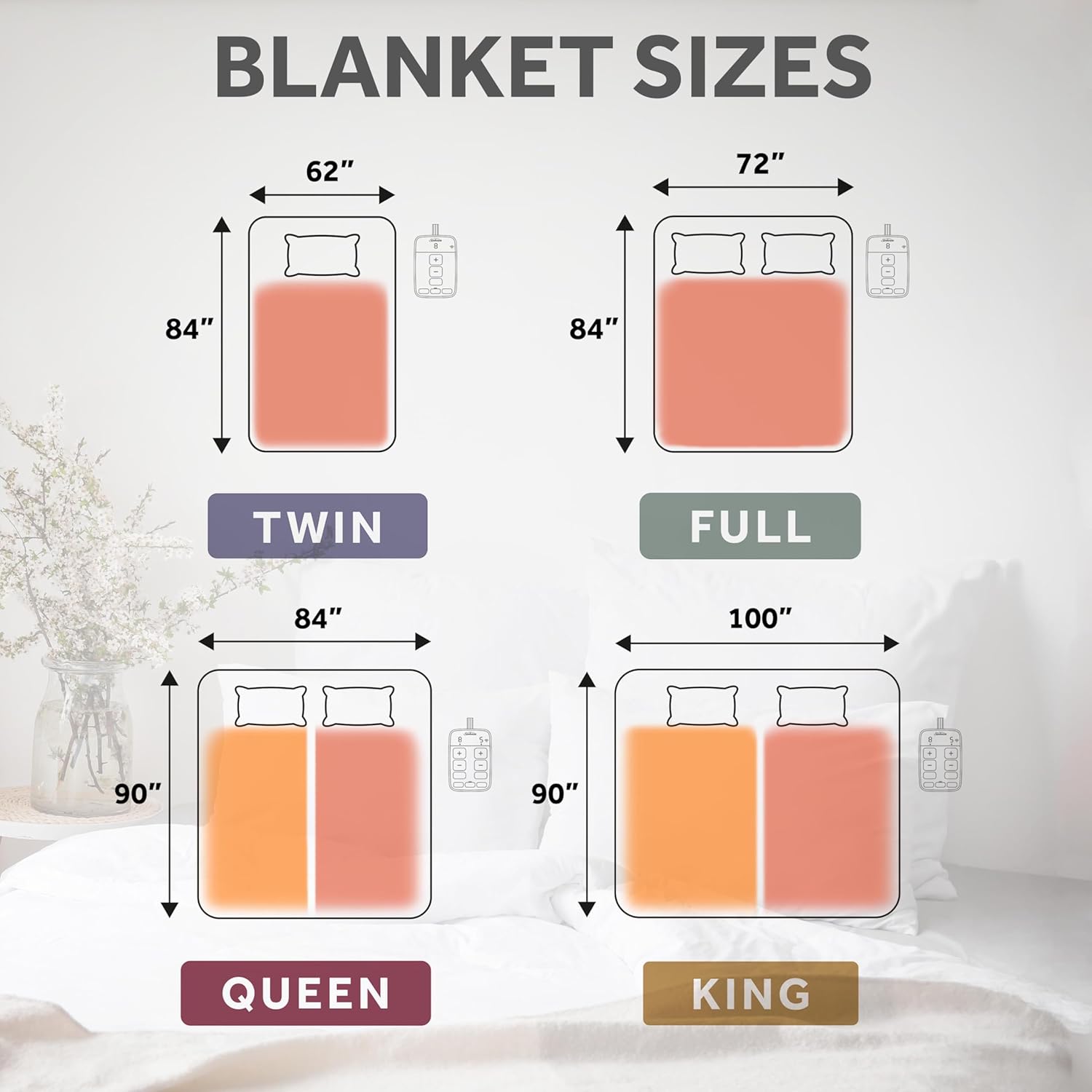
Image: A visual guide illustrating the dimensions for various blanket sizes: Twin, Full, Queen, and King, along with their respective controllers.
వారంటీ మరియు మద్దతు
Your Sunbeam Loftec Wi-Fi Connected Electric Heated Blanket is covered by a 5-Year Limited Warranty by Manufacturer. ఈ వారంటీ సాధారణ గృహ వినియోగంలో పదార్థాలు మరియు పనితనంలో లోపాలను కవర్ చేస్తుంది.
For warranty claims, technical support, or further assistance, please contact Sunbeam Customer Service. Refer to the contact information provided on the product packaging or the official Sunbeam webసైట్.
ఆన్లైన్ వనరులు: For additional information, FAQs, and the latest app updates, visit the official Sunbeam website or the support section within the Sunbeam mobile application.


