1. పరిచయం
ధన్యవాదాలు, ధన్యవాదాలు.asing the CHiQ 32P625Q 32-inch QHD IPS LED Monitor. This manual provides essential information for the safe and efficient operation of your new monitor. Please read this manual thoroughly before use and retain it for future reference.
భద్రతా సమాచారం
- అగ్ని లేదా షాక్ ప్రమాదాలను నివారించడానికి మానిటర్ను వర్షం లేదా తేమకు గురిచేయవద్దు.
- మానిటర్ తెరవవద్దు casing. లోపల వినియోగదారు-సేవ చేయగల భాగాలు లేవు. అన్ని సర్వీసింగ్లను అర్హత కలిగిన సిబ్బందికి సూచించండి.
- పడిపోకుండా నిరోధించడానికి మానిటర్ను స్థిరమైన, చదునైన ఉపరితలంపై ఉంచండి.
- మానిటర్ చుట్టూ సరైన వెంటిలేషన్ ఉండేలా చూసుకోండి. వెంటిలేషన్ ఓపెనింగ్లను బ్లాక్ చేయవద్దు.
- మానిటర్తో పాటు సరఫరా చేయబడిన పవర్ అడాప్టర్ను మాత్రమే ఉపయోగించండి.
- మెరుపు తుఫానుల సమయంలో లేదా ఎక్కువసేపు ఉపయోగించనప్పుడు మానిటర్ను పవర్ అవుట్లెట్ నుండి అన్ప్లగ్ చేయండి.
2. ప్యాకేజీ విషయాలు
మీ ప్యాకేజీలో అన్ని అంశాలు ఉన్నాయని ధృవీకరించండి:
- CHiQ 32P625Q 32-inch QHD IPS LED Monitor
- మానిటర్ స్టాండ్ (బేస్ మరియు మెడ)
- పవర్ అడాప్టర్
- HDMI కేబుల్
- వినియోగదారు మాన్యువల్ (ఈ పత్రం)
3. ఉత్పత్తి ముగిసిందిview
మానిటర్ ఫ్రంట్ View
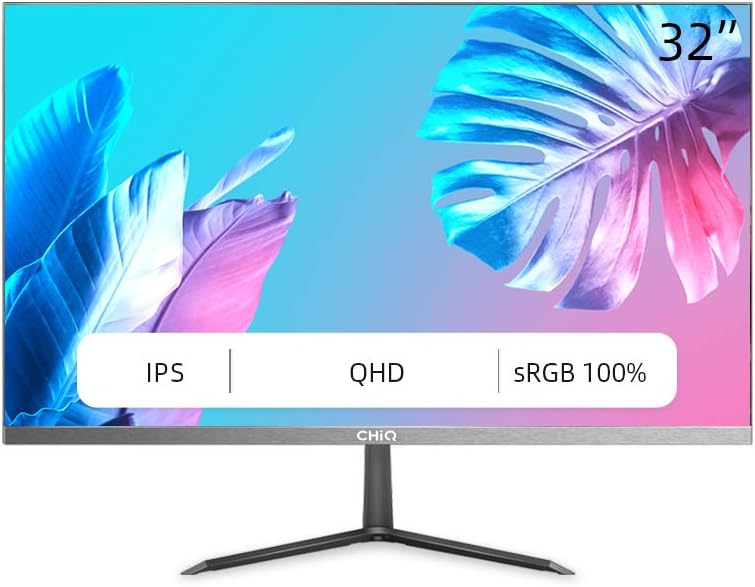
మూర్తి 3.1: ముందు view of the CHiQ 32P625Q monitor, showcasing its 32-inch IPS QHD display with sRGB 100% color coverage and ultra-thin bezels.
Monitor Rear and Side Views (Illustrative)

మూర్తి 3.2: వైపు view of the CHiQ 32P625Q monitor, highlighting its slim profile and metal stand design.

మూర్తి 3.3: Close-up illustrating the 6.9mm super slim design and frameless metal bezel of the monitor.
నియంత్రణ బటన్లు మరియు పోర్ట్లు
The monitor features intuitive control buttons, typically located on the rear or bottom right side, and various input ports on the rear panel.
- పవర్ బటన్: మానిటర్ను ఆన్ లేదా ఆఫ్ చేస్తుంది.
- OSD Menu Buttons: Navigate and select options within the On-Screen Display menu.
- HDMI పోర్ట్(లు): Connect to devices using an HDMI cable.
- DP (DisplayPort) Port: Connect to devices using a DisplayPort cable.
- VGA పోర్ట్: Connect to older devices using a VGA cable.
- Audio Out (Headphone Jack): హెడ్ఫోన్లు లేదా బాహ్య స్పీకర్లను కనెక్ట్ చేయండి.
- DC పవర్ ఇన్పుట్: పవర్ అడాప్టర్ను కనెక్ట్ చేయండి.
4. సెటప్
4.1 స్టాండ్ను అసెంబుల్ చేయడం
- మానిటర్ను దాని ప్యాకేజింగ్ నుండి జాగ్రత్తగా తొలగించండి, దానిని మృదువైన ఉపరితలంపై భద్రంగా ఉంచండి.
- స్టాండ్ మెడను మానిటర్ ప్యానెల్కు అటాచ్ చేయండి.
- స్టాండ్ బేస్ను స్టాండ్ మెడకు అటాచ్ చేసి, అందించిన స్క్రూలతో దాన్ని భద్రపరచండి.
- Place the assembled monitor on a stable, flat desk.

మూర్తి 4.1: Illustration of the monitor's minimalist design, including the metal stand, frameless design, and ultra-slim profile (6.9 మిమీ)
4.2 వెసా మౌంటు
The CHiQ 32P625Q monitor is VESA compatible, allowing it to be mounted on a wall or an articulating arm (sold separately). Ensure your VESA mount is compatible with the monitor's VESA pattern (typically 100x100mm, though specific details should be confirmed with the product's physical specifications or packaging).
- Remove the stand from the monitor if it is already attached.
- Follow the instructions provided with your VESA mount to attach it to the monitor and then to your desired surface.
4.3 పరికరాలకు కనెక్ట్ చేస్తోంది
తగిన కేబుల్లను ఉపయోగించి మీ కంప్యూటర్ లేదా ఇతర పరికరాలను మానిటర్కు కనెక్ట్ చేయండి.
- HDMI: Connect one end of the HDMI cable to the HDMI port on your computer/device and the other end to an HDMI port on the monitor.
- డిస్ప్లేపోర్ట్ (DP): Connect one end of the DP cable to the DP port on your computer/device and the other end to the DP port on the monitor.
- వీజీఏ: Connect one end of the VGA cable to the VGA port on your computer/device and the other end to the VGA port on the monitor.
- ఆడియో అవుట్: మీరు బాహ్య స్పీకర్లు లేదా హెడ్ఫోన్లను ఉపయోగించాలనుకుంటే, వాటిని మానిటర్లోని 3.5mm ఆడియో అవుట్ జాక్కి కనెక్ట్ చేయండి.
4.4 పవర్ కనెక్షన్
- Connect the power adapter cable to the DC power input port on the monitor.
- పవర్ అడాప్టర్ను పవర్ అవుట్లెట్లోకి ప్లగ్ చేయండి.
5. మానిటర్ను నిర్వహించడం
5.1 పవర్ ఆన్/ఆఫ్
Press the power button on the monitor to turn it on or off. The power indicator light will illuminate when the monitor is on.
5.2 OSD మెనూ నావిగేషన్
The On-Screen Display (OSD) menu allows you to adjust various monitor settings. Use the control buttons (usually located on the rear or bottom right) to navigate the menu.
- Press a menu button to open the OSD menu.
- Use the navigation buttons (up/down/left/right or joystick) to move through menu options.
- ఎంపికను నిర్ధారించడానికి సెలెక్ట్/ఎంటర్ బటన్ను నొక్కండి లేదా ఉప-మెనూను నమోదు చేయండి.
- OSD మెనూను మూసివేయడానికి నిష్క్రమణ బటన్ను నొక్కండి.
5.3 చిత్ర సెట్టింగ్లు
Adjust display characteristics for optimal viewing.
- ప్రకాశం: స్క్రీన్ యొక్క మొత్తం కాంతిని సర్దుబాటు చేయండి.
- కాంట్రాస్ట్: కాంతి మరియు చీకటి ప్రాంతాల మధ్య వ్యత్యాసాన్ని సర్దుబాటు చేయండి.
- రంగు ఉష్ణోగ్రత: Select predefined color temperature modes (e.g., Warm, Cool, User) or adjust RGB values manually.
- తక్కువ బ్లూ లైట్ మోడ్: Reduces blue light emission to minimize eye strain, especially during prolonged use.
- ఫ్లికర్-ఫ్రీ టెక్నాలజీ: ఈ మానిటర్ కంటి అలసటను తగ్గించడానికి ఫ్లికర్-ఫ్రీ టెక్నాలజీని కలిగి ఉంటుంది.
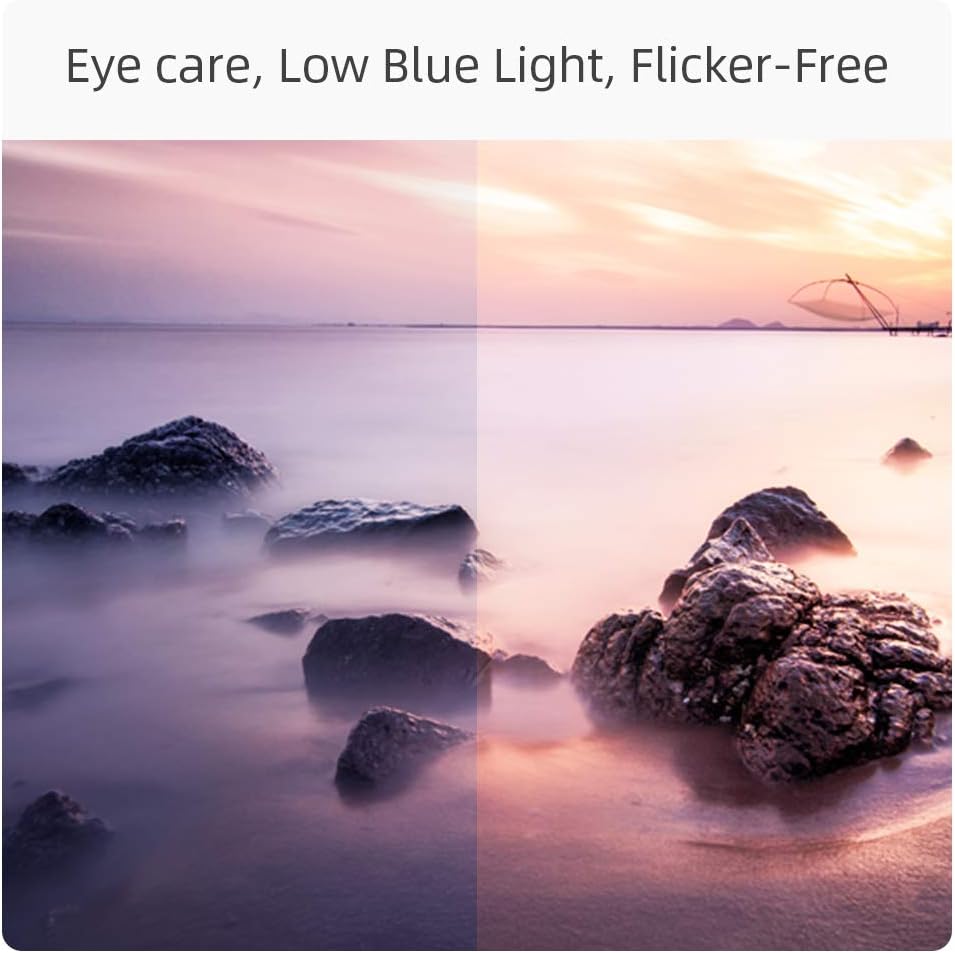
మూర్తి 5.1: Visual representation of the monitor's eye care features, including Low Blue Light and Flicker-Free technology, designed to reduce eye strain.
5.4 ఇన్పుట్ ఎంపిక
If multiple devices are connected, you can switch between input sources via the OSD menu or a dedicated input select button.
5.5 ఆడియో సెట్టింగ్లు
Adjust the volume for connected headphones or external speakers.
5.6 గేమింగ్ ఫీచర్లు
- FreeSync: This monitor supports AMD FreeSync technology, which synchronizes the monitor's refresh rate with your GPU's frame rate to eliminate screen tearing and stuttering. Enable FreeSync in the OSD menu and on your graphics card settings.
- ప్రతిస్పందన సమయం: The monitor features a 5ms response time for smooth motion.
- రిఫ్రెష్ రేట్: The monitor supports a 75Hz refresh rate for smoother visuals compared to standard 60Hz displays.

మూర్తి 5.2: Visual comparison demonstrating the smoother motion provided by a 75Hz refresh rate, ideal for dynamic content and gaming.
6. నిర్వహణ
మానిటర్ శుభ్రపరచడం
- శుభ్రపరిచే ముందు మానిటర్ను ఎల్లప్పుడూ అన్ప్లగ్ చేయండి.
- Use a soft, lint-free cloth to gently wipe the screen. For stubborn marks, dampకొద్దిగా నీరు లేదా తేలికపాటి, రాపిడి లేని స్క్రీన్ క్లీనర్తో వస్త్రాన్ని తుడవండి.
- మానిటర్ను తుడవండి casinమృదువైన, పొడి గుడ్డతో జి. రాపిడి క్లీనర్లు, వ్యాక్స్ లేదా ద్రావకాలను ఉపయోగించకుండా ఉండండి.
నిల్వ
If storing the monitor for an extended period, unplug it and store it in a cool, dry place, preferably in its original packaging to protect it from dust and physical damage.
7. ట్రబుల్షూటింగ్
| సమస్య | సాధ్యమైన కారణం | పరిష్కారం |
|---|---|---|
| తెరపై చిత్రం లేదు |
|
|
| చిత్రం అస్పష్టంగా లేదా వక్రీకరించబడింది |
|
|
| ఆడియో నుండి శబ్దం లేదు |
|
|
| మినుకుమినుకుమనే లేదా అస్థిరమైన చిత్రం |
|
|
8. స్పెసిఫికేషన్లు
| ఫీచర్ | వివరాలు |
|---|---|
| మోడల్ సంఖ్య | 32P625Q |
| స్క్రీన్ పరిమాణం | 32 అంగుళాలు |
| ప్యానెల్ రకం | IPS LED లు |
| రిజల్యూషన్ | QHD (2560 x 1440 పిక్సెల్స్) |
| కారక నిష్పత్తి | 16:9 |
| ప్రతిస్పందన సమయం | 5 ms |
| రిఫ్రెష్ రేట్ | 75 Hz |
| ప్రకాశం | 250 cd/m2 |
| కాంట్రాస్ట్ రేషియో | 1000:1 (Static), 1M:1 (Dynamic) |
| Viewing యాంగిల్ | 178°/178° |
| రంగు స్వరసప్తకం | sRGB 100% (10-bit panel) |
| కనెక్టివిటీ | HDMI, DisplayPort (DP), VGA, Audio Out (Headphone Jack) |
| ప్రత్యేక లక్షణాలు | Low Blue Light, Flicker-Free, FreeSync, Ultra-thin bezels, VESA Compatible |
| విద్యుత్ వినియోగం | 34 Watt (Typical), 26 kWh/1000h (Energy Label) |
| కొలతలు (స్టాండ్తో) | 712 x 180 x 495 మిమీ (LxWxH) |
| టిల్ట్ సర్దుబాటు | 5° నుండి -15° |

మూర్తి 8.1: Detailed dimensions of the CHiQ 32P625Q monitor with its stand.
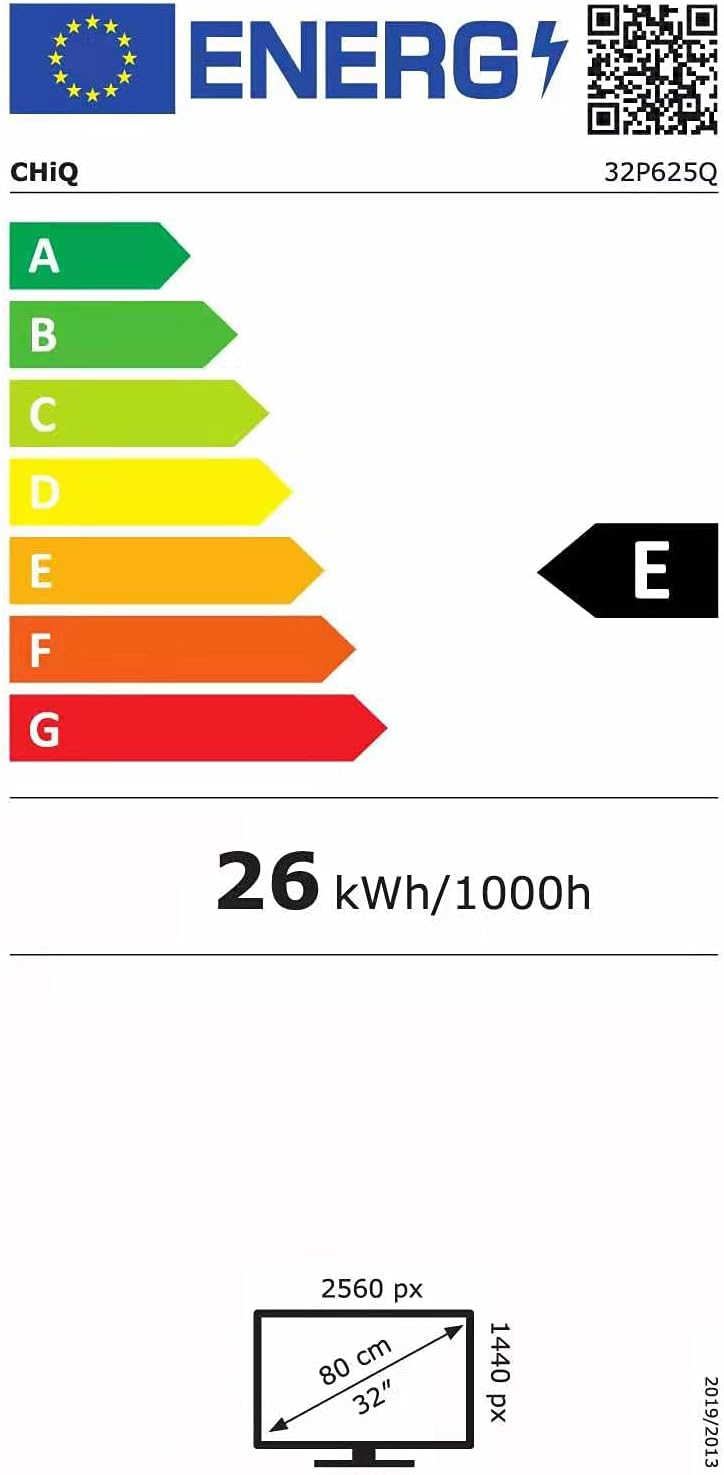
మూర్తి 8.2: EU Energy Label for the CHiQ 32P625Q monitor, indicating an energy efficiency class E and 26 kWh/1000h consumption. For more details, visit the EPREL డేటాబేస్.
9. వారంటీ మరియు మద్దతు
CHiQ products are designed and manufactured to the highest quality standards. For information regarding warranty coverage, technical support, or service inquiries, please refer to the warranty card included with your product or visit the official CHiQ website. Please have your model number (32P625Q) and purchase information ready when contacting support.


