1. పరిచయం
This manual provides detailed instructions for the installation, operation, and maintenance of your Five Star Multi-Directional 4V HDTV Antenna. This antenna is designed to receive 4K, 1080P, 1080i, and 720p HD channels, including local news, ABC, CBS, NBC, PBC, Fox, sitcoms, kids' programs, and sports. It supports both VHF and UHF channels and offers an enhanced signal reception range of up to 200 miles, depending on your location relative to broadcast towers and environmental obstructions.
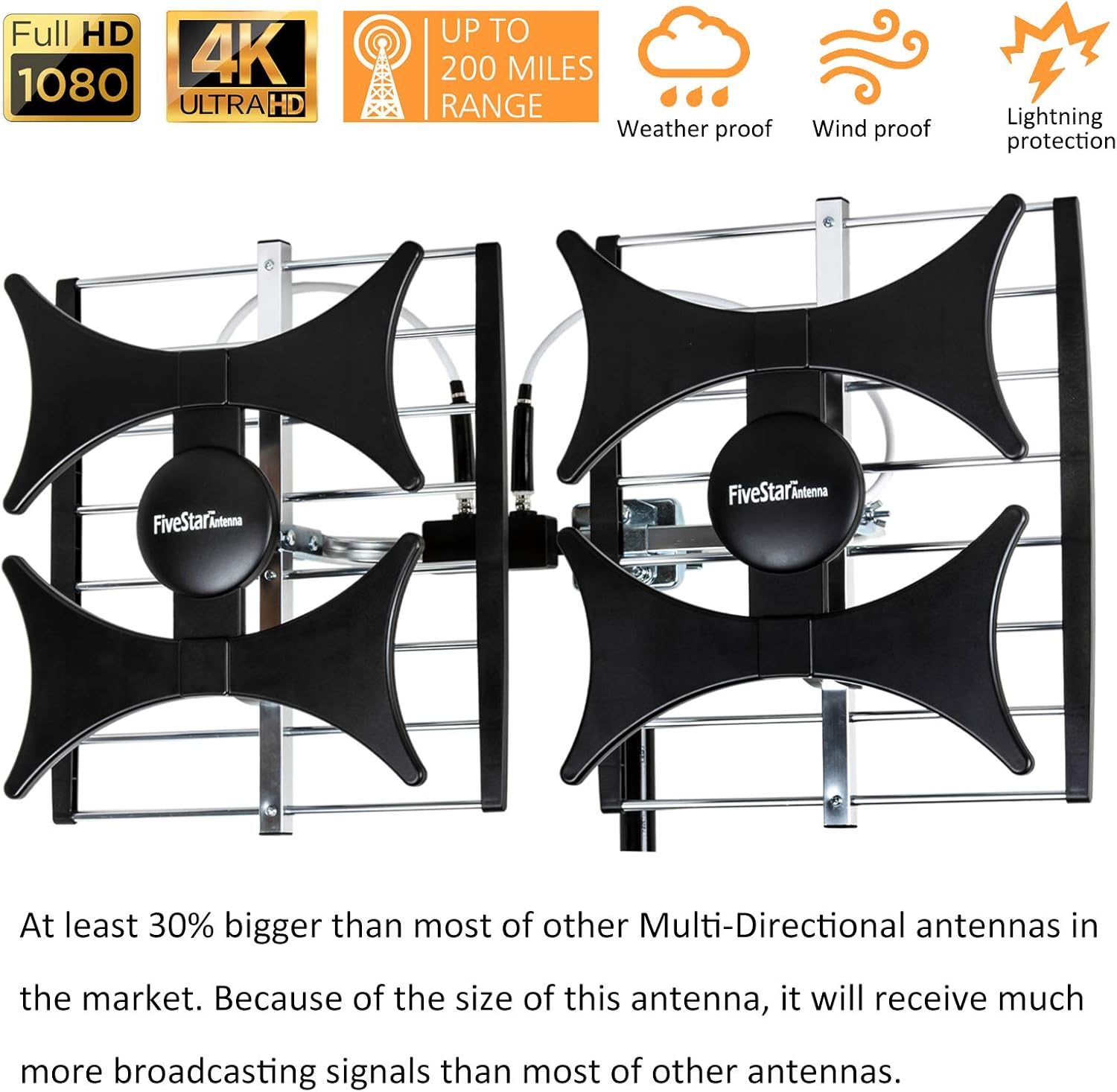
Image: The antenna is capable of receiving Full HD 1080p and 4K Ultra HD signals, with a range of up to 200 miles. It is designed to be weatherproof, windproof, and includes lightning protection features.

Image: A family enjoying television content, illustrating the antenna's capability to provide high-quality broadcast signals for home entertainment.
2. ప్యాకేజీ విషయాలు
మీ ప్యాకేజీలో అన్ని భాగాలు ఉన్నాయని ధృవీకరించండి:
- Five Star Multi-Directional TV Antenna
- 40ft RG6 Coaxial Cable
- Mounting Pole (J Pole)
- Installation Kit (includes necessary hardware for mounting)
- Power Inserter / Signal Booster
- 4-Way Splitter (for connecting multiple TVs)

Image: The complete package contents, including the antenna unit, J-pole mount, coaxial cable, cable clips, and a 4-way signal splitter.
3. భద్రతా సమాచారం
Please read and understand all safety instructions before installation. Failure to do so may result in injury or damage to property.
- విద్యుత్ భద్రత: Do not install the antenna near power lines or other electrical circuits. Maintain a safe distance from all electrical wires.
- పతనం ప్రమాదం: When installing on a roof or elevated structure, use appropriate safety equipment, such as a ladder, harness, and fall protection. Ensure the ladder is stable and secure.
- వాతావరణ పరిస్థితులు: Avoid installation during stormy weather, high winds, or lightning.
- సురక్షిత మౌంటు: Ensure the antenna is securely mounted to prevent it from falling due to wind or other environmental factors.
- కేబుల్ నిర్వహణ: Route cables safely to prevent tripping hazards and protect them from damage.
4. సెటప్ మరియు ఇన్స్టాలేషన్
The antenna is partially pre-assembled. Full assembly is required before mounting.
4.1 Antenna Assembly
- అన్ని భాగాలను జాగ్రత్తగా అన్ప్యాక్ చేయండి.
- Attach the two main antenna panels to the central mounting bracket. Ensure they are securely fastened.
- Connect the short coaxial cables between the antenna elements and the signal combiner/booster unit.
- Attach the J-pole to the antenna's mounting bracket.

చిత్రం: ఒక వైపు view of the antenna, highlighting its structural components and the connection points for the coaxial cables and mounting pole.
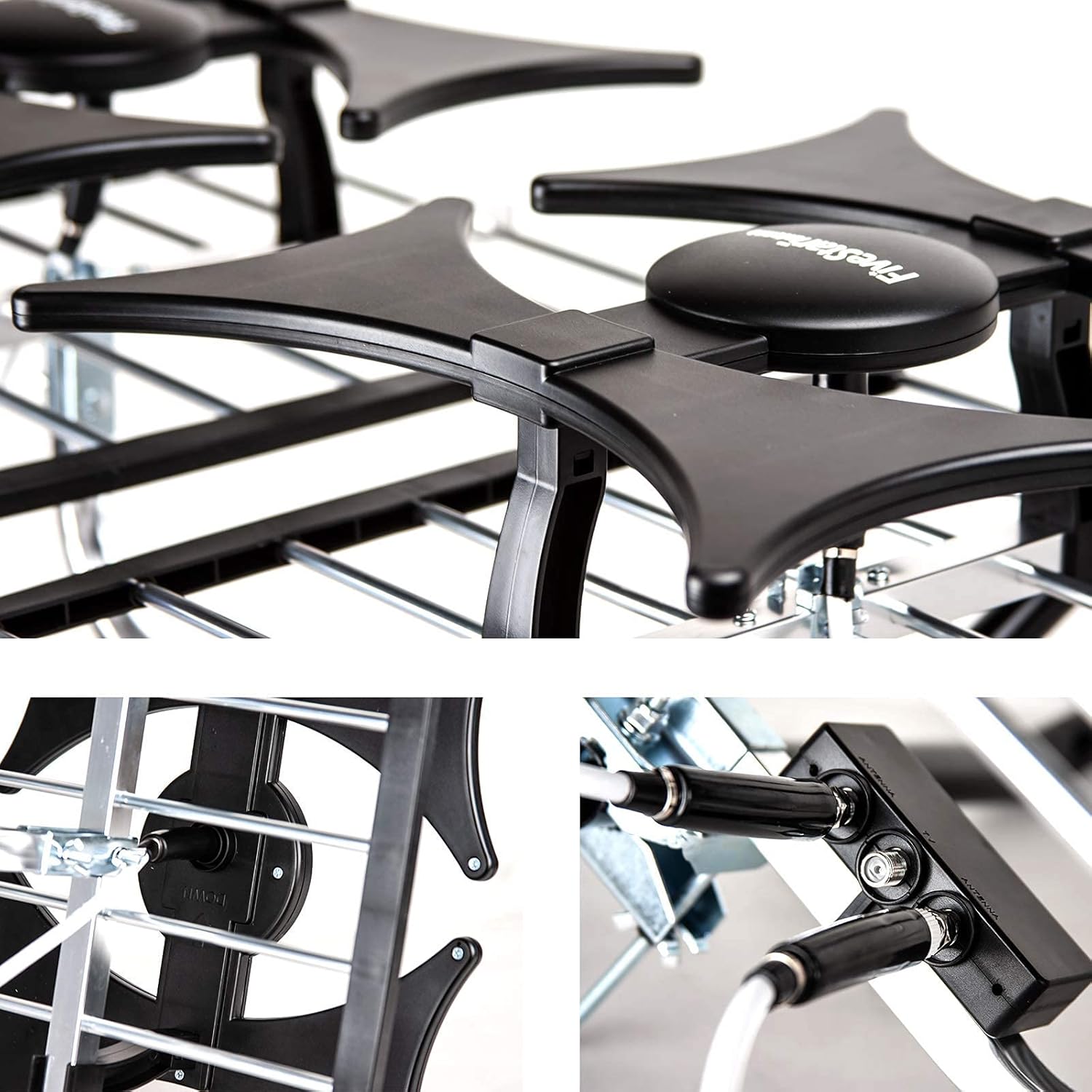
చిత్రం: వివరణాత్మకం view of the antenna's elements and the coaxial cable connections, showing the secure fastening points.
4.2 మౌంటు స్థానాన్ని ఎంచుకోవడం
Optimal signal reception is achieved with a clear line of sight to broadcast towers. Consider the following locations:
- Outdoor (Roof/Chimney/Eave/Mast): This is generally the best option for maximum range and signal clarity. Use the included J-pole and installation kit to securely mount the antenna.
- Attic: Can be suitable if outdoor mounting is not feasible. Signal strength may be reduced due to building materials.
- ఇండోర్: While possible, indoor reception is typically limited. Place near a window facing the broadcast towers.
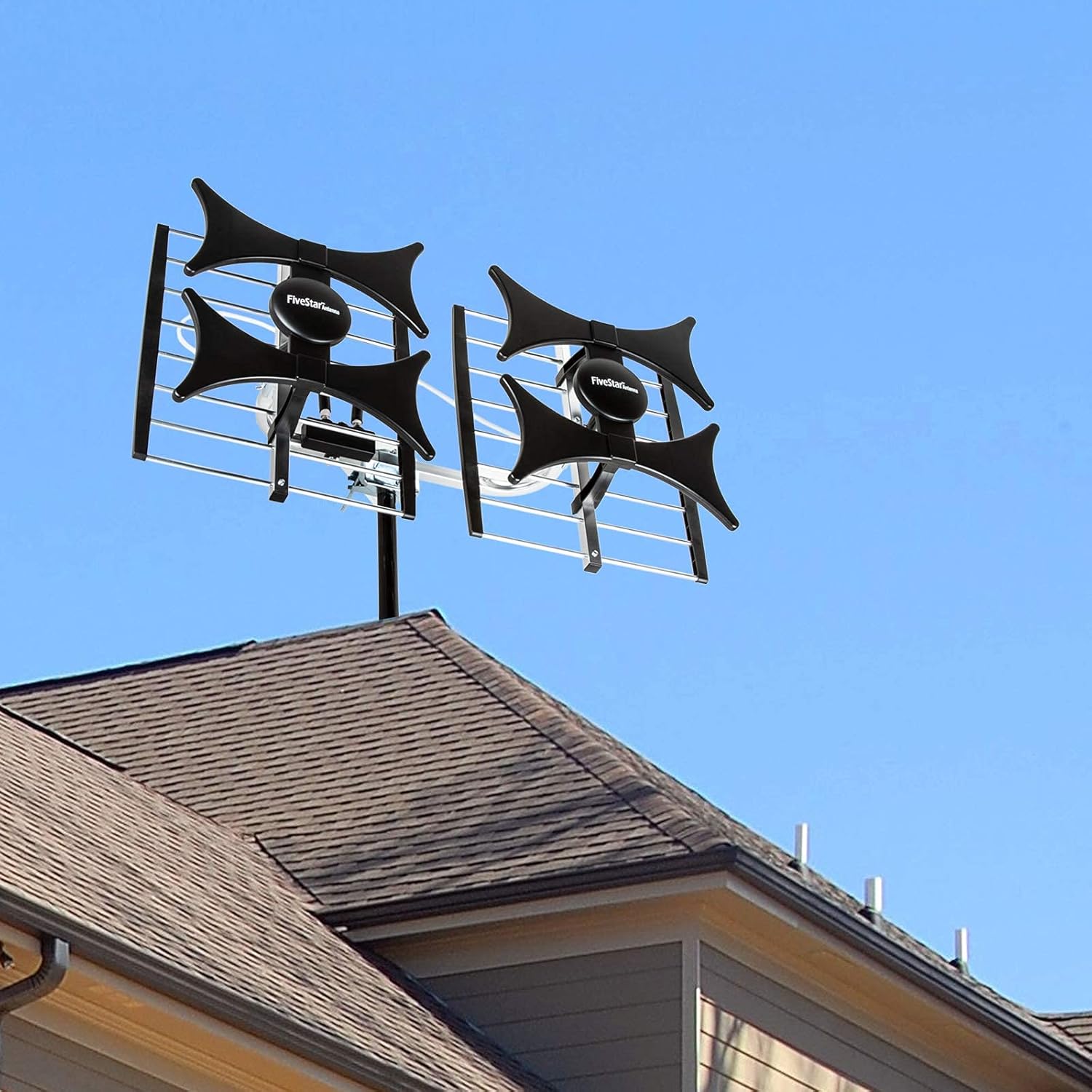
Image: The antenna installed on a residential rooftop, demonstrating a typical outdoor mounting scenario for optimal signal reception.
4.3 యాంటెన్నా ఓరియంటేషన్
The Five Star antenna features a multi-directional design with 180-degree reception. While it is forgiving, pointing the front side of the antenna towards the primary signal tower will optimize reception.
- సందర్శించండి www.fcc.gov/media/engineering/dtvmaps or www.rabbitears.info to find the location of TV transmitting towers in your area and their distance.
- Adjust the antenna to face the general direction of the TV transmitter for optimal reception.
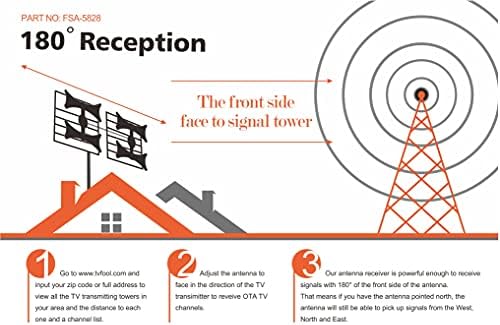
Image: A diagram showing the antenna's 180-degree reception capability, indicating that while facing a signal tower, it can still pick up signals from a wide angle.
4.4 Connecting the Antenna to Your TV(s)
- Connect one end of the 40ft RG6 coaxial cable to the antenna's output.
- Connect the other end of the coaxial cable to the 'Antenna In' port of the included power inserter/signal booster.
- Connect the power adapter to the power inserter/signal booster and plug it into an electrical outlet.
- Connect a short coaxial cable from the 'TV Out' port of the power inserter/signal booster to the 'IN' port of the 4-way splitter.
- Connect individual coaxial cables from the 'OUT' ports of the 4-way splitter to the 'Antenna In' or 'RF In' port on each of your TVs (up to 4 TVs).

Image: A schematic diagram illustrating the connection of the antenna to a power inserter/signal booster, which then connects to a 4-way splitter, allowing up to four televisions to receive the signal.

Image: A close-up of the signal booster, labeled as 'VERSION 2021 SMART CHIP', indicating its intelligent gain and LTE filter features for higher image resolution.
5. ఆపరేషన్
5.1 ఛానెల్ల కోసం స్కానింగ్
After connecting the antenna, perform a channel scan on your television:
- Turn on your TV and select the correct input source (usually 'TV' or 'Antenna').
- Navigate to your TV's 'Menu' or 'Settings'.
- Look for options like 'Channel Scan', 'Auto Program', 'Auto Tune', or 'Antenna Setup'.
- Select 'Air' or 'Antenna' as the signal source (not 'Cable').
- Start the channel scan. This process may take several minutes.
- స్కాన్ పూర్తయిన తర్వాత, మీ టీవీ అందుబాటులో ఉన్న ఛానెల్లను ప్రదర్శిస్తుంది.
5.2 Optimizing Signal Reception
- If you are not receiving all desired channels, try slightly adjusting the antenna's direction and re-running the channel scan.
- Ensure the signal booster is properly powered and connected.
- Obstructions like trees, buildings, or hills can affect signal strength. Consider a higher mounting position if possible.
6. నిర్వహణ
The Five Star Multi-Directional 4V HDTV Antenna is designed for durability and weather resistance. Minimal maintenance is required.
- ఆవర్తన తనిఖీ: Annually inspect the antenna and mounting hardware for any signs of wear, corrosion, or loosening, especially after severe weather conditions.
- కేబుల్ తనిఖీ: Ensure coaxial cables are free from cracks, fraying, or damage. Replace damaged cables to maintain signal quality.
- శుభ్రపరచడం: If necessary, gently clean the antenna elements with a soft, damp cloth to remove dirt or debris that might accumulate over time. Do not use harsh chemicals or abrasive materials.
7. ట్రబుల్షూటింగ్
| సమస్య | సాధ్యమైన కారణం | పరిష్కారం |
|---|---|---|
| No channels found or poor reception | యాంటెన్నా ఓరియంటేషన్ తప్పు వదులైన కేబుల్ కనెక్షన్లు TV not set to 'Antenna' input No channel scan performed Signal obstructions Signal booster not powered | Adjust antenna direction and re-scan Check all coaxial cable connections Set TV input to 'Antenna' or 'Air' Perform a full channel scan Relocate antenna to a higher or clearer spot Ensure signal booster is plugged in and powered |
| Fewer channels than expected | Antenna not optimally positioned Distance from broadcast towers Local terrain/buildings blocking signals | Fine-tune antenna direction Consult online resources for local tower locations Consider a higher mounting point or professional installation |
| Picture pixelates or freezes | బలహీనమైన సిగ్నల్ జోక్యం దెబ్బతిన్న కేబుల్ | Check antenna alignment Ensure booster is active దెబ్బతిన్న కేబుల్లను తనిఖీ చేసి భర్తీ చేయండి Minimize other electronic device interference |
8. స్పెసిఫికేషన్లు
| ఫీచర్ | వివరాలు |
|---|---|
| ఉత్పత్తి కొలతలు | 29 x 12 x 15 అంగుళాలు |
| వస్తువు బరువు | 7.5 పౌండ్లు |
| బ్రాండ్ | ఫైవ్ స్టార్ |
| మోడల్ | Antenna with J Pole + Kit |
| యాంటెన్నా రకం | Multi-Directional HDTV Antenna |
| ఫ్రీక్వెన్సీ రేంజ్ | యుహెచ్ఎఫ్/విహెచ్ఎఫ్ |
| గరిష్ట పరిధి | Up to 200 Miles (varies by location) |
| ఇంపెడెన్స్ | 75 ఓం |
| మద్దతు ఉన్న రిజల్యూషన్లు | 4K, 1080P, 1080i, 720p |
| Number of TVs Supported | Up to 4 (with included splitter) |
| UPC | 840449119631 |
| ASIN | B08ZGF24JN |

Image: The physical dimensions of the antenna, showing a length of 29 inches, a width of 12 inches, and a height of 15 inches.
9. వారంటీ మరియు మద్దతు
For questions, troubleshooting assistance, or any concerns regarding your Five Star Multi-Directional 4V HDTV Antenna, please contact the seller or Amazon Support. Your satisfaction is important.
వర్తిస్తే, నిర్దిష్ట వారంటీ వివరాల కోసం దయచేసి మీ కొనుగోలు డాక్యుమెంటేషన్ను చూడండి.


