1. పరిచయం
Thank you for choosing the Clarion XR5420 Class D 4-Channel Car Audio Ampప్రాణాలను బలిగొంటాడు. ఈ amplifier is designed to enhance your in-car audio experience by providing powerful and clear sound reproduction. This manual provides essential information for the proper installation, operation, and maintenance of your amplifier. Please read it thoroughly before attempting installation or use.
2. భద్రతా సమాచారం
యూనిట్కు గాయం లేదా నష్టాన్ని నివారించడానికి, దయచేసి ఈ క్రింది జాగ్రత్తలను గమనించండి:
- ఏదైనా విద్యుత్ కనెక్షన్లు చేసే ముందు వాహనం యొక్క నెగటివ్ బ్యాటరీ టెర్మినల్ను ఎల్లప్పుడూ డిస్కనెక్ట్ చేయండి.
- చిటికెడు లేదా దెబ్బతినకుండా ఉండటానికి అన్ని వైరింగ్లు సరిగ్గా రూట్ చేయబడి, భద్రంగా ఉన్నాయని నిర్ధారించుకోండి.
- ఇన్స్టాలేషన్ విభాగంలో పేర్కొన్న విధంగా పవర్ మరియు గ్రౌండ్ కనెక్షన్ల కోసం తగిన గేజ్ వైరింగ్ను ఉపయోగించండి.
- మౌంట్ చేయవద్దు ampప్రత్యక్ష సూర్యకాంతి, అధిక వేడి, తేమ లేదా ధూళికి గురయ్యే ప్రదేశాలలో లైఫైయర్.
- చుట్టూ తగినంత వెంటిలేషన్ ఉండేలా చూసుకోండి ampవేడెక్కడం నిరోధించడానికి lifier.
- ఇన్స్టాలేషన్ ప్రక్రియలోని ఏదైనా భాగం గురించి మీకు ఖచ్చితంగా తెలియకపోతే, అర్హత కలిగిన కార్ ఆడియో ప్రొఫెషనల్ని సంప్రదించండి.
3. ప్యాకేజీ విషయాలు
మీ ప్యాకేజీలో అన్ని అంశాలు ఉన్నాయని ధృవీకరించండి:
- Clarion XR5420 Class D 4-Channel Ampజీవితకాలం
- Power Wiring Kit (4 Gauge)
- RCA Interconnect Cables
- గ్రావిటీ మాగ్నెట్ ఫోన్ హోల్డర్
- మౌంటు హార్డ్వేర్
- వినియోగదారు మాన్యువల్ (ఈ పత్రం)

4 ఫీచర్లు
The Clarion XR5420 amplifier incorporates advanced technology for superior audio performance:
- Class D Circuit Design: Achieves high efficiency and compact size while minimizing distortion.
- 4-ఛానల్ కాన్ఫిగరేషన్: Provides flexible options for powering front, rear, or bridged subwoofer setups.
- 400 Watts Maximum Music Power: Delivers robust power output for dynamic sound.
- 2-Ohm Stability: Capable of driving lower impedance loads for increased power output and speaker compatibility.
- Selectable Gain Control: Allows precise matching of amplifier input sensitivity to the source unit's output.
- Nickel Plated RCA Connectors: Ensures optimal signal transfer and corrosion resistance.
- High Quality Block Terminals: Minimizes electrical and contact resistance for reliable connections.
5. సెటప్ మరియు ఇన్స్టాలేషన్
సరైన పనితీరు మరియు భద్రత కోసం సరైన ఇన్స్టాలేషన్ చాలా కీలకం. ఈ దశలను జాగ్రత్తగా అనుసరించండి:
5.1 మౌంట్ చేయడం Ampజీవితకాలం
పొడిగా, బాగా వెంటిలేషన్ ఉన్న మరియు ప్రత్యక్ష సూర్యకాంతి లేదా అధిక వేడి నుండి రక్షించబడిన మౌంటు ప్రదేశాన్ని ఎంచుకోండి. చుట్టూ తగినంత స్థలం ఉందని నిర్ధారించుకోండి. ampగాలి ప్రసరణ కోసం లైఫైయర్. భద్రపరచండి ampఅందించిన మౌంటు హార్డ్వేర్ని ఉపయోగించి లైఫైయర్.
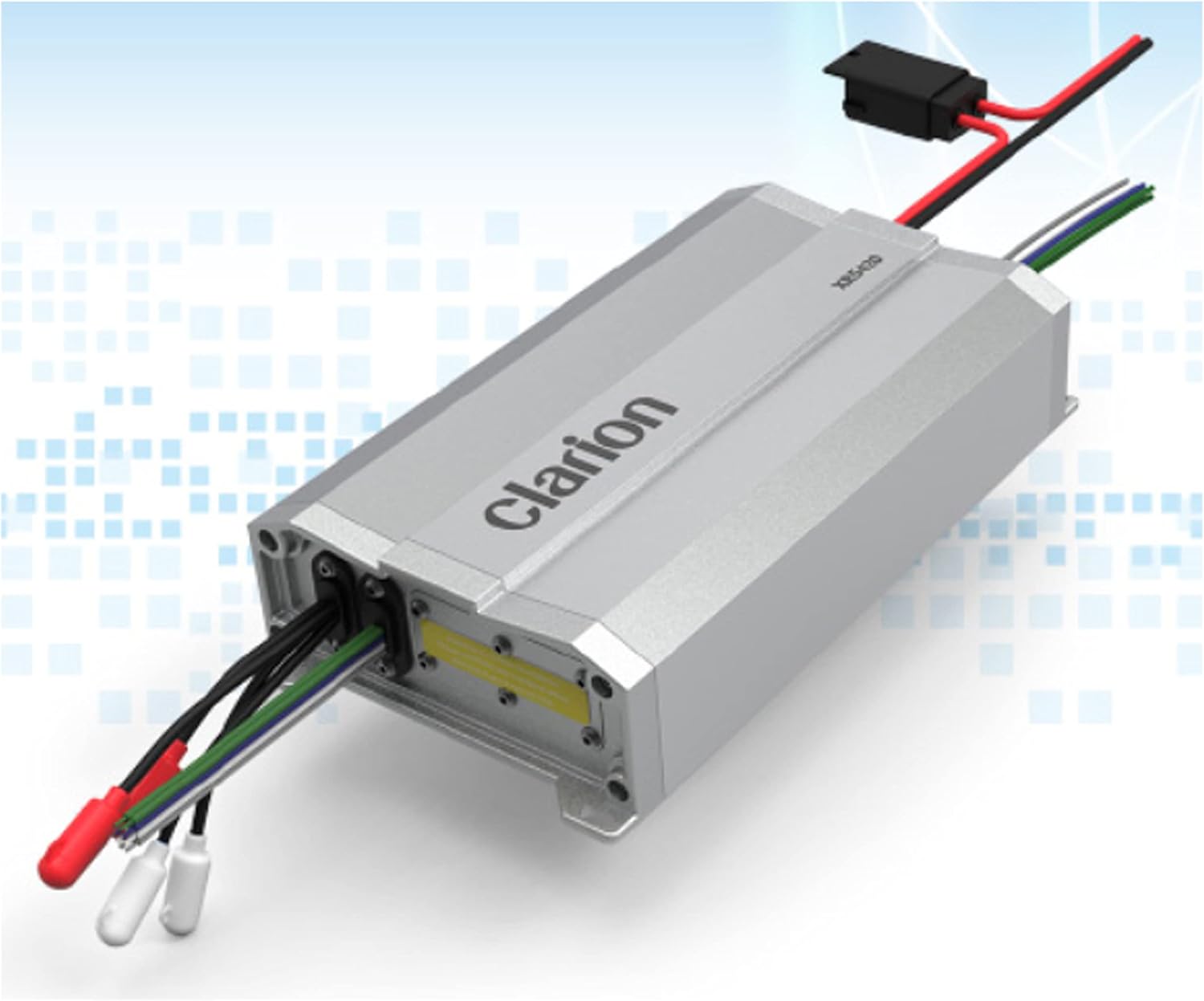
5.2 విద్యుత్ మరియు గ్రౌండ్ కనెక్షన్లు
- బ్యాటరీని డిస్కనెక్ట్ చేయండి: Always disconnect the vehicle's negative battery terminal before proceeding.
- Power Wire (B+): Run the 4-gauge power wire from the positive terminal of the vehicle's battery to the amplifier's "B+" terminal. Install an in-line fuse holder (included in the wiring kit) within 18 inches (45 cm) of the battery.
- గ్రౌండ్ వైర్ (GND): Connect a short 4-gauge ground wire from the amplifier's "GND" terminal to a clean, unpainted metal surface on the vehicle's chassis. Ensure a good electrical connection.
- రిమోట్ టర్న్-ఆన్ వైర్ (REM): మీ హెడ్ యూనిట్ రిమోట్ అవుట్పుట్ నుండి రిమోట్ టర్న్-ఆన్ వైర్ను కనెక్ట్ చేయండి ampలైఫైయర్ యొక్క "REM" టెర్మినల్. ఈ వైర్ ampమీ హెడ్ యూనిట్తో లైఫైయర్ను ఆన్ మరియు ఆఫ్ చేయండి.
5.3 Audio Input Connections (RCA)
Connect the RCA interconnect cables from your head unit's RCA outputs to the amplifier's RCA input jacks. Ensure correct channel matching (e.g., front left to front left, rear right to rear right).
5.4 స్పీకర్ అవుట్పుట్ కనెక్షన్లు
మీ స్పీకర్లను దీనికి కనెక్ట్ చేయండి amplifier's speaker output terminals. Pay close attention to polarity (+ and -). The XR5420 is a 4-channel ampలైఫైయర్, వివిధ కాన్ఫిగరేషన్లను అనుమతిస్తుంది:
- 4-ఛానల్ స్టీరియో: Connect four speakers (front left, front right, rear left, rear right) to the respective ampలైఫైయర్ ఛానెల్లు.
- 3-Channel (Bridged for Subwoofer): Bridge two channels for a subwoofer and use the remaining two channels for a pair of full-range speakers. Refer to the amplifier's diagram for bridging instructions.
- 2-Channel (Bridged): Bridge both pairs of channels to power two subwoofers or high-power full-range speakers.
Caution: Ensure the total impedance of your speakers matches the amplifier's specifications (2-Ohm stable per channel, 4-Ohm stable when bridged) to prevent damage.
6. ఆపరేటింగ్ Ampజీవితకాలం
6.1 ప్రారంభ పవర్-అప్
Once all connections are secure, reconnect the vehicle's negative battery terminal. Turn on your head unit. The ampరిమోట్ టర్న్-ఆన్ వైర్ ద్వారా లైఫైయర్ స్వయంచాలకంగా పవర్ ఆన్ చేయాలి.
6.2 Gain Control Adjustment
The gain control (input sensitivity) matches the amplifier's input to the output level of your head unit. It is NOT a volume control.
- తిరగండి ampలైఫైయర్ యొక్క గెయిన్ కంట్రోల్ దాని కనిష్ట (పూర్తిగా అపసవ్య దిశలో) సెట్టింగ్కు చేరుకుంటుంది.
- Play a familiar piece of music with a wide dynamic range through your head unit.
- Increase the head unit's volume to about 75-80% of its maximum level.
- నెమ్మదిగా పెంచండి amplifier's gain control until you hear distortion, then back it off slightly until the sound is clear.
This process ensures maximum clean output from the amplifier without clipping.
7. నిర్వహణ
The Clarion XR5420 ampలైఫైయర్కు కనీస నిర్వహణ అవసరం:
- ఉంచండి ampలైఫైయర్ శుభ్రంగా మరియు దుమ్ము లేకుండా. శుభ్రం చేయడానికి మృదువైన, పొడి గుడ్డను ఉపయోగించండి.
- Ensure all connections remain tight and free of corrosion. Periodically check wiring for any signs of wear or damage.
- బ్లాక్ చేయవద్దు amplifier's cooling fins or vents.
8. ట్రబుల్షూటింగ్
| సమస్య | సాధ్యమైన కారణం | పరిష్కారం |
|---|---|---|
| శబ్దం లేదు | No power, remote wire not connected, RCA cables loose, speaker wires disconnected. | Check power/ground/remote connections, ensure fuse is intact, check RCA and speaker connections. |
| వక్రీకరించిన ధ్వని | Gain set too high, damaged speaker, poor ground connection. | Adjust gain control, check speaker condition, verify ground connection. |
| Ampలైఫైయర్ వేడెక్కుతుంది | Insufficient ventilation, impedance too low, prolonged high-volume use. | Ensure proper airflow, check speaker impedance, reduce volume. |
| Amplifier turns off randomly | Overheating, low voltage, short circuit in speaker wiring. | Check for overheating, verify power connections, inspect speaker wiring for shorts. |
9. స్పెసిఫికేషన్లు
Technical specifications for the Clarion XR5420 ampజీవితకాలం:
- గరిష్ట సంగీత శక్తి: 400 వాట్స్
- Continuous Power Output (4-Ohm): 55 Watts x 4 channels
- Continuous Power Output (2-Ohm): 95 Watts x 4 channels
- Bridged Power Output (4-Ohm): 180 Watts x 2 channels
- ఛానెల్ల సంఖ్య: 4
- Impedance Stability: 2-Ohm Stable
- కనెక్టర్లు: Nickel Plated RCA
- కొలతలు (W x L x H): 8.7 x 4.48 x 1.88 అంగుళాలు
- వస్తువు బరువు: 10 పౌండ్లు
10. వారంటీ మరియు మద్దతు
For warranty information and technical support, please refer to the documentation provided with your purchase or visit the official Clarion webసైట్. ఏవైనా వారంటీ క్లెయిమ్ల కోసం మీ కొనుగోలు రుజువును ఉంచుకోండి.
తయారీదారు: CLARION AUDIO
మోడల్ సంఖ్య: XR5420
మొదటి తేదీ అందుబాటులో ఉంది: మే 15, 2021


