పరిచయం
This manual provides detailed instructions for the installation, operation, and maintenance of the NC B156XTN07.1 EDP LCD Controller Driver Board. This board is designed to convert video signals (HDMI, VGA) for use with compatible EDP interface LCD screens, specifically models like B156XTN07.0 HW0A and B156XTN07.1. Please read this manual thoroughly before proceeding with installation or operation.
ప్యాకేజీ విషయాలు
Verify that all items listed below are included in your package. If any components are missing or damaged, please contact your vendor.
- 1 x EDP Controller Driver Board
- 1 x EDP Signal Cable
- 1 x Keyboard with Cable

The main EDP controller driver board, featuring HDMI and VGA input ports, audio output, and various connectors for the LCD panel and control keyboard.

The EDP signal cable, used to connect the controller board to the compatible EDP LCD panel.

The control keyboard with its connecting cable, used for navigating the On-Screen Display (OSD) menu.
ఉత్పత్తి లక్షణాలు
- Compatible with EDP Interface LCD Screens, including B156XTN07.0 HW0A and B156XTN07.1.
- Supports HDMI and VGA video input.
- HDMI audio input and small speaker audio output.
- On-Screen Display (OSD) for brightness, contrast, volume control, and language settings.
- Low power consumption in standby mode (<0.3W).
- Designed to help prevent screen flickering.
- Includes a blue light filter feature for reduced eye strain.
- Energy-friendly design emphasizing recyclability and waste reduction.
సెటప్ సూచనలు
Follow these steps carefully to connect the controller board to your LCD screen and power source.
- Prepare the LCD Panel: Ensure your LCD panel is compatible with the EDP interface and matches the supported models (B156XTN07.0 HW0A, B156XTN07.1).
- Connect the EDP Signal Cable: Carefully connect one end of the EDP signal cable to the EDP connector on the controller board and the other end to the EDP input on your LCD panel. Ensure the connection is secure and correctly oriented to avoid damage.
- Connect the Control Keyboard: Attach the keyboard cable to the designated connector on the controller board. This keyboard will be used for OSD navigation.
- Connect Video Input: Connect your video source (e.g., computer, media player) to either the HDMI or VGA port on the controller board using a compatible cable.
- ఆడియోని కనెక్ట్ చేయండి (ఐచ్ఛికం): If using HDMI for video, audio will be transmitted through the HDMI cable. For external speakers, connect them to the small speaker audio output port on the board.
- శక్తిని వర్తింపజేయండి: Connect a DC 12V-3A power adapter (with a 2.5MM inner and 5.5MM outer DC port) to the power input on the controller board.
- పవర్ ఆన్: Once all connections are secure, power on the controller board. The LCD screen should display the input signal.
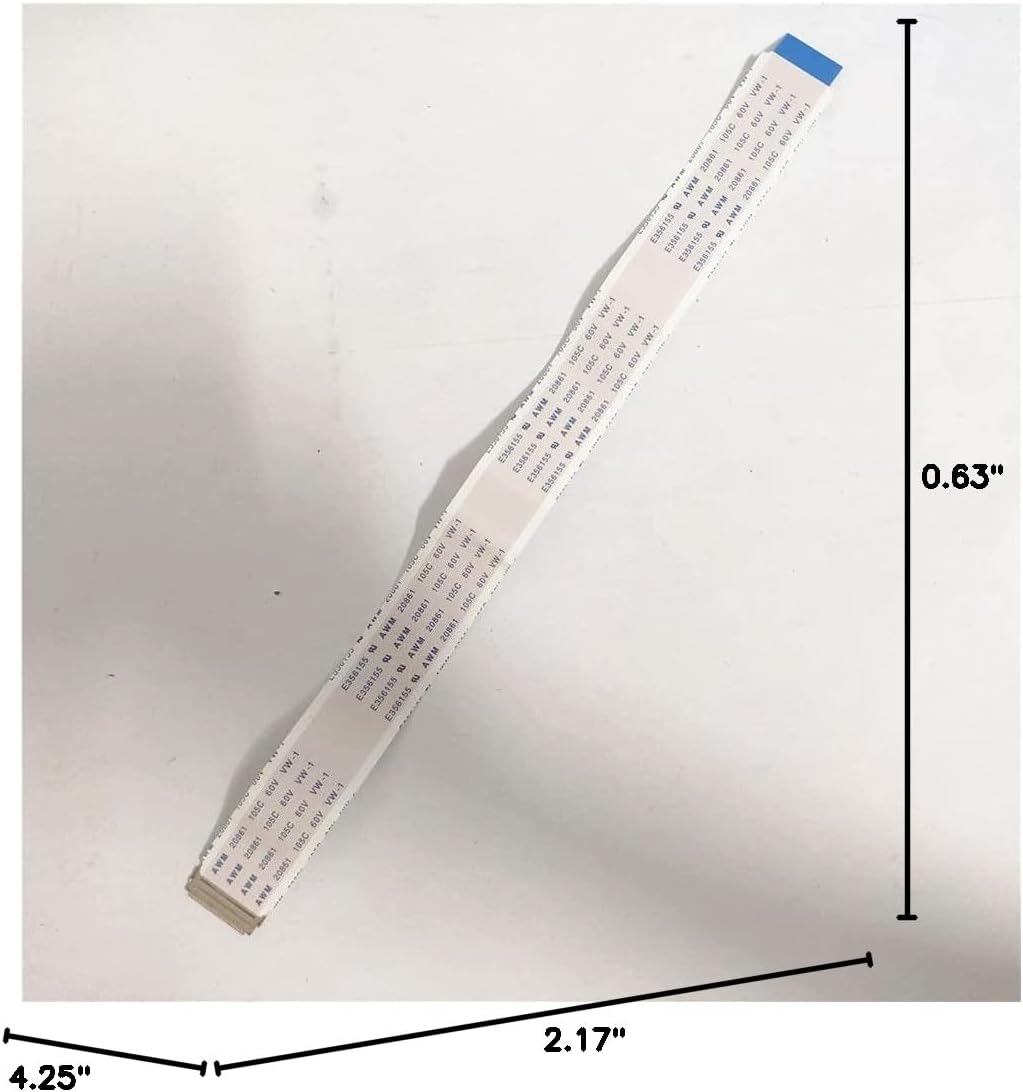
Illustration of the EDP signal cable, showing its approximate dimensions for reference during installation.
ఆపరేటింగ్ సూచనలు
After successful setup, operate the controller board using the connected keyboard.
- పవర్ ఆన్/ఆఫ్: Use the designated button on the keyboard to power the board on or off.
- OSD మెను: Press the 'Menu' button on the keyboard to access the On-Screen Display (OSD) menu.
- నావిగేషన్: Use the directional buttons (VOL+, VOL-) to navigate through menu options.
- సర్దుబాట్లు: Within the OSD, you can adjust settings such as brightness, contrast, volume, and select the display language (English, French, German, Spanish, Italian, etc.).
- ఇన్పుట్ ఎంపిక: The board automatically detects input signals. If multiple inputs are connected, you may need to manually select the desired input via the OSD menu.
నిర్వహణ
Proper maintenance ensures the longevity and optimal performance of your controller board.
- శుభ్రపరచడం: Use a soft, dry cloth to gently wipe the surface of the board. Avoid using liquid cleaners or abrasive materials.
- పర్యావరణం: Operate the board in a clean, dry environment, away from excessive dust, moisture, and extreme temperatures.
- నిర్వహణ: Handle the board by its edges to avoid touching components, especially when power is applied.
- పవర్ డిస్కనెక్ట్: Always disconnect the power adapter before performing any maintenance or making changes to connections.
ట్రబుల్షూటింగ్
మీరు సమస్యలను ఎదుర్కొంటే, ఈ క్రింది సాధారణ సమస్యలు మరియు పరిష్కారాలను చూడండి.
- ప్రదర్శన లేదు:
- Ensure the 12V-3A DC power adapter is correctly connected and functioning.
- Verify that the EDP signal cable is securely connected to both the controller board and the LCD panel.
- Check if the video input cable (HDMI/VGA) is properly connected to both the source and the controller board.
- Confirm that the LCD panel is compatible with the controller board.
- ఆడియో లేదు:
- If using HDMI, ensure the audio source is enabled on your connected device.
- Check the volume settings in the OSD menu and on your connected device.
- Verify that external speakers are correctly connected to the audio output port.
- OSD మెనూ స్పందించడం లేదు:
- Ensure the keyboard cable is securely connected to the controller board.
- Test the keyboard buttons for responsiveness.
- Image Quality Issues (Flickering, Incorrect Colors):
- Check the EDP signal cable for any damage or loose connections.
- Adjust brightness and contrast settings via the OSD menu.
- Ensure the video source is outputting a compatible resolution (1366x768).
స్పెసిఫికేషన్లు
| మోడల్ సంఖ్య | B156XTN07 |
| Compatible LCD Screen Models | B156XTN07.0 HW0A, B156XTN07.1 (EDP 30-pin, 1366 x 768, 15.6" WLED) |
| ఇన్పుట్ పవర్ | DC 12V-3A (DC Port: 2.5MM inner, 5.5MM outer) |
| వీడియో ఇన్పుట్ | HDMI, VGA |
| ఆడియో ఇన్పుట్ | HDMI |
| ఆడియో అవుట్పుట్ | Small speaker |
| స్టాండ్బై మోడ్ పవర్ | <0.3W |
| Board Dimensions (L x W x H) | 108mm x 55mm x 16mm (సుమారుగా 4.25 x 2.17 x 0.63 అంగుళాలు) |
| మద్దతు ఉన్న రిజల్యూషన్ | 1366 x 768 |
| కారక నిష్పత్తి | 16:9 |
| OSD భాషలు | English, French, German, Spanish, Italian, and others |
వారంటీ మరియు మద్దతు
Specific warranty information for this product is not provided in this manual. For details regarding warranty coverage, technical support, or service, please contact the retailer from whom you purchased the product or the manufacturer directly. Please have your product model number (B156XTN07) and purchase information ready when contacting support.