1. పరిచయం
The XTOOL D8S is an advanced bidirectional scan tool designed for comprehensive vehicle diagnostics and maintenance. This device offers a wide range of functionalities including topology mapping, active tests, ECU coding, and numerous special reset services. It is engineered to assist automotive technicians and enthusiasts in efficiently identifying and resolving vehicle issues.

Image 1.1: The XTOOL D8S Bidirectional Scan Tool, showcasing దాని కాంపాక్ట్ డిజైన్ మరియు యూజర్ ఇంటర్ఫేస్.
2. సెటప్ మరియు ప్రారంభ ఉపయోగం
2.1 ఏమి చేర్చబడింది
Upon unboxing your XTOOL D8S, please verify that all components are present:
- D8S Tablet Scanner
- D815 to OBD2-16 Main Cable
- Power Charger (with EU, US, UK adapters)
- USB 3.0 కేబుల్
- Tool Carrying Case
- వినియోగదారు మాన్యువల్ (ఈ పత్రం)
- Packing List & Quick Start Guide

Image 2.1: Visual representation of the items included in the XTOOL D8S package, such as the tablet, cables, and adapters.
2.2 పవర్ ఆన్ చేయడం మరియు ఛార్జింగ్ చేయడం
The XTOOL D8S is equipped with a 5000mAh/7.3V Lithium Ion battery. Before first use, ensure the device is fully charged using the provided power charger and USB 3.0 cable. Connect the charger to the device's Type-C port and plug it into a power outlet. The device will indicate charging status on its screen.
2.3 సాఫ్ట్వేర్ నవీకరణలు
It is recommended to update the software regularly to ensure access to the latest vehicle coverage, features, and performance optimizations. The XTOOL D8S includes 3 years of free software updates. Connect the device to a Wi-Fi network and navigate to the 'Update' section within the device's menu to check for and install available updates.
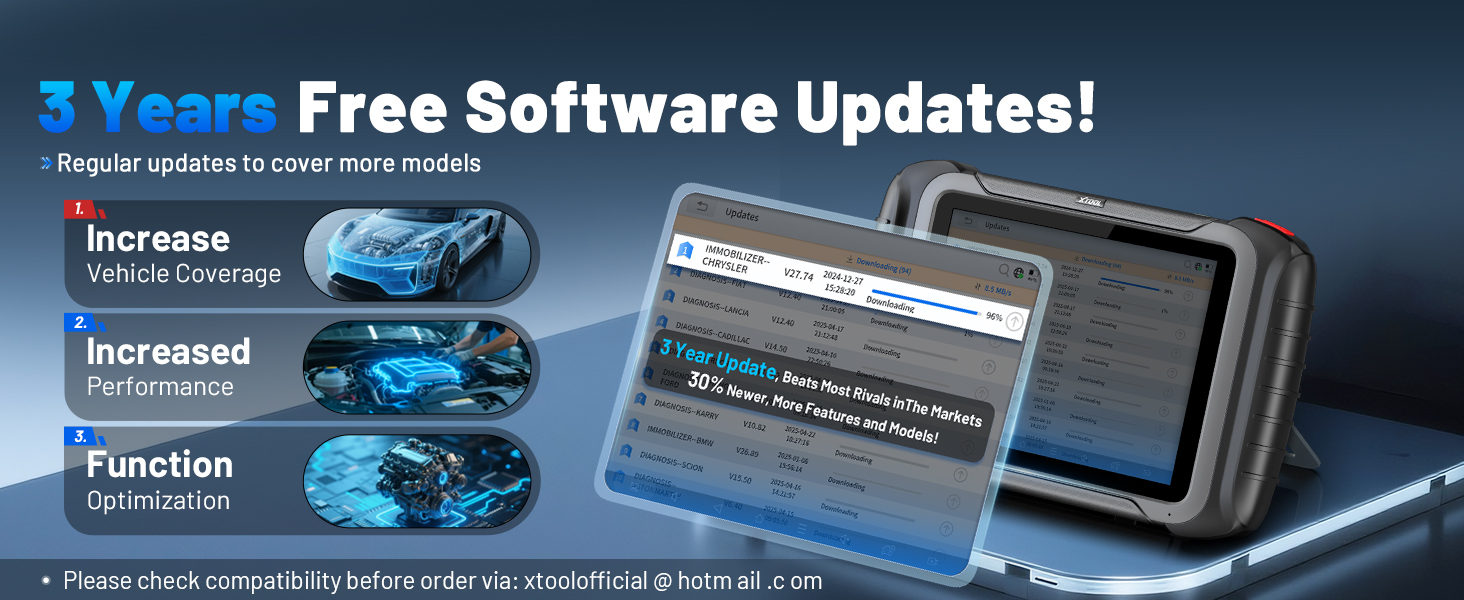
Image 2.2: The software update interface on the XTOOL D8S, illustrating the process of downloading and installing new software versions.
2.4 వాహనానికి కనెక్ట్ చేయడం
To connect the D8S to a vehicle, locate the vehicle's OBD-II port (typically under the dashboard). Connect the D815 to OBD2-16 Main Cable to the D8S tablet and then to the vehicle's OBD-II port. Once connected, turn the vehicle's ignition to the 'ON' position (engine off) or start the engine as required by the diagnostic procedure.
3. Operating the XTOOL D8S
The XTOOL D8S operates on Android 10.0, providing a user-friendly interface for various diagnostic functions.
3.1 OE All Systems Diagnostics
This function allows the D8S to scan all available vehicle systems, including Engine, Transmission, ABS, Airbag, Brake, Body, Chassis, HVAC, and Radio. It performs dealer-level diagnostics such as reading/clearing Diagnostic Trouble Codes (DTCs), viewప్రత్యక్ష డేటా స్ట్రీమ్లను డౌన్లోడ్ చేయడం మరియు ECU సమాచారాన్ని తిరిగి పొందడం.

Image 3.1: An illustration of the XTOOL D8S conducting an OE All Systems Diagnostic scan, showing various vehicle modules being analyzed.
3.2 టోపోలాజీ మ్యాపింగ్
The intuitive topology module mapping feature provides a visual representation of the vehicle's communication network. This allows for quick identification of system status and fault locations, streamlining the diagnostic process.

Image 3.2: The topology mapping interface on the XTOOL D8S, displaying the vehicle's electronic control units and their interconnections.
3.3 Bi-directional Control / Active Tests
The D8S supports full bidirectional control, allowing it to send commands to vehicle ECUs to perform specific component tests. This includes tests for injectors, fuel pumps, cooling fans, A/C clutches, ABS motor pumps, windows, wipers, and more, aiding in precise fault isolation.

Image 3.3: A visual demonstrating the bidirectional control capabilities of the XTOOL D8S, showing commands being sent to vehicle components for active testing.
3.4 Special Functions / Maintenance Services
The device offers over 42 special functions for routine maintenance and service tasks. These include, but are not limited to:
- ఆయిల్ రీసెట్
- EPB (ఎలక్ట్రానిక్ పార్కింగ్ బ్రేక్) రీసెట్
- SAS (స్టీరింగ్ యాంగిల్ సెన్సార్) క్రమాంకనం
- BMS (బ్యాటరీ నిర్వహణ వ్యవస్థ) రీసెట్
- థొరెటల్ రీలెర్న్
- ఇంజెక్టర్ కోడింగ్
- ABS రక్తస్రావం
- TPMS (టైర్ ప్రెజర్ మానిటరింగ్ సిస్టమ్) రీసెట్
- హెడ్లైట్ సర్దుబాటు
- Window/Seat/Power Balance Initialization
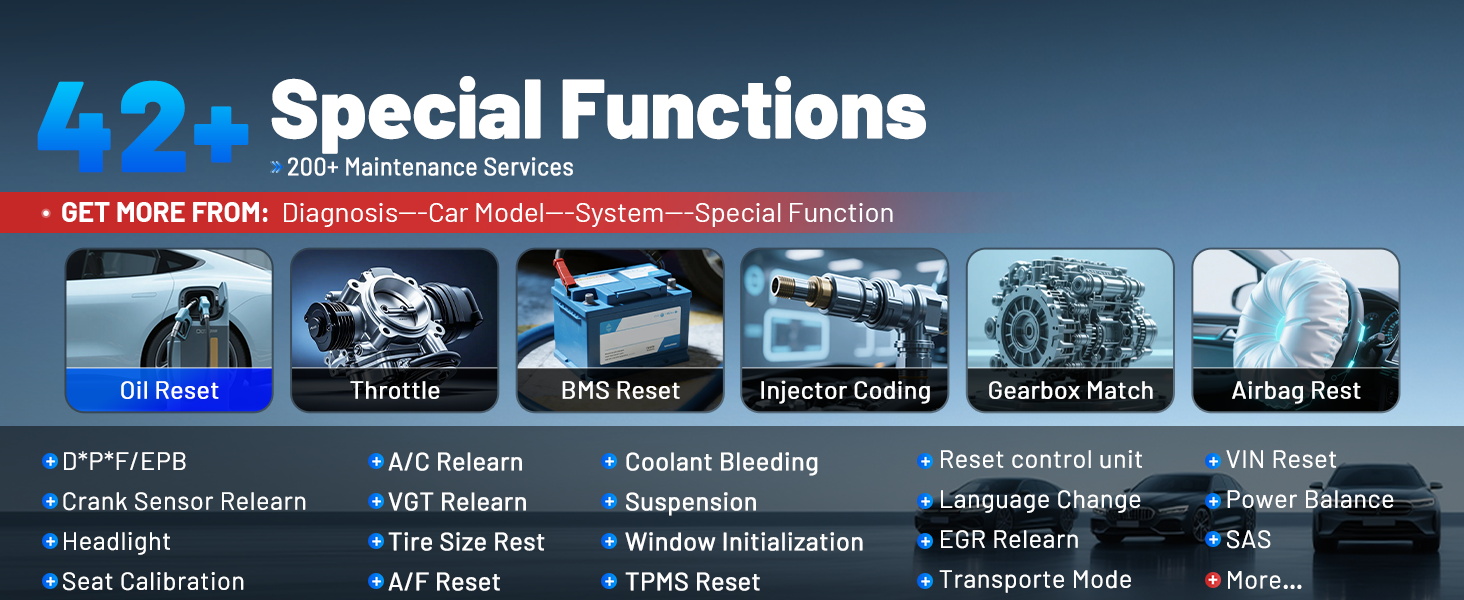
Image 3.4: A display of the various special functions available on the XTOOL D8S, categorized for easy access to maintenance services.
3.5 ECU Coding & Flash Hidden Function & PMI
The D8S provides advanced capabilities for ECU coding, allowing for customization and optimization of vehicle performance. It supports:
- ECU కోడింగ్: For Audi, VW, Skoda, and other compatible brands, enabling online calibration and parameterization.
- ఫ్లాష్ దాచిన విధులు: To activate or deactivate specific vehicle features that are hidden by the factory, such as rearview mirror folding or daytime running lights.
- PMI (Programmable Module Installation): For Ford, Lincoln, and Mazda vehicles, allowing for the copying of data and installation of newly replaced modules.

Image 3.5: The advanced ECU coding screen on the XTOOL D8S, showing options for customizing vehicle settings.

Image 3.6: An illustration of the PMI (Programmable Module Installation) function, demonstrating its use for replacing and programming ECUs in compatible vehicles.
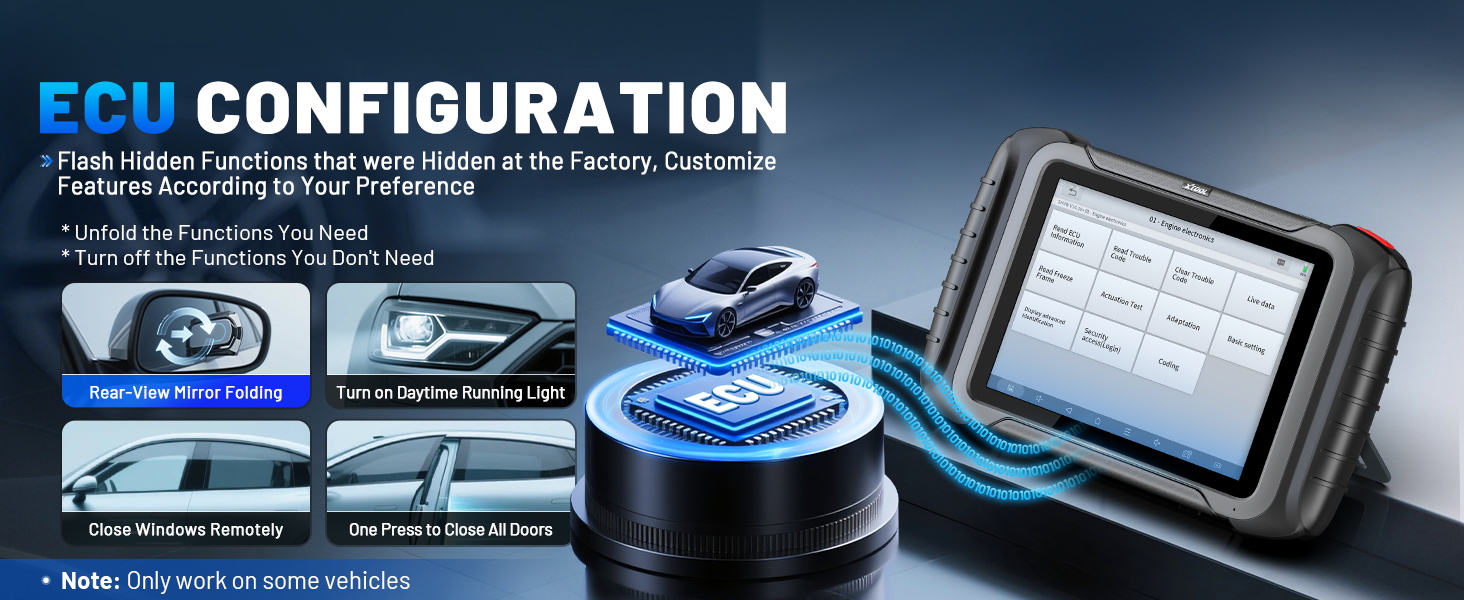
Image 3.7: The ECU configuration screen on the XTOOL D8S, showing options to flash hidden functions and customize car settings.
3.6 Diagnostic Report & Data Graphing
The D8S generates V2.0 Diagnostic Reports, which can be customized, saved, and shared. It also supports graphing of up to 8 PIDs (Parameter IDs) simultaneously, allowing for real-time monitoring and analysis of vehicle data.
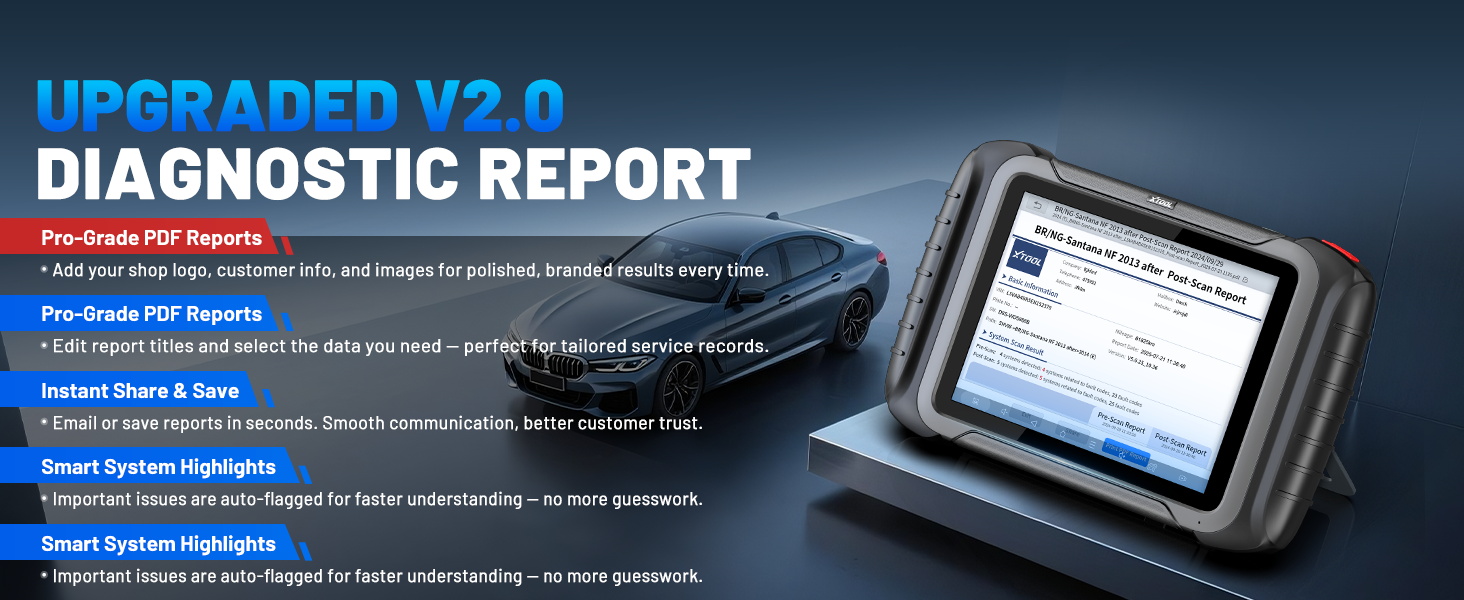
Image 3.8: A sample of the V2.0 Diagnostic Report generated by the XTOOL D8S, detailing scan results and DTC status.
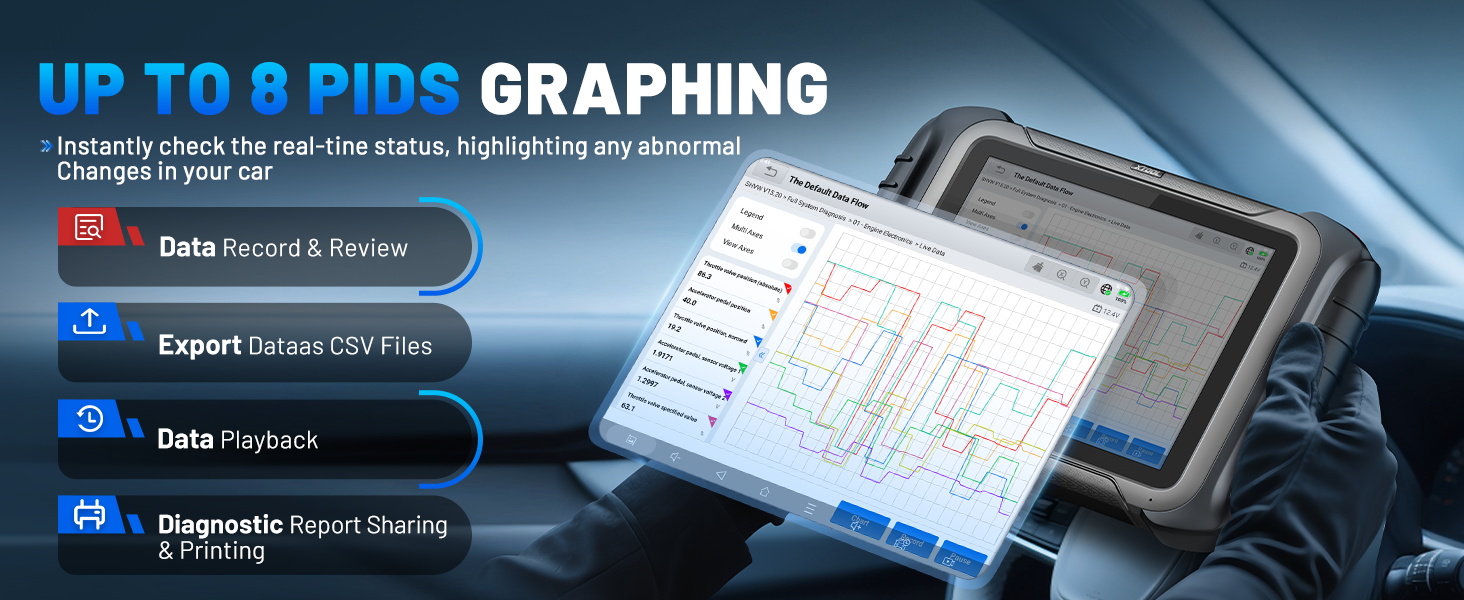
Image 3.9: The live data graphing feature on the XTOOL D8S, showing multiple PIDs plotted over time for detailed analysis.
3.7 Vehicle Coverage & Protocols
The XTOOL D8S supports over 10,000 car models globally, including 12V sedans, light-duty trucks, SUVs, mini-vans, and hybrids. It is compatible with OBDII, EOBD, and advanced protocols such as FCA AutoAuth (for Chrysler, Dodge, Jeep from 2018+), CAN FD (for GM 2020+), and DoIP (for BMW E/F/G Chassis, Jaguar, Land Rover).

Image 3.10: A world map illustrating the extensive vehicle coverage of the XTOOL D8S across various regions and car models.
3.8 భాషా మద్దతు
The device supports over 23 languages, with English and Spanish pre-installed. Other languages can be activated upon request by providing the device's serial number to XTOOL support.
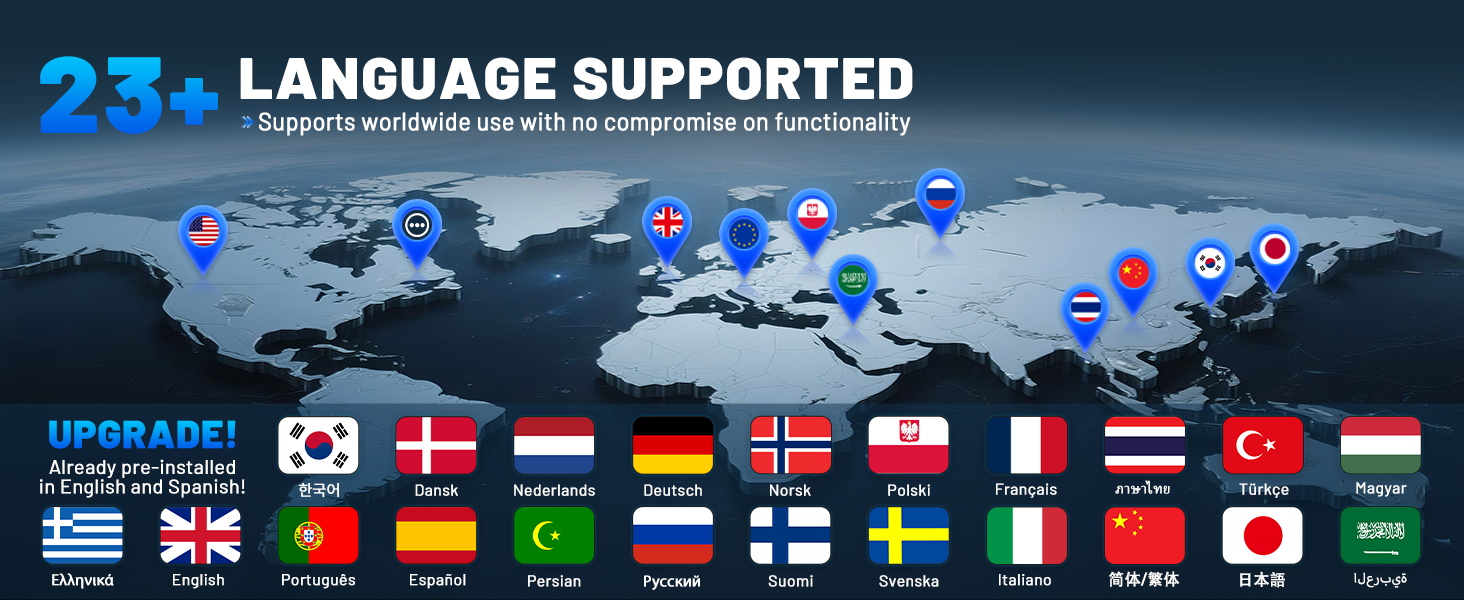
Image 3.11: A display of flags representing the 23+ languages supported by the XTOOL D8S, highlighting its global usability.
4. నిర్వహణ
4.1 సాఫ్ట్వేర్ నవీకరణలు
Regular software updates are crucial for maintaining optimal performance and expanding vehicle compatibility. Connect your device to a stable internet connection and check for updates periodically through the device's menu. Ensure the battery is sufficiently charged before initiating any update process.
4.2 పరికర సంరక్షణ
To ensure the longevity of your XTOOL D8S, follow these guidelines:
- Keep the device clean using a soft, dry cloth. Avoid abrasive cleaners or solvents.
- Store the device in its protective carrying case when not in use to prevent physical damage.
- పరికరాన్ని విపరీతమైన ఉష్ణోగ్రతలు, ప్రత్యక్ష సూర్యకాంతి లేదా అధిక తేమకు గురిచేయకుండా ఉండండి.
- Protect the screen from scratches by using a screen protector if available.
4.3 బ్యాటరీ సంరక్షణ
The integrated Lithium Ion battery requires proper care:
- పరికరాన్ని క్రమం తప్పకుండా ఛార్జ్ చేయండి, ఎక్కువసేపు పూర్తిగా డిశ్చార్జ్ కాకుండా ఉండండి.
- If storing the device for a long time, ensure the battery is charged to approximately 50-70% to preserve its lifespan.
- Use only the original charger and cables provided with the device.
5. ట్రబుల్షూటింగ్
This section addresses common issues you might encounter with your XTOOL D8S. For more complex problems, please contact XTOOL customer support.
5.1 పరికరం ఆన్ కావడం లేదు
- Ensure the battery is charged. Connect the device to the power adapter and allow it to charge for at least 30 minutes before attempting to power on again.
- Verify the power adapter and cable are securely connected and functional.
5.2 Connection Issues with Vehicle
- Check that the OBD-II cable is securely connected to both the D8S and the vehicle's OBD-II port.
- Ensure the vehicle's ignition is in the 'ON' position (engine off) or the engine is running, as required by the specific diagnostic function.
- Verify vehicle compatibility. Some advanced functions may not be available for all vehicle models or years. You can contact XTOOL support with your VIN for compatibility checks.
5.3 Software Freezes or Errors
- పరికరాన్ని పునఃప్రారంభించండి.
- Ensure the software is up to date. Perform a software update if available.
- If the issue persists, consider performing a factory reset (note: this will erase user data, back up important information first).
5.4 Inaccurate Readings or Functionality
- Confirm the correct vehicle make, model, and year have been selected in the diagnostic software.
- వాహనం యొక్క బ్యాటరీ వాల్యూమ్ను నిర్ధారించుకోండిtage is stable and sufficient for diagnostic operations.
- If a specific function is not working, it might not be supported for your particular vehicle. Check compatibility with XTOOL support.
6. స్పెసిఫికేషన్లు
The XTOOL D8S is built with robust hardware and an optimized operating system to deliver efficient diagnostic performance.

చిత్రం 6.1: ఒక ఓవర్view of the XTOOL D8S's hardware components and their key specifications.
| ఫీచర్ | స్పెసిఫికేషన్ |
|---|---|
| తయారీదారు | XTOOL |
| మోడల్ సంఖ్య | XTOOL D8S ద్వారా మరిన్ని |
| ఆపరేటింగ్ సిస్టమ్ | ఆండ్రాయిడ్ 10.0 |
| ప్రాసెసర్ | Quad-Core 1.8GHz CPU |
| జ్ఞాపకశక్తి | 4GB RAM & 64GB ROM |
| ప్రదర్శించు | 8-inch (1024x768 resolution) |
| బ్యాటరీ | 5000mAh/7.3V Lithium Ion |
| కనెక్టివిటీ | 2.4GHz & 5GHz Dual-Frequency Wi-Fi, USB 3.0 Type-C |
| కొలతలు | 10.78 x 1.33 x 6.89 అంగుళాలు |
| వస్తువు బరువు | 5.61 పౌండ్లు |
| UPC | 789605296895 |
7. వారంటీ మరియు మద్దతు
7.1 ఉత్పత్తి వారంటీ
The XTOOL D8S comes with a 2-year hardware warranty. Additionally, it includes 3 years of free software updates from the date of purchase, ensuring your device remains current with the latest vehicle data and diagnostic capabilities.
7.2 కస్టమర్ మద్దతు
For technical assistance, compatibility inquiries, or any other support needs, please contact XTOOL customer service. You can typically find contact information on the official XTOOL website or through the seller's support channels. When contacting support, please have your device's serial number and vehicle VIN (if applicable) ready.
PDF ఫార్మాట్లో వివరణాత్మక యూజర్ మాన్యువల్ కూడా డౌన్లోడ్ చేసుకోవడానికి అందుబాటులో ఉంది: XTOOL D8S User Manual (PDF)
Note: No official product videos with 'Seller' as creator type were provided in the product data, therefore no videos could be embedded in this manual.


